PRE|SETS
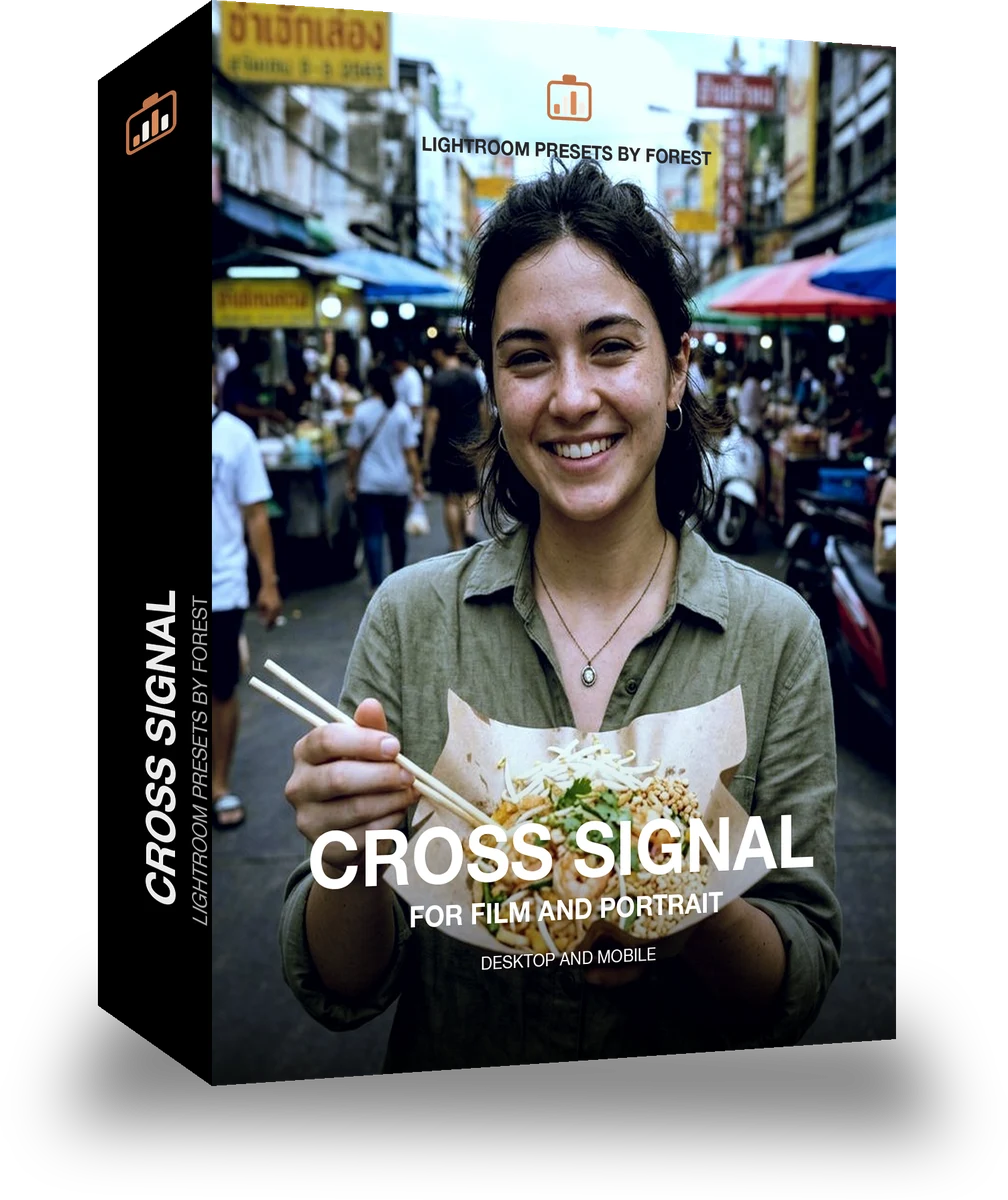
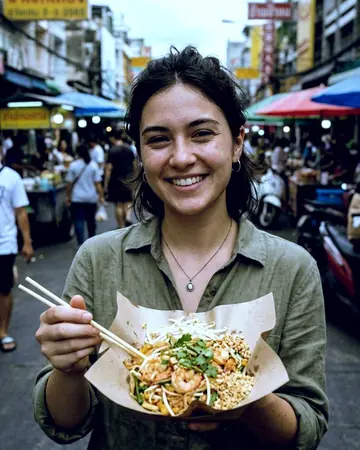
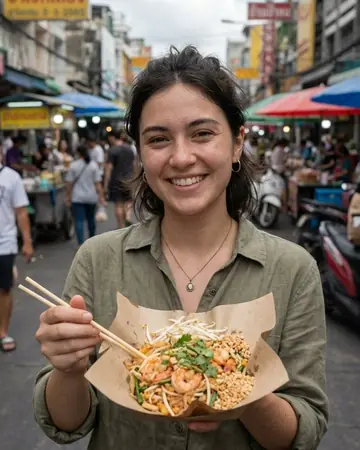
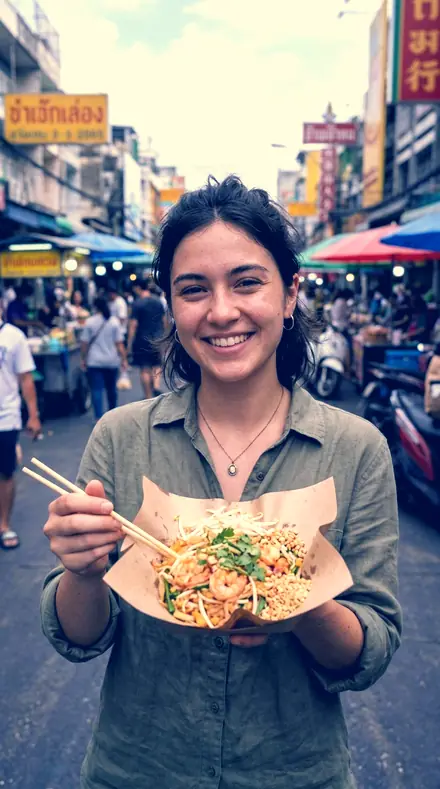
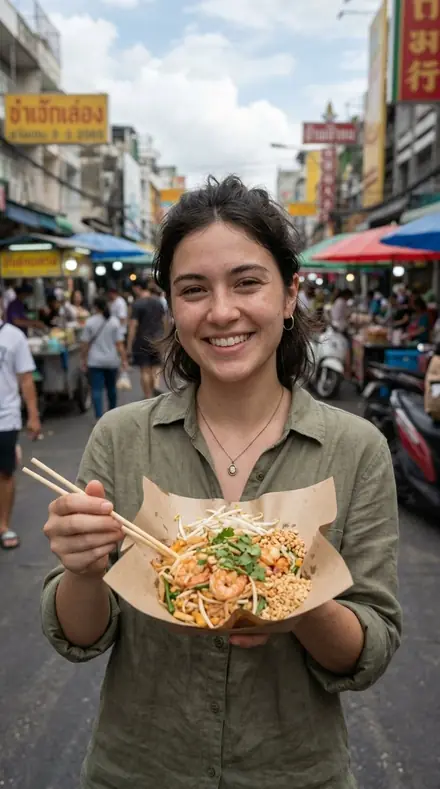
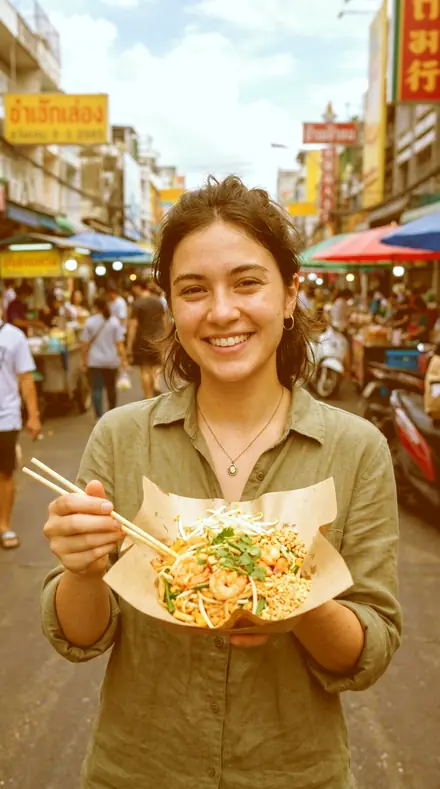
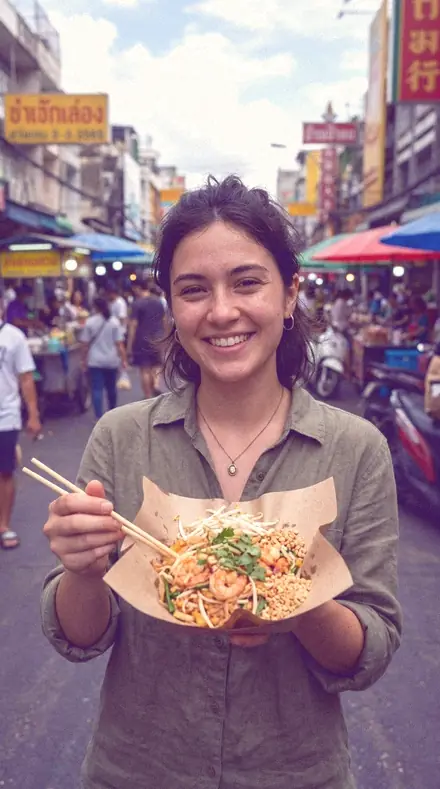
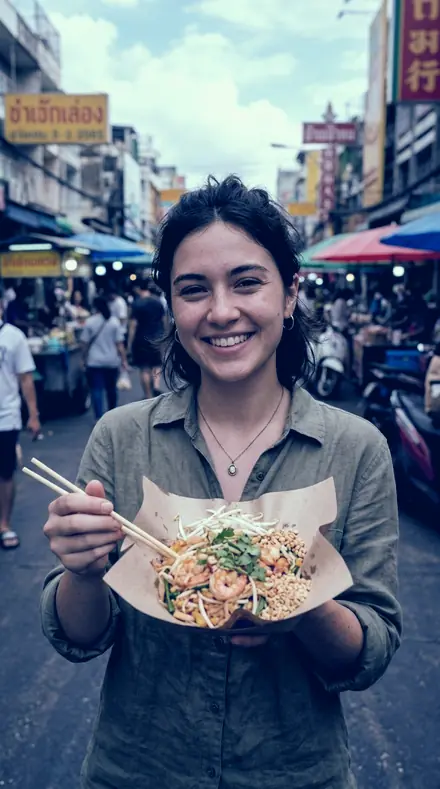
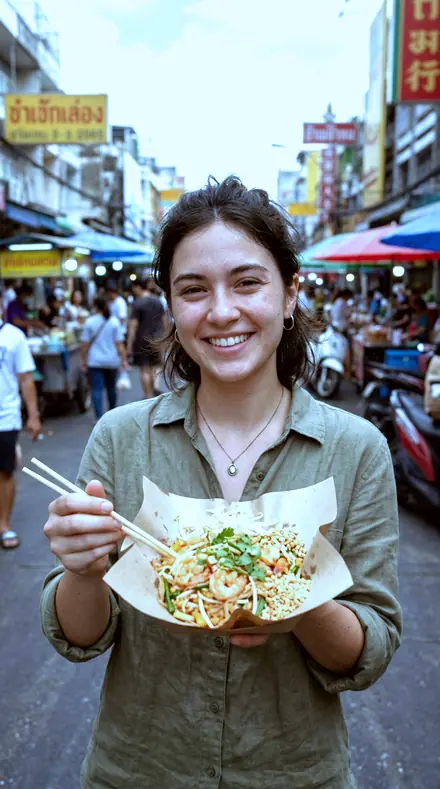
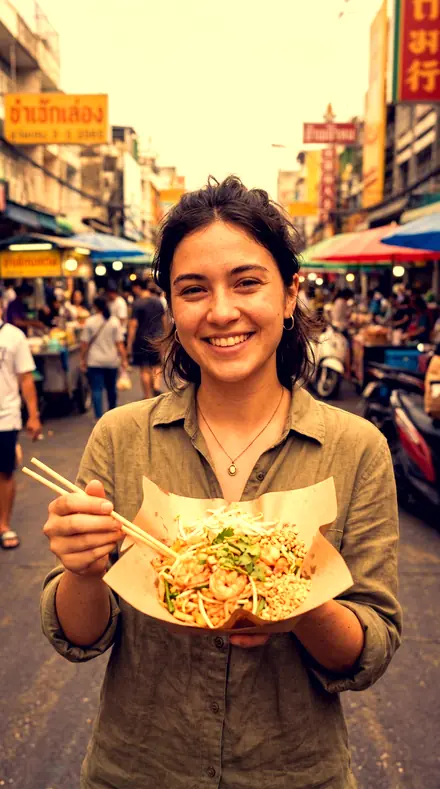
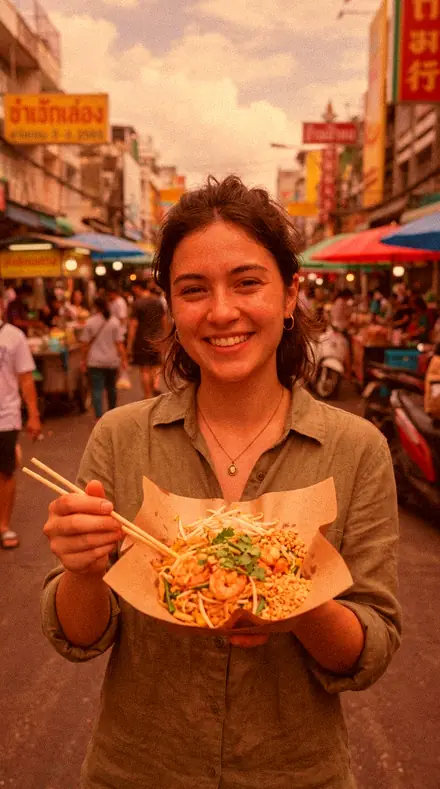
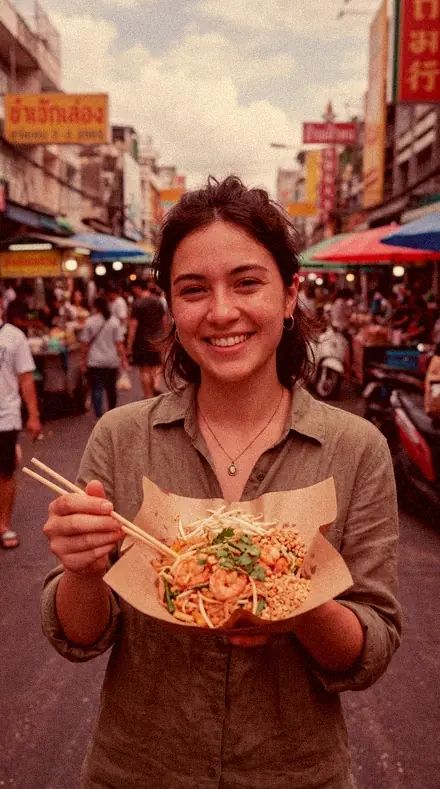
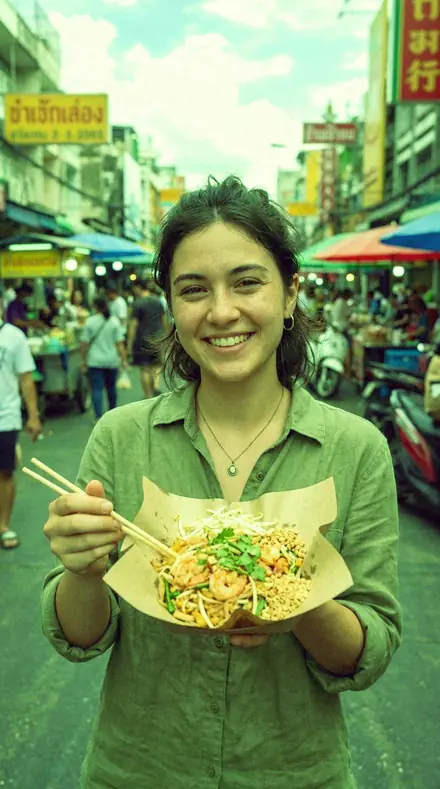
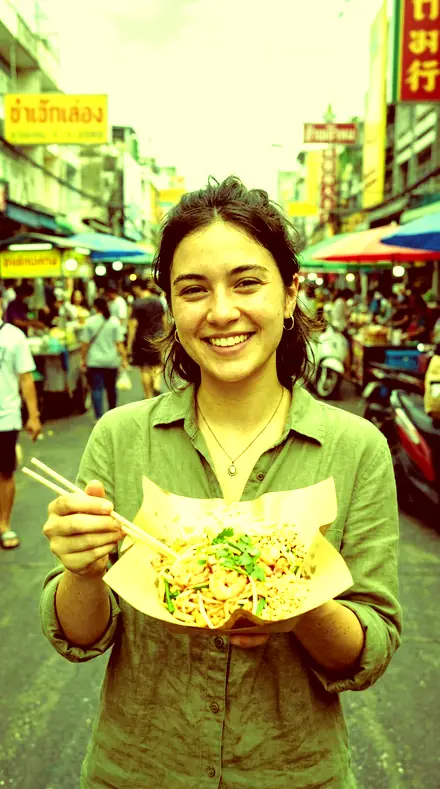
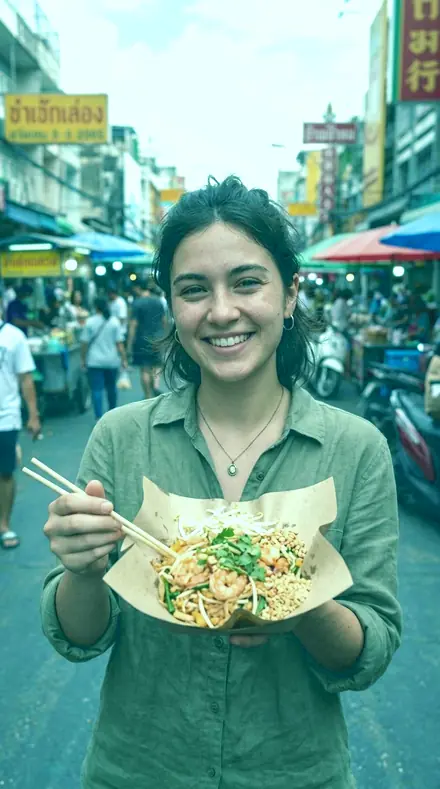
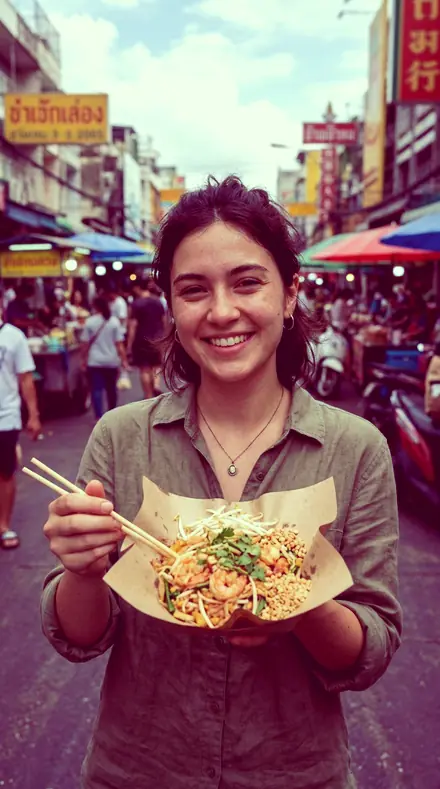
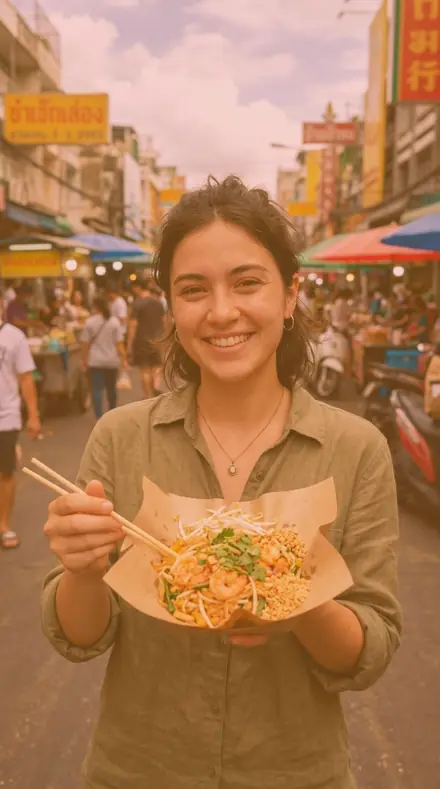
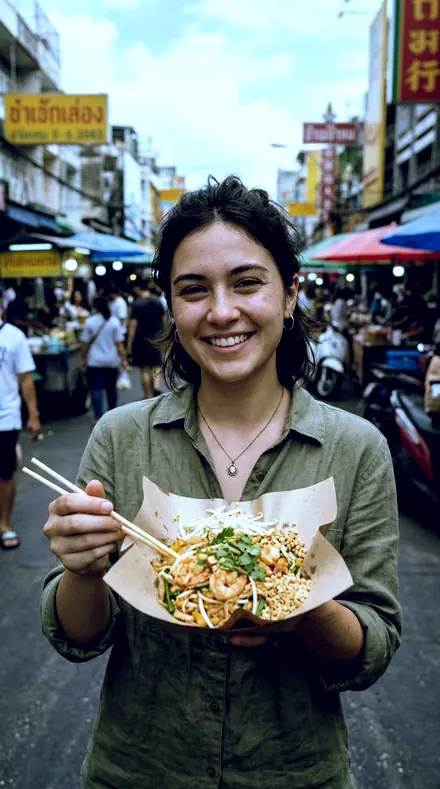
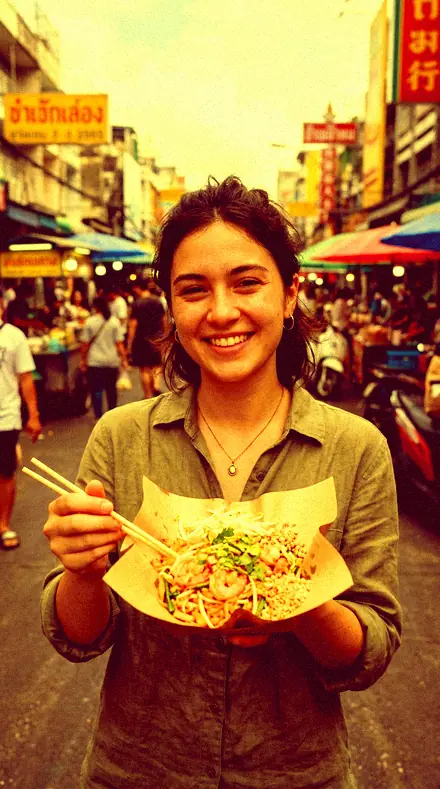
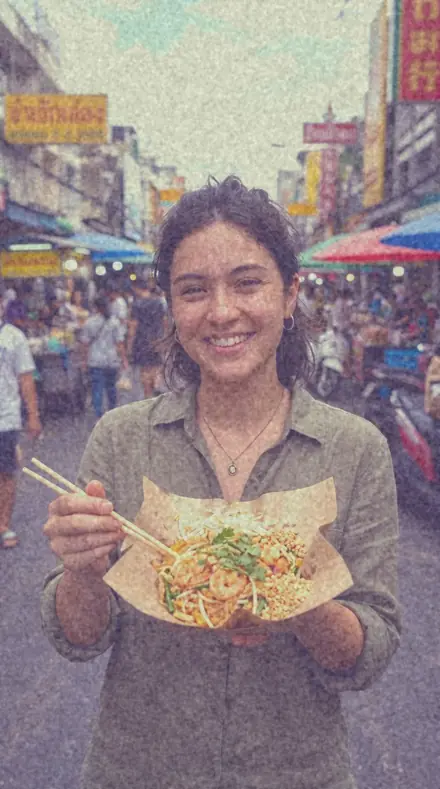
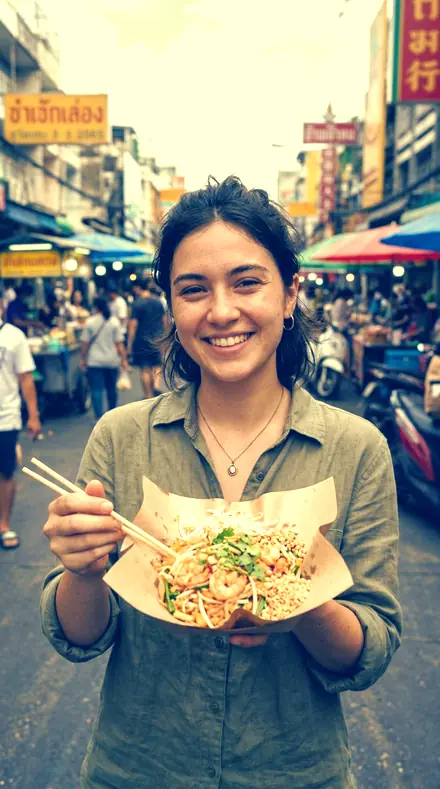
street food. With the Crossbath preset applied.street food. Photographed without a preset.
Crossbath applied to street food

Film Preset

welcome priceonly here

was $49.99now $29.99Save $20

Save for later

Instant download.

  • Presets18
  • Stylefilm, 35mm, cross process
  • Works inLightroom desktop and mobile
  • Format.xmp and .dng

Crossbath · Film and cinematic

Crossbath makes one kind of light.

Film Preset is 18 presets for film and cinematic photography. Every one of them is below, before you pay for any of it.

What this light does

one frame, 4 presets

Film Preset, 35mm slide film in the wrong bath

4 of them, on one photograph. Drag to compare before and after.

  1. Street food. With the Cyan Floor preset applied.Street food. Photographed without a preset.
    Cyan Floor applied to Street food

    No. 01

    Cyan Floor

    Cross-process with cyan-blue blacks and warm highlights, for editorial portrait and street work.

  2. Street food. With the Orange Floor preset applied.Street food. Photographed without a preset.
    Orange Floor applied to Street food

    No. 07

    Orange Floor

    Orange-lifted blacks with a blue toe crush, a reversed cross process for late daylight skin.

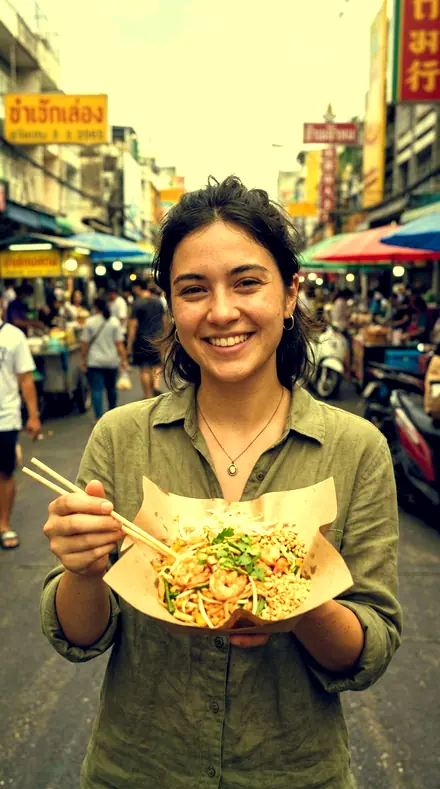
  3. Street food. With the Violet Base preset applied.Street food. Photographed without a preset.
    Violet Base applied to Street food

    No. 12

    Violet Base

    Violet-lifted blacks with a clean top, a gentle entry point into cross-processed colour.

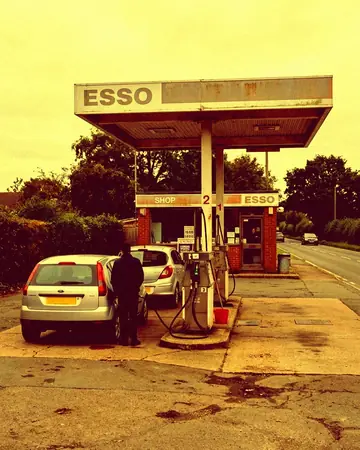
  4. Street food. With the Blue Crush preset applied.Street food. Photographed without a preset.
    Blue Crush applied to Street food

    No. 18

    Blue Crush

    Blue channel pulled down across the whole range for a yellowed cross print with cold blacks.

See the light change

drag the line

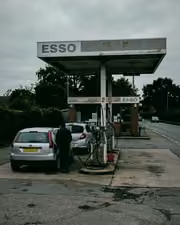
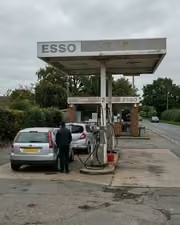
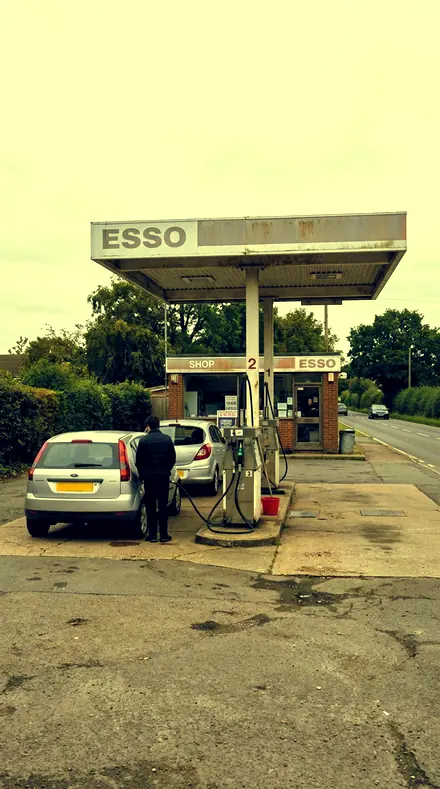
The same frame, one tap apart. Drag any handle and the scene goes back to the way it looked before Crossbath touched it.

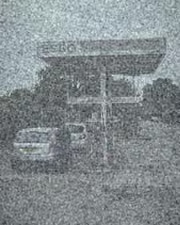
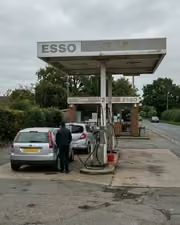
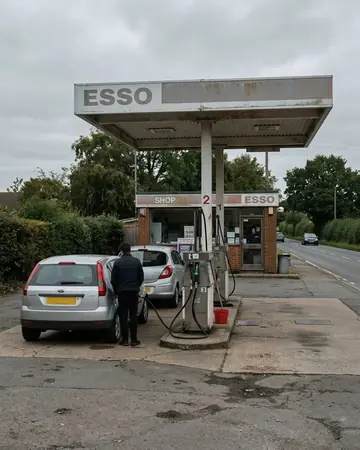
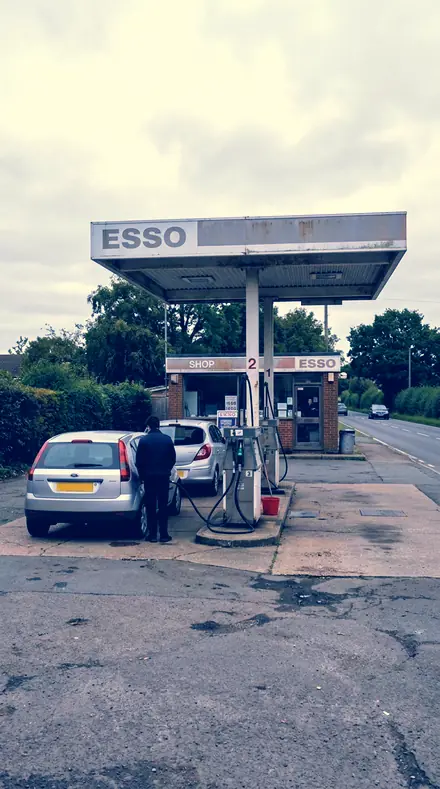
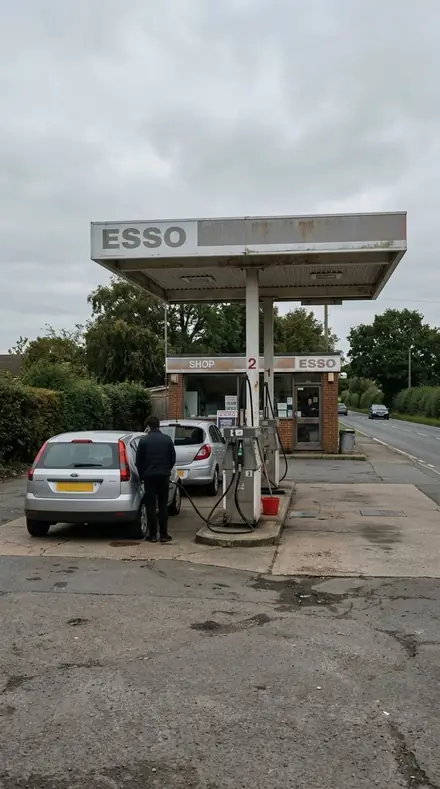
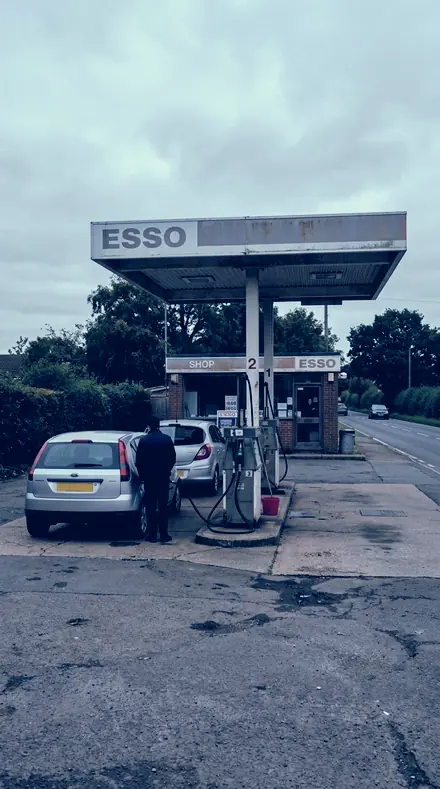
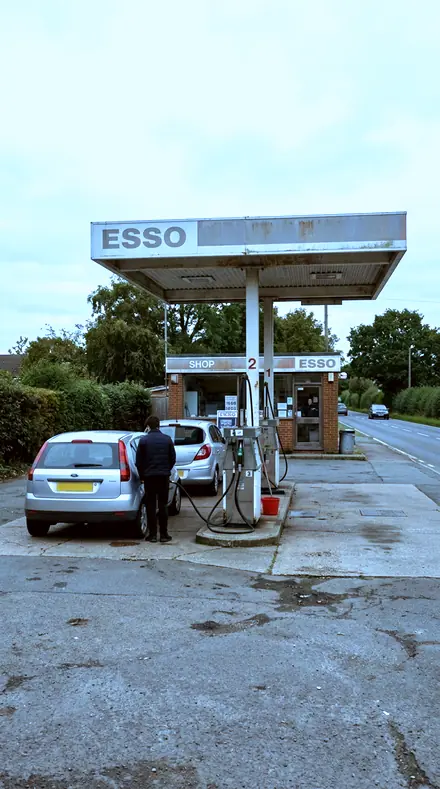
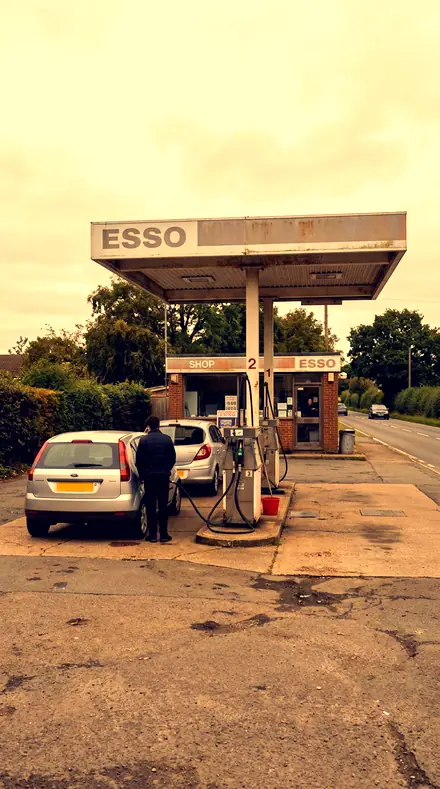
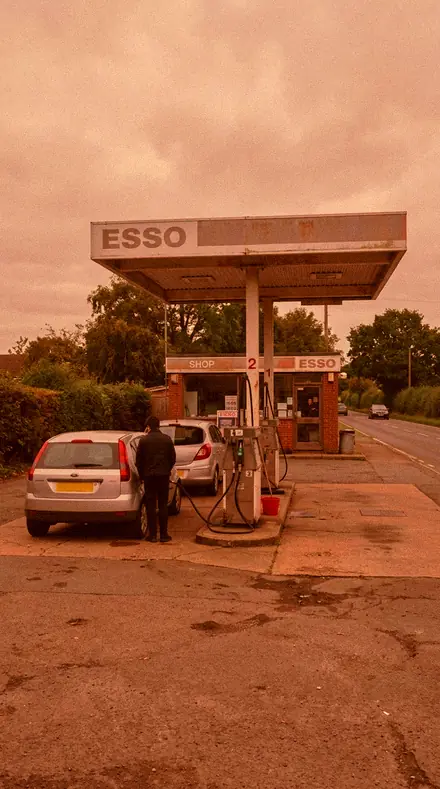
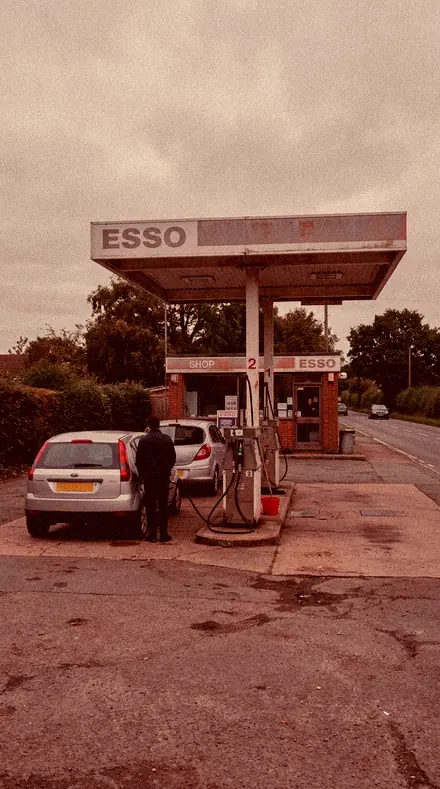
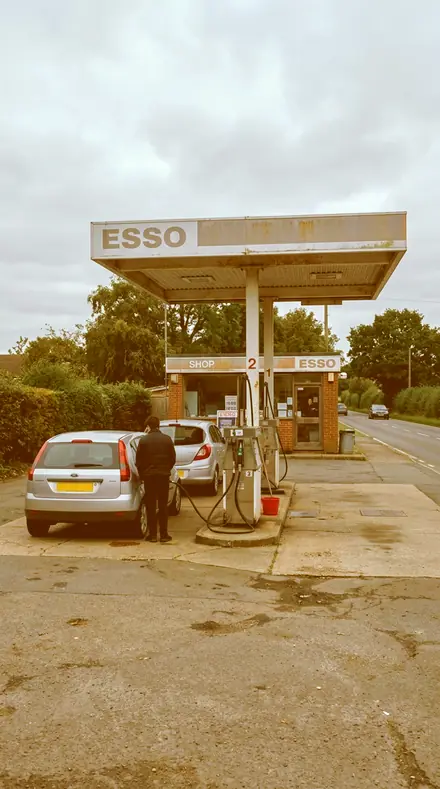
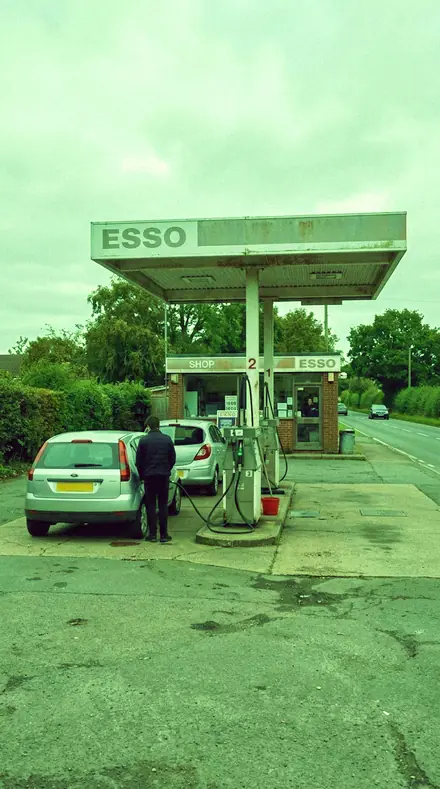
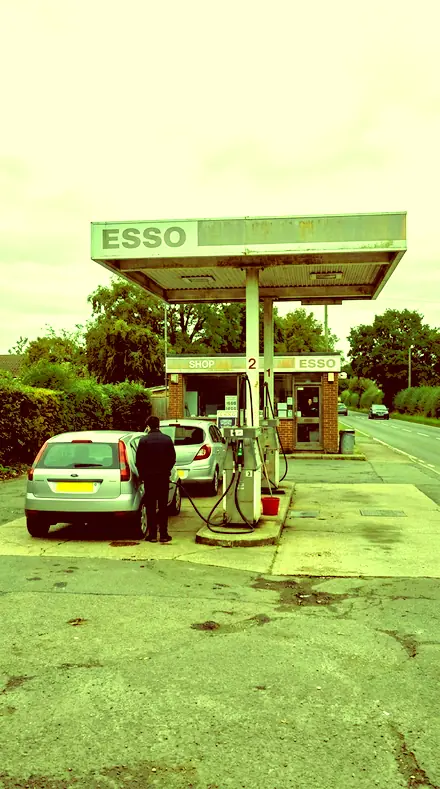
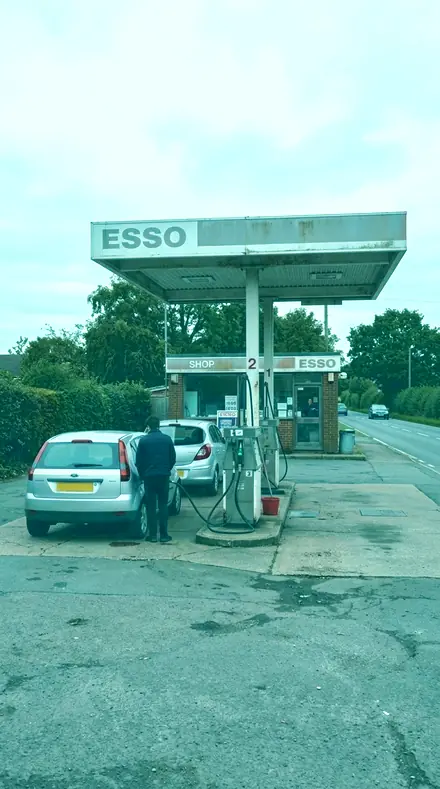
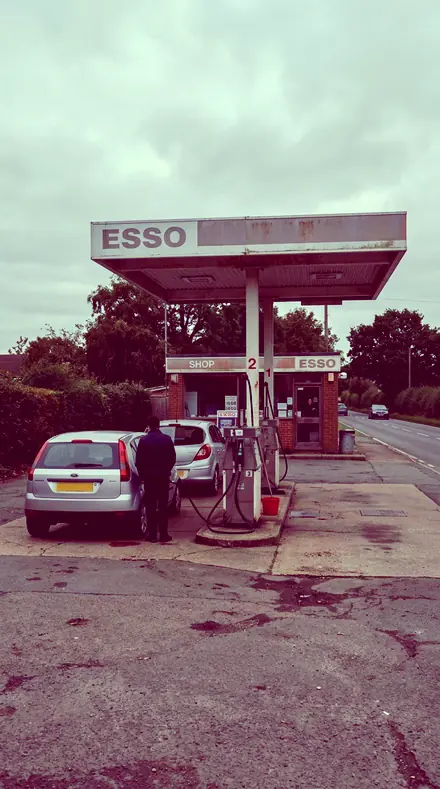
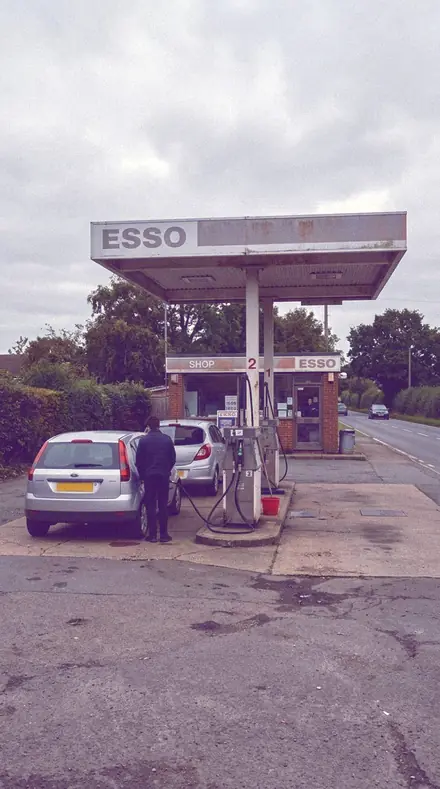
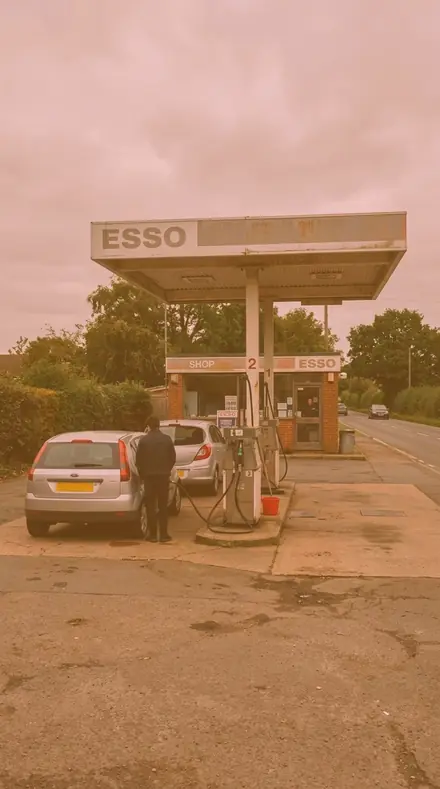
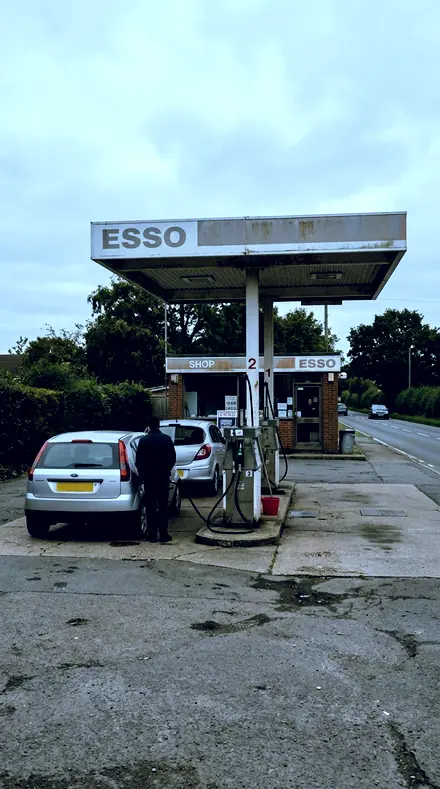
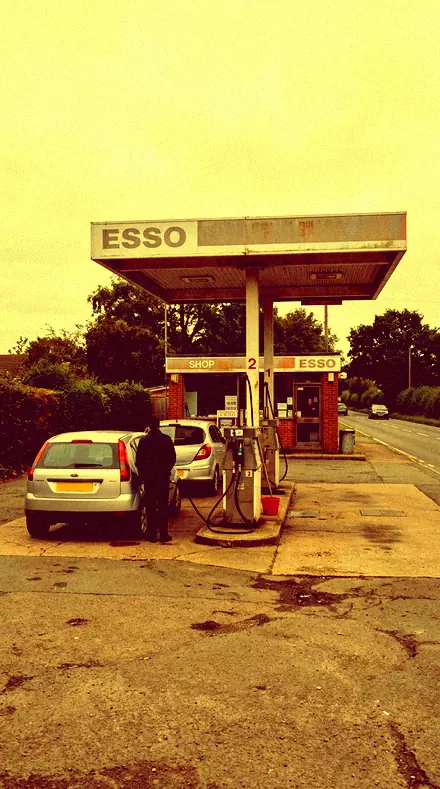
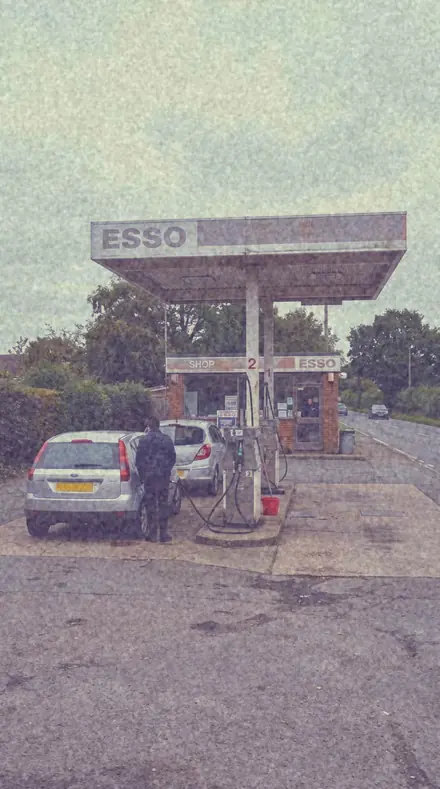
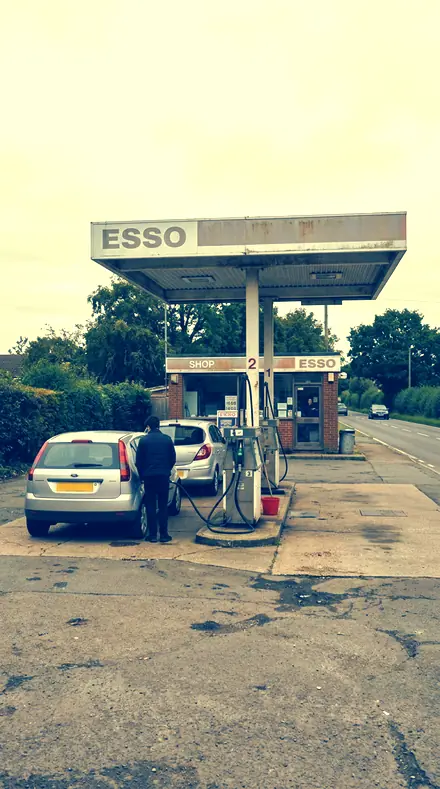
Petrol station. With the Crossbath preset applied.Petrol station. Photographed without a preset.
Crossbath applied to Petrol station
Petrol station
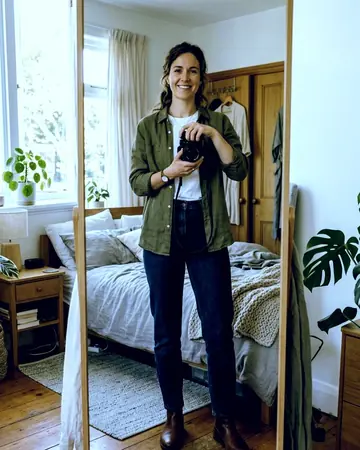
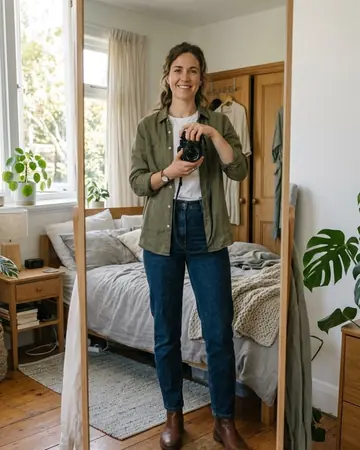
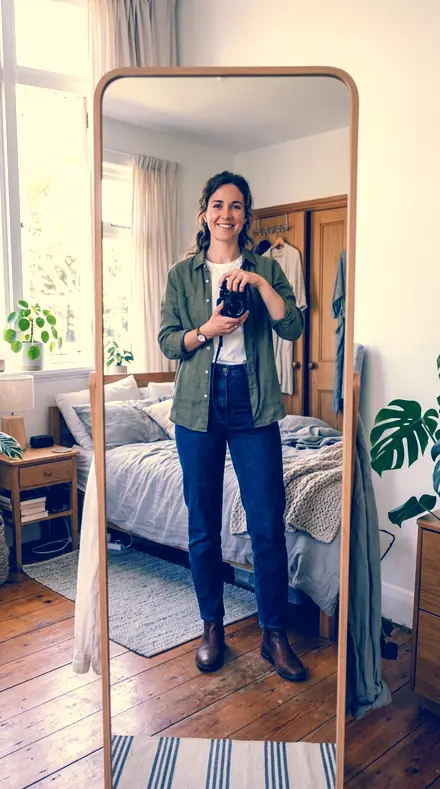
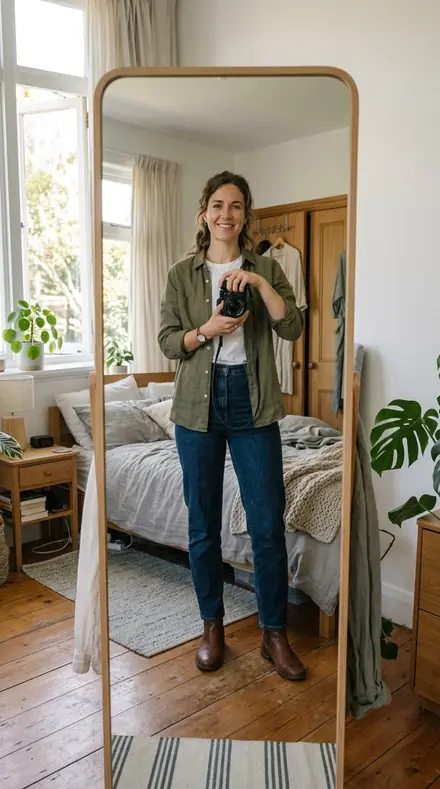
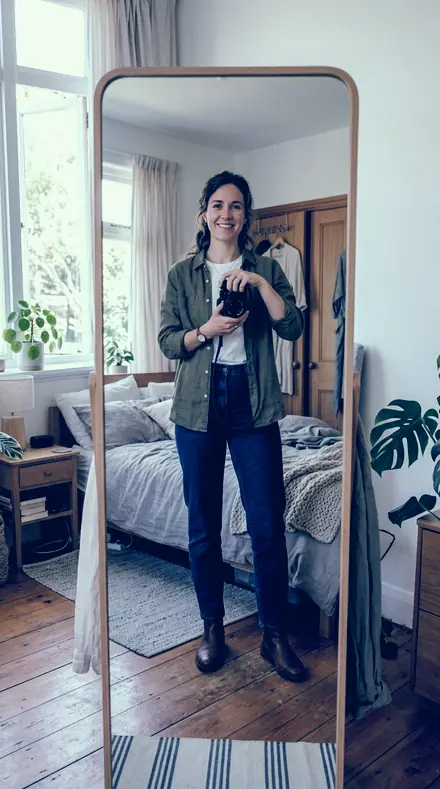
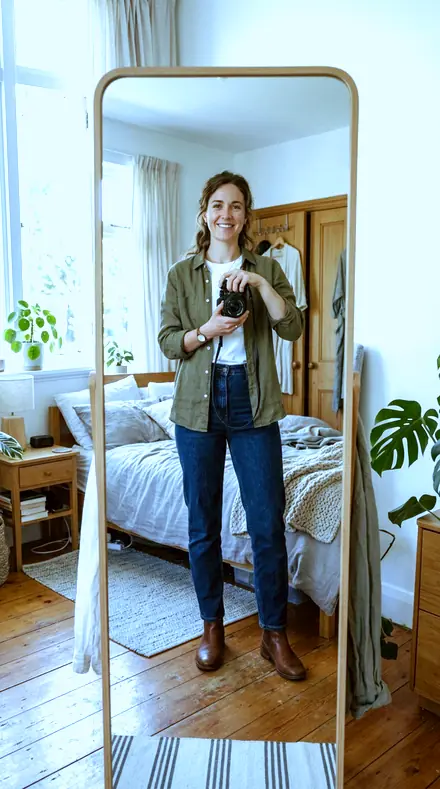
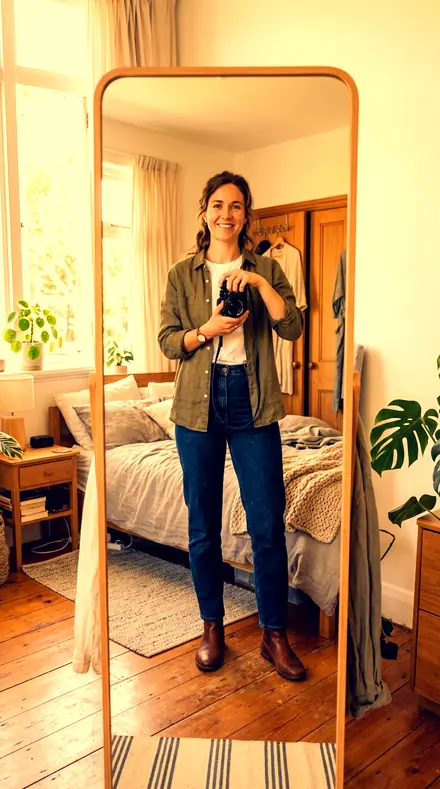
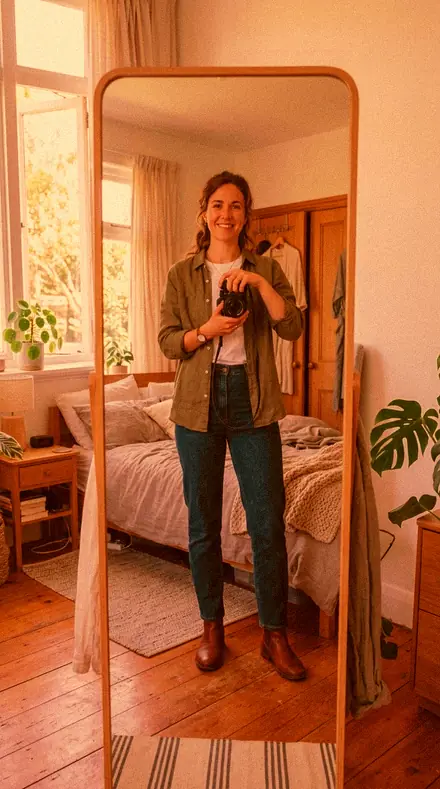
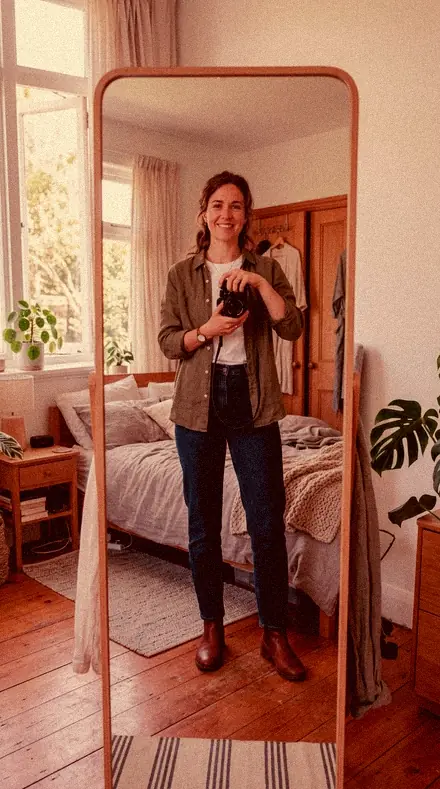
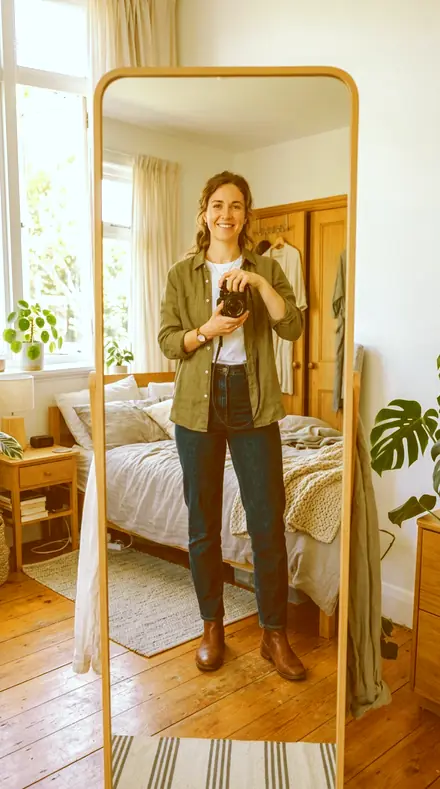
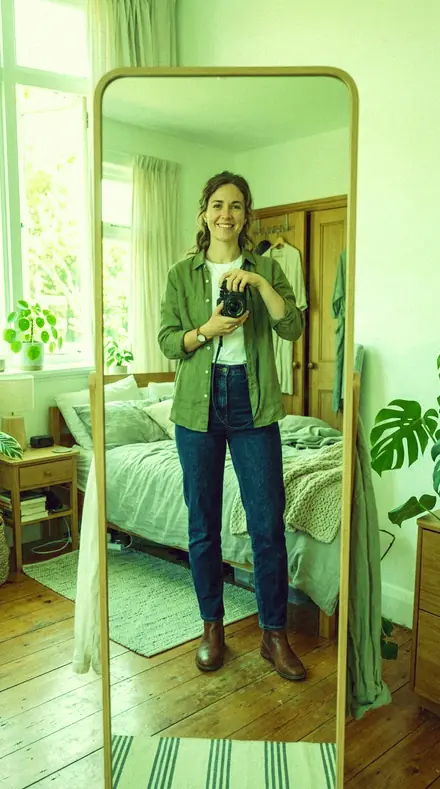
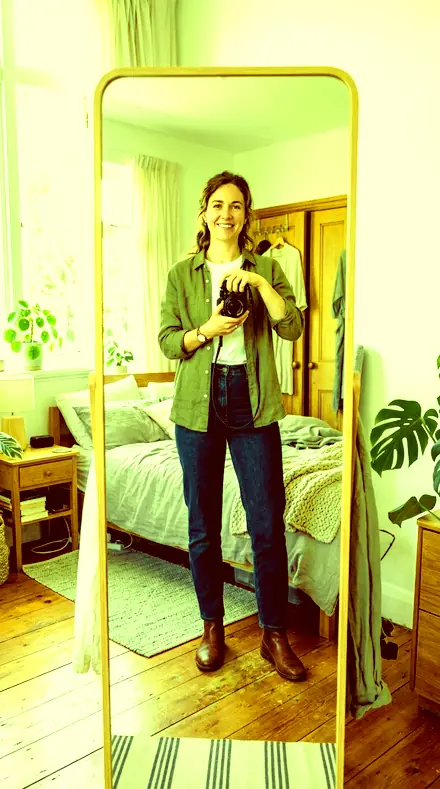
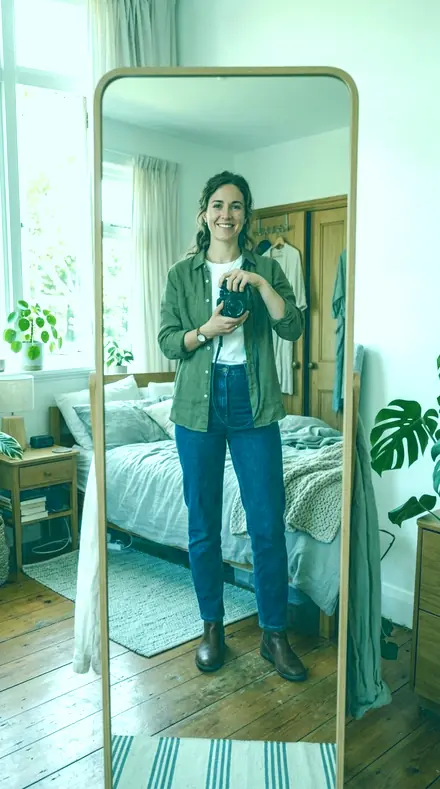
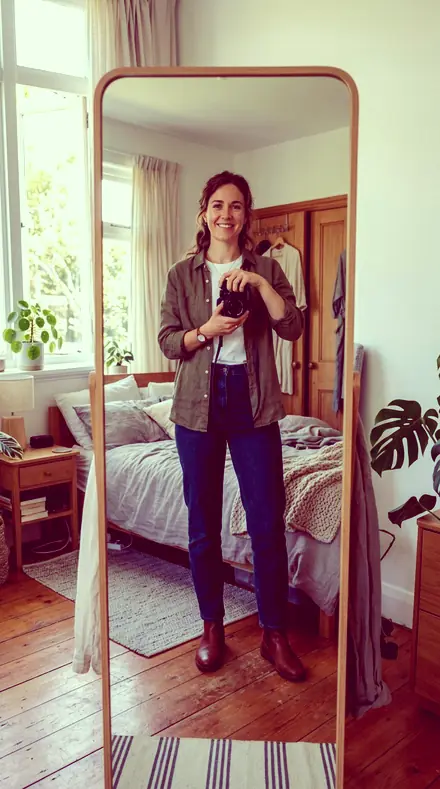
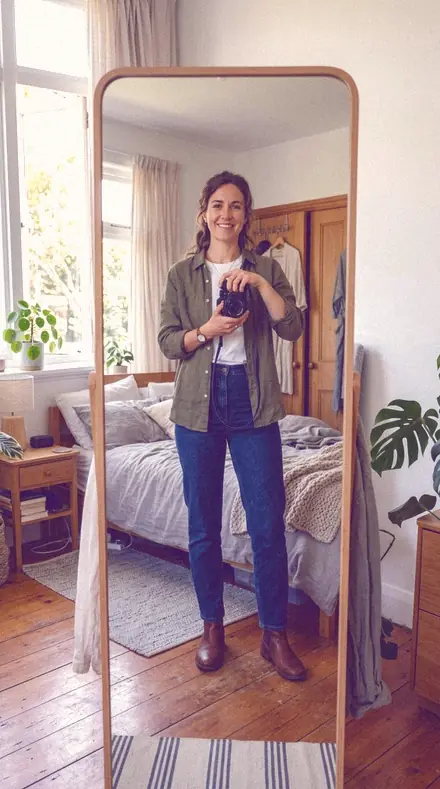
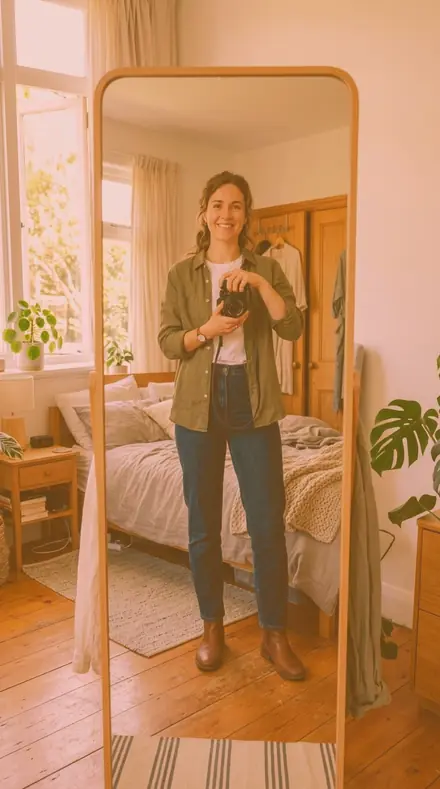
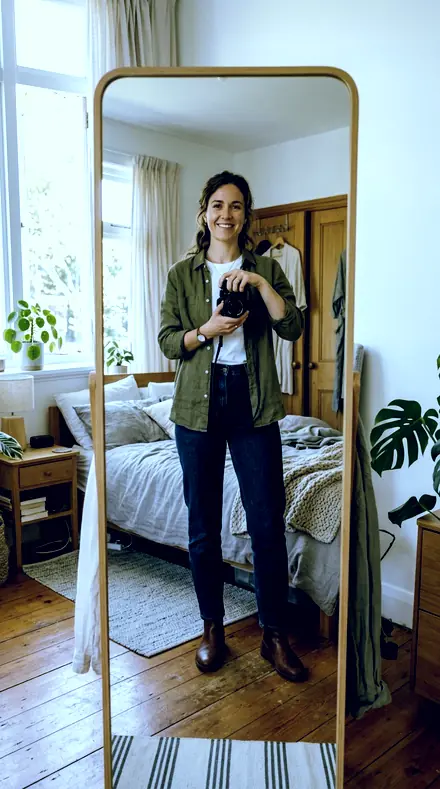
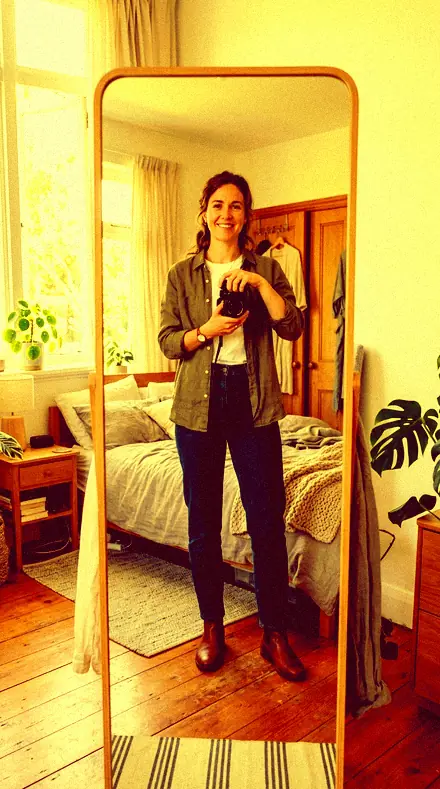
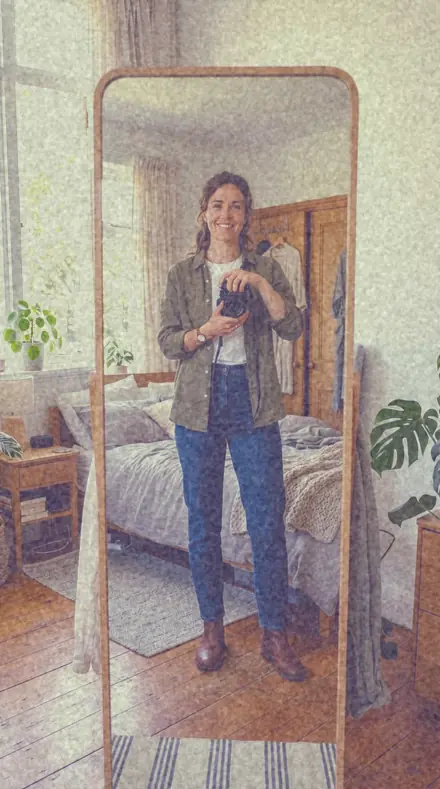
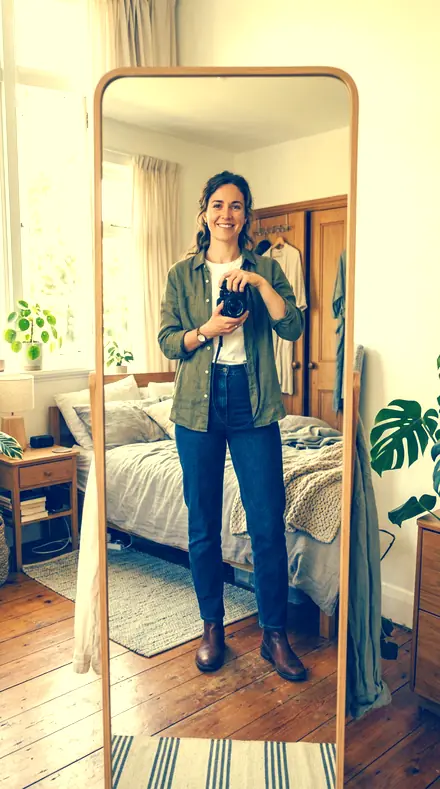
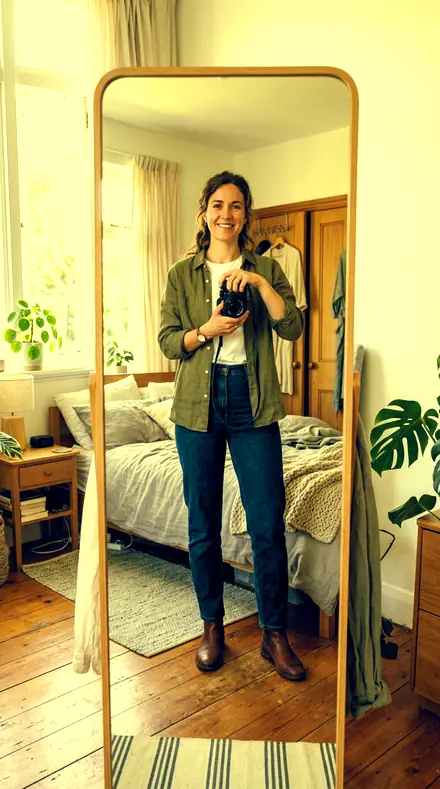
Mirror fit. With the Crossbath preset applied.Mirror fit. Photographed without a preset.
Crossbath applied to Mirror fit
Mirror fit

The Light Table

3 groups

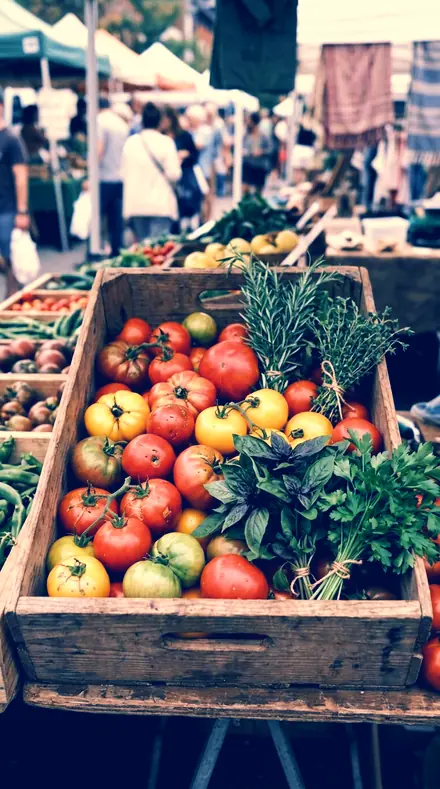
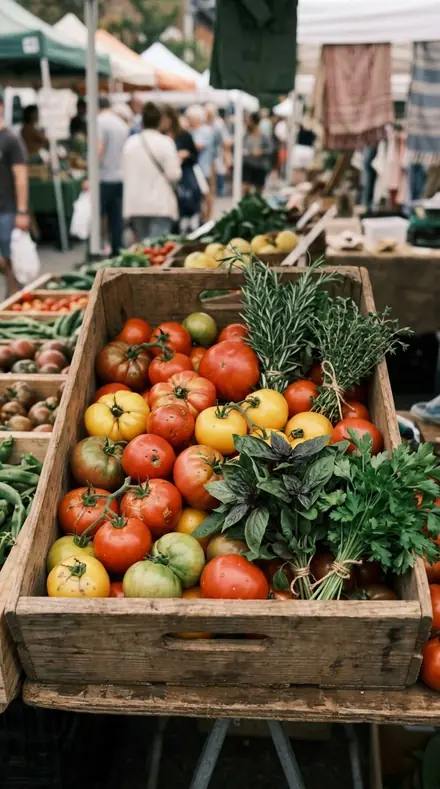
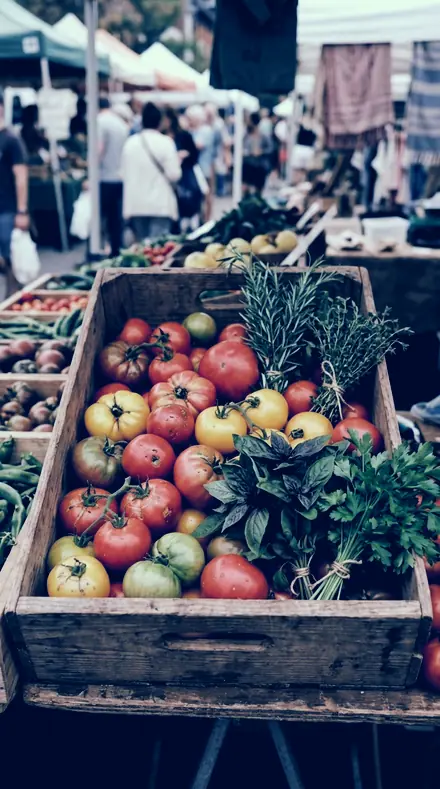
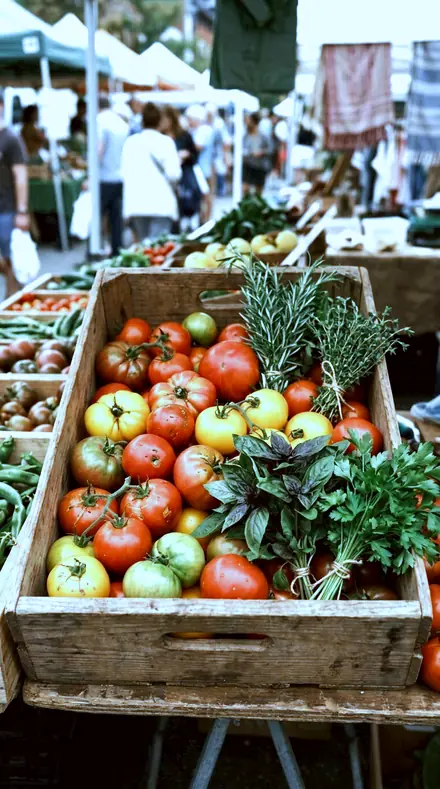
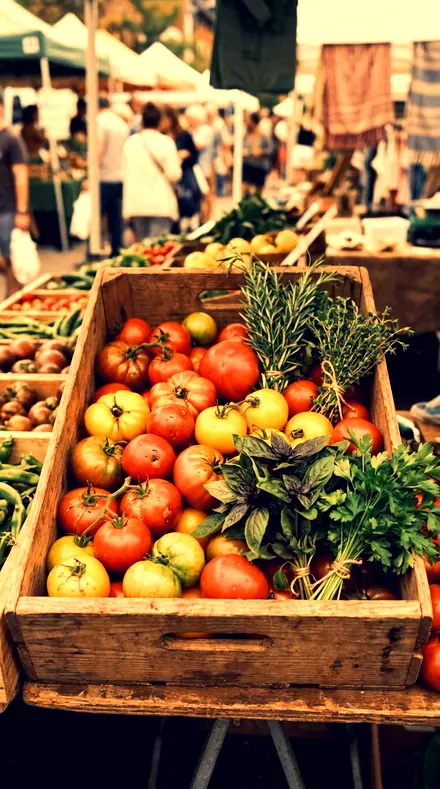
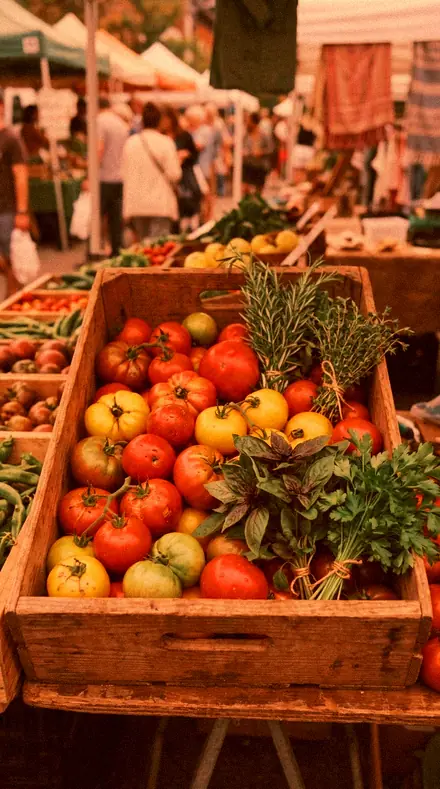
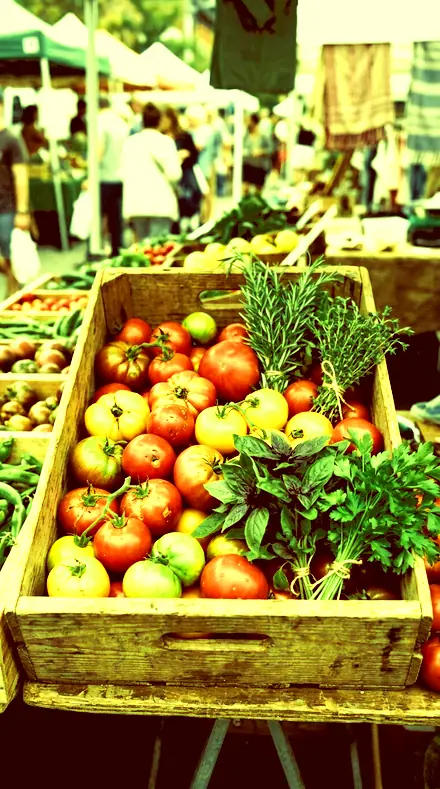
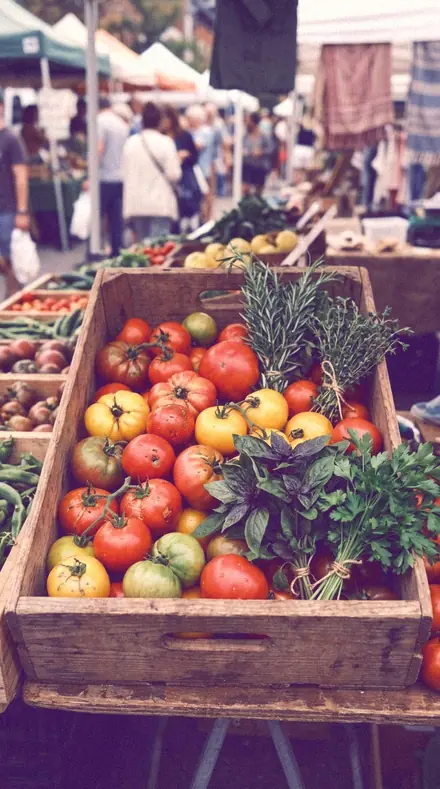
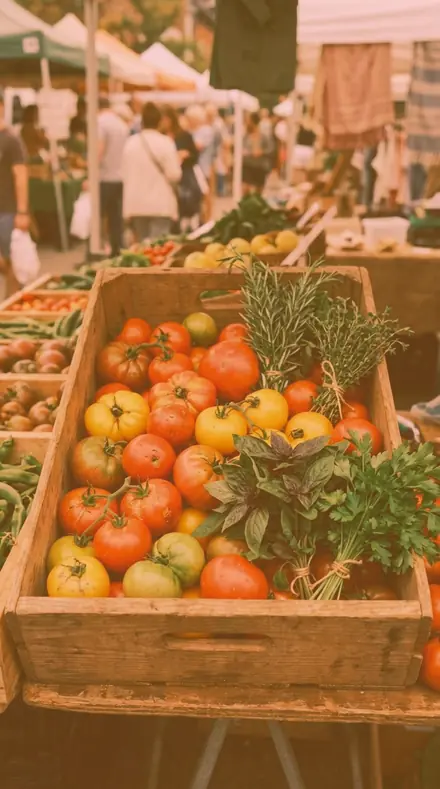
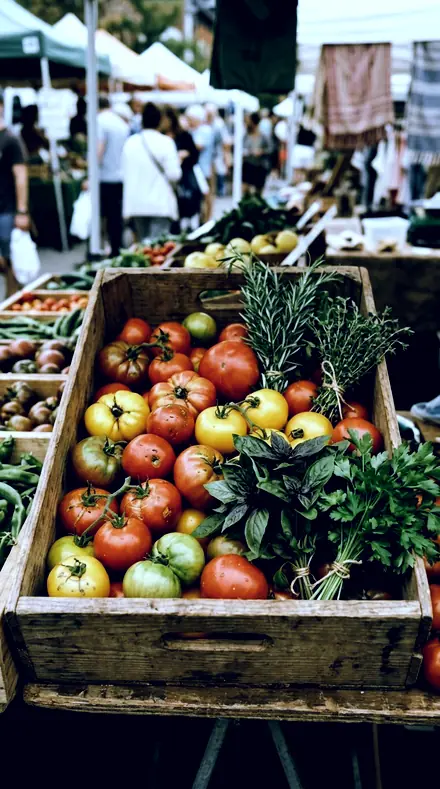
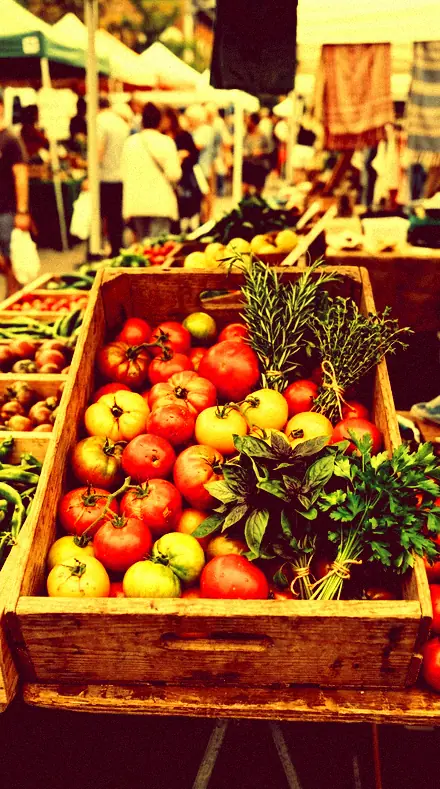
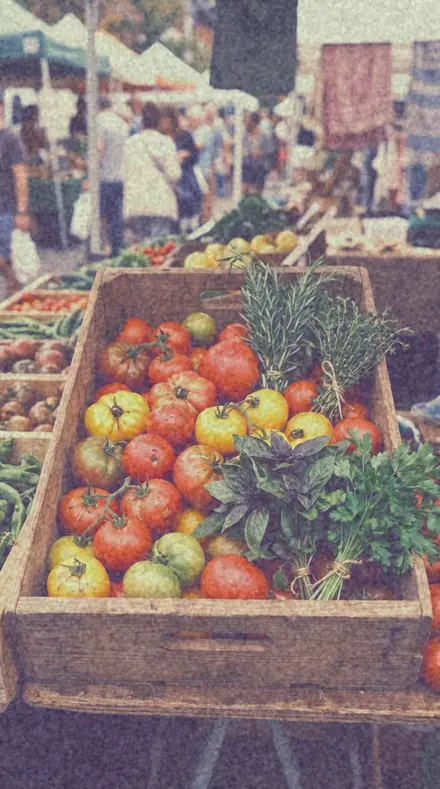
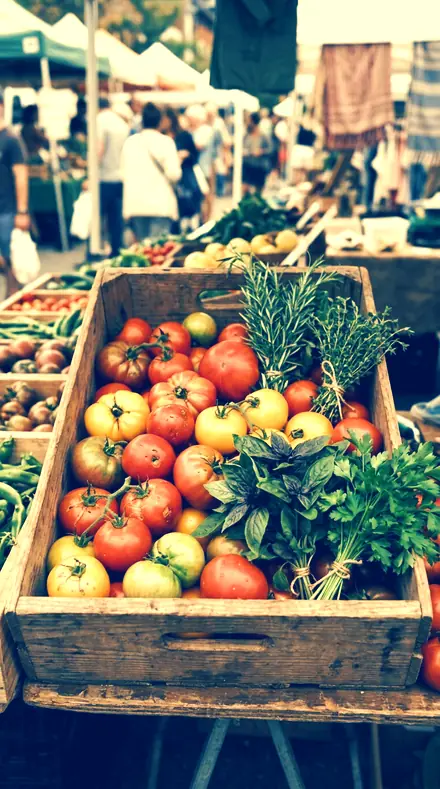
Warm-up, crossed, all the way. Every recipe on the same four frames, a face in the street, a mirror, a forecourt and a market.

  • Warm-upThe gentle end. One cast, one place, the top left clean.
  • CrossedThe working range. Toe one colour, shoulder its opposite, the curve hard between.
  • All the wayLoud. Lab errors, acid greens, both warm channels driven against a crushed blue.

Explore every preset in this pack

18 presets · 4 scenes

Every preset in the pack is here, on the same four photographs. Nothing below is a sample. Open one and drag.

  1. No. 01Cyan FloorCross-process with cyan-blue blacks and warm highlights, for editorial portrait and street work.
    Cyan Floor applied to Street food Before: Street food
    Street food
    Cyan Floor applied to Mirror fit Before: Mirror fit
    Mirror fit
    Cyan Floor applied to Petrol station Before: Petrol station
    Petrol station
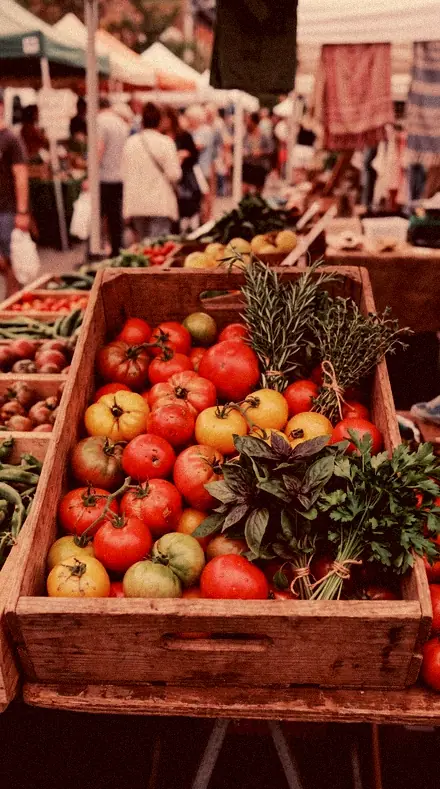
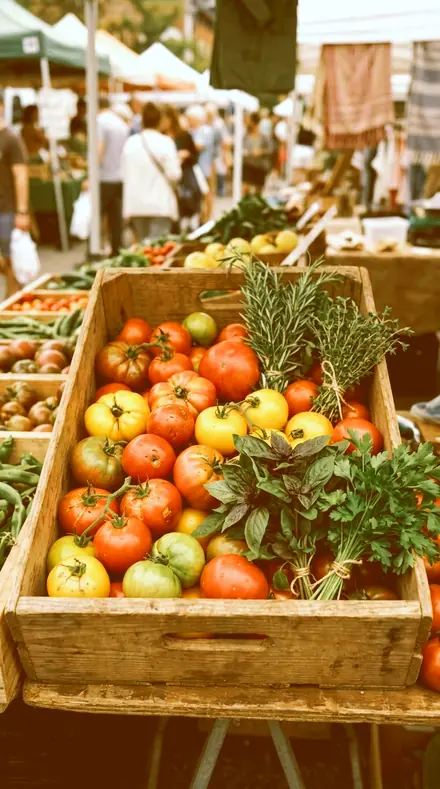
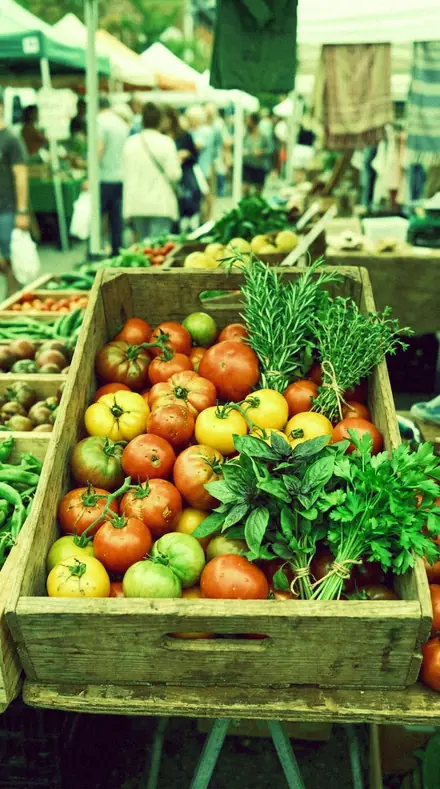
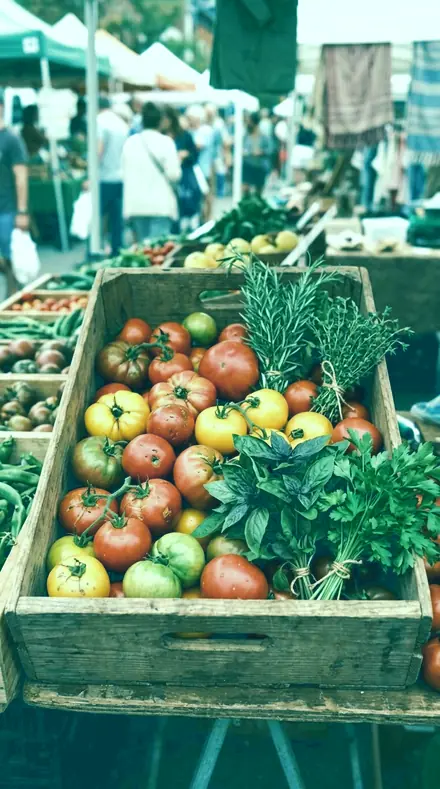
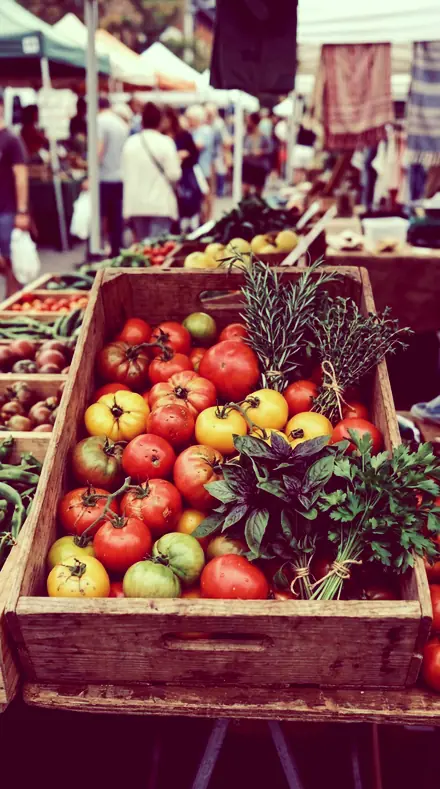
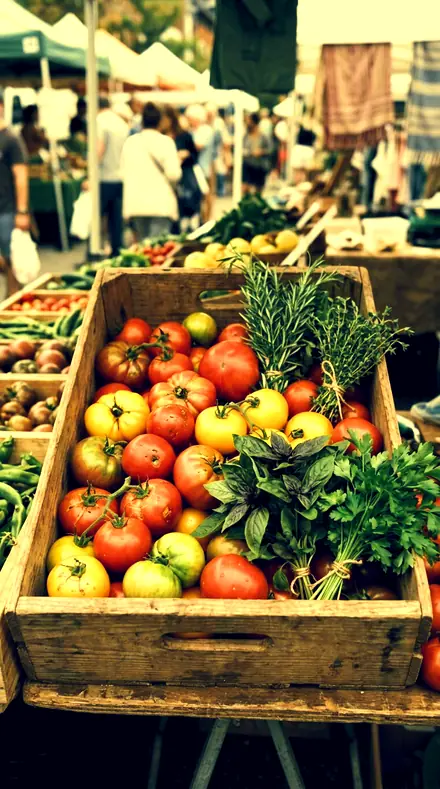
    Cyan Floor applied to Market produce Before: Market produce
    Market produce

    Drag the handle. Left is the original, right is Cyan Floor. Rendered from the preset's own settings, not a Lightroom export, so the real thing carries a little more bite.

  2. No. 02Slate CyanLow-saturation cyan cast with a hard blue lift, for architecture and cold urban frames.
    Slate Cyan applied to Street food Before: Street food
    Street food
    Slate Cyan applied to Mirror fit Before: Mirror fit
    Mirror fit
    Slate Cyan applied to Petrol station Before: Petrol station
    Petrol station
    Slate Cyan applied to Market produce Before: Market produce
    Market produce

    Drag the handle. Left is the original, right is Slate Cyan. Rendered from the preset's own settings, not a Lightroom export, so the real thing carries a little more bite.

  3. No. 03Ice HighlightBlue-white highlights over a red-starved top end, a chilled cross print for water and glass.
    Ice Highlight applied to Street food Before: Street food
    Street food
    Ice Highlight applied to Mirror fit Before: Mirror fit
    Mirror fit
    Ice Highlight applied to Petrol station Before: Petrol station
    Petrol station
    Ice Highlight applied to Market produce Before: Market produce
    Market produce

    Drag the handle. Left is the original, right is Ice Highlight. Rendered from the preset's own settings, not a Lightroom export, so the real thing carries a little more bite.

  4. No. 04Amber CeilingAmber-loaded highlights on a neutral base, warm cross processing for open daylight scenes.
    Amber Ceiling applied to Street food Before: Street food
    Street food
    Amber Ceiling applied to Mirror fit Before: Mirror fit
    Mirror fit
    Amber Ceiling applied to Petrol station Before: Petrol station
    Petrol station
    Amber Ceiling applied to Market produce Before: Market produce
    Market produce

    Drag the handle. Left is the original, right is Amber Ceiling. Rendered from the preset's own settings, not a Lightroom export, so the real thing carries a little more bite.

  5. No. 05Copper ShiftRed gamma raised against a sunken blue gamma for a copper cross-processed mid tone.
    Copper Shift applied to Street food Before: Street food
    Street food
    Copper Shift applied to Mirror fit Before: Mirror fit
    Mirror fit
    Copper Shift applied to Petrol station Before: Petrol station
    Petrol station
    Copper Shift applied to Market produce Before: Market produce
    Market produce

    Drag the handle. Left is the original, right is Copper Shift. Rendered from the preset's own settings, not a Lightroom export, so the real thing carries a little more bite.

  6. No. 06Rust ChannelRed-dominant cross print with a crushed green mid, for weathered metal and industrial texture.
    Rust Channel applied to Street food Before: Street food
    Street food
    Rust Channel applied to Mirror fit Before: Mirror fit
    Mirror fit
    Rust Channel applied to Petrol station Before: Petrol station
    Petrol station
    Rust Channel applied to Market produce Before: Market produce
    Market produce

    Drag the handle. Left is the original, right is Rust Channel. Rendered from the preset's own settings, not a Lightroom export, so the real thing carries a little more bite.

  7. No. 07Orange FloorOrange-lifted blacks with a blue toe crush, a reversed cross process for late daylight skin.
    Orange Floor applied to Street food Before: Street food
    Street food
    Orange Floor applied to Mirror fit Before: Mirror fit
    Mirror fit
    Orange Floor applied to Petrol station Before: Petrol station
    Petrol station
    Orange Floor applied to Market produce Before: Market produce
    Market produce

    Drag the handle. Left is the original, right is Orange Floor. Rendered from the preset's own settings, not a Lightroom export, so the real thing carries a little more bite.

  8. No. 08Green BloomGreen-flooded midtones over magenta blacks, a lab-error cross process for fashion frames.
    Green Bloom applied to Street food Before: Street food
    Street food
    Green Bloom applied to Mirror fit Before: Mirror fit
    Mirror fit
    Green Bloom applied to Petrol station Before: Petrol station
    Petrol station
    Green Bloom applied to Market produce Before: Market produce
    Market produce

    Drag the handle. Left is the original, right is Green Bloom. Rendered from the preset's own settings, not a Lightroom export, so the real thing carries a little more bite.

  9. No. 09Lime PrintAcid-green highlights with a red-lifted shadow, a loud cross print for street and skate work.
    Lime Print applied to Street food Before: Street food
    Street food
    Lime Print applied to Mirror fit Before: Mirror fit
    Mirror fit
    Lime Print applied to Petrol station Before: Petrol station
    Petrol station
    Lime Print applied to Market produce Before: Market produce
    Market produce

    Drag the handle. Left is the original, right is Lime Print. Rendered from the preset's own settings, not a Lightroom export, so the real thing carries a little more bite.

  10. No. 10Teal PrintGreen and blue lifted together against a suppressed red mid, cool cross print for coastal frames.
    Teal Print applied to Street food Before: Street food
    Street food
    Teal Print applied to Mirror fit Before: Mirror fit
    Mirror fit
    Teal Print applied to Petrol station Before: Petrol station
    Petrol station
    Teal Print applied to Market produce Before: Market produce
    Market produce

    Drag the handle. Left is the original, right is Teal Print. Rendered from the preset's own settings, not a Lightroom export, so the real thing carries a little more bite.

  11. No. 11Magenta ToeMagenta shadow cast under green highlights, high-impact cross processing for portraits.
    Magenta Toe applied to Street food Before: Street food
    Street food
    Magenta Toe applied to Mirror fit Before: Mirror fit
    Mirror fit
    Magenta Toe applied to Petrol station Before: Petrol station
    Petrol station
    Magenta Toe applied to Market produce Before: Market produce
    Market produce

    Drag the handle. Left is the original, right is Magenta Toe. Rendered from the preset's own settings, not a Lightroom export, so the real thing carries a little more bite.

  12. No. 12Violet BaseViolet-lifted blacks with a clean top, a gentle entry point into cross-processed colour.
    Violet Base applied to Street food Before: Street food
    Street food
    Violet Base applied to Mirror fit Before: Mirror fit
    Mirror fit
    Violet Base applied to Petrol station Before: Petrol station
    Petrol station
    Violet Base applied to Market produce Before: Market produce
    Market produce

    Drag the handle. Left is the original, right is Violet Base. Rendered from the preset's own settings, not a Lightroom export, so the real thing carries a little more bite.

  13. No. 13Warm ReversalReversed toe and shoulder in the warm channels for a bold cross-processed print on skin and cloth.
    Warm Reversal applied to Street food Before: Street food
    Street food
    Warm Reversal applied to Mirror fit Before: Mirror fit
    Mirror fit
    Warm Reversal applied to Petrol station Before: Petrol station
    Petrol station
    Warm Reversal applied to Market produce Before: Market produce
    Market produce

    Drag the handle. Left is the original, right is Warm Reversal. Rendered from the preset's own settings, not a Lightroom export, so the real thing carries a little more bite.

  14. No. 14Cold ChemistryStrong blue S-curve on a cooled base, a hard cross process for overcast city colour.
    Cold Chemistry applied to Street food Before: Street food
    Street food
    Cold Chemistry applied to Mirror fit Before: Mirror fit
    Mirror fit
    Cold Chemistry applied to Petrol station Before: Petrol station
    Petrol station
    Cold Chemistry applied to Market produce Before: Market produce
    Market produce

    Drag the handle. Left is the original, right is Cold Chemistry. Rendered from the preset's own settings, not a Lightroom export, so the real thing carries a little more bite.

  15. No. 15Reversal BathThe loudest recipe here, both warm channels driven hard against a crushed blue, for bold colour work.
    Reversal Bath applied to Street food Before: Street food
    Street food
    Reversal Bath applied to Mirror fit Before: Mirror fit
    Mirror fit
    Reversal Bath applied to Petrol station Before: Petrol station
    Petrol station
    Reversal Bath applied to Market produce Before: Market produce
    Market produce

    Drag the handle. Left is the original, right is Reversal Bath. Rendered from the preset's own settings, not a Lightroom export, so the real thing carries a little more bite.

  16. No. 16Split EmulsionBoth ends lifted and both shoulders pulled back, a soft cross-processed haze for quiet frames.
    Split Emulsion applied to Street food Before: Street food
    Street food
    Split Emulsion applied to Mirror fit Before: Mirror fit
    Mirror fit
    Split Emulsion applied to Petrol station Before: Petrol station
    Petrol station
    Split Emulsion applied to Market produce Before: Market produce
    Market produce

    Drag the handle. Left is the original, right is Split Emulsion. Rendered from the preset's own settings, not a Lightroom export, so the real thing carries a little more bite.

  17. No. 17Yellow CrossingWarm highlights against cyan shadows with a hard channel crossover, for bright editorial daylight.
    Yellow Crossing applied to Street food Before: Street food
    Street food
    Yellow Crossing applied to Mirror fit Before: Mirror fit
    Mirror fit
    Yellow Crossing applied to Petrol station Before: Petrol station
    Petrol station
    Yellow Crossing applied to Market produce Before: Market produce
    Market produce

    Drag the handle. Left is the original, right is Yellow Crossing. Rendered from the preset's own settings, not a Lightroom export, so the real thing carries a little more bite.

  18. No. 18Blue CrushBlue channel pulled down across the whole range for a yellowed cross print with cold blacks.
    Blue Crush applied to Street food Before: Street food
    Street food
    Blue Crush applied to Mirror fit Before: Mirror fit
    Mirror fit
    Blue Crush applied to Petrol station Before: Petrol station
    Petrol station
    Blue Crush applied to Market produce Before: Market produce
    Market produce

    Drag the handle. Left is the original, right is Blue Crush. Rendered from the preset's own settings, not a Lightroom export, so the real thing carries a little more bite.

Cross processing is 35mm slide film run through negative chemistry. The channels cross: one colour floods the shadows, its opposite loads the highlights, and the curve goes hard in the middle. Every preset here is that, built on the RGB curves. Cyan Floor is the reference, cyan-blue blacks under warm highlights, for editorial portrait and street.

Warm-up is the gentle end. Violet Base lifts the blacks violet and leaves the top clean. Split Emulsion lifts both ends for a soft crossed haze. Slate Cyan, Ice Highlight, Amber Ceiling and Copper Shift each put one cast in one place. Crossed is the working range: Orange Floor for late daylight skin, Teal Print for coasts, Magenta Toe for portraits, Cold Chemistry for an overcast city, Yellow Crossing for bright daylight, Blue Crush for a yellowed print with cold blacks.

All the way is loud. Rust Channel crushes the green mid under a red print. Green Bloom is the lab error, green midtones over magenta blacks. Lime Print goes acid for street and skate. Warm Reversal reverses the toe and shoulder on skin and cloth. Reversal Bath is the loudest recipe in the set, both warm channels driven against a crushed blue.

Apply the loud one first. Dial it back only if you have to.

Yours in two minutes

how it works

  1. Step 1

    Buy

    Pay with Apple Pay, Google Pay or a card.

  2. Step 2

    Download

    The zip downloads right away, and a copy lands in your email.

  3. Step 3

    Import

    Add the presets to Lightroom in a minute.

    PhoneClassicDesktop
  4. Step 4

    Tap

    One tap on any photo. Every slider stays yours to adjust.

Yours to keep, for personal and client work. Please do not share the files. The license

Netzah Elad Topaz, the photographer who makes these presets

the maker

Why I Make These

I am Netzah Elad Topaz. I take photographs and I build software, and the two keep leading me back to the same problem. You were there. The light was doing something you will not see again. Then the photo comes back flat, and it is not what you were looking at.

Closing that gap is the whole job. Every preset here is built from Adobe defaults by hand, with a written note for what it should do to a picture, and it is judged on photographs before it ships. Nothing is a filter dropped on top of your work.

What I want is simple. You open a photo you almost gave up on, you tap once, and there it is: the day you remember, not the file your camera handed you. That is worth doing properly.

Questions, answered

Will it wreck skin?

Some of them, gladly. Orange Floor and Warm Reversal were built for skin and keep it warm under the cast. Magenta Toe and Green Bloom are for fashion frames where the skin is part of the print, not the point of it.

Can I make it louder?

Yes. The look lives in the RGB curves, so open the curve panel and drag the ends. Every other slider is still at its default, waiting.

Do these work in the free Lightroom app?

Yes. Import the .xmp files in the free Lightroom app on iPhone or Android, no subscription needed. They also work in Lightroom Classic and Lightroom on desktop.

What exactly do I get?

All 18 presets from Film Preset as .xmp files in an instant ZIP download. The link also lands in your email, and the purchase stays in your account so you can re-download any time.

How do I install them?

Two minutes: unzip, then import inside Lightroom. The step-by-step guide covers iPhone, Android, and desktop.

Can I use them for client work?

Yes. The single-user license covers personal and commercial photography. The one thing you can't do is share or resell the preset files themselves.

Can I tweak a preset after applying it?

Always. A preset is a starting point; every slider stays yours to adjust.

What else is like this

All film and cinematic
the last stop before dark. With the Duskgrade preset applied.the last stop before dark. Photographed without a preset.
Duskgrade applied to the last stop before dark

Duskgrade

Film and cinematic · 15 presets

was $49.99now $29.99Save $20

the last stop before dark. With the Expiredroll preset applied.the last stop before dark. Photographed without a preset.
Expiredroll applied to the last stop before dark

Expiredroll

Film and cinematic · 36 presets

was $129.99now $79.99Save $50

Golden afternoon, found in an ordinary one. With the Stockshelf preset applied.Golden afternoon, found in an ordinary one. Photographed without a preset.
Stockshelf applied to Golden afternoon, found in an ordinary one

Stockshelf

Film and cinematic · 144 presets

was $199now $99Save $100

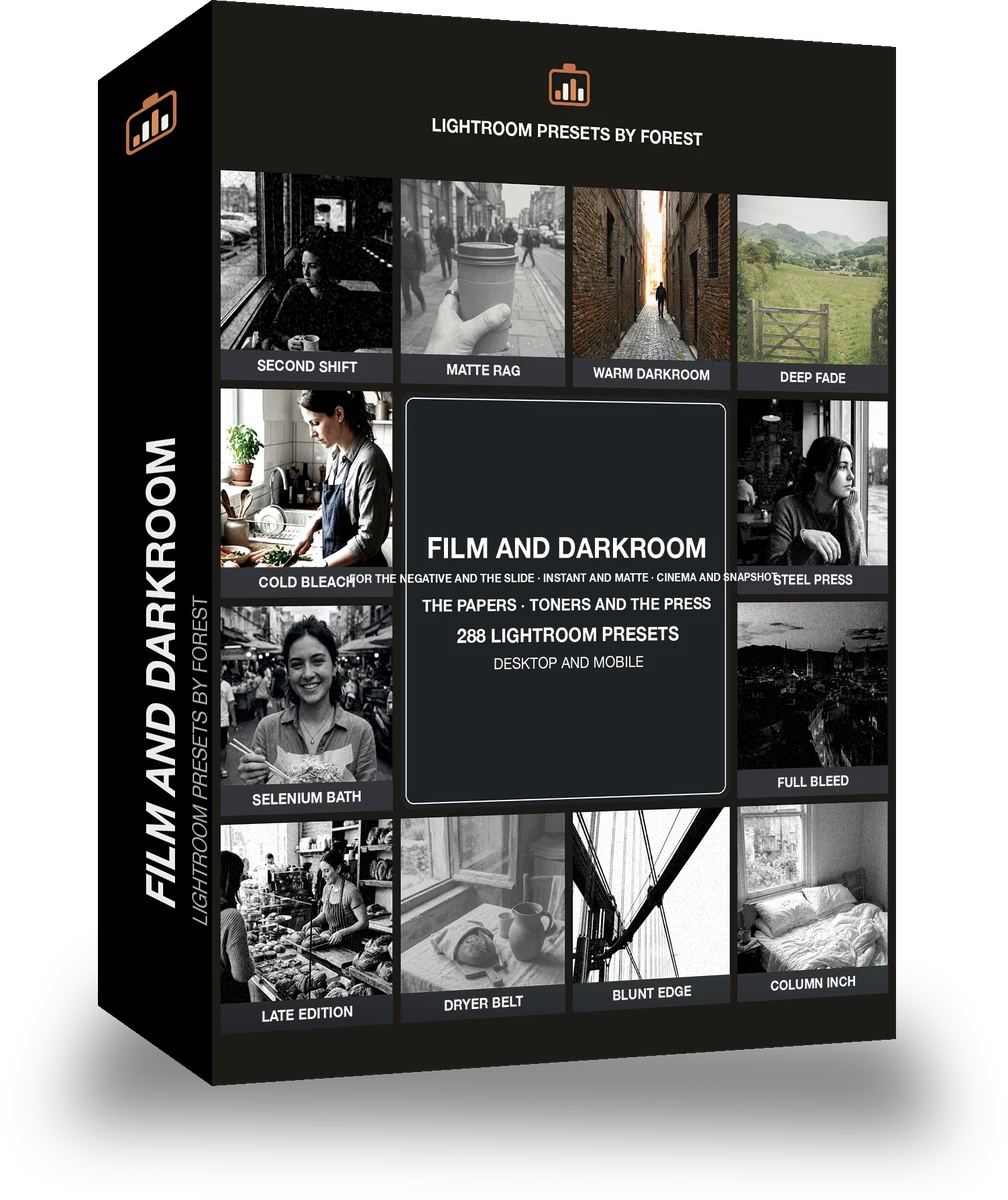
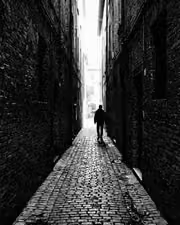
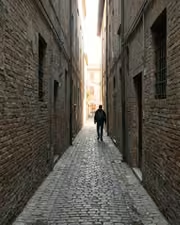
The alley says more in ink. With the Filmvault preset applied.The alley says more in ink. Photographed without a preset.
Filmvault applied to The alley says more in ink

Filmvault

Film and cinematic · 288 presets

was $399now $149Save $250