PRE|SETS
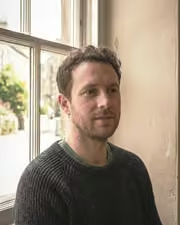
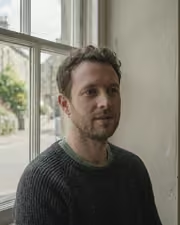
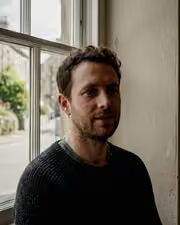
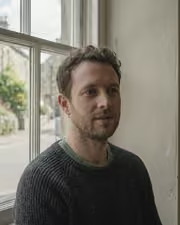
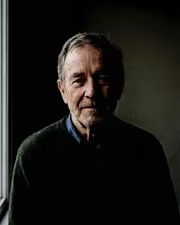
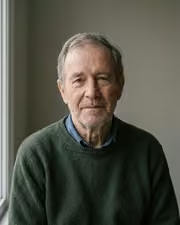
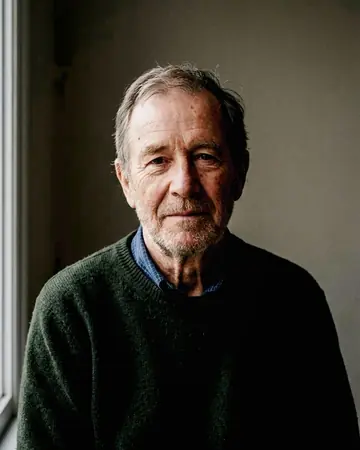
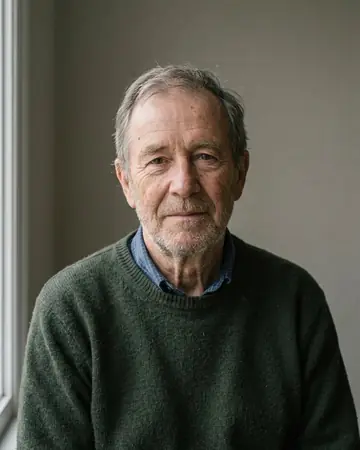
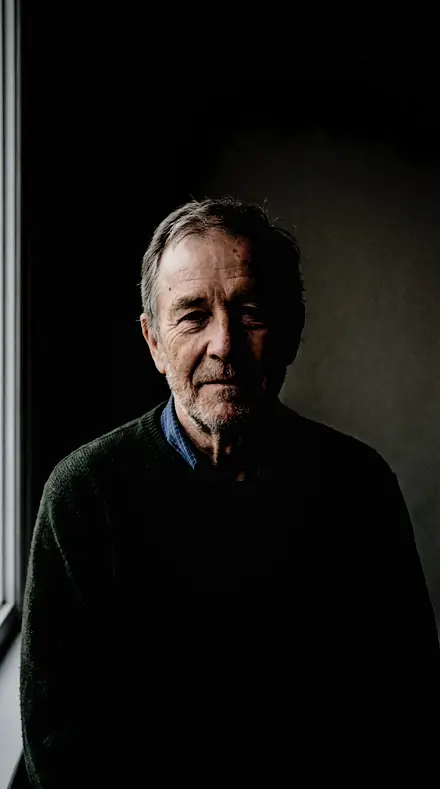
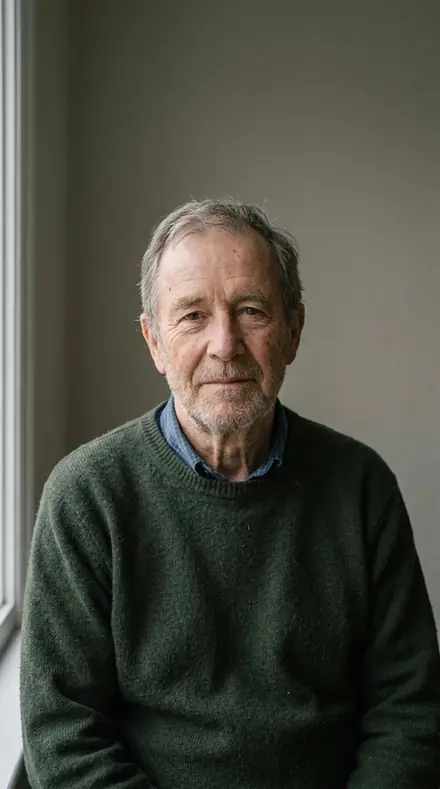
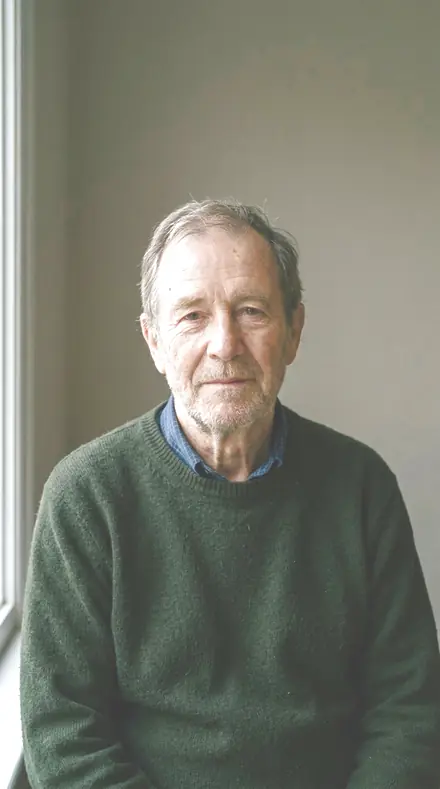
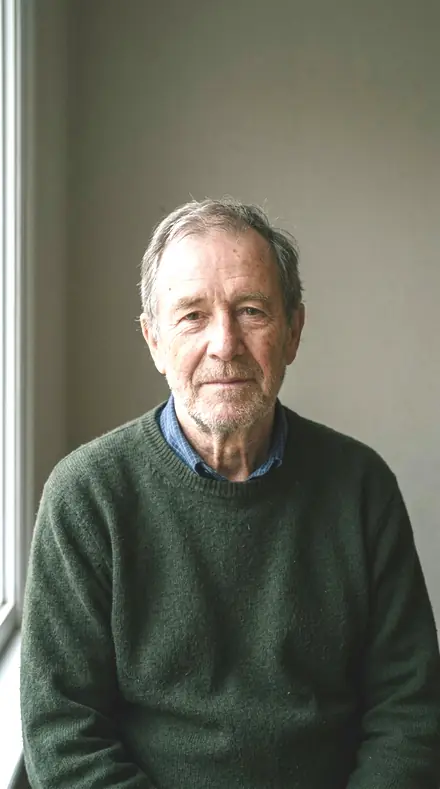
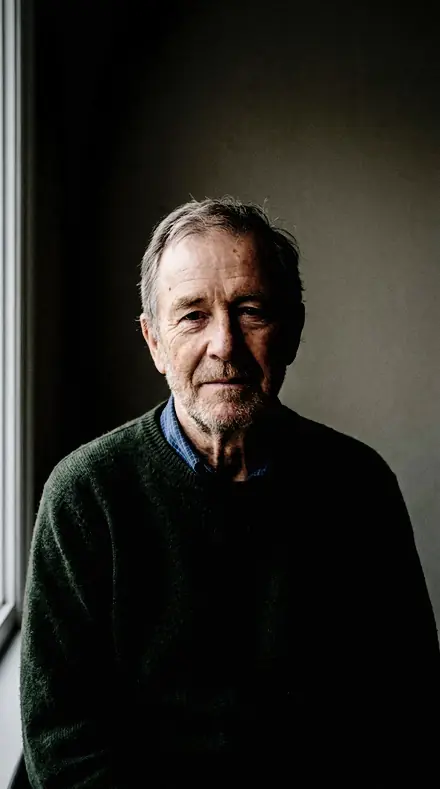
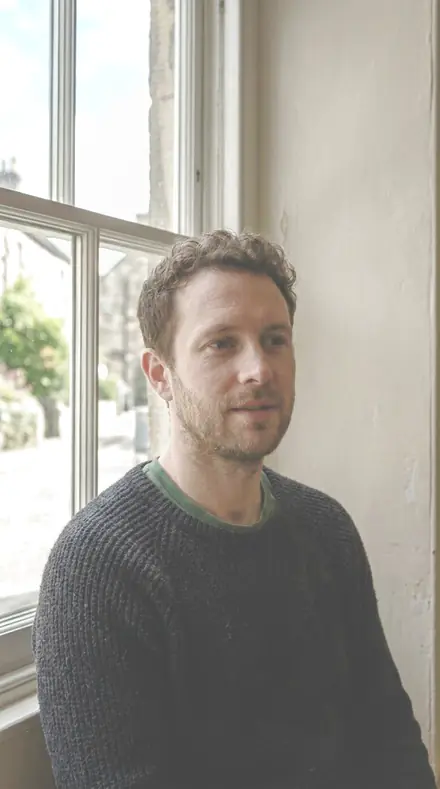
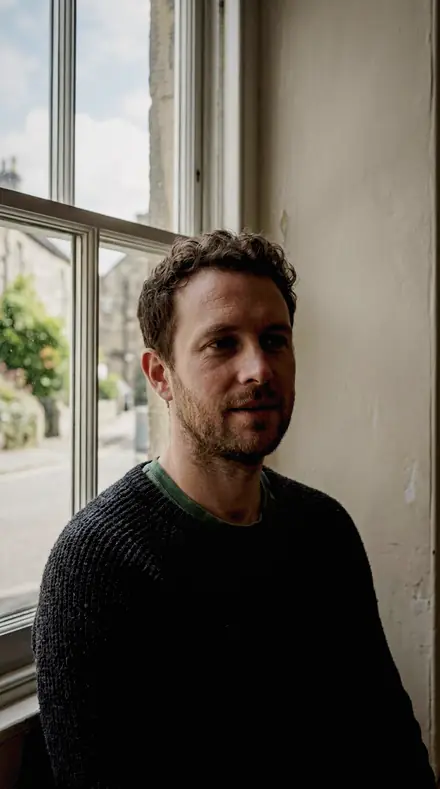
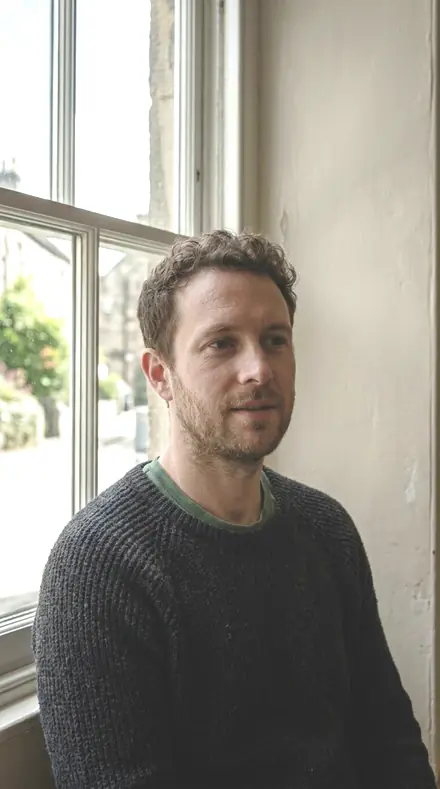
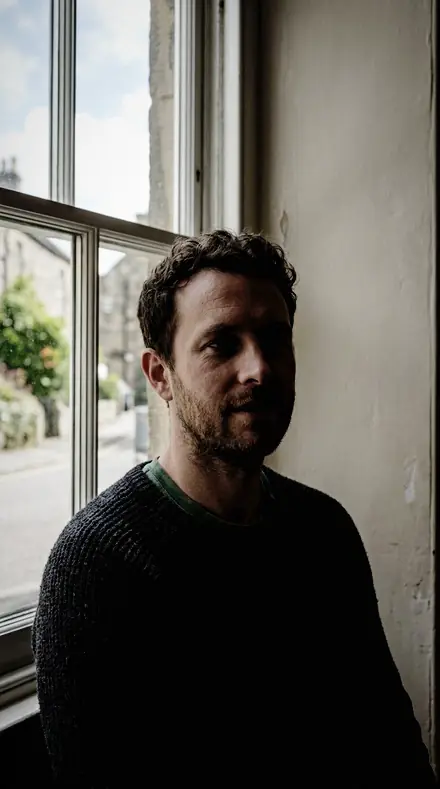
man portrait. With the Keypattern preset applied.man portrait. Photographed without a preset.
Keypattern applied to man portrait

Lighting Patterns

Built for portrait skin and studio lighting. The subjects inside it are portrait, product, general, night and food. The light runs neutral natural, film matte, mid and crisp clean.

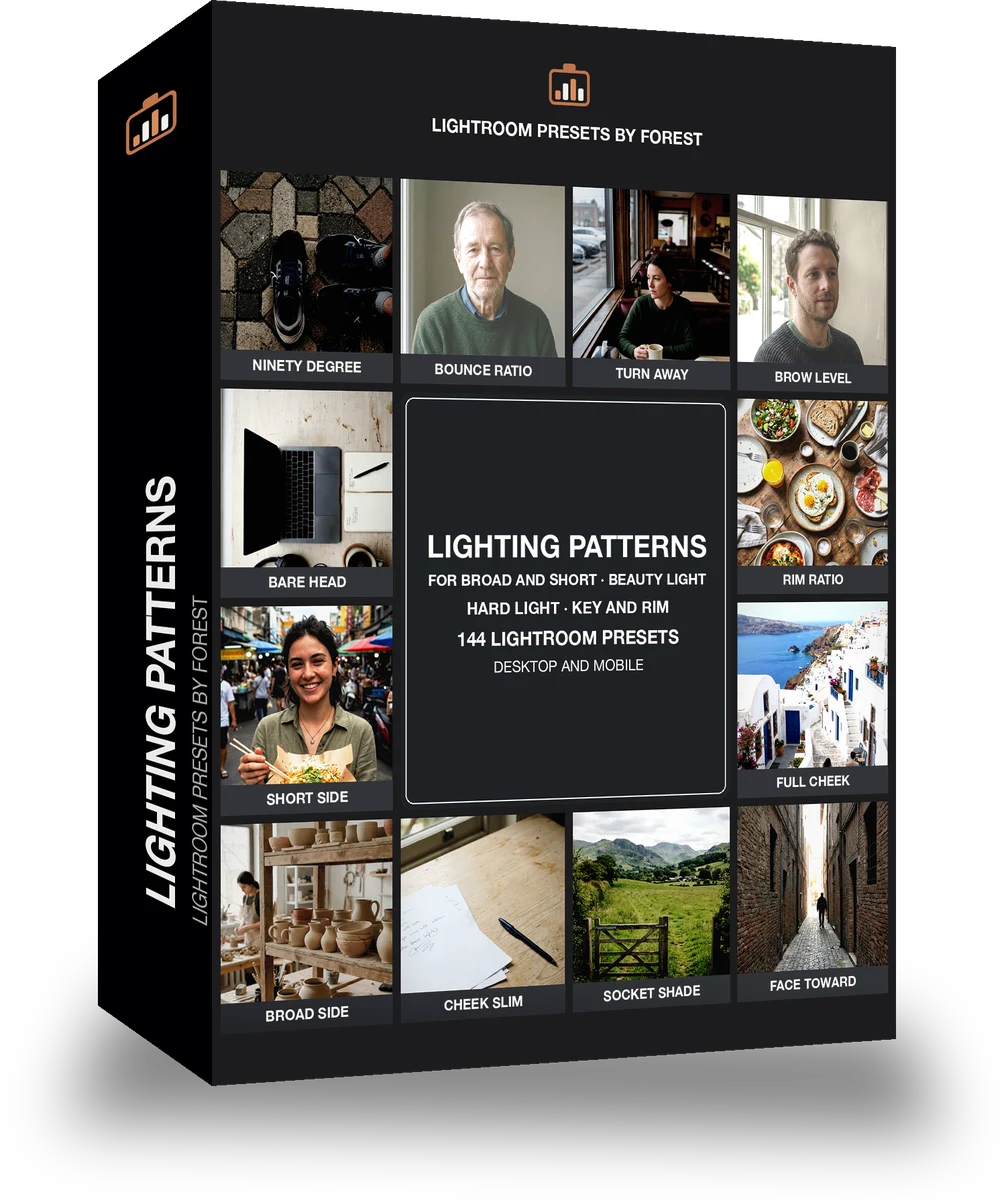
Keypattern Lighting Patterns is 144 presets in 8 collections.

was $199now $99

This is the welcome price.

Instant download.

Add it and keep looking. Your cart follows you across every store in the network.

  • Works inLightroom desktop and mobile
  • Format.xmp and .dng
  • DeliveryInstant download, and it stays in your account

What it does to a photograph

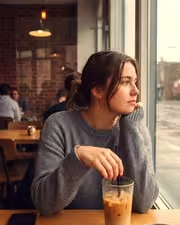
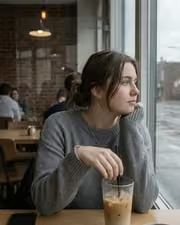
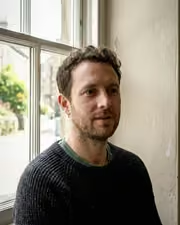
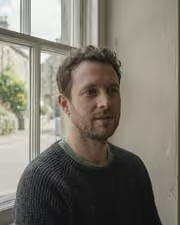
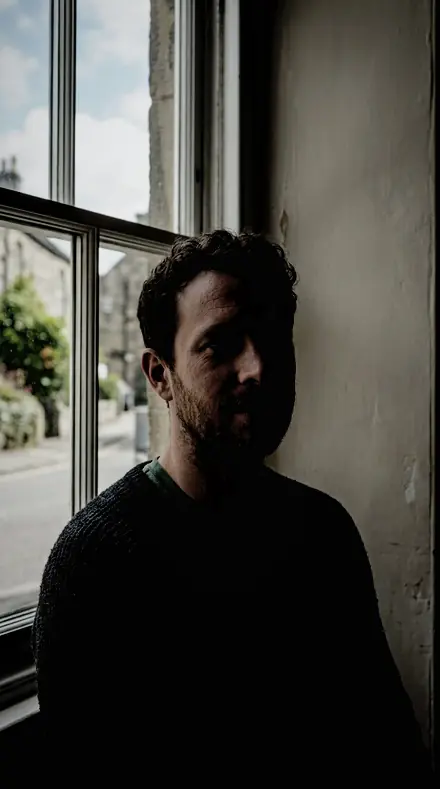
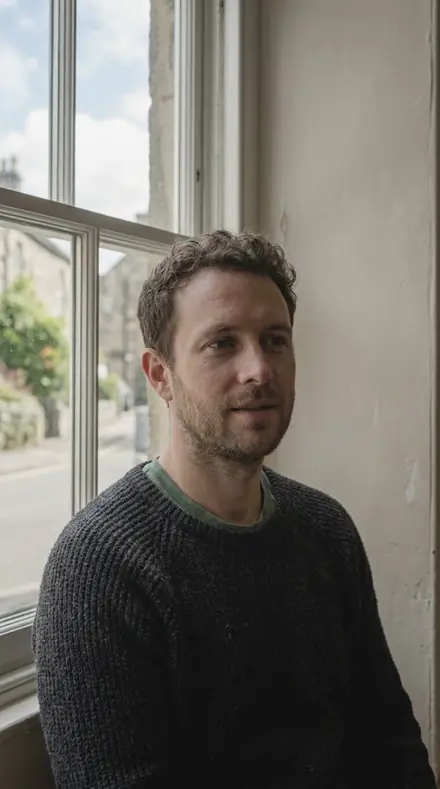
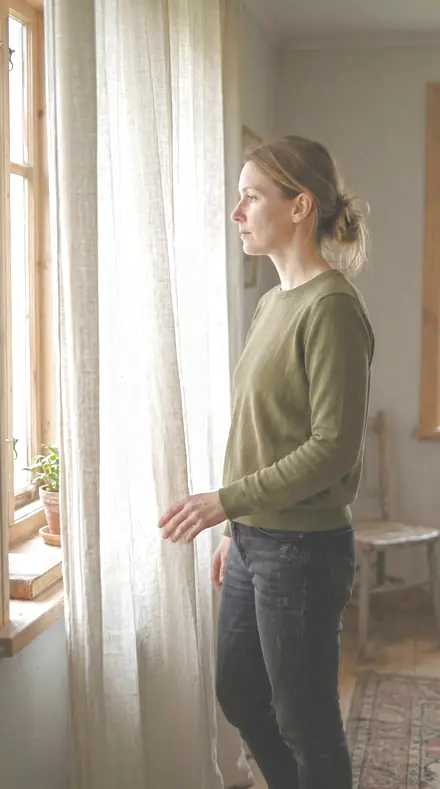
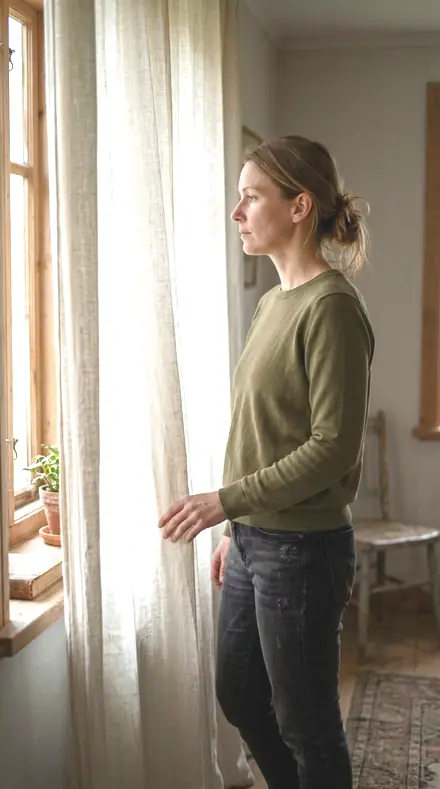
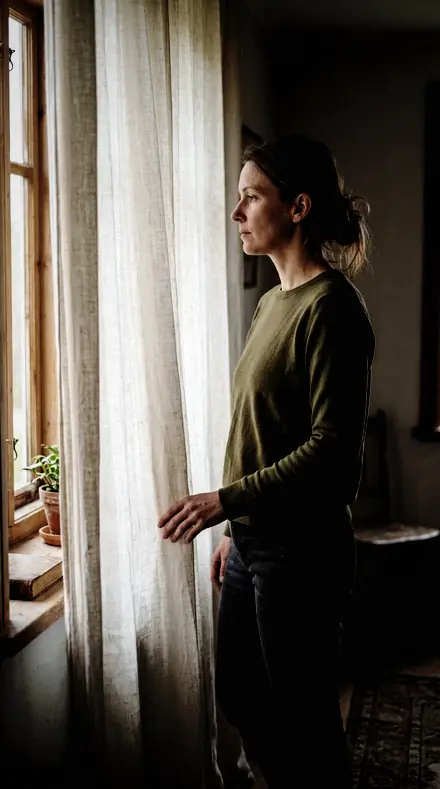
portrait window. With the Keypattern preset applied.portrait window. Photographed without a preset.
Keypattern applied to portrait window
portrait window, graded with Keypattern: 8 of this library's 8 collections
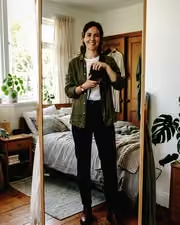
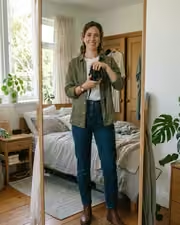
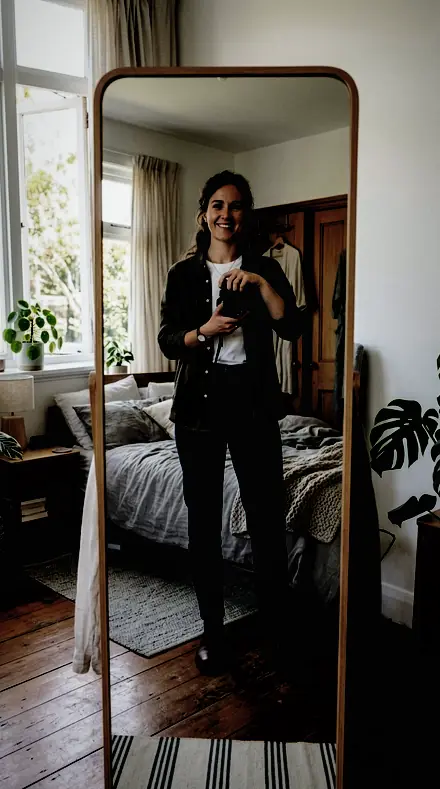
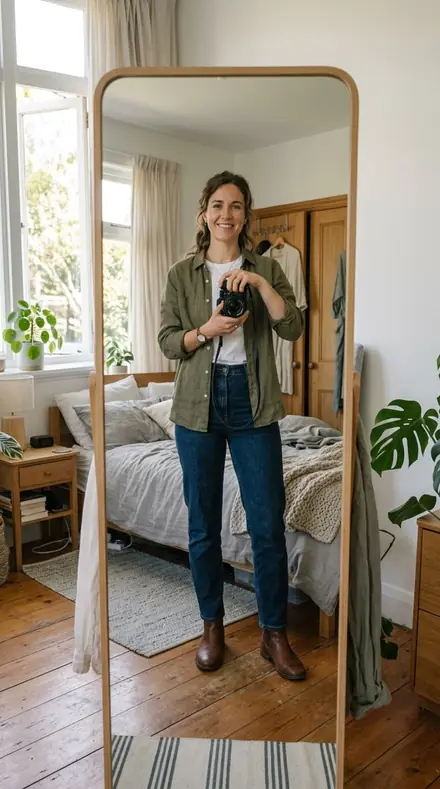
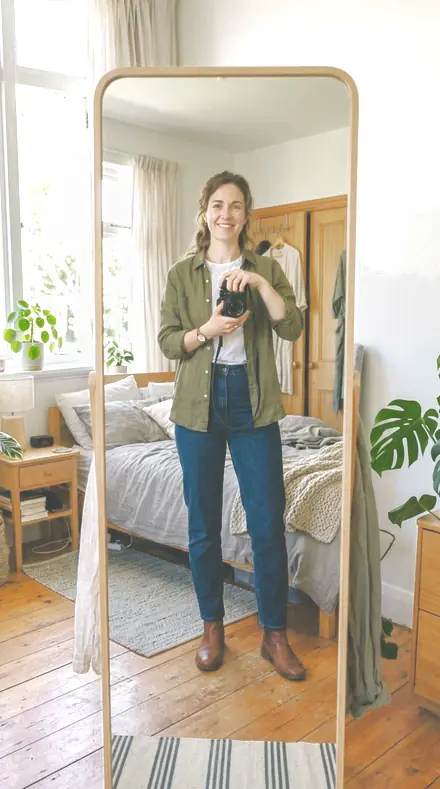
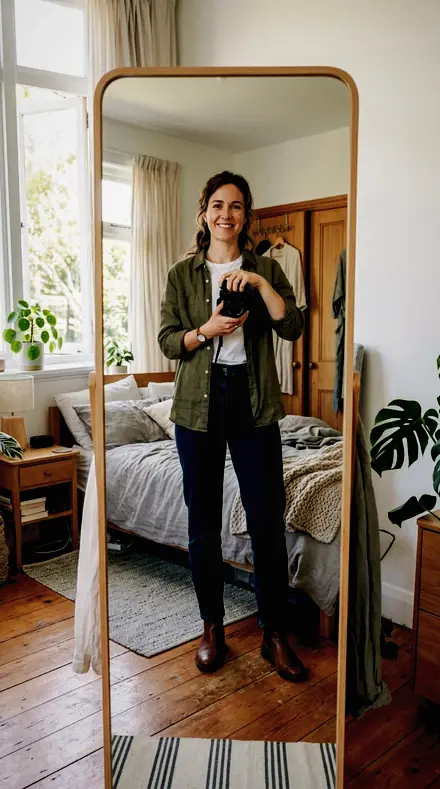
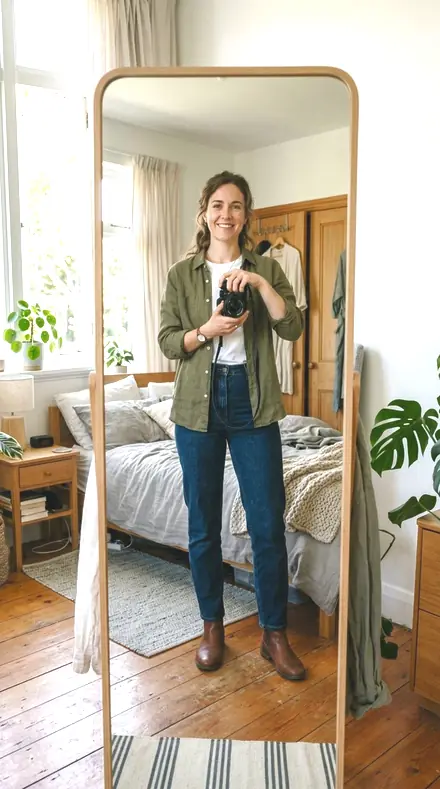
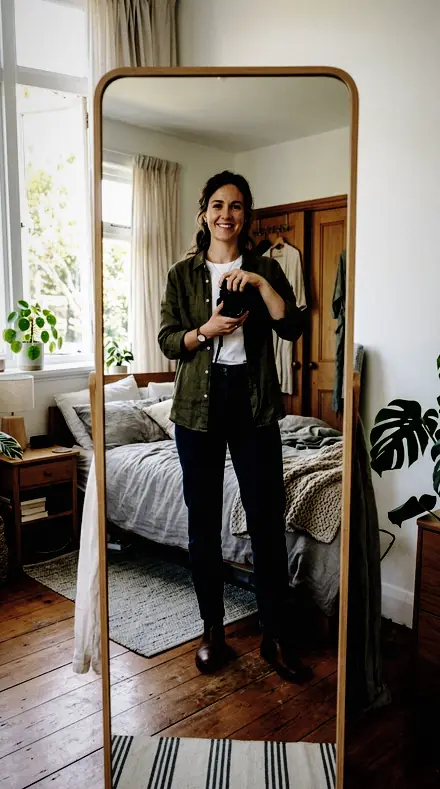
mirror fit. With the Keypattern preset applied.mirror fit. Photographed without a preset.
Keypattern applied to mirror fit
mirror fit, graded with Keypattern: 8 of this library's 8 collections

It does not cover architecture, interiors and property; moods and tonal statements; light and weather; workflow and utility bases. Those collections live in other products on this network, and nothing here stands in for them.

What is inside, territory by territory

Portrait skin and studio lighting

8 collections, 144 presets

  • Broad Short
  • Butterfly Beauty
  • Clamshell Fill
  • Hard Fresnel
  • Loop Standard
  • Rembrandt Key
  • Rim Separation
  • Split Light

What contains what

This library is itself inside 6 larger libraries.

Keypattern · Portrait skin and studio lighting

Keypattern makes one kind of light.

144 presets across 4 kinds of light is 144 presets for portrait skin and studio lighting photography. Every one of them is below, before you pay for any of it.

What this light does

one frame, 4 presets

Lighting Patterns, an archive of filed cards

4 of them, on one photograph. Drag to compare before and after.

  1. Man portrait. With the Ninety Degree preset applied.Man portrait. Photographed without a preset.
    Ninety Degree applied to Man portrait

    No. 132

    Ninety Degree

    Split shaping for a key at exactly ninety degrees, the by-the-book placement for this pattern.

  2. Man portrait. With the Bounce Ratio preset applied.Man portrait. Photographed without a preset.
    Bounce Ratio applied to Man portrait

    No. 53

    Bounce Ratio

    Clamshell shaping for a headshot session that must match a previous one shot at the same ratio.

  3. Man portrait. With the Brow Level preset applied.Man portrait. Photographed without a preset.
    Brow Level applied to Man portrait

    No. 31

    Brow Level

    Butterfly shaping for a raised brow, keeping the forehead from running hotter than the rest of the face.

  4. Man portrait. With the Bare Head preset applied.Man portrait. Photographed without a preset.
    Bare Head applied to Man portrait

    No. 63

    Bare Head

    Hard-source shaping for a stripped-down strobe with no modifier, the setup this collection is built around.

Explore every preset in this pack

5 presets · 4 scenes

5 of the 144 presets in this library, on the same four photographs. Nothing below is a sample. Open one and drag.

  1. No. 132Ninety DegreeSplit shaping for a key at exactly ninety degrees, the by-the-book placement for this pattern.
    Ninety Degree applied to Man portrait Before: Man portrait
    Man portrait
    Ninety Degree applied to Portrait window Before: Portrait window
    Portrait window
    Ninety Degree applied to Mirror fit Before: Mirror fit
    Mirror fit
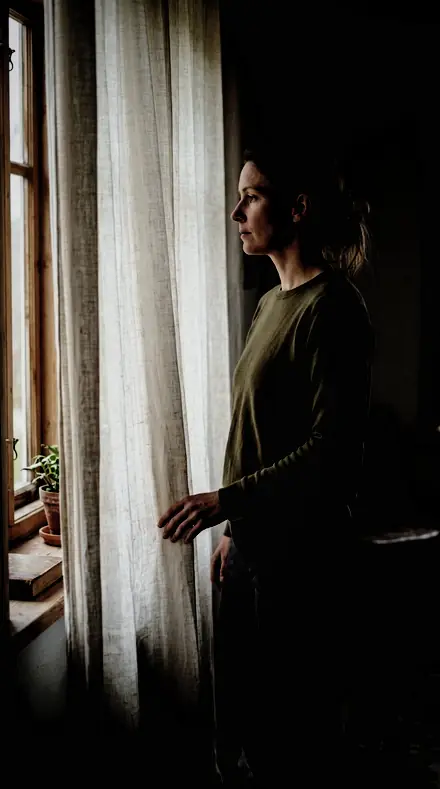
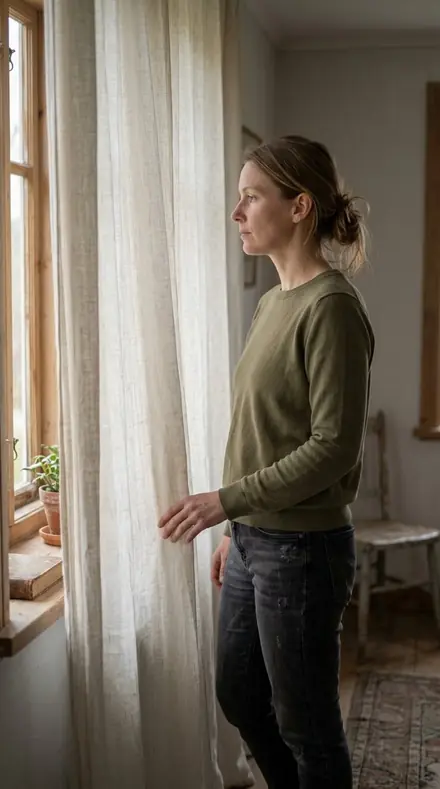
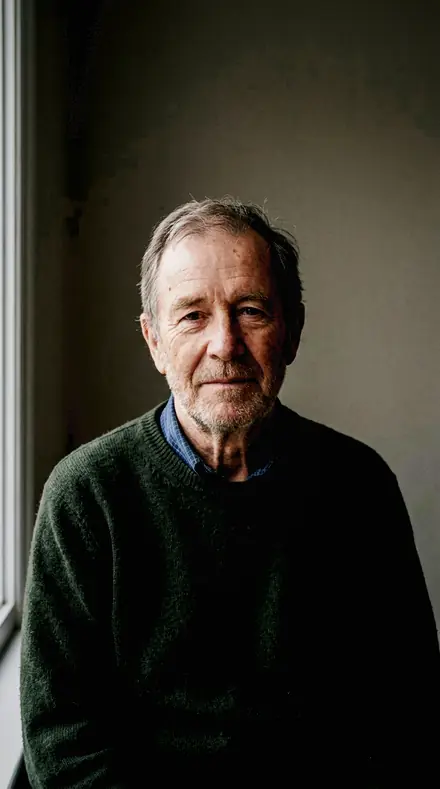
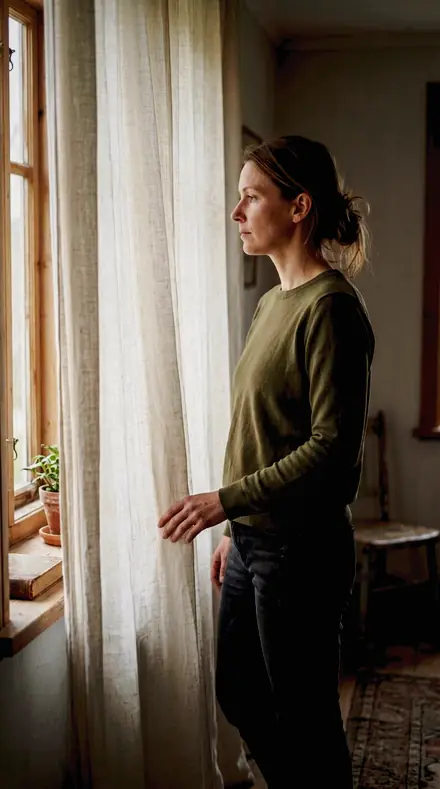
    Ninety Degree applied to Curtain light Before: Curtain light
    Curtain light

    Drag the handle. Left is the original, right is Ninety Degree. Rendered from the preset's own settings, not a Lightroom export, so the real thing carries a little more bite.

  2. No. 53Bounce RatioClamshell shaping for a headshot session that must match a previous one shot at the same ratio.
    Bounce Ratio applied to Man portrait Before: Man portrait
    Man portrait
    Bounce Ratio applied to Portrait window Before: Portrait window
    Portrait window
    Bounce Ratio applied to Mirror fit Before: Mirror fit
    Mirror fit
    Bounce Ratio applied to Curtain light Before: Curtain light
    Curtain light

    Drag the handle. Left is the original, right is Bounce Ratio. Rendered from the preset's own settings, not a Lightroom export, so the real thing carries a little more bite.

  3. No. 10Turn AwayShort-lit shaping for the same slight rotation the other way, matched so a pair of frames can sit side by side.
    Turn Away applied to Man portrait Before: Man portrait
    Man portrait
    Turn Away applied to Portrait window Before: Portrait window
    Portrait window
    Turn Away applied to Mirror fit Before: Mirror fit
    Mirror fit
    Turn Away applied to Curtain light Before: Curtain light
    Curtain light

    Drag the handle. Left is the original, right is Turn Away. Rendered from the preset's own settings, not a Lightroom export, so the real thing carries a little more bite.

  4. No. 31Brow LevelButterfly shaping for a raised brow, keeping the forehead from running hotter than the rest of the face.
    Brow Level applied to Man portrait Before: Man portrait
    Man portrait
    Brow Level applied to Portrait window Before: Portrait window
    Portrait window
    Brow Level applied to Mirror fit Before: Mirror fit
    Mirror fit
    Brow Level applied to Curtain light Before: Curtain light
    Curtain light

    Drag the handle. Left is the original, right is Brow Level. Rendered from the preset's own settings, not a Lightroom export, so the real thing carries a little more bite.

  5. No. 63Bare HeadHard-source shaping for a stripped-down strobe with no modifier, the setup this collection is built around.
    Bare Head applied to Man portrait Before: Man portrait
    Man portrait
    Bare Head applied to Portrait window Before: Portrait window
    Portrait window
    Bare Head applied to Mirror fit Before: Mirror fit
    Mirror fit
    Bare Head applied to Curtain light Before: Curtain light
    Curtain light

    Drag the handle. Left is the original, right is Bare Head. Rendered from the preset's own settings, not a Lightroom export, so the real thing carries a little more bite.

Each card in the archive names a pattern, then the key, then the fill, then the preset. Broad and short: the key on the near cheek or the far one, the wider reading of a face or the narrower, with Loop Standard for the everyday soft key most sittings actually shoot. Beauty light: butterfly for a dish above and in front, the under-nose shadow small and symmetrical; clamshell for key above and reflector below, shadow contrast low and skin open across the whole face.

Hard light: a bare head, a fresnel, a snoot, with speculars left specular and shadow edges kept crisp; split for a source square to one side, half the face to shadow and the divide down the nose clean. Key and rim: Rembrandt for the three-quarter turn with the cheek triangle held; rim for back light and kickers, the edge glow pulled back from a blown line to a described edge.

Inside every collection the presets move by setup: the fill added, the ratio shallowed, the head turned, the grid fitted, the sitting that has to match last month's. Apply the card that matches the diagram in your set notes and run it across the whole sitting.

The drawers below show a few presets from each, on the same faces, so you can see the pattern honoured before you file it.

Yours in two minutes

how it works

  1. Step 1

    Buy

    Pay with Apple Pay, Google Pay or a card.

  2. Step 2

    Download

    The zip downloads right away, and a copy lands in your email.

  3. Step 3

    Import

    Add the presets to Lightroom in a minute.

    PhoneClassicDesktop
  4. Step 4

    Tap

    One tap on any photo. Every slider stays yours to adjust.

Yours to keep, for personal and client work. Please do not share the files. The license

Netzah Elad Topaz, the photographer who makes these presets

the maker

Why I Make These

I am Netzah Elad Topaz. I take photographs and I build software, and the two keep leading me back to the same problem. You were there. The light was doing something you will not see again. Then the photo comes back flat, and it is not what you were looking at.

Closing that gap is the whole job. Every preset here is built from Adobe defaults by hand, with a written note for what it should do to a picture, and it is judged on photographs before it ships. Nothing is a filter dropped on top of your work.

What I want is simple. You open a photo you almost gave up on, you tap once, and there it is: the day you remember, not the file your camera handed you. That is worth doing properly.

Questions, answered

I only ever shoot loop. Why the rest?

Run Loop Standard across your sittings and leave the other drawers shut. They are there for the day a client wants a split, or a beauty brief asks for clamshell.

Is there a preset for a specific fill ratio?

Yes. Clamshell Fill and Loop Standard both hold a ratio card, and Rim Separation holds the rim-to-key ratio the photographer metered on set.

Do these work in the free Lightroom app?

Yes. Import the .xmp files in the free Lightroom app on iPhone or Android, no subscription needed. They also work in Lightroom Classic and Lightroom on desktop.

What exactly do I get?

All 144 presets from Lighting Patterns as .xmp files in an instant ZIP download. The link also lands in your email, and the purchase stays in your account so you can re-download any time.

How do I install them?

Two minutes: unzip, then import inside Lightroom. The step-by-step guide covers iPhone, Android, and desktop.

Can I use them for client work?

Yes. The single-user license covers personal and commercial photography. The one thing you can't do is share or resell the preset files themselves.

Can I tweak a preset after applying it?

Always. A preset is a starting point; every slider stays yours to adjust.

Window light, indexed. With the Porcelainskin preset applied.Window light, indexed. Photographed without a preset.
Porcelainskin applied to Window light, indexed

Porcelainskin

Portrait skin and studio lighting · 18 presets

was $49.99now $29.99Save $20

Window light, indexed. With the Portraitroom preset applied.Window light, indexed. Photographed without a preset.
Portraitroom applied to Window light, indexed

Portraitroom

Portrait skin and studio lighting · 288 presets

was $399now $149Save $250

A face, fully read. With the Facestudy preset applied.A face, fully read. Photographed without a preset.
Facestudy applied to A face, fully read

Facestudy

Portrait skin and studio lighting · 522 presets

was $449now $199Save $250

Cafe window, one tap later. With the Reeltint preset applied.Cafe window, one tap later. Photographed without a preset.
Reeltint applied to Cafe window, one tap later

Reeltint

Everyday and mobile creators · 15 presets

was $49.99now $29.99Save $20