


PRE|SETS
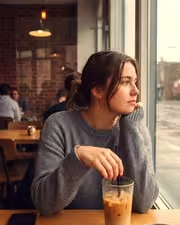
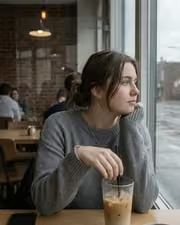
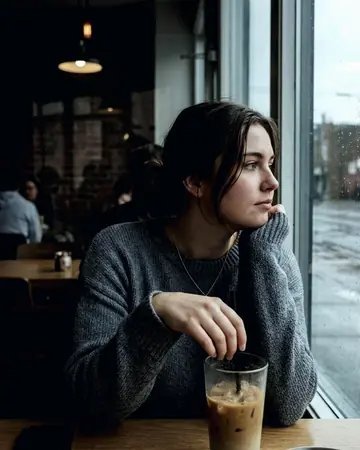
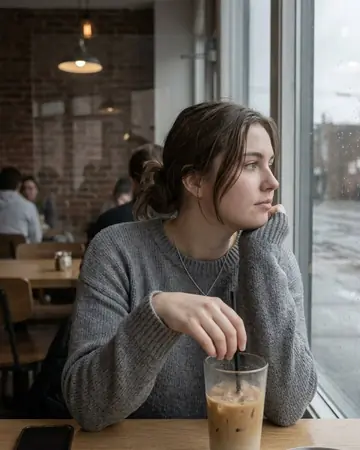
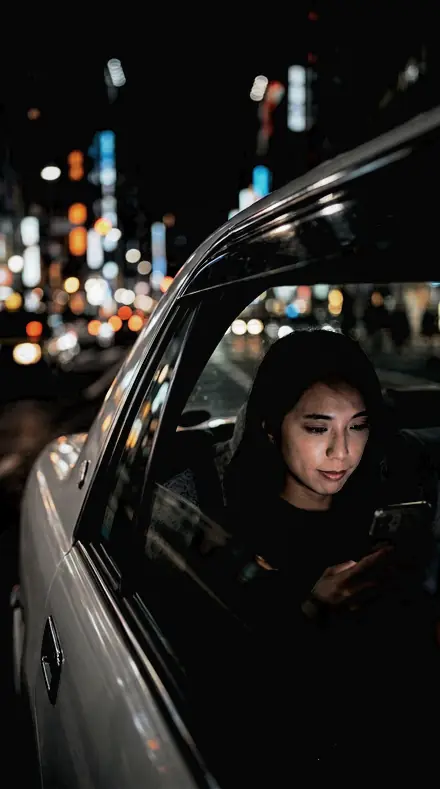
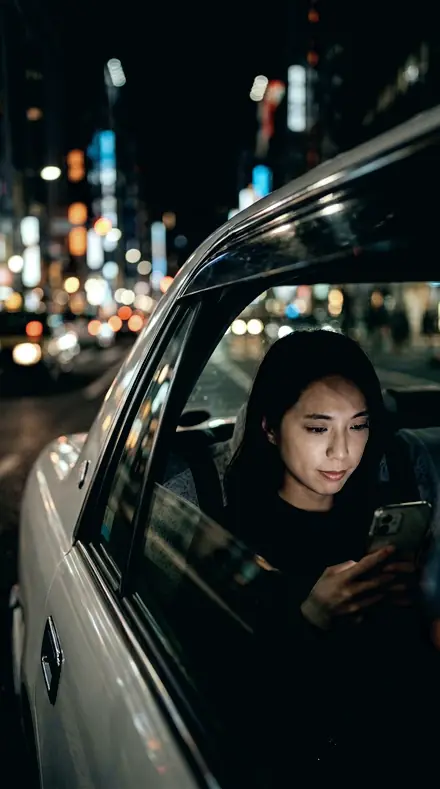
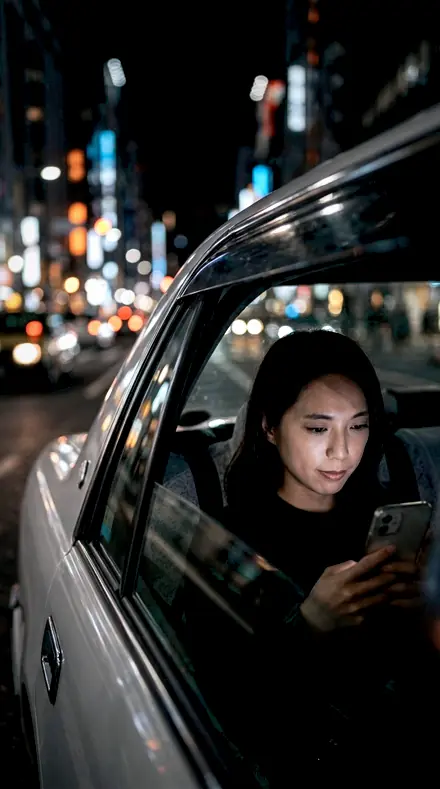
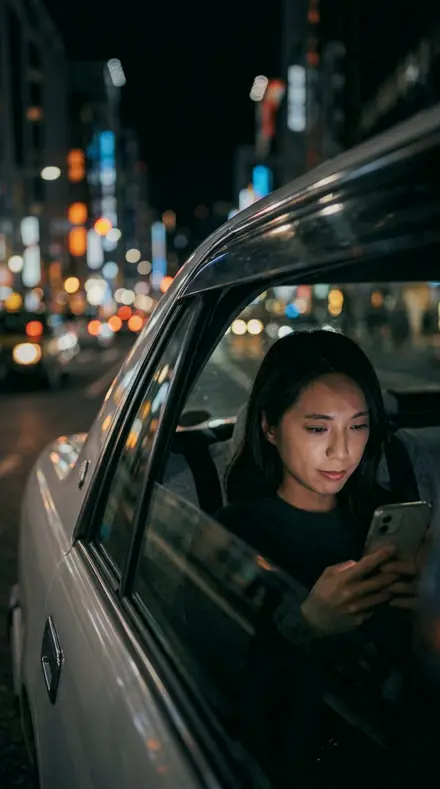
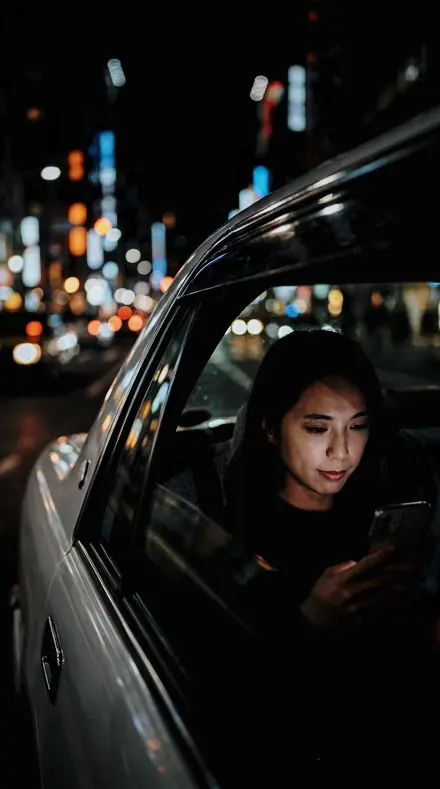
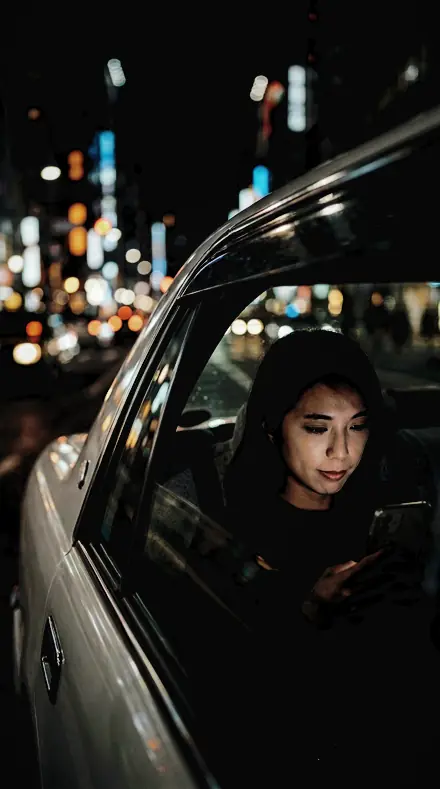
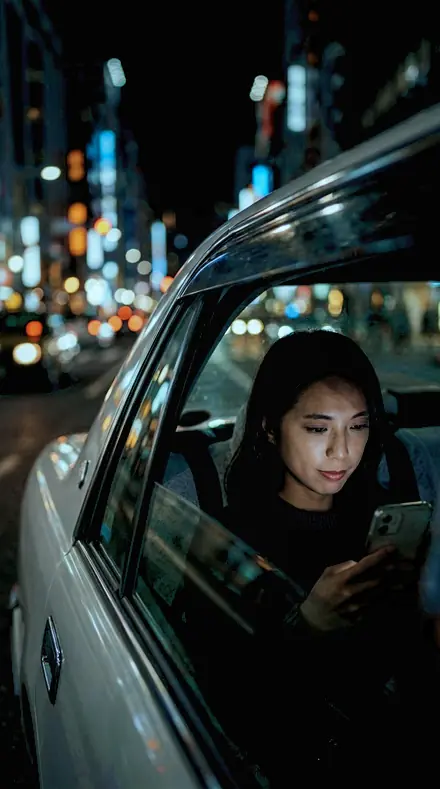
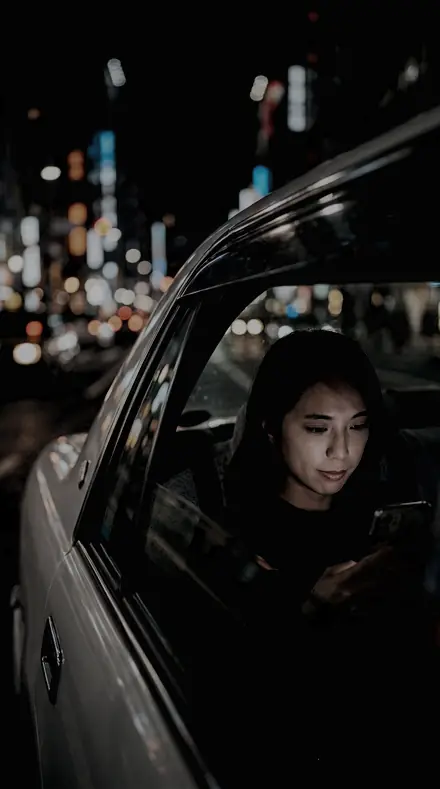
cafe window. With the Cinema Grade preset applied.cafe window. Photographed without a preset.
Cinema Grade applied to cafe window

Teal Orange System

was $59.99now $34.99Save $25

welcome price, your first pack from the network

Save for later

Instant download.

  • Presets30
  • Stylecinematic, teal and orange, night
  • Works inLightroom desktop and mobile
  • Format.xmp and .dng

Cinema Grade · cinematic

Cinema Grade makes one kind of light.

Puts the whole teal and orange split in one set: soft, standard and hard rows, day and night rows, with a skin-safe row for people.

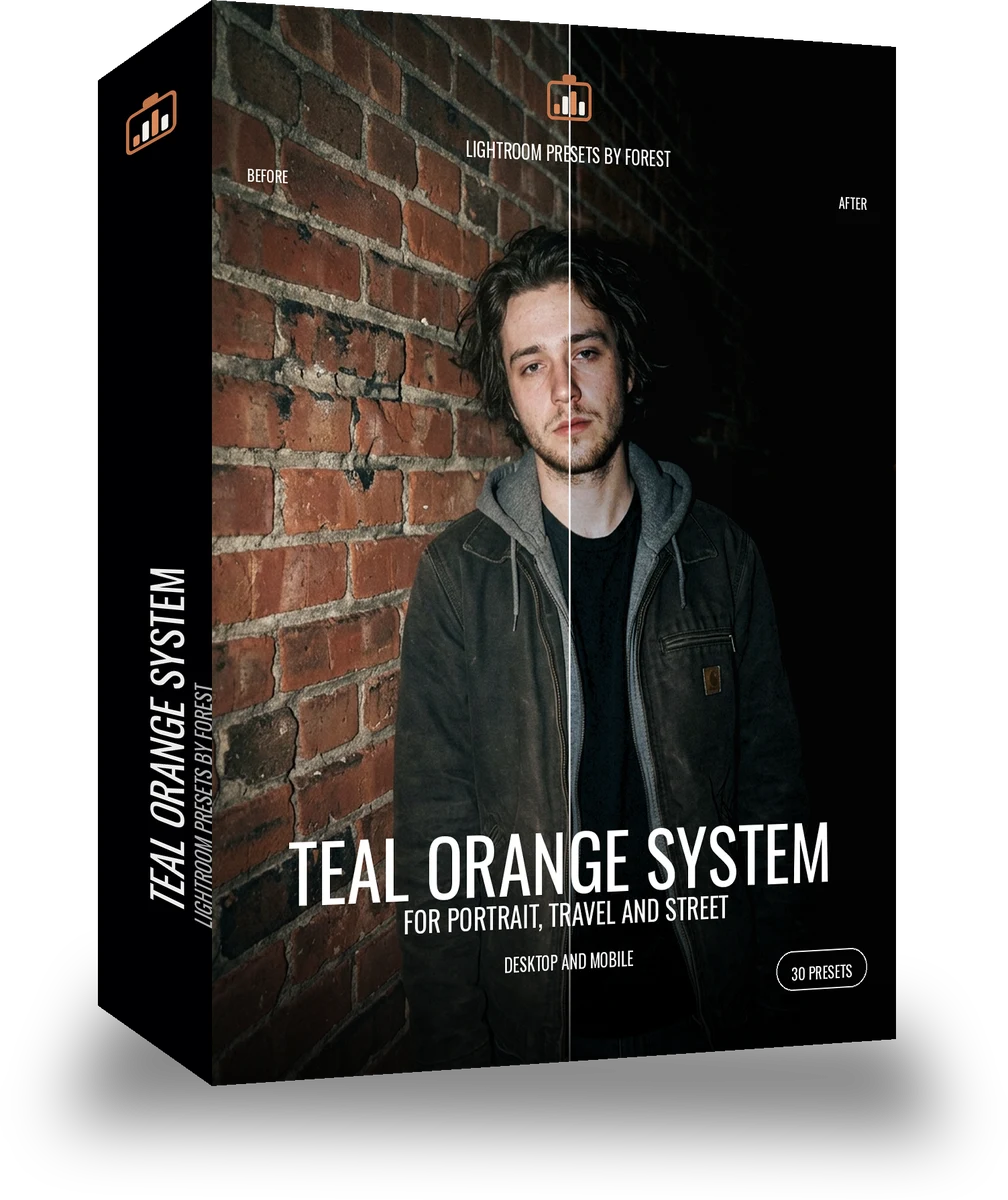
Teal Orange System is 30 presets for cinematic photography. Every one of them is below, before you pay for any of it.

About this pack

Teal Orange System is the split grade in one set. Thirty orange-teal presets from the soft muted row to the hard poster row, with contrast from 10 to 40, blacks from held to a lift of 10, a night row with exposure down and a skin-safe row that clears 6. It is ranked cinematic feel first, then consistency, so the thirty cut together as one film rather than thirty stills. Teal Orange, Teal Orange Hard and Teal Orange Nature are its 10s; the portrait and travel Systems carry the people and places rows deeper.

The teal and orange line is the split grade: shadows pushed toward teal, highlights and skin toward orange, so a face separates from any background without a light being moved. The packs differ by how hard the split goes, how deep the blacks sit and what scene they are ranked for.

Every preset ships as XMP for Lightroom Classic and desktop and as DNG for the free Lightroom mobile app. Grade the first frame, sync the sequence, and the set cuts together like one print. A grade should be felt in the shadows, not seen on the surface.

  • Thirty split-grade presets, contrast 10 to 40, soft to hard
  • Day, night and skin-safe rows, the split for a whole week
  • XMP and DNG in one download: Lightroom Classic, desktop and the free mobile app
  • One grade across the set, so a whole sequence batch-edits and cuts together

anyone who wants the split grade to survive a week of different subjects

See the light change

drag the line

The same frame, one tap apart. Drag any handle and the scene goes back to the way it looked before Cinema Grade touched it.

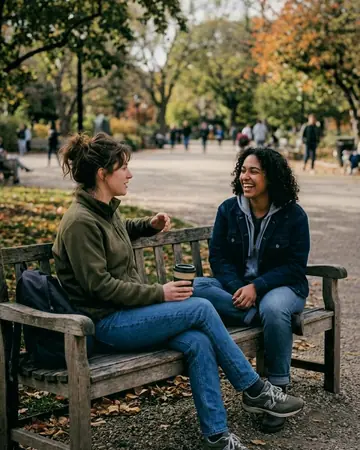
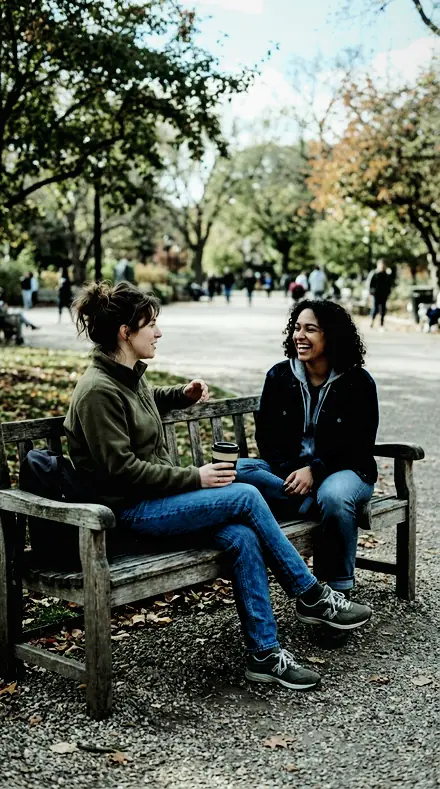
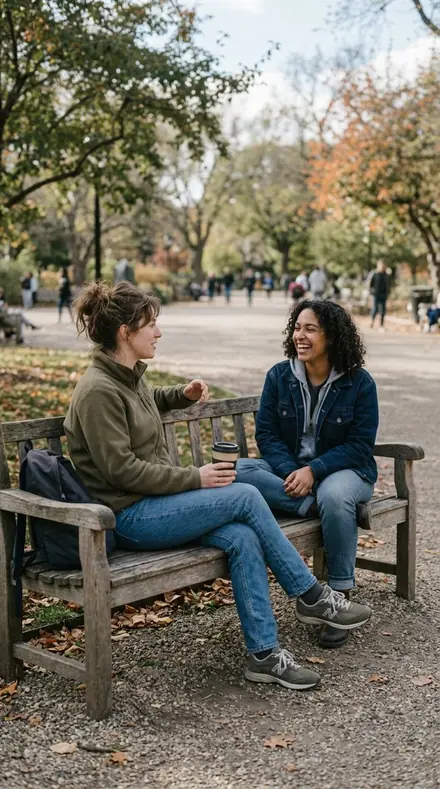
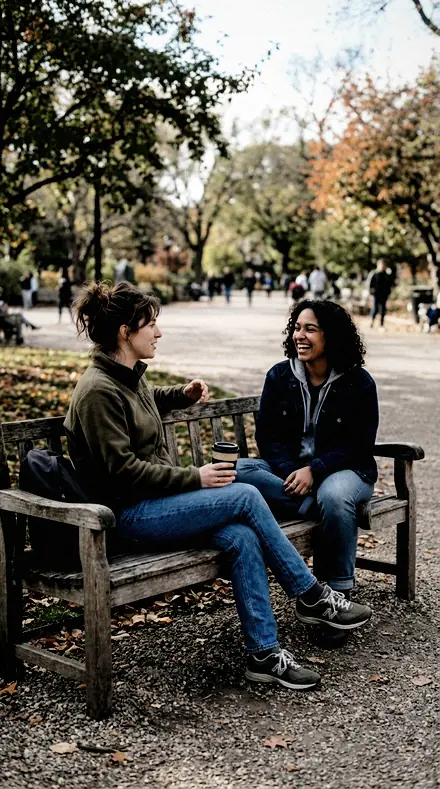
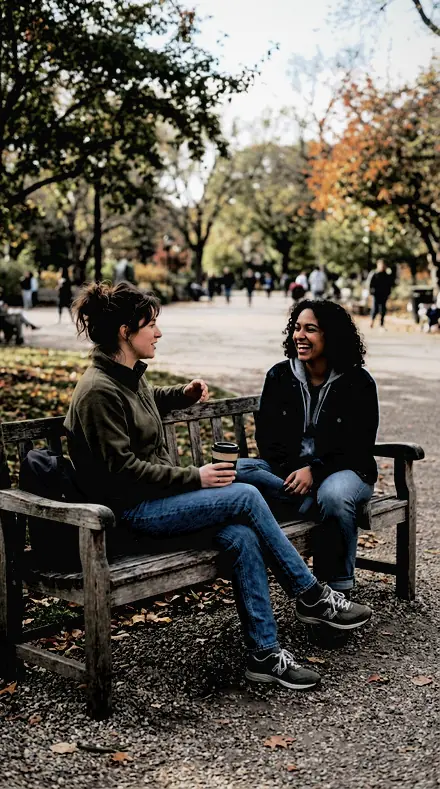
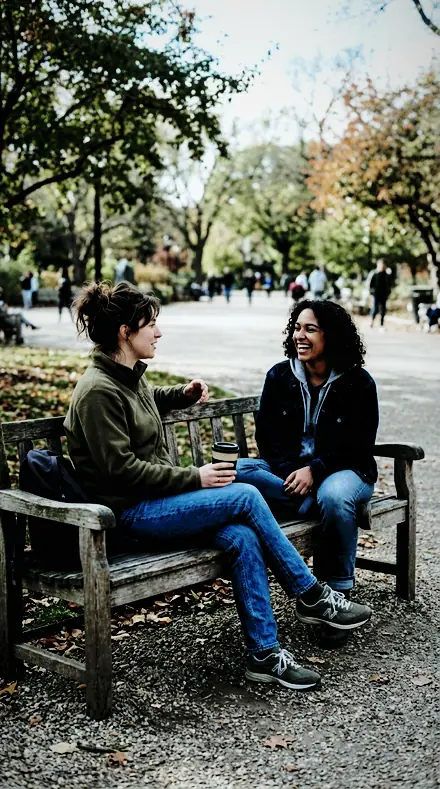
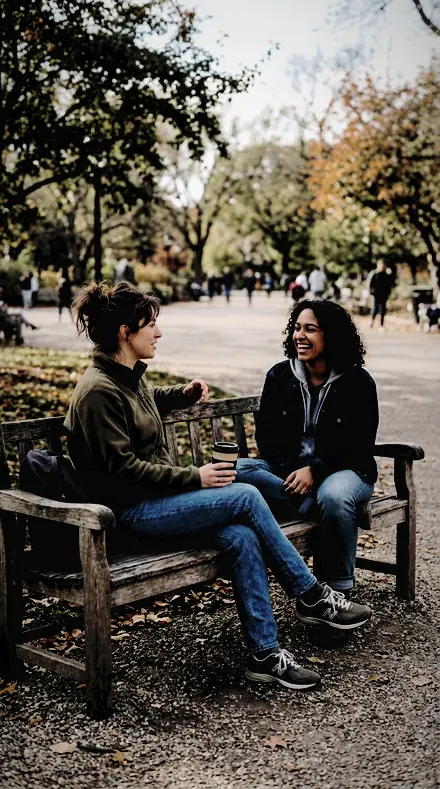
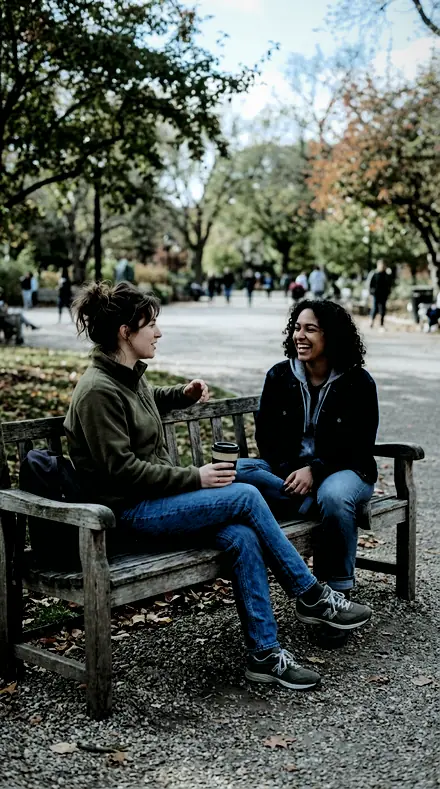
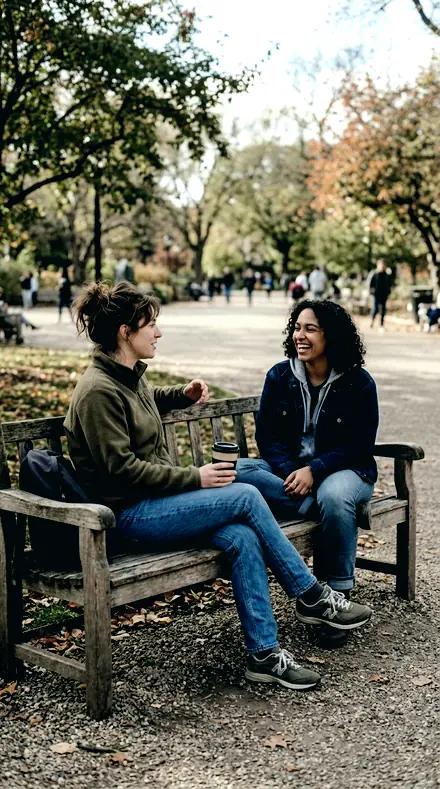
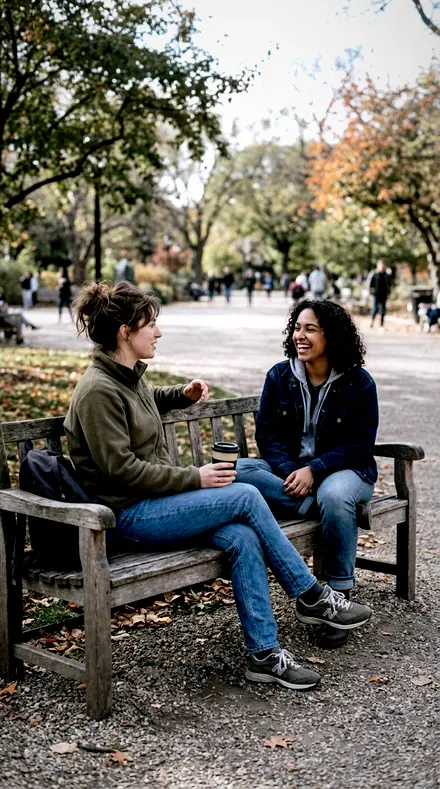
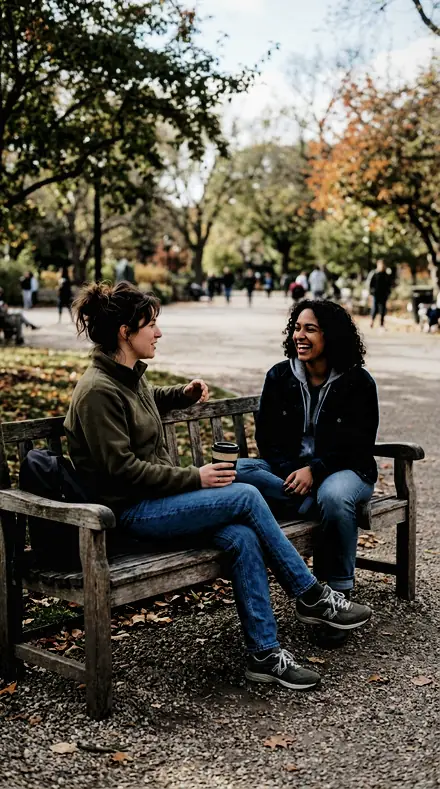
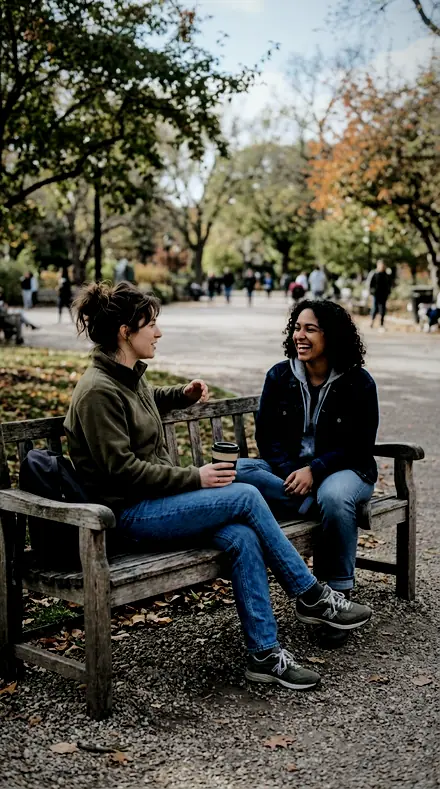
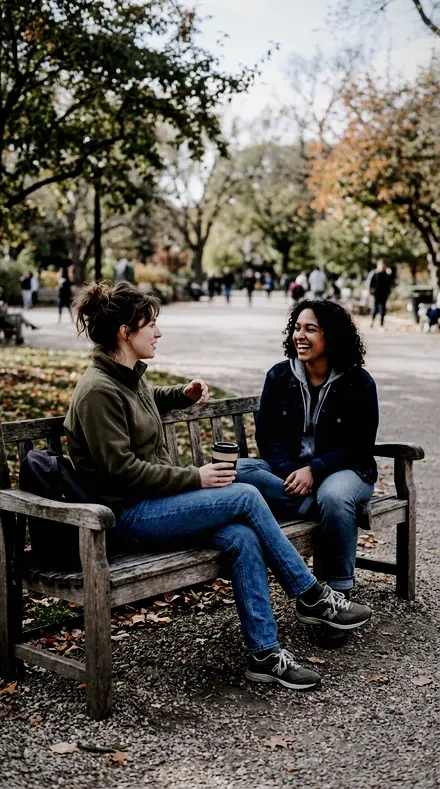
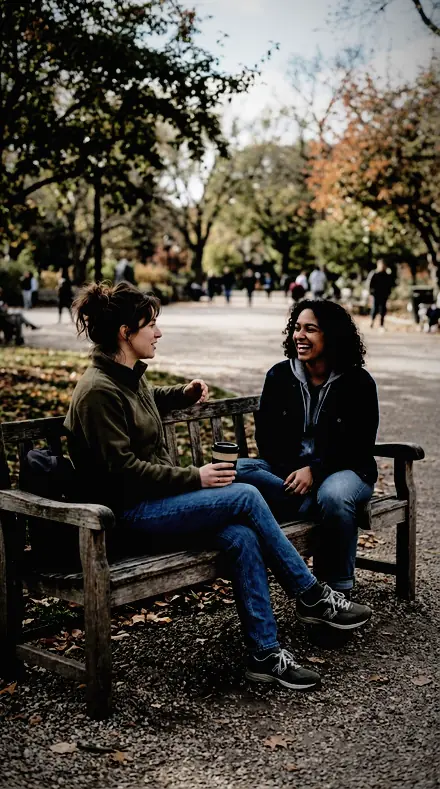
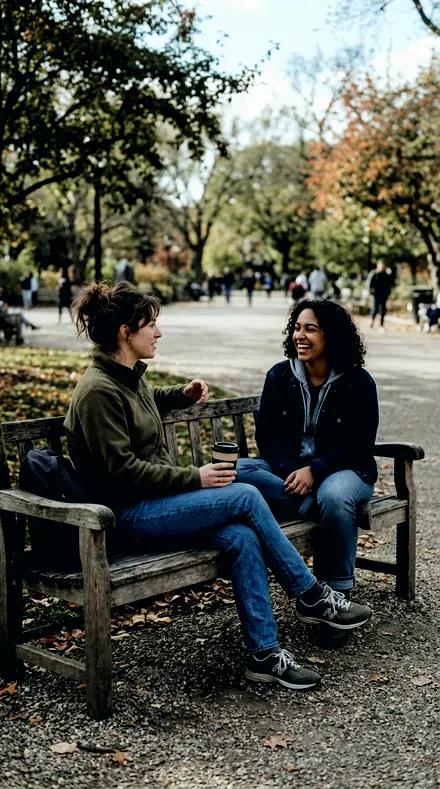
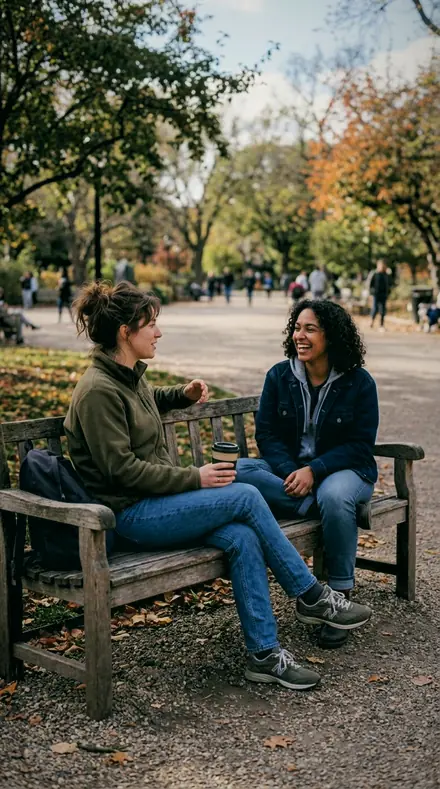
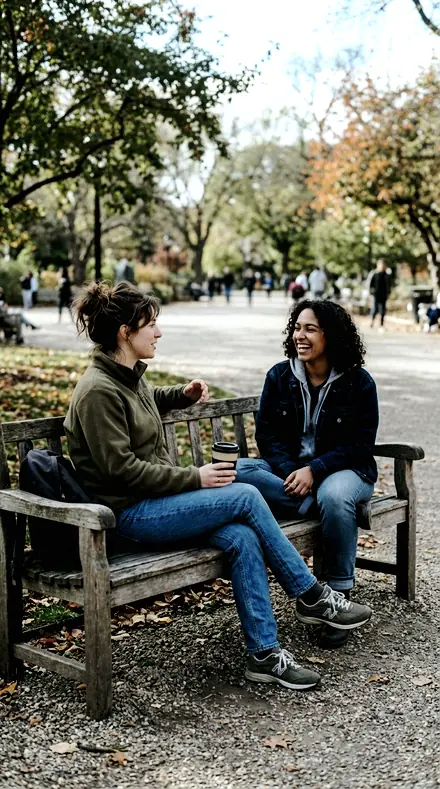
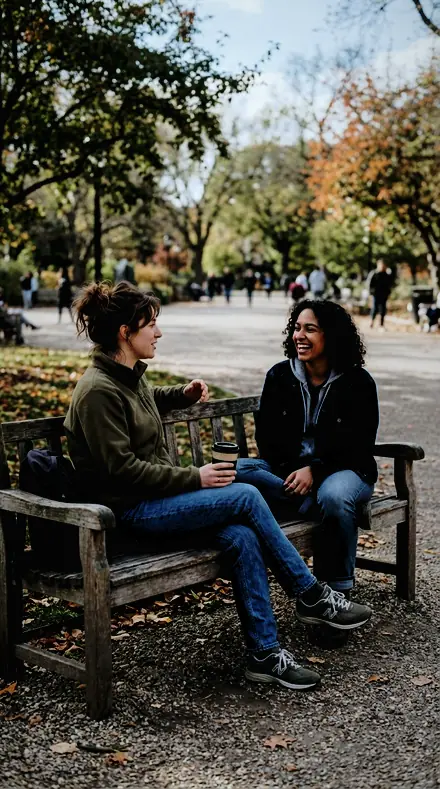
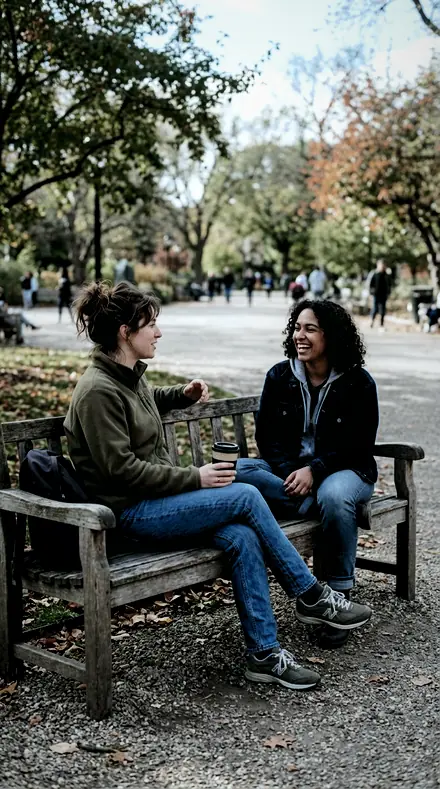
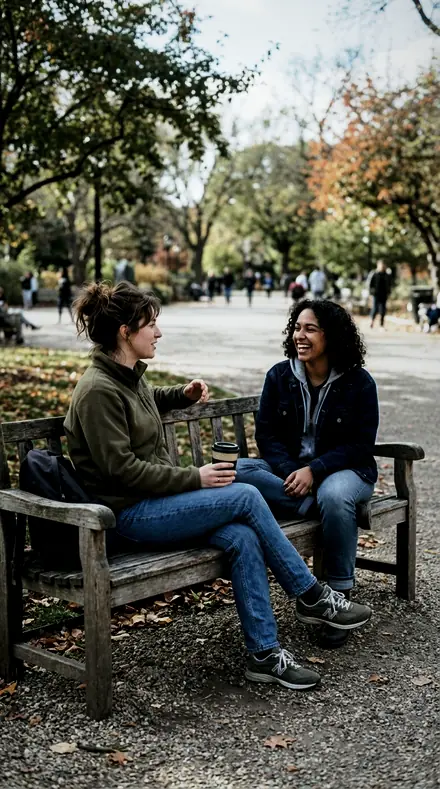
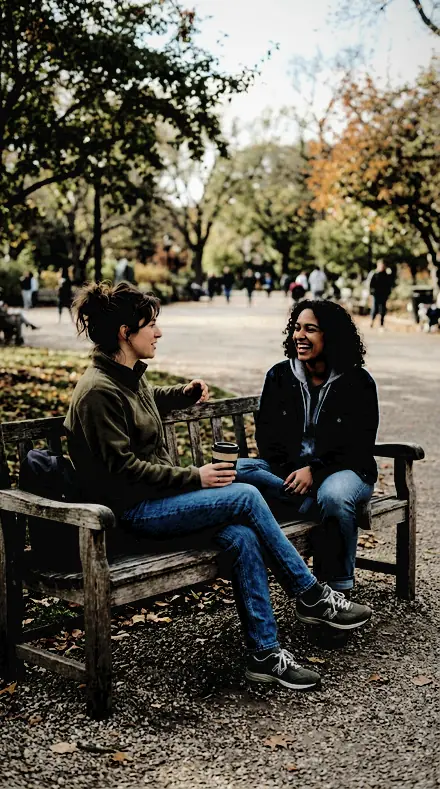
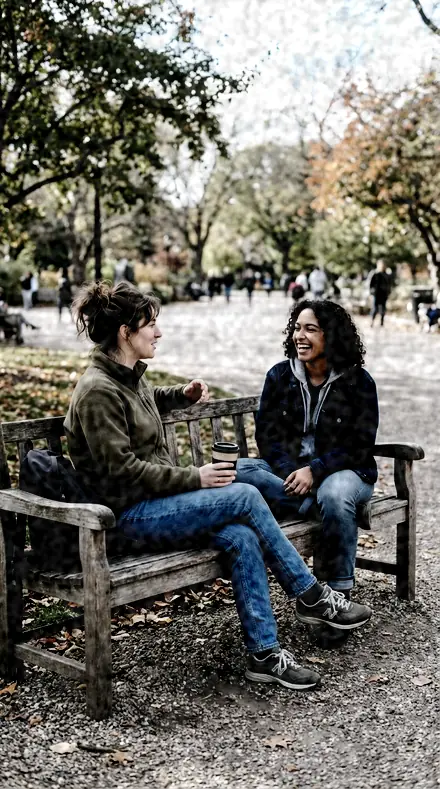
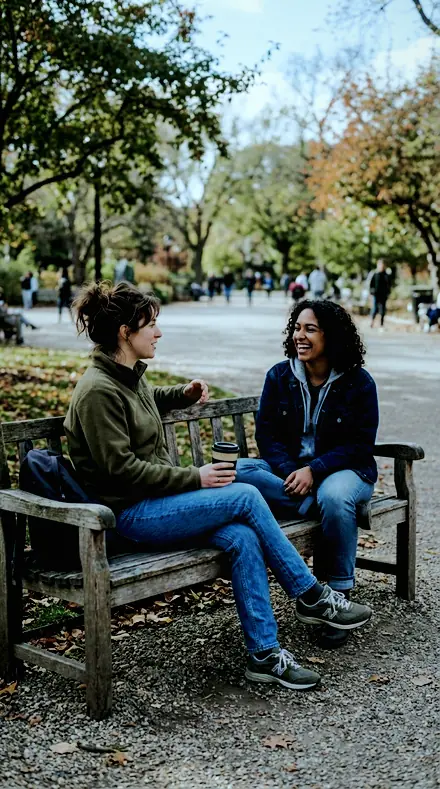
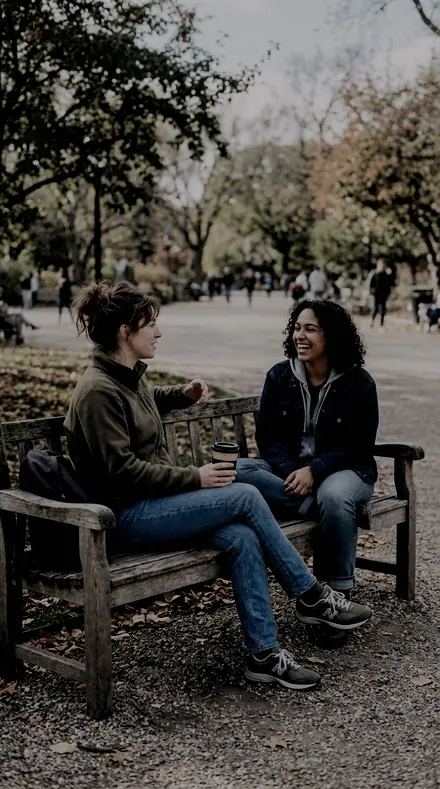
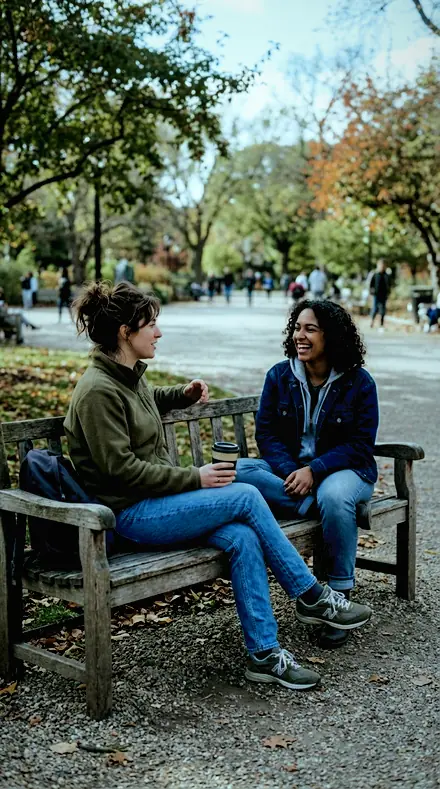
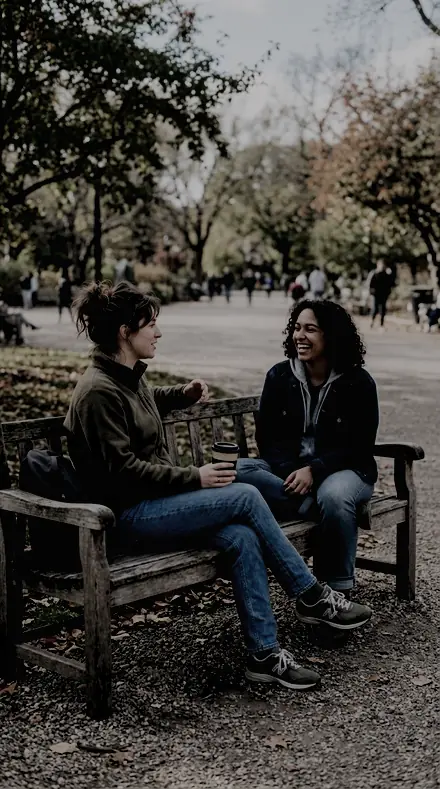
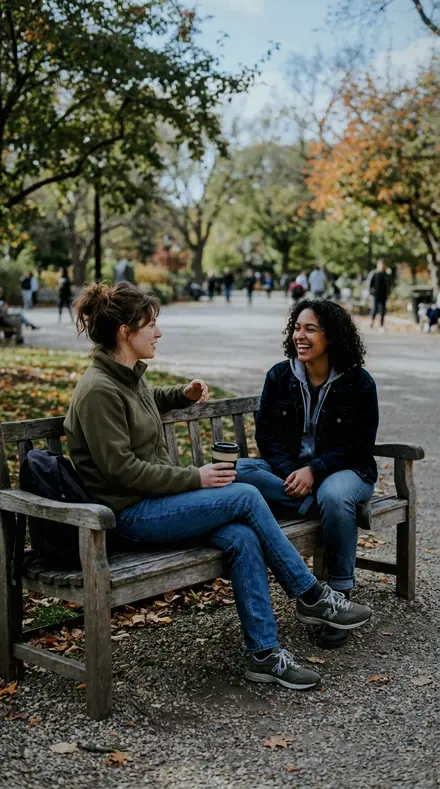
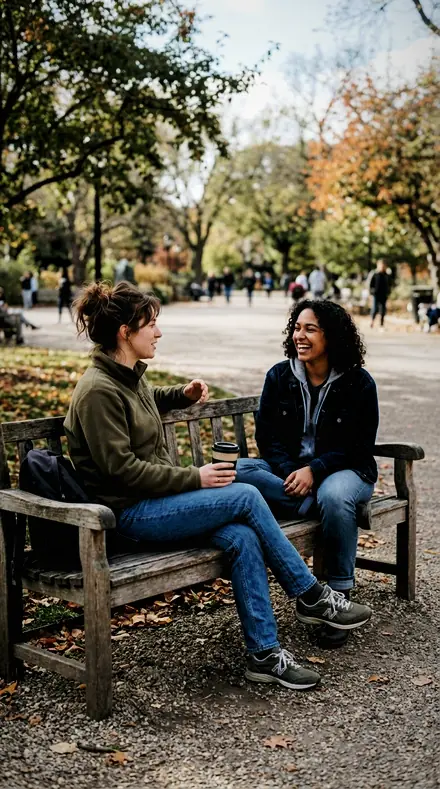
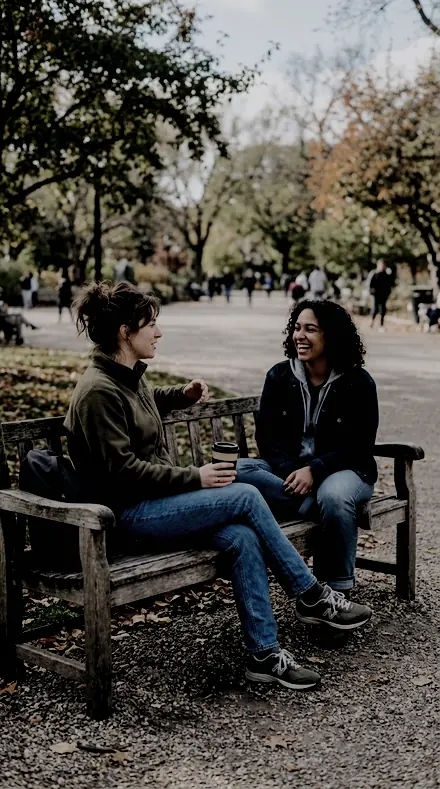
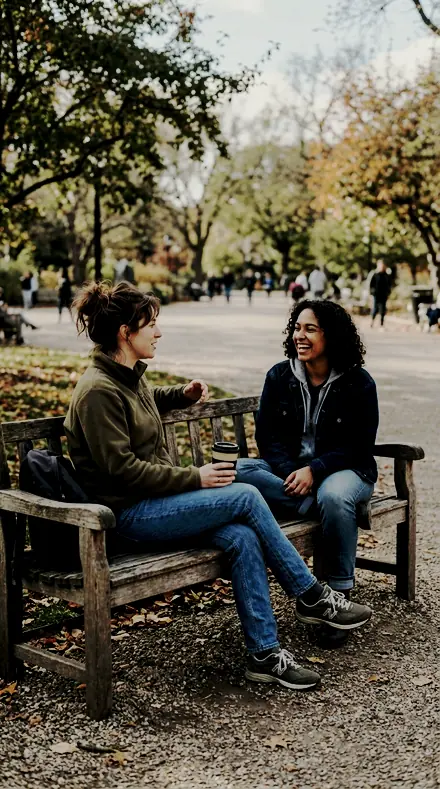
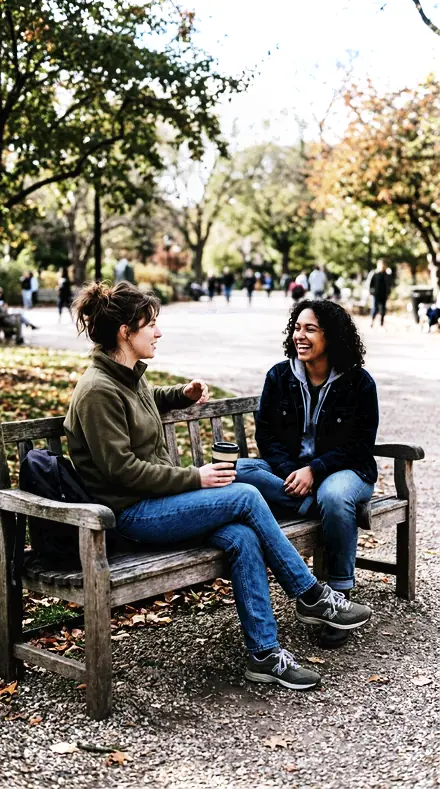
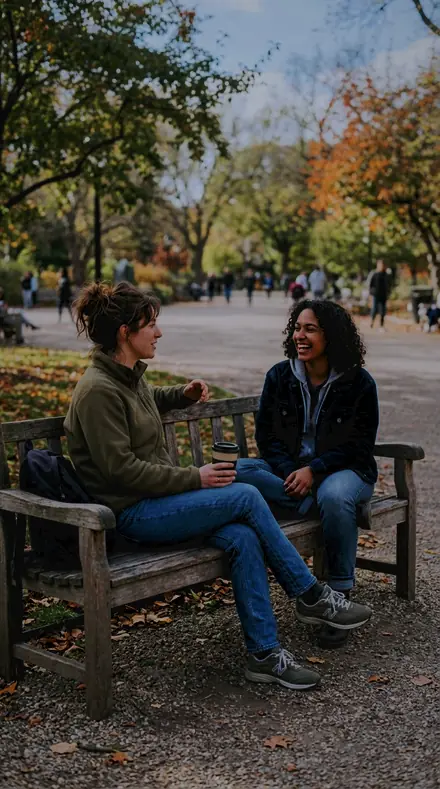
A bench and your people, suddenly a keeper. With the Cinema Grade preset applied.A bench and your people, suddenly a keeper. Photographed without a preset.
Cinema Grade applied to A bench and your people, suddenly a keeper
A bench and your people, suddenly a keeper
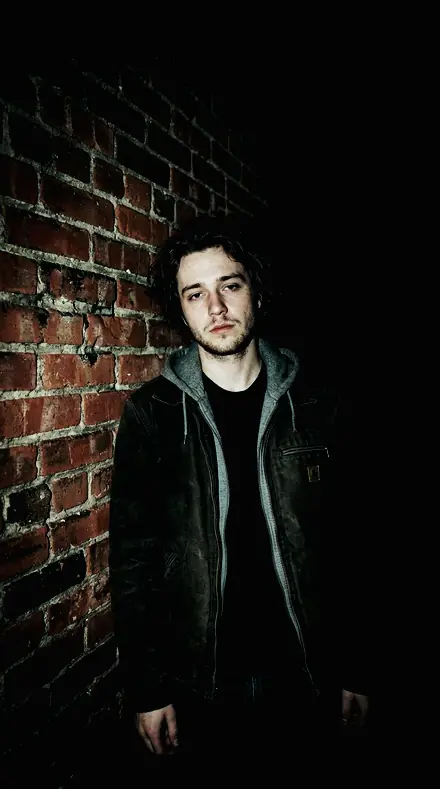
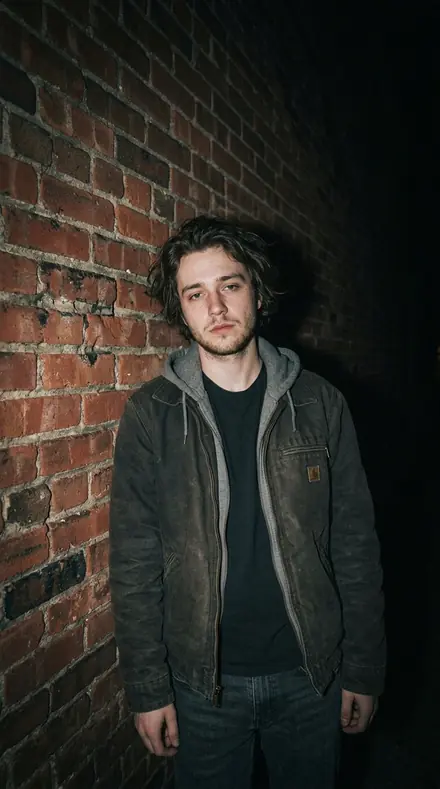
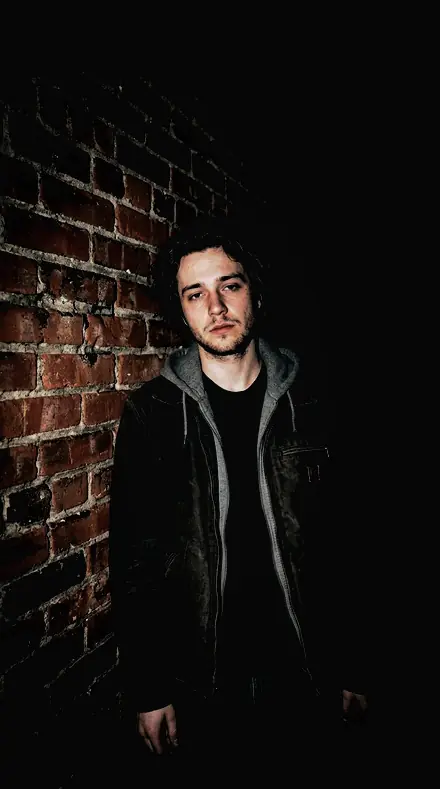
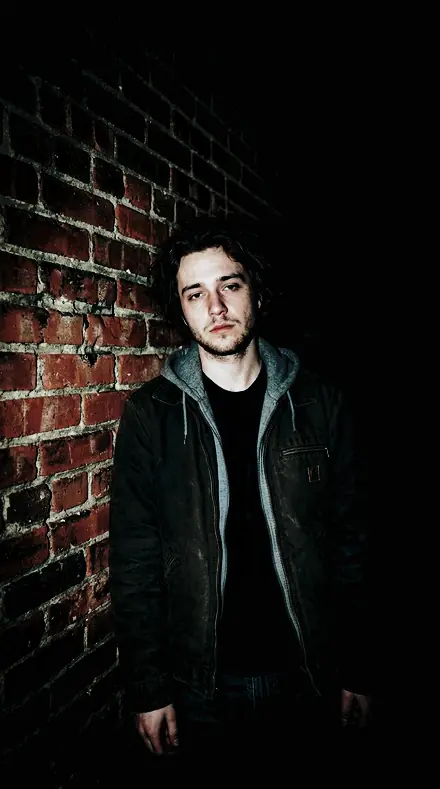
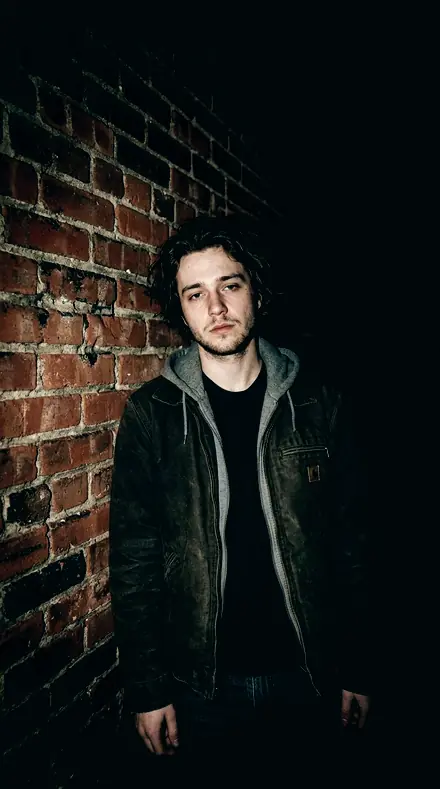
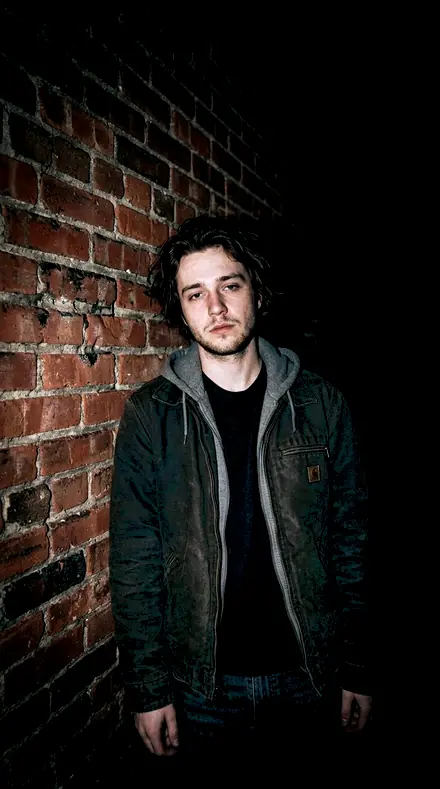
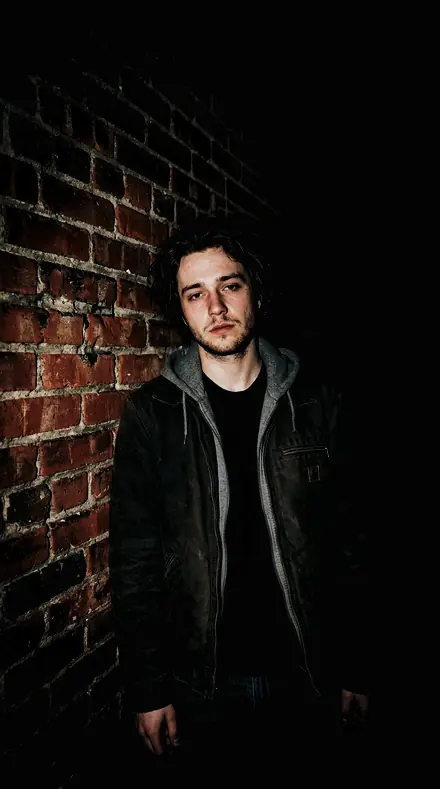
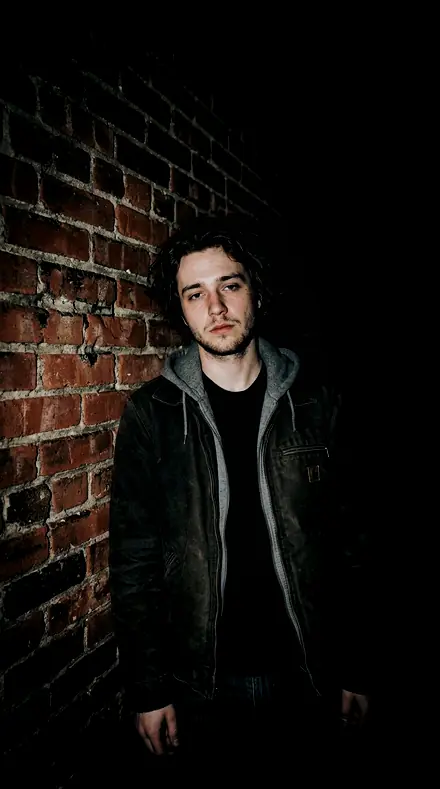
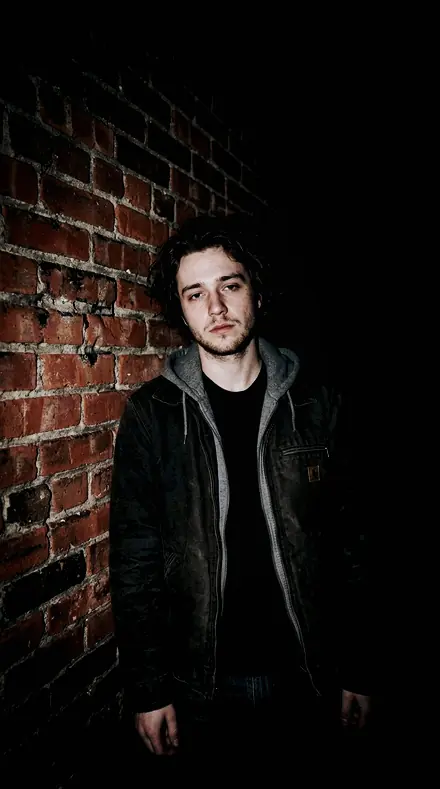
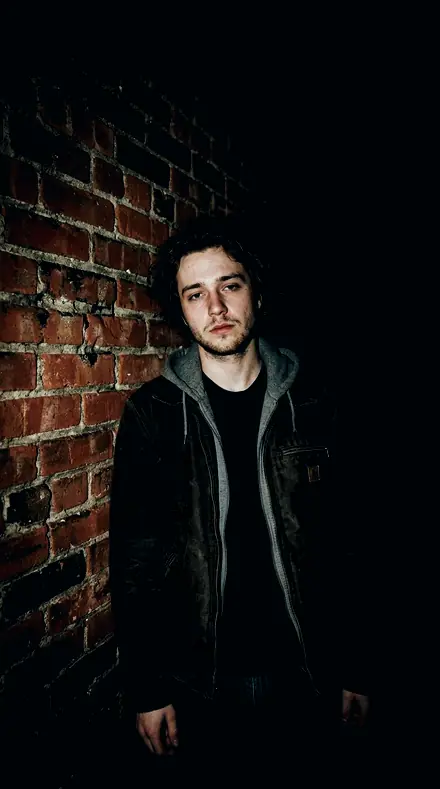
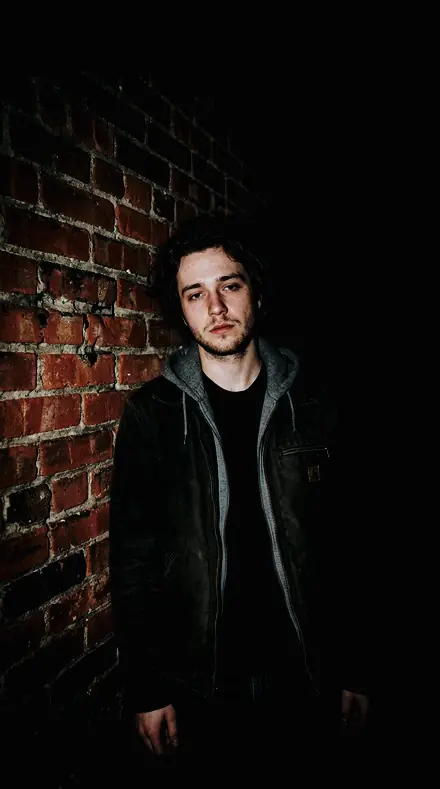
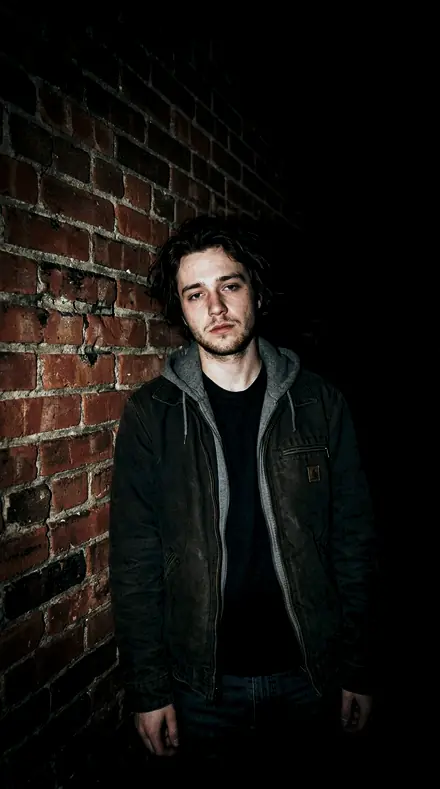
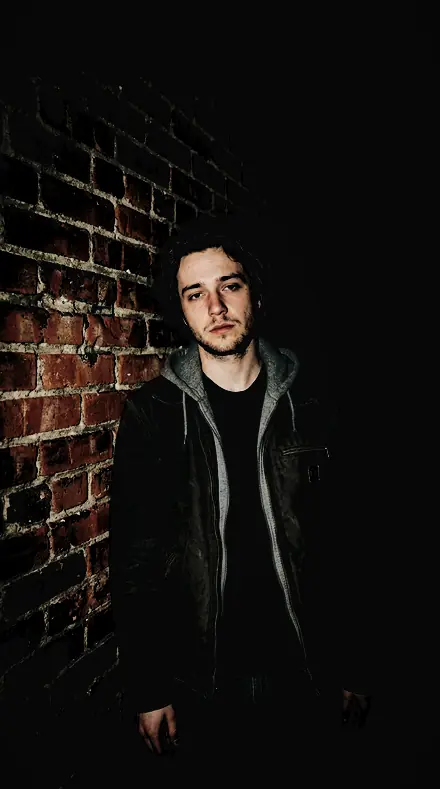
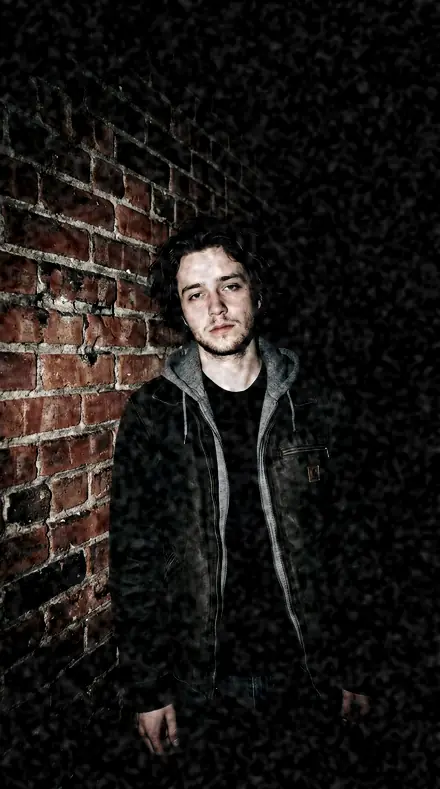
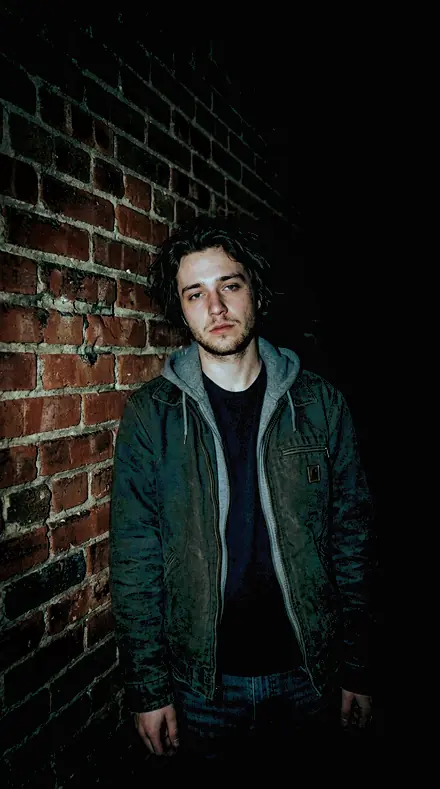
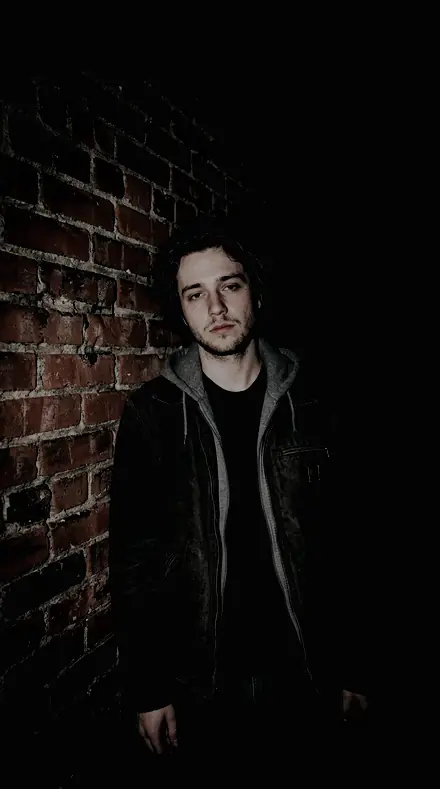
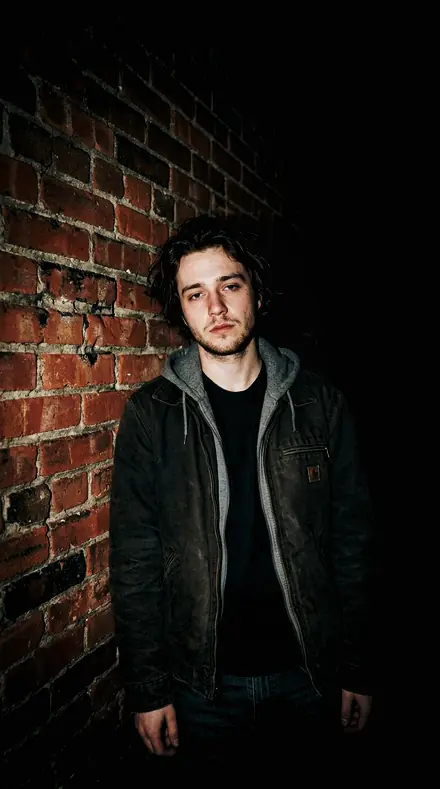
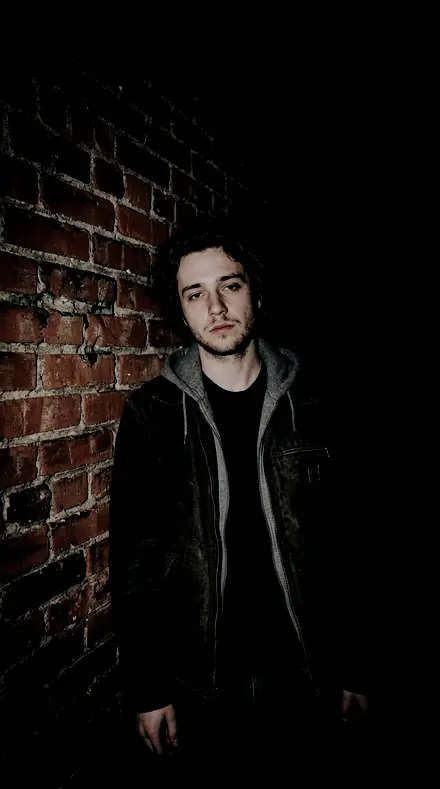
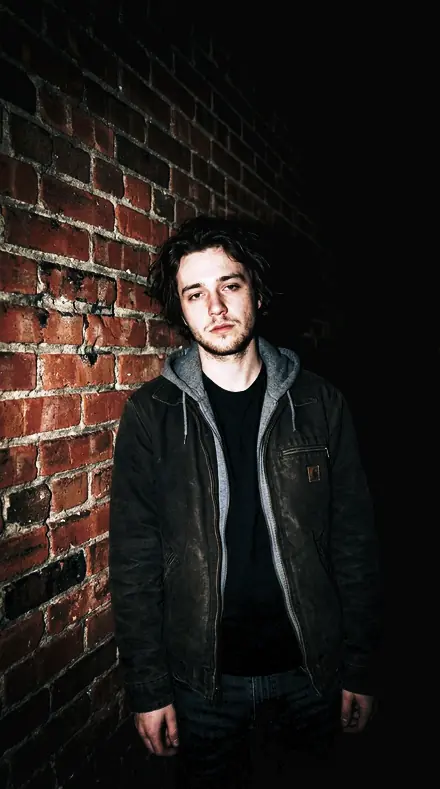
Portrait 000 close daylight. With the Cinema Grade preset applied.Portrait 000 close daylight. Photographed without a preset.
Cinema Grade applied to Portrait 000 close daylight
Portrait 000 close daylight
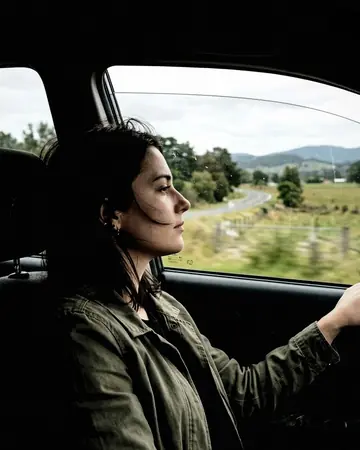
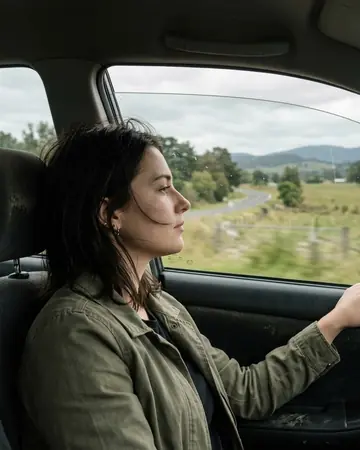
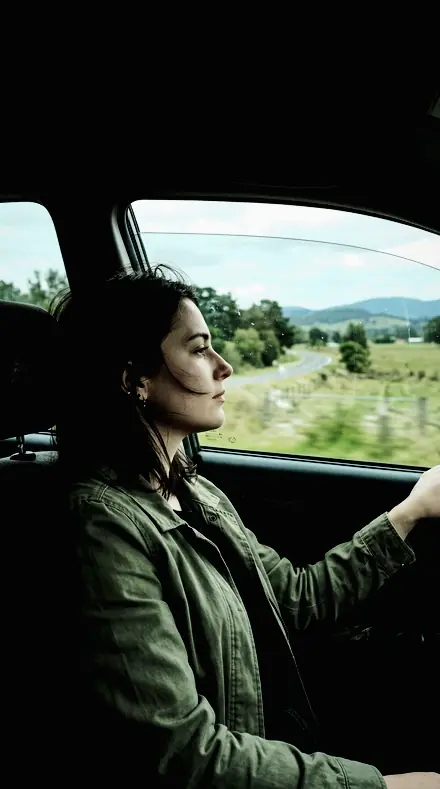
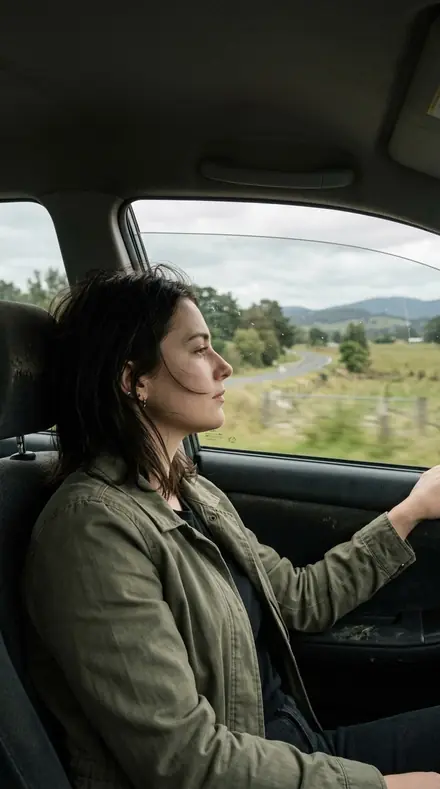
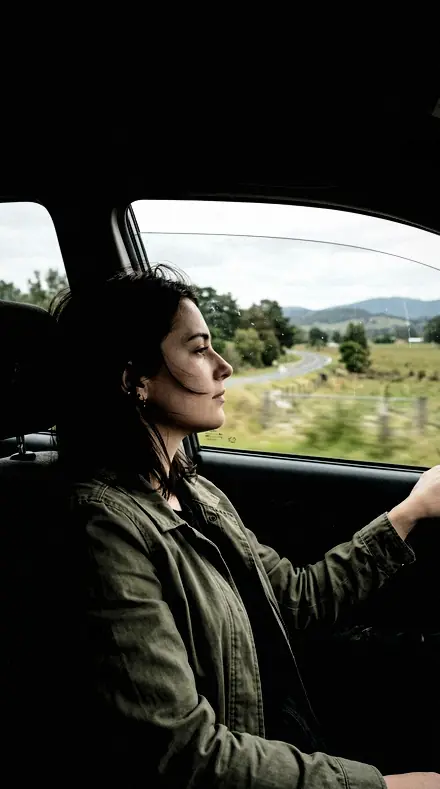
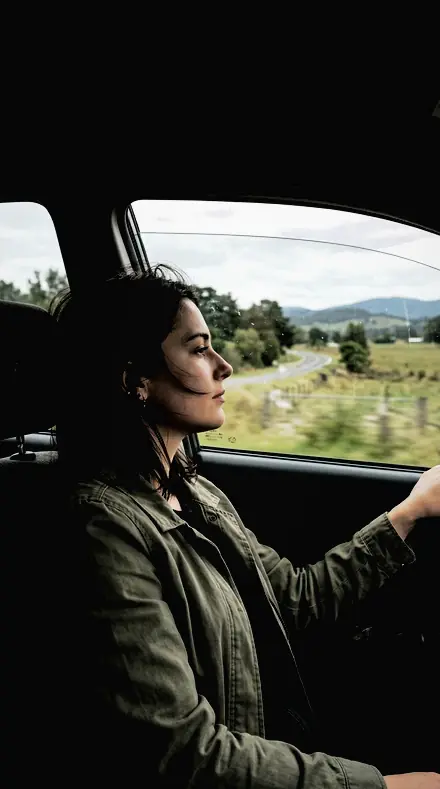
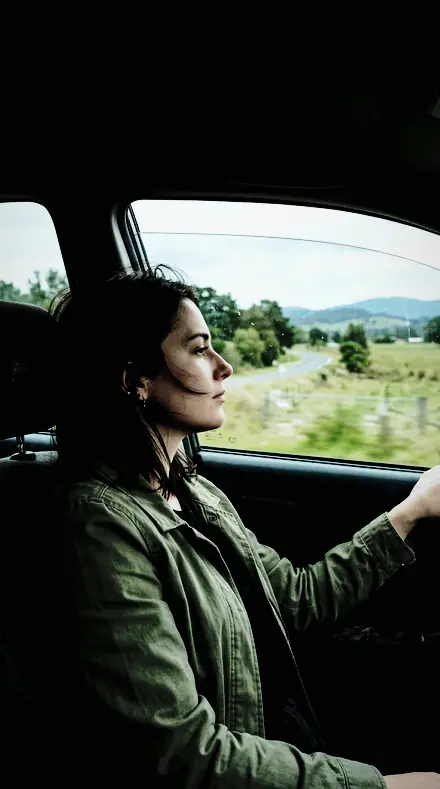
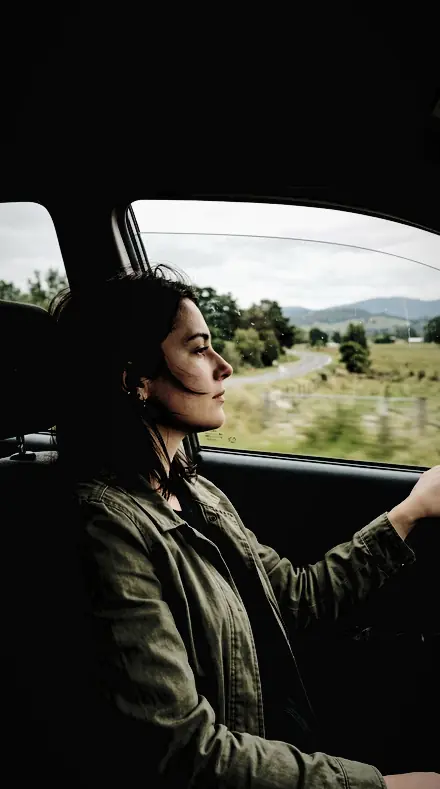
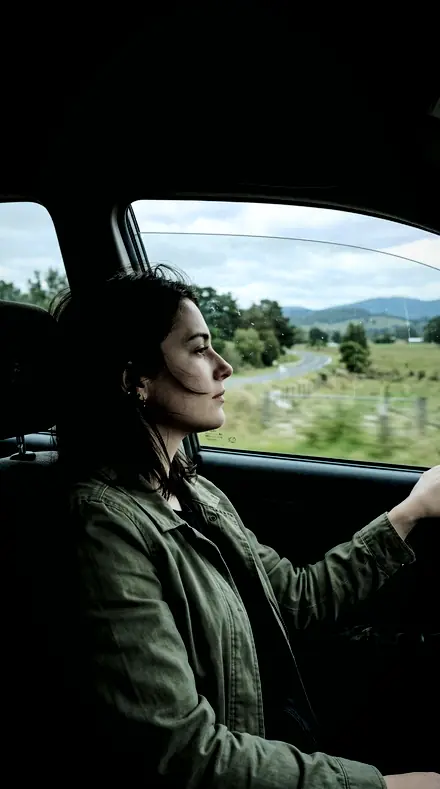
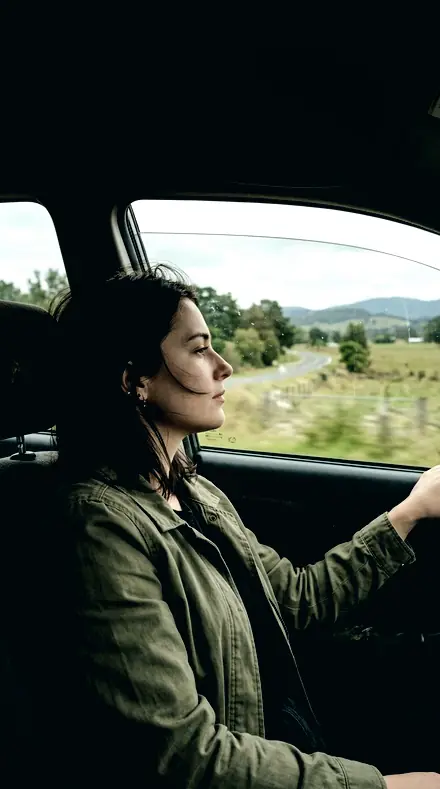
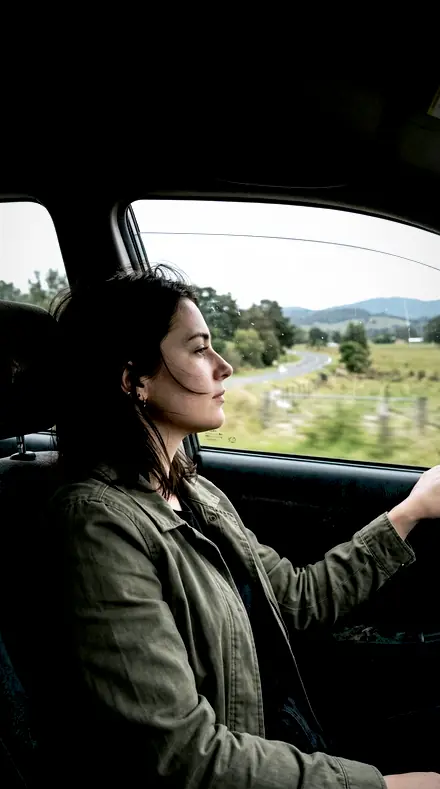
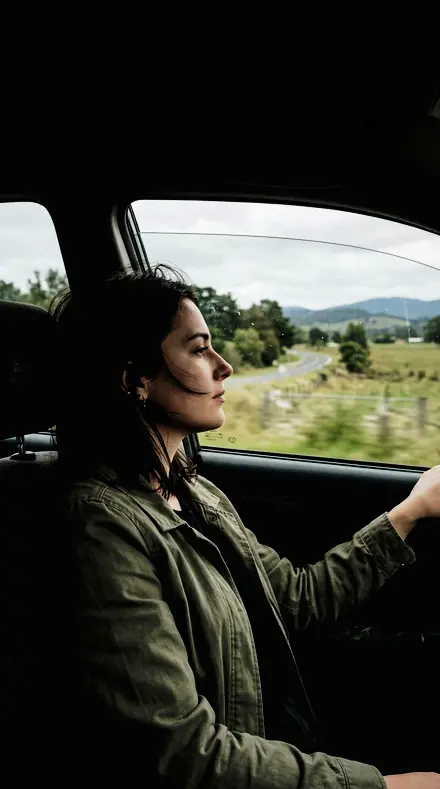
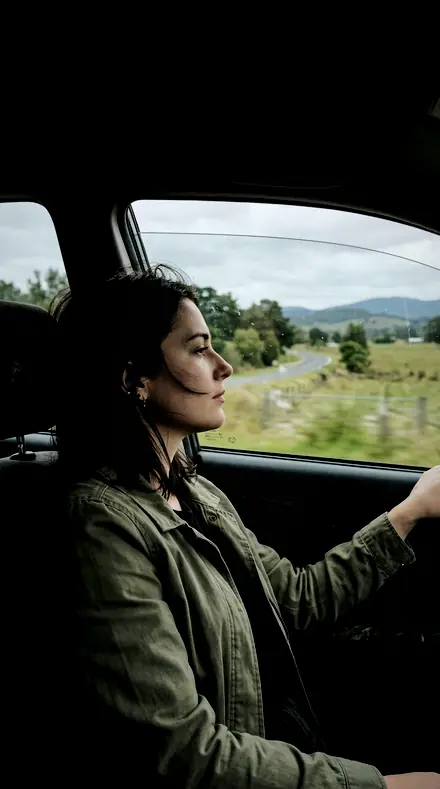
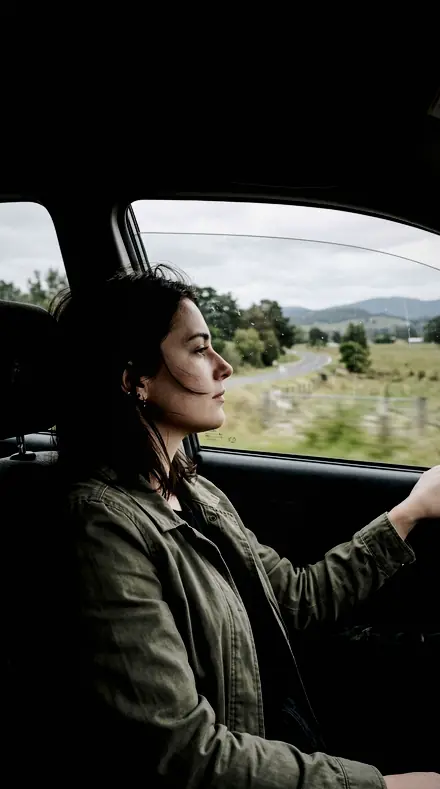
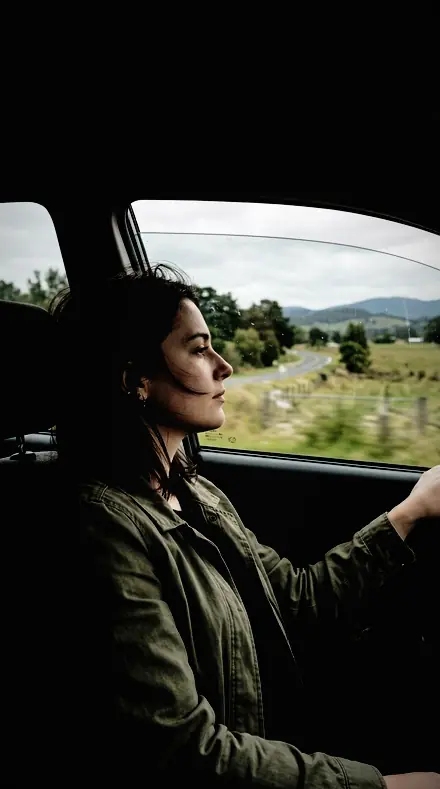
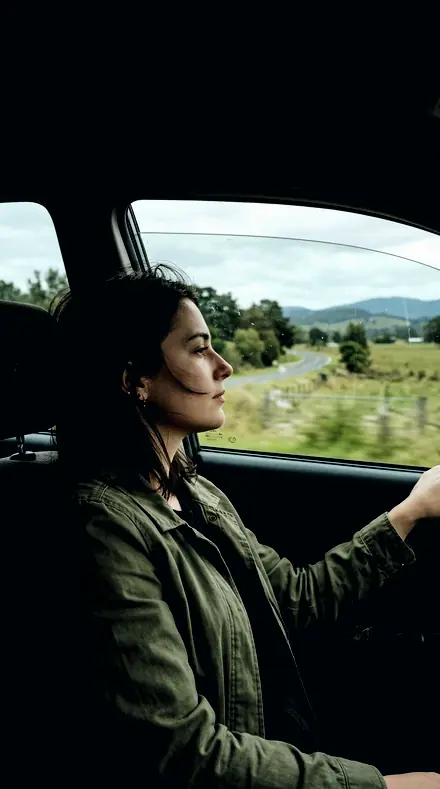
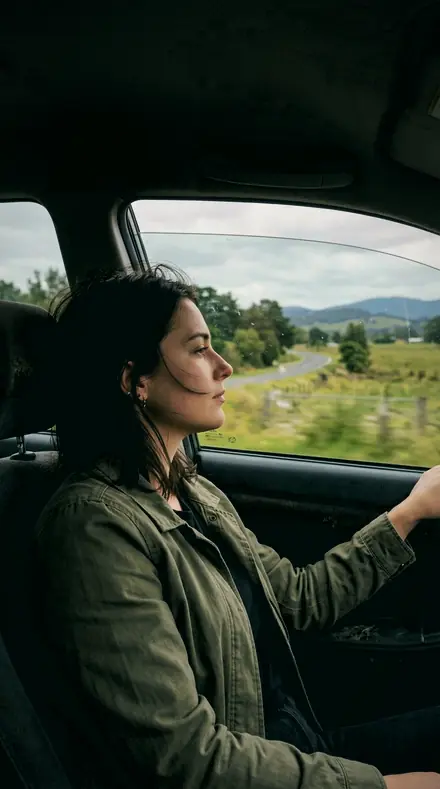
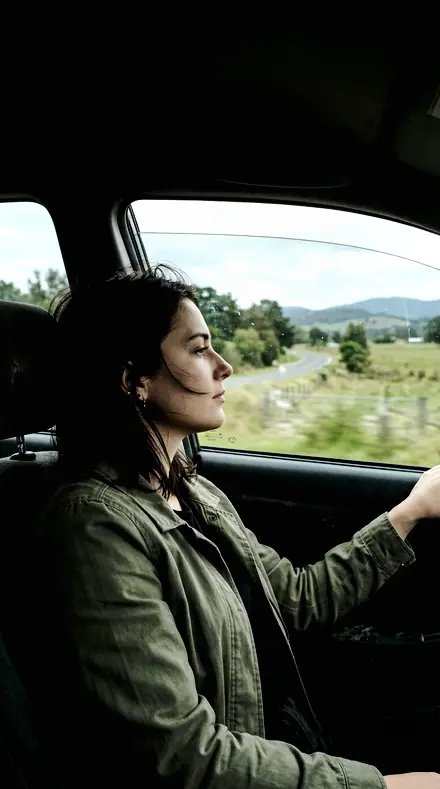
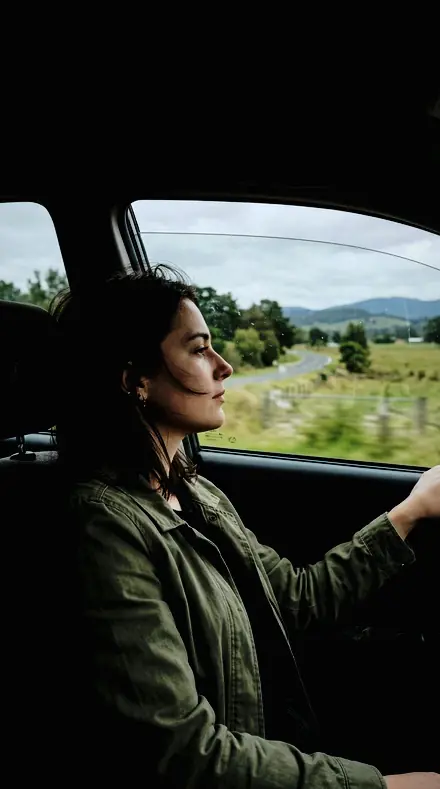
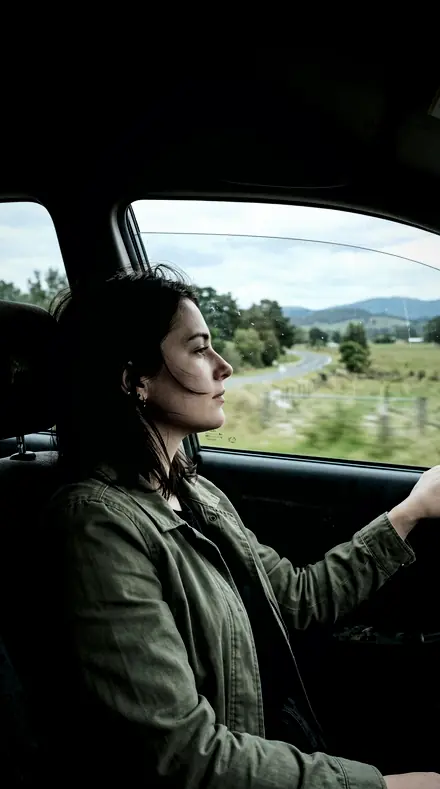
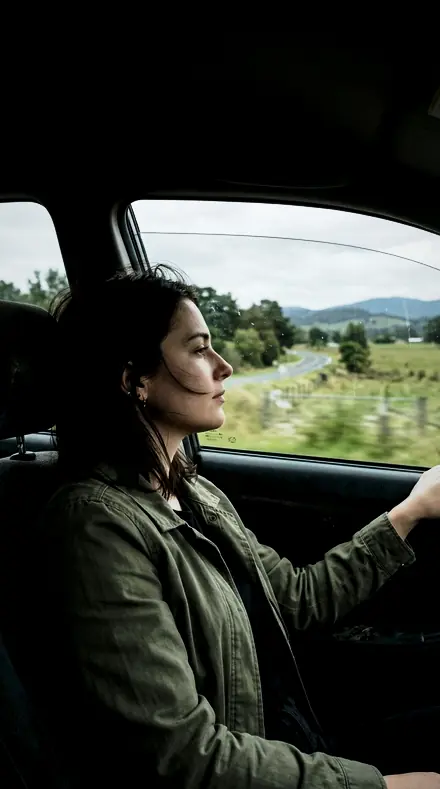
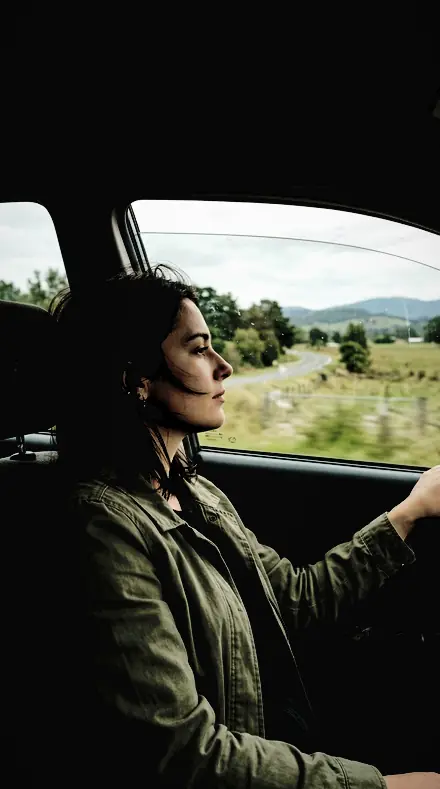
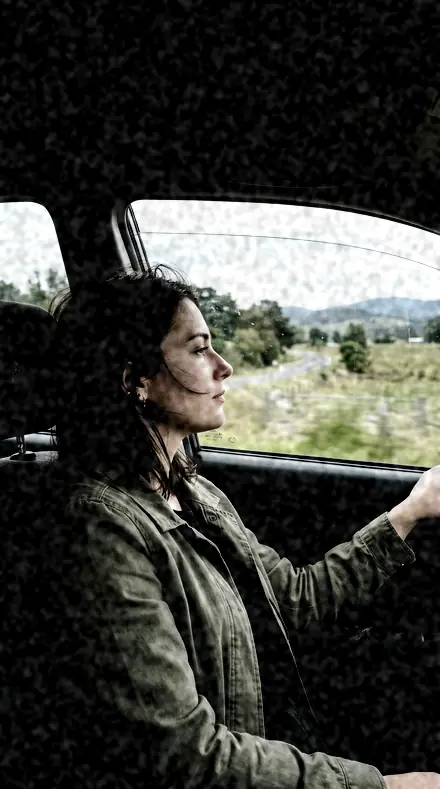
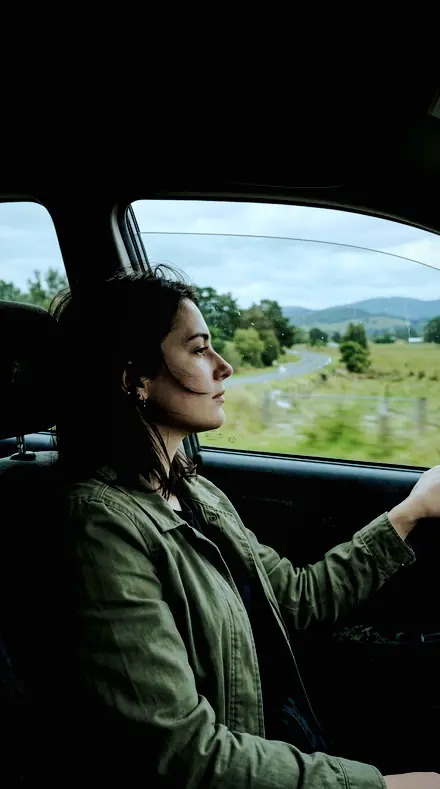
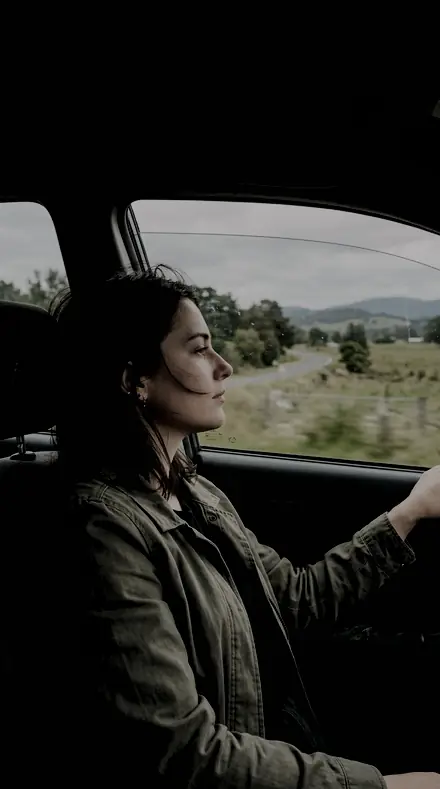
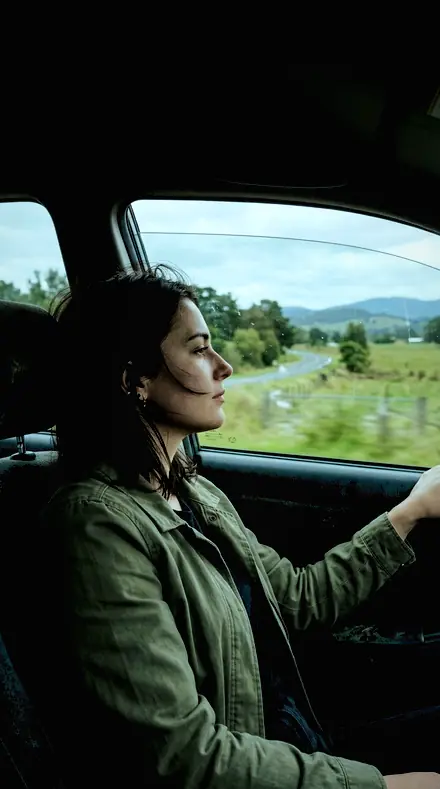
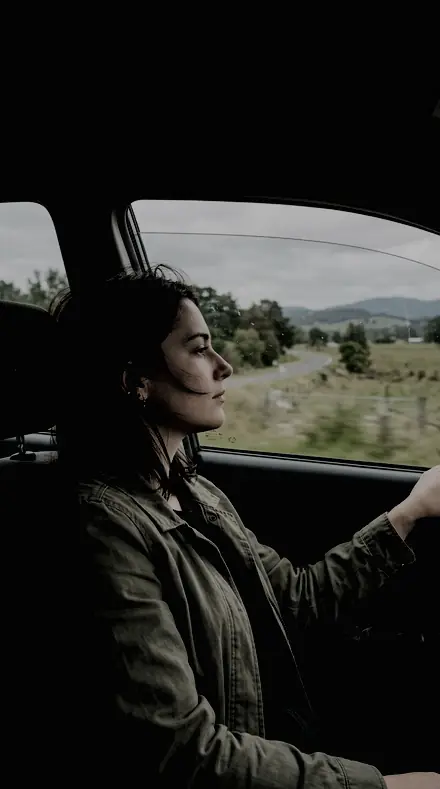
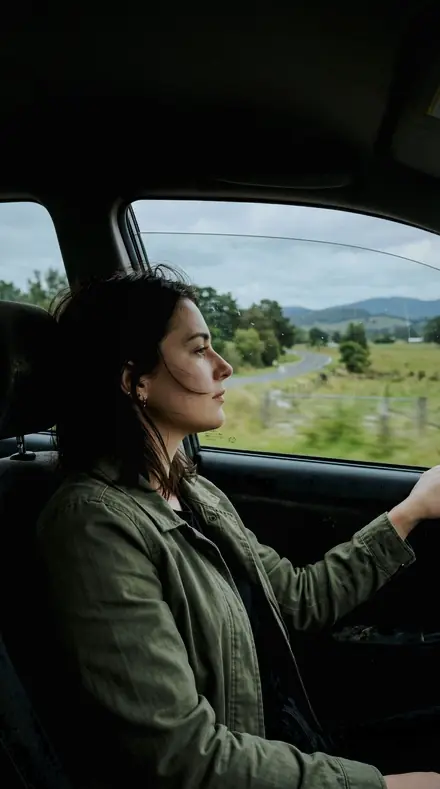
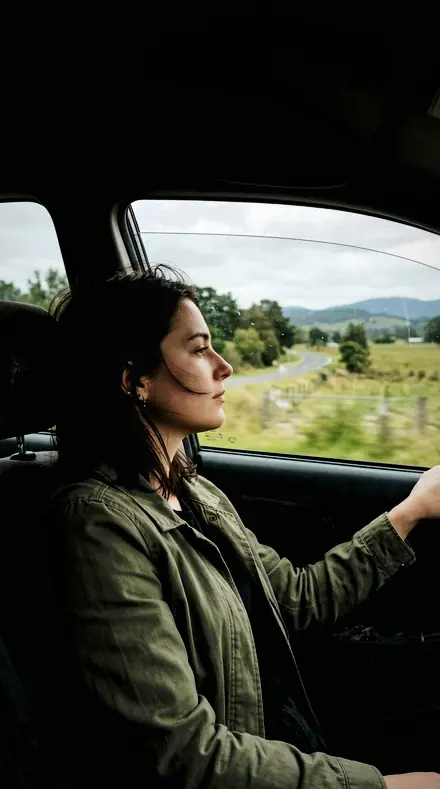
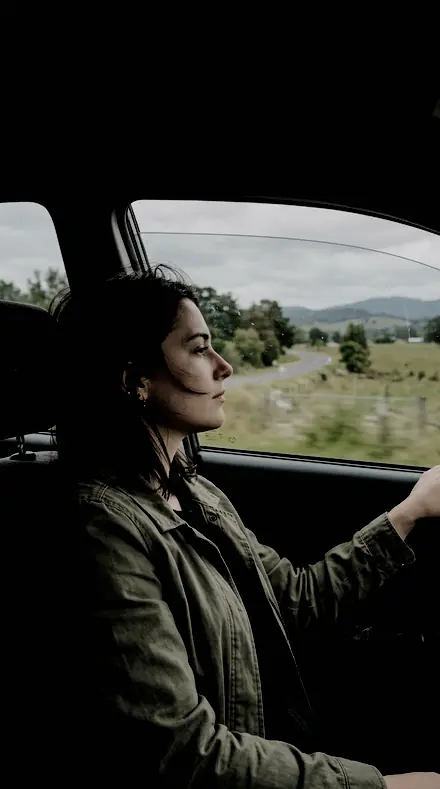
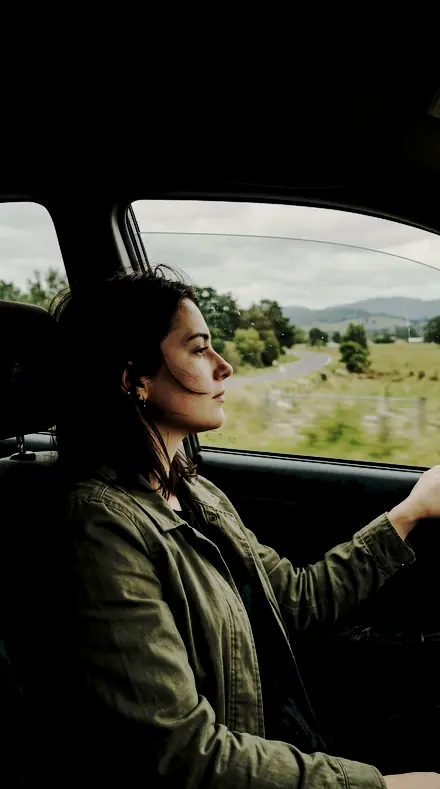
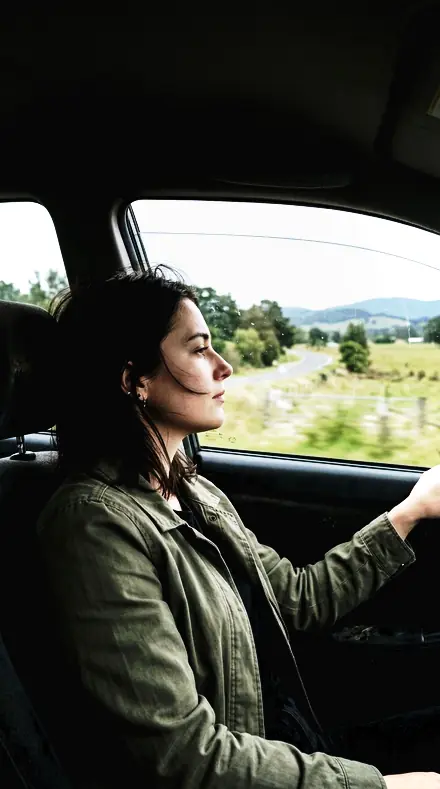
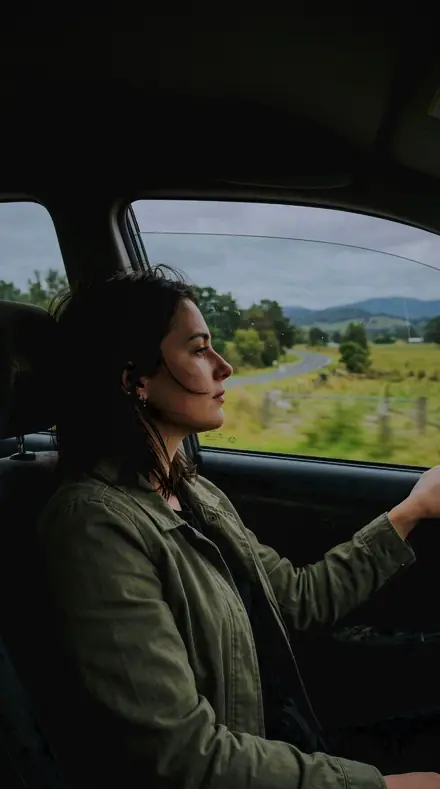
A fictional passenger looking out of a car window, daylight outside. With the Cinema Grade preset applied.A fictional passenger looking out of a car window, daylight outside. Photographed without a preset.
Cinema Grade applied to A fictional passenger looking out of a car window, daylight outside
A fictional passenger looking out of a car window, daylight outside

Explore every preset in this pack

30 presets · 4 scenes

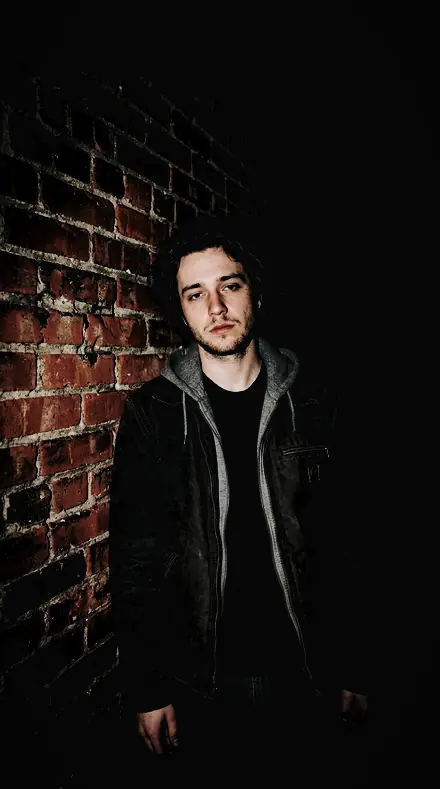
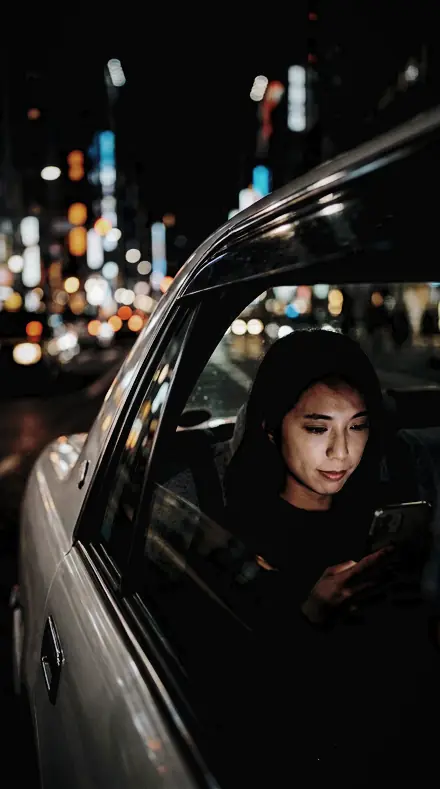
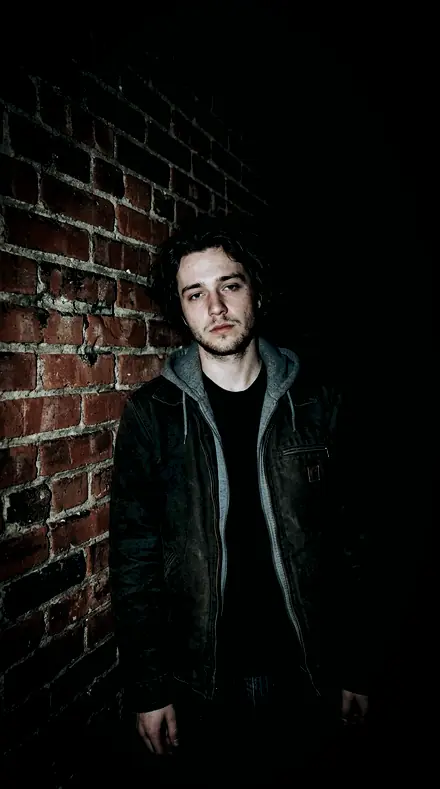
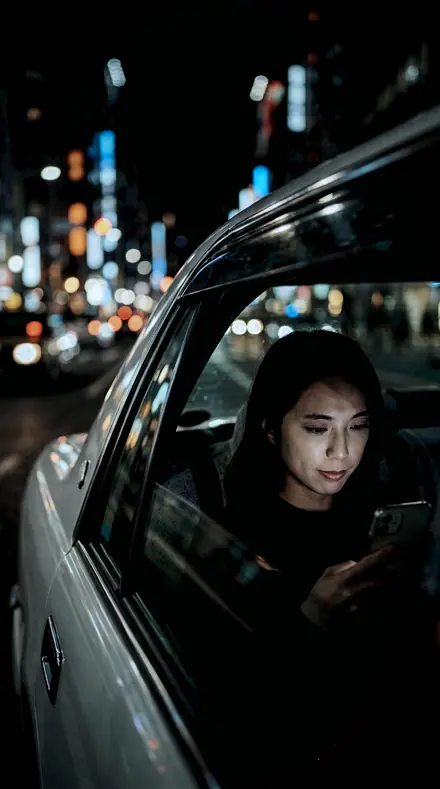
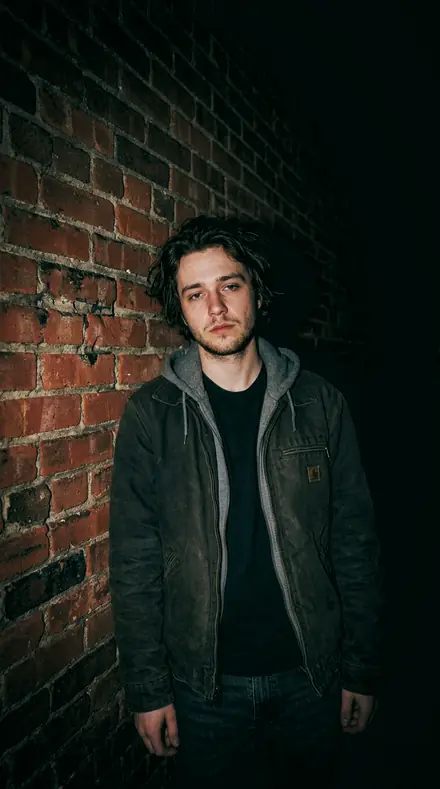
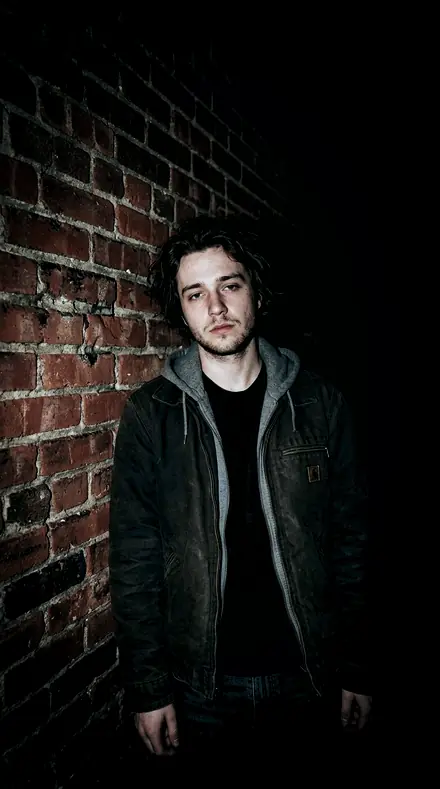
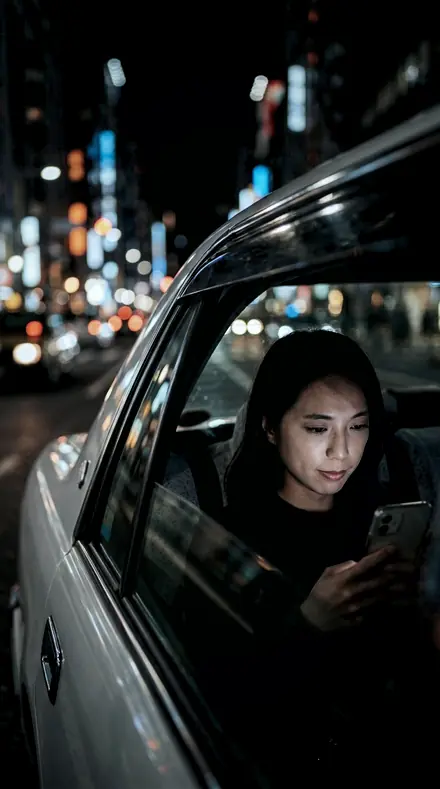
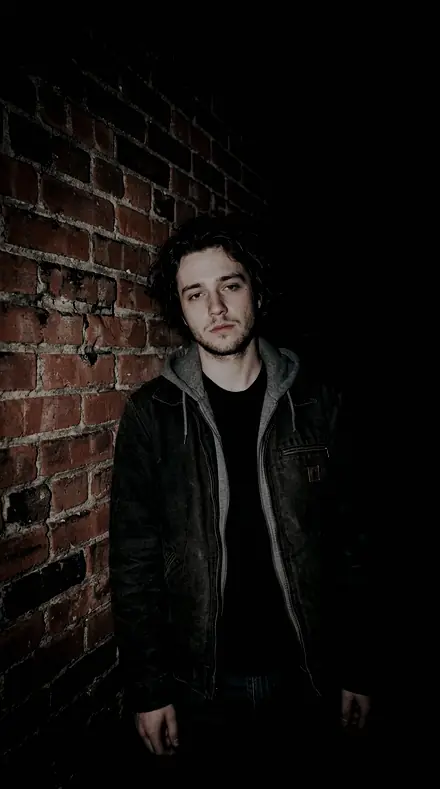
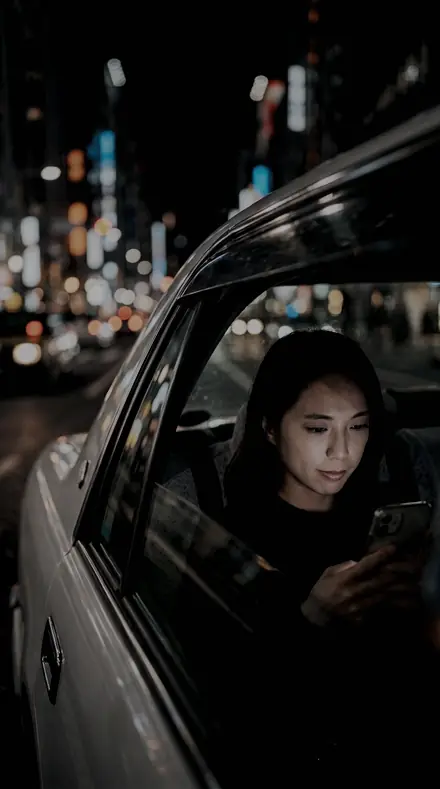
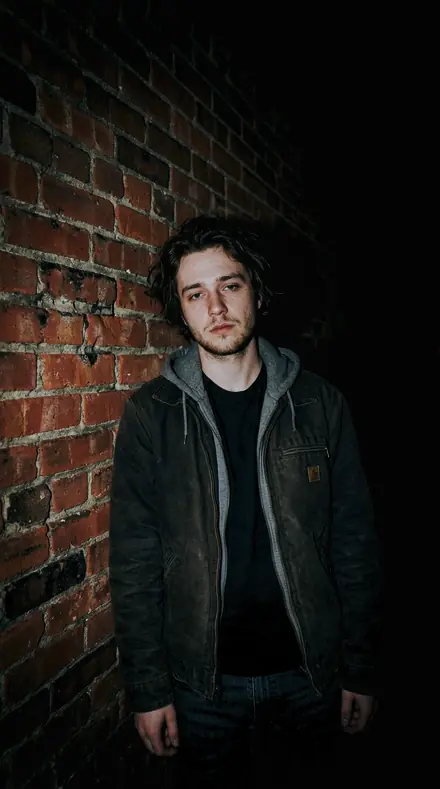
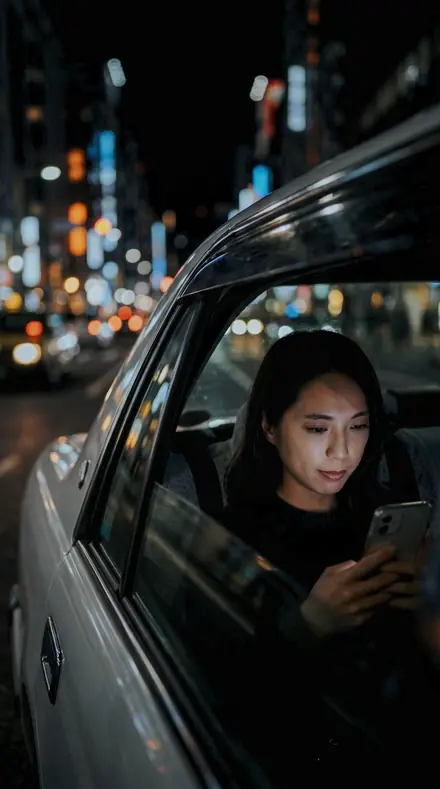
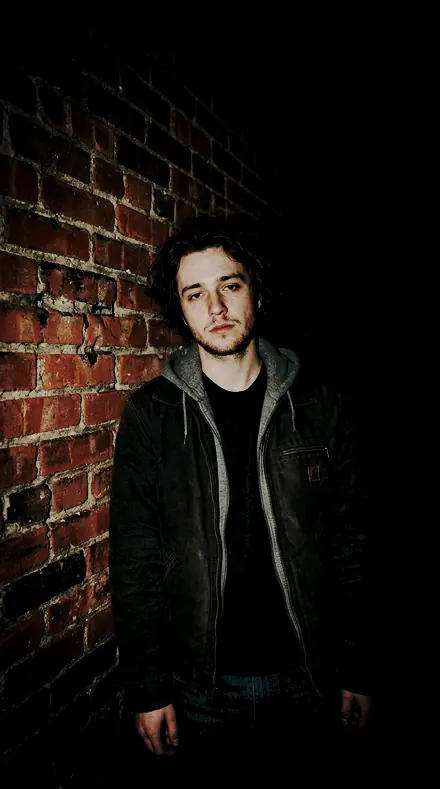
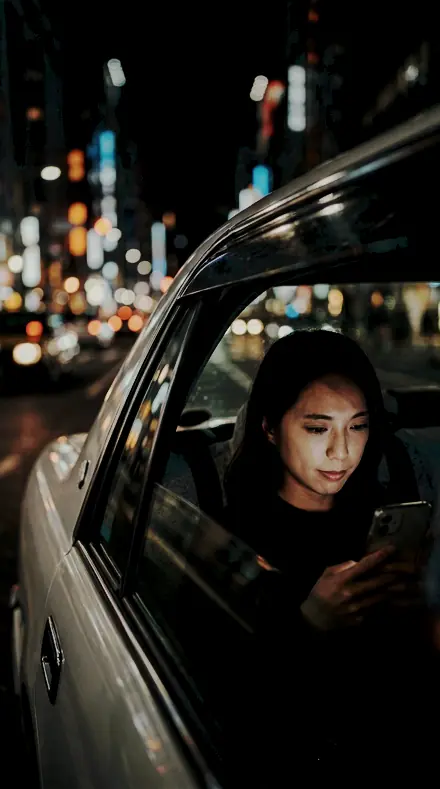
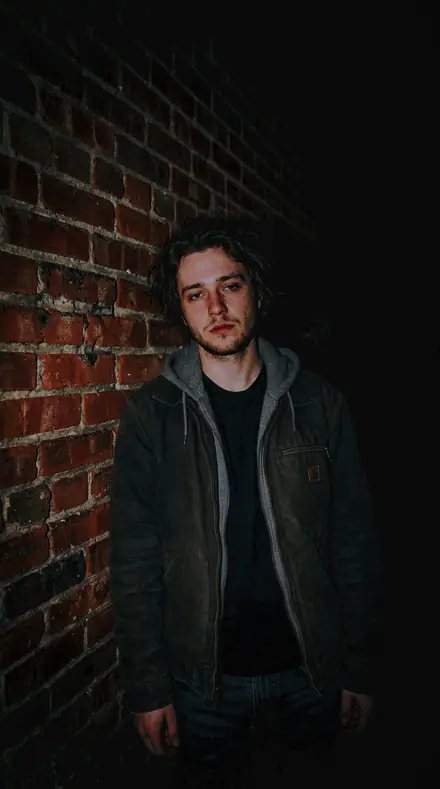
Every preset in the pack is here, on the same four photographs. Nothing below is a sample. Open one and drag.

  1. No. 01Steel Bench
    Steel Bench applied to Car window Before: Car window
    Car window
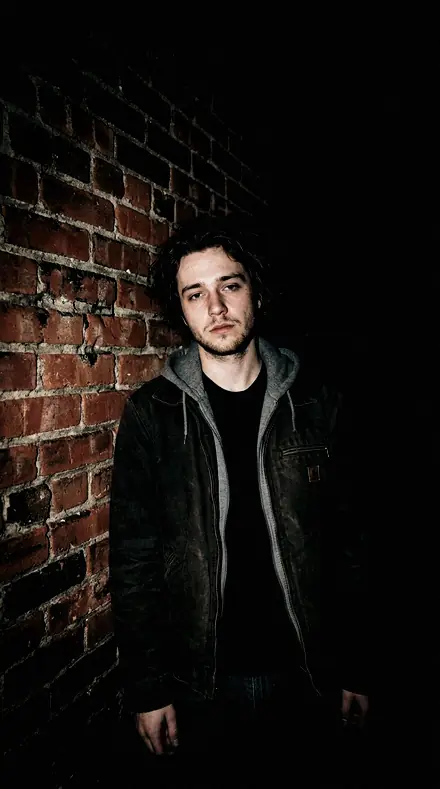
    Steel Bench applied to Flash brick portrait Before: Flash brick portrait
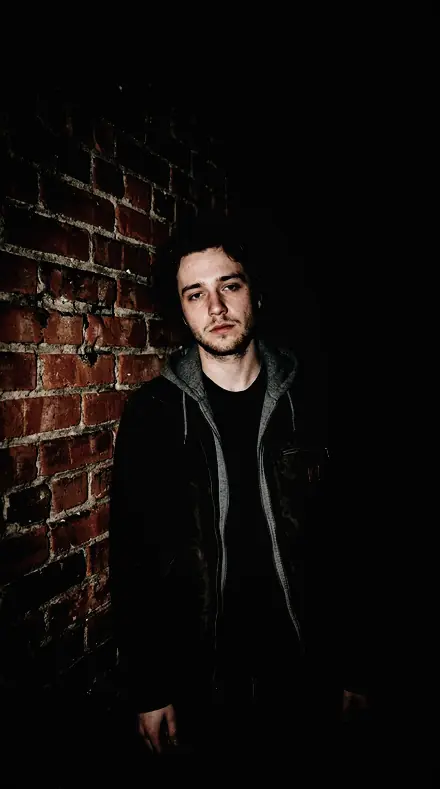
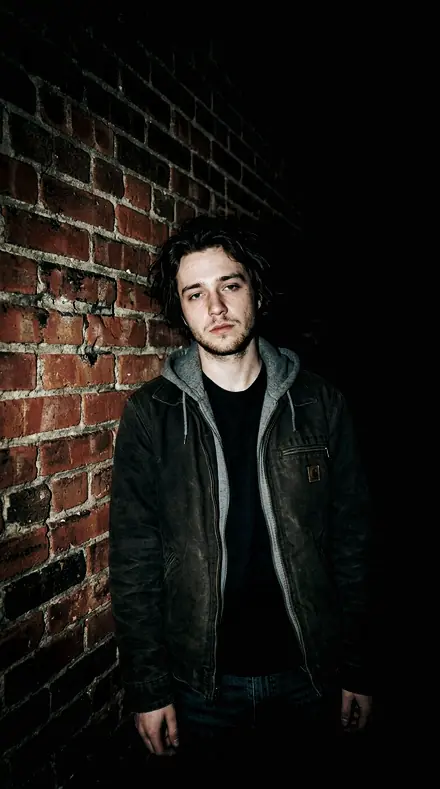
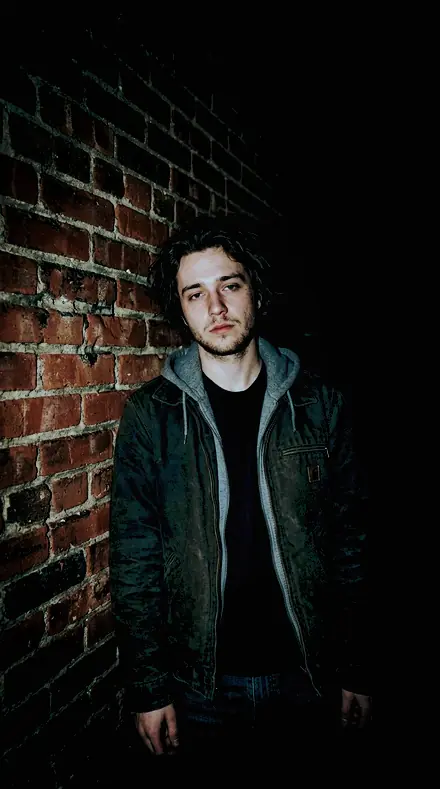
    Flash brick portrait
    Steel Bench applied to Friends bench Before: Friends bench
    Friends bench
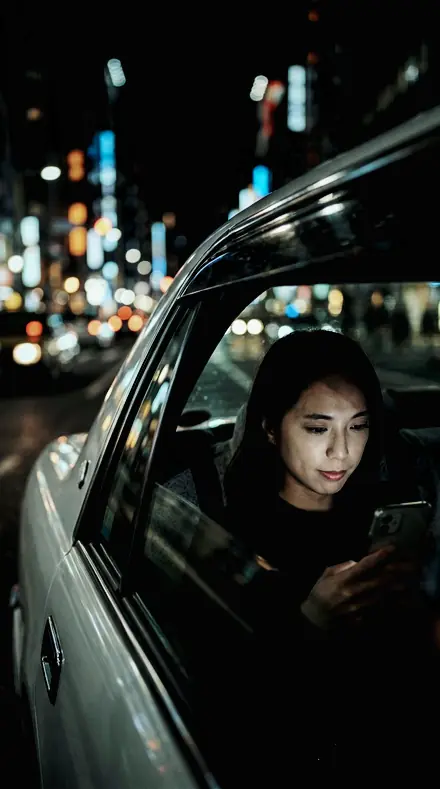
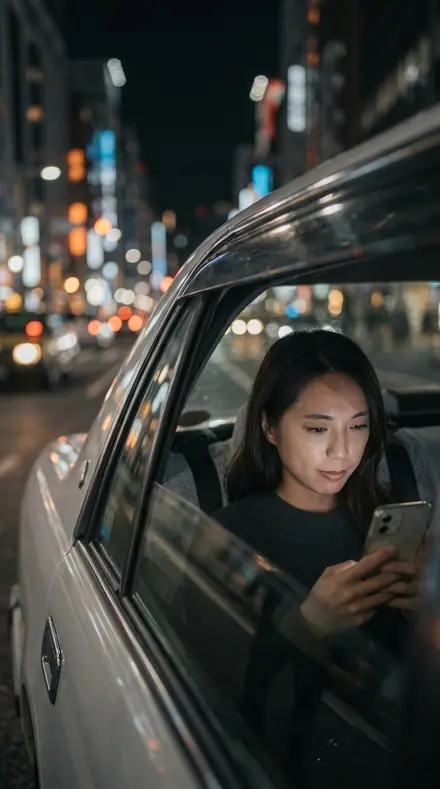
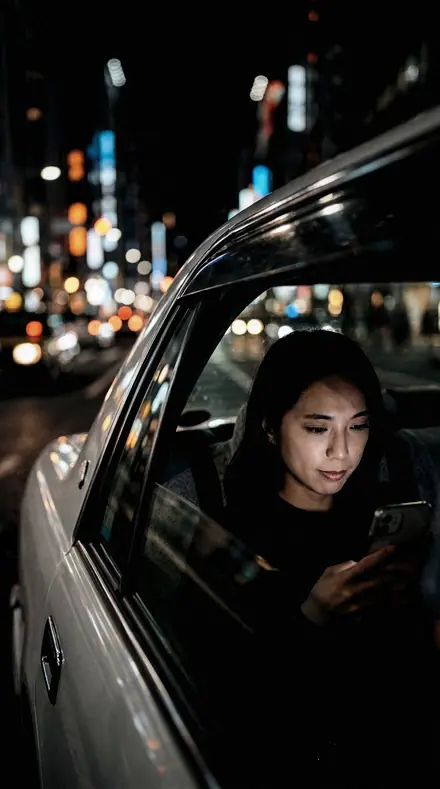
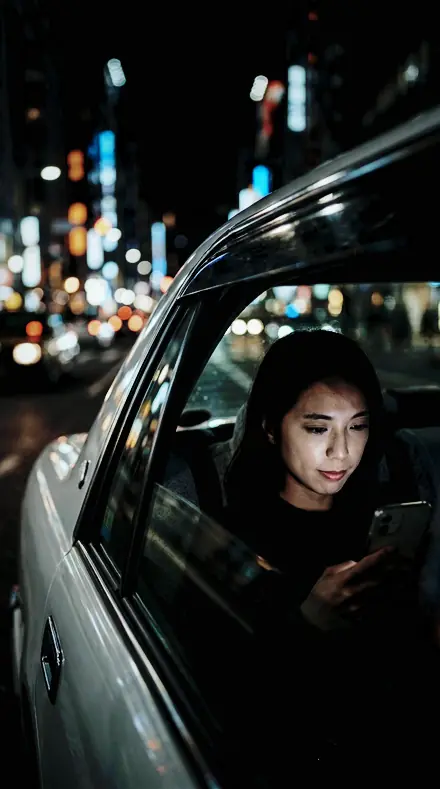
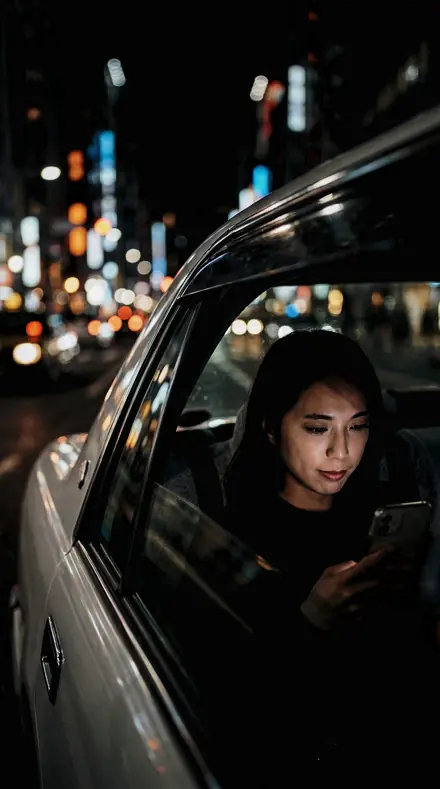
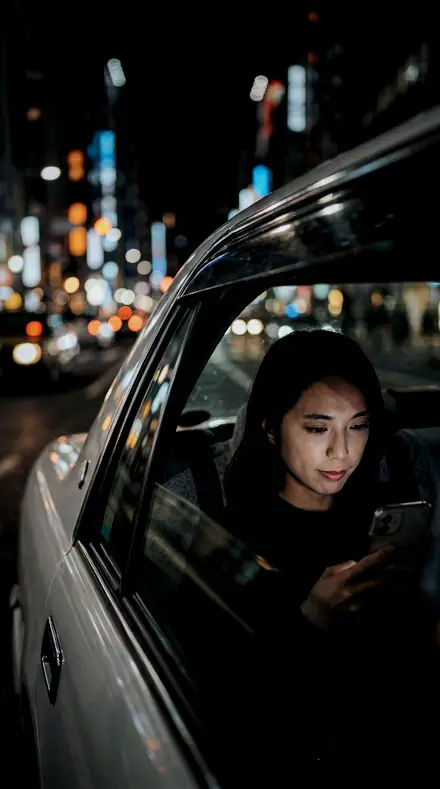
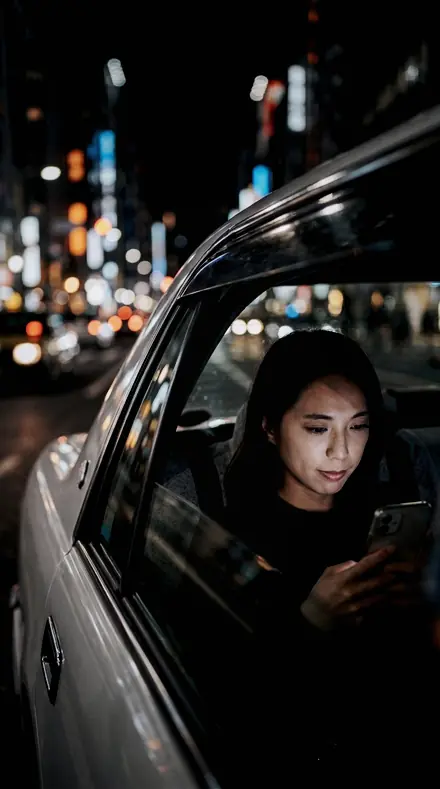
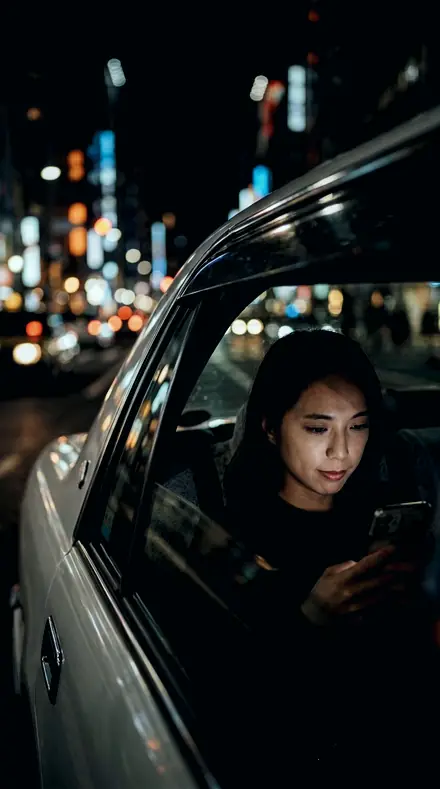
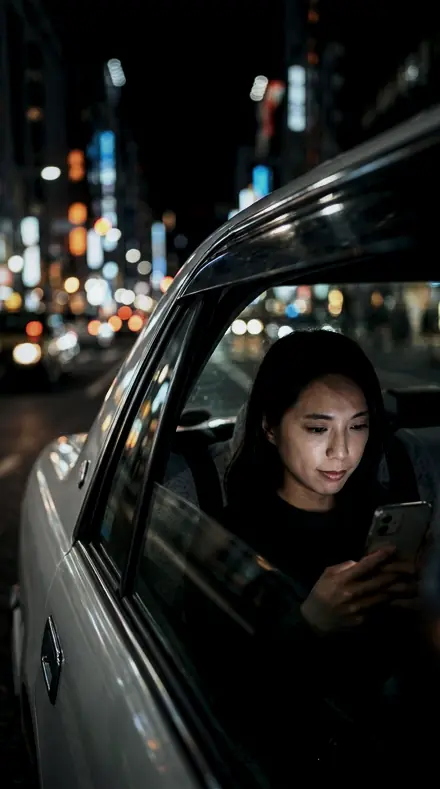
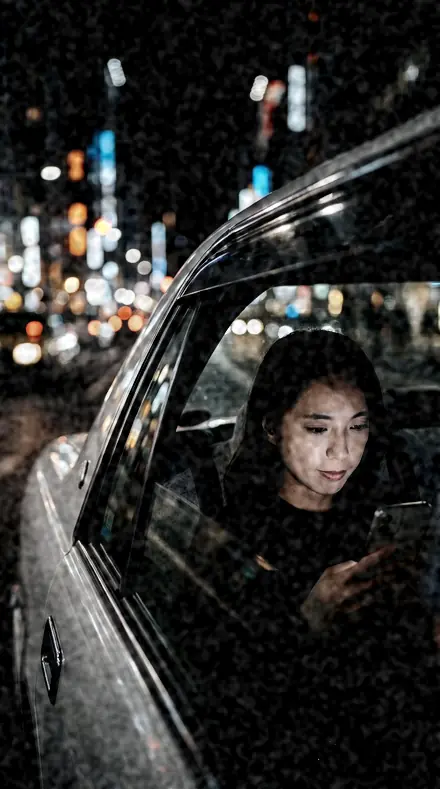
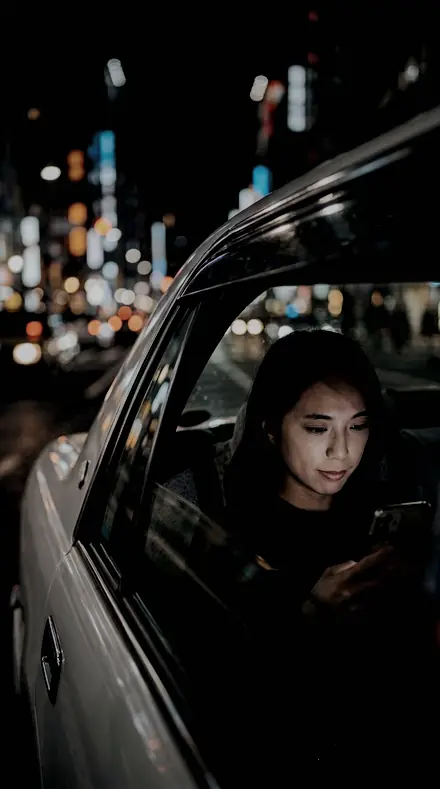
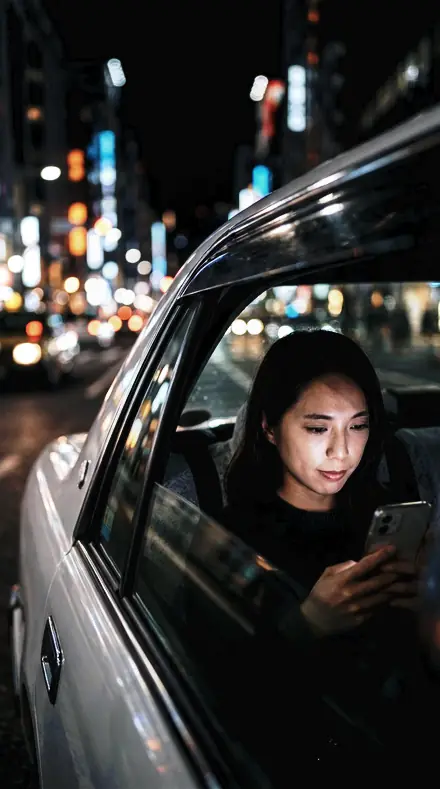
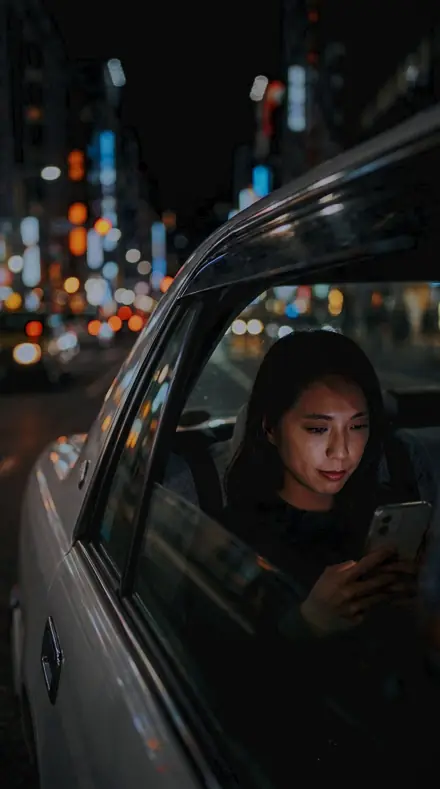
    Steel Bench applied to Taxi night window Before: Taxi night window
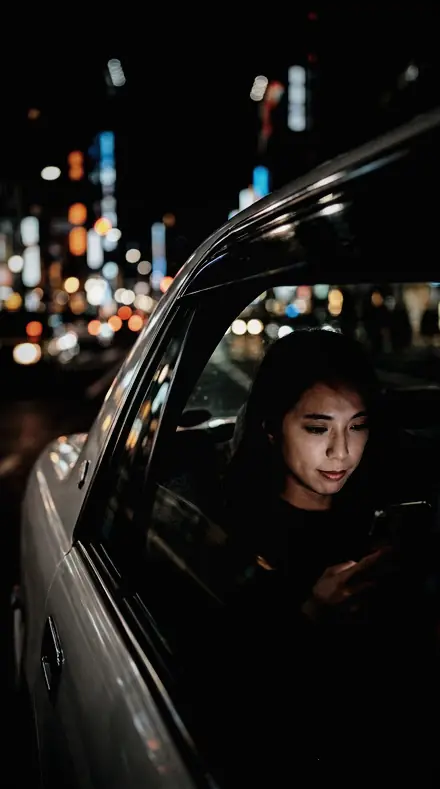
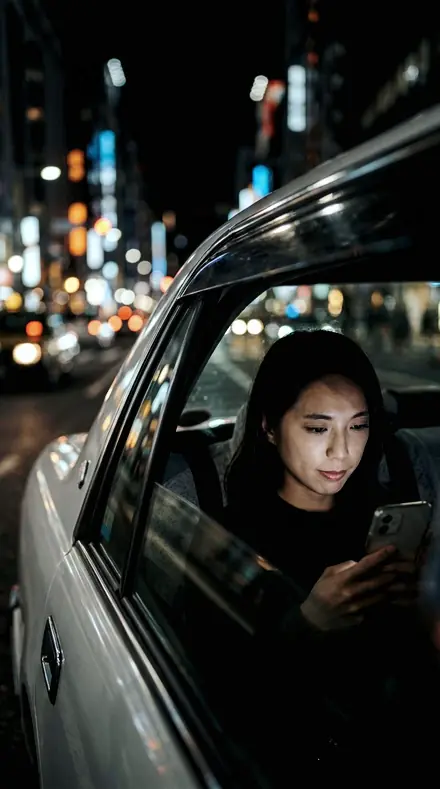
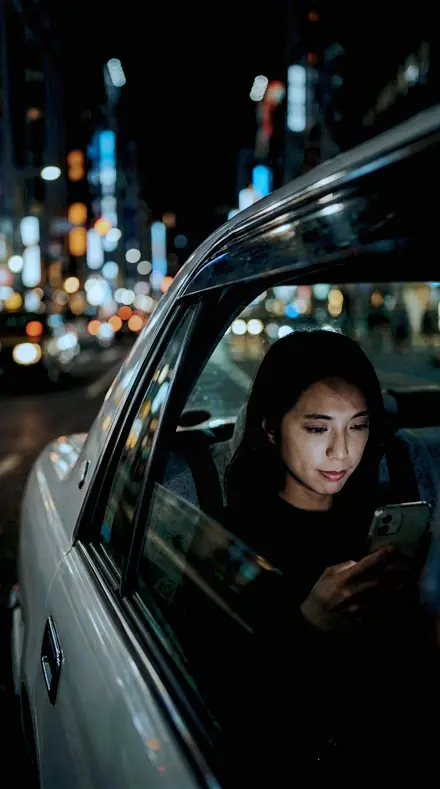
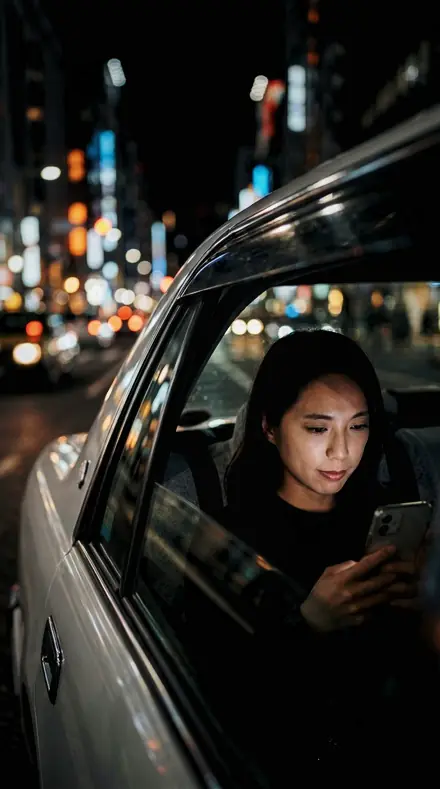
    Taxi night window

    Drag the handle. Left is the original, right is Steel Bench. Rendered from the preset's own settings, not a Lightroom export, so the real thing carries a little more bite.

  2. No. 02Hard Source
    Hard Source applied to Car window Before: Car window
    Car window
    Hard Source applied to Flash brick portrait Before: Flash brick portrait
    Flash brick portrait
    Hard Source applied to Friends bench Before: Friends bench
    Friends bench
    Hard Source applied to Taxi night window Before: Taxi night window
    Taxi night window

    Drag the handle. Left is the original, right is Hard Source. Rendered from the preset's own settings, not a Lightroom export, so the real thing carries a little more bite.

  3. No. 03Hard Bevel
    Hard Bevel applied to Car window Before: Car window
    Car window
    Hard Bevel applied to Flash brick portrait Before: Flash brick portrait
    Flash brick portrait
    Hard Bevel applied to Friends bench Before: Friends bench
    Friends bench
    Hard Bevel applied to Taxi night window Before: Taxi night window
    Taxi night window

    Drag the handle. Left is the original, right is Hard Bevel. Rendered from the preset's own settings, not a Lightroom export, so the real thing carries a little more bite.

  4. No. 04Clinic Chair
    Clinic Chair applied to Car window Before: Car window
    Car window
    Clinic Chair applied to Flash brick portrait Before: Flash brick portrait
    Flash brick portrait
    Clinic Chair applied to Friends bench Before: Friends bench
    Friends bench
    Clinic Chair applied to Taxi night window Before: Taxi night window
    Taxi night window

    Drag the handle. Left is the original, right is Clinic Chair. Rendered from the preset's own settings, not a Lightroom export, so the real thing carries a little more bite.

  5. No. 05Rigid Frame
    Rigid Frame applied to Car window Before: Car window
    Car window
    Rigid Frame applied to Flash brick portrait Before: Flash brick portrait
    Flash brick portrait
    Rigid Frame applied to Friends bench Before: Friends bench
    Friends bench
    Rigid Frame applied to Taxi night window Before: Taxi night window
    Taxi night window

    Drag the handle. Left is the original, right is Rigid Frame. Rendered from the preset's own settings, not a Lightroom export, so the real thing carries a little more bite.

  6. No. 06Turnstile Gate
    Turnstile Gate applied to Car window Before: Car window
    Car window
    Turnstile Gate applied to Flash brick portrait Before: Flash brick portrait
    Flash brick portrait
    Turnstile Gate applied to Friends bench Before: Friends bench
    Friends bench
    Turnstile Gate applied to Taxi night window Before: Taxi night window
    Taxi night window

    Drag the handle. Left is the original, right is Turnstile Gate. Rendered from the preset's own settings, not a Lightroom export, so the real thing carries a little more bite.

  7. No. 07Galaxy Core
    Galaxy Core applied to Car window Before: Car window
    Car window
    Galaxy Core applied to Flash brick portrait Before: Flash brick portrait
    Flash brick portrait
    Galaxy Core applied to Friends bench Before: Friends bench
    Friends bench
    Galaxy Core applied to Taxi night window Before: Taxi night window
    Taxi night window

    Drag the handle. Left is the original, right is Galaxy Core. Rendered from the preset's own settings, not a Lightroom export, so the real thing carries a little more bite.

  8. No. 08Tone Return
    Tone Return applied to Car window Before: Car window
    Car window
    Tone Return applied to Flash brick portrait Before: Flash brick portrait
    Flash brick portrait
    Tone Return applied to Friends bench Before: Friends bench
    Friends bench
    Tone Return applied to Taxi night window Before: Taxi night window
    Taxi night window

    Drag the handle. Left is the original, right is Tone Return. Rendered from the preset's own settings, not a Lightroom export, so the real thing carries a little more bite.

  9. No. 09Severe Plane
    Severe Plane applied to Car window Before: Car window
    Car window
    Severe Plane applied to Flash brick portrait Before: Flash brick portrait
    Flash brick portrait
    Severe Plane applied to Friends bench Before: Friends bench
    Friends bench
    Severe Plane applied to Taxi night window Before: Taxi night window
    Taxi night window

    Drag the handle. Left is the original, right is Severe Plane. Rendered from the preset's own settings, not a Lightroom export, so the real thing carries a little more bite.

  10. No. 10Spot Pool
    Spot Pool applied to Car window Before: Car window
    Car window
    Spot Pool applied to Flash brick portrait Before: Flash brick portrait
    Flash brick portrait
    Spot Pool applied to Friends bench Before: Friends bench
    Friends bench
    Spot Pool applied to Taxi night window Before: Taxi night window
    Taxi night window

    Drag the handle. Left is the original, right is Spot Pool. Rendered from the preset's own settings, not a Lightroom export, so the real thing carries a little more bite.

  11. No. 11Merged Plate
    Merged Plate applied to Car window Before: Car window
    Car window
    Merged Plate applied to Flash brick portrait Before: Flash brick portrait
    Flash brick portrait
    Merged Plate applied to Friends bench Before: Friends bench
    Friends bench
    Merged Plate applied to Taxi night window Before: Taxi night window
    Taxi night window

    Drag the handle. Left is the original, right is Merged Plate. Rendered from the preset's own settings, not a Lightroom export, so the real thing carries a little more bite.

  12. No. 12Half Face
    Half Face applied to Car window Before: Car window
    Car window
    Half Face applied to Flash brick portrait Before: Flash brick portrait
    Flash brick portrait
    Half Face applied to Friends bench Before: Friends bench
    Friends bench
    Half Face applied to Taxi night window Before: Taxi night window
    Taxi night window

    Drag the handle. Left is the original, right is Half Face. Rendered from the preset's own settings, not a Lightroom export, so the real thing carries a little more bite.

  13. No. 13Train Glow
    Train Glow applied to Car window Before: Car window
    Car window
    Train Glow applied to Flash brick portrait Before: Flash brick portrait
    Flash brick portrait
    Train Glow applied to Friends bench Before: Friends bench
    Friends bench
    Train Glow applied to Taxi night window Before: Taxi night window
    Taxi night window

    Drag the handle. Left is the original, right is Train Glow. Rendered from the preset's own settings, not a Lightroom export, so the real thing carries a little more bite.

  14. No. 14Chestnut Shade
    Chestnut Shade applied to Car window Before: Car window
    Car window
    Chestnut Shade applied to Flash brick portrait Before: Flash brick portrait
    Flash brick portrait
    Chestnut Shade applied to Friends bench Before: Friends bench
    Friends bench
    Chestnut Shade applied to Taxi night window Before: Taxi night window
    Taxi night window

    Drag the handle. Left is the original, right is Chestnut Shade. Rendered from the preset's own settings, not a Lightroom export, so the real thing carries a little more bite.

  15. No. 15Noise Check
    Noise Check applied to Car window Before: Car window
    Car window
    Noise Check applied to Flash brick portrait Before: Flash brick portrait
    Flash brick portrait
    Noise Check applied to Friends bench Before: Friends bench
    Friends bench
    Noise Check applied to Taxi night window Before: Taxi night window
    Taxi night window

    Drag the handle. Left is the original, right is Noise Check. Rendered from the preset's own settings, not a Lightroom export, so the real thing carries a little more bite.

  16. No. 16Weighted Toe
    Weighted Toe applied to Car window Before: Car window
    Car window
    Weighted Toe applied to Flash brick portrait Before: Flash brick portrait
    Flash brick portrait
    Weighted Toe applied to Friends bench Before: Friends bench
    Friends bench
    Weighted Toe applied to Taxi night window Before: Taxi night window
    Taxi night window

    Drag the handle. Left is the original, right is Weighted Toe. Rendered from the preset's own settings, not a Lightroom export, so the real thing carries a little more bite.

  17. No. 17Tile Floor
    Tile Floor applied to Car window Before: Car window
    Car window
    Tile Floor applied to Flash brick portrait Before: Flash brick portrait
    Flash brick portrait
    Tile Floor applied to Friends bench Before: Friends bench
    Friends bench
    Tile Floor applied to Taxi night window Before: Taxi night window
    Taxi night window

    Drag the handle. Left is the original, right is Tile Floor. Rendered from the preset's own settings, not a Lightroom export, so the real thing carries a little more bite.

  18. No. 18Halo Cure
    Halo Cure applied to Car window Before: Car window
    Car window
    Halo Cure applied to Flash brick portrait Before: Flash brick portrait
    Flash brick portrait
    Halo Cure applied to Friends bench Before: Friends bench
    Friends bench
    Halo Cure applied to Taxi night window Before: Taxi night window
    Taxi night window

    Drag the handle. Left is the original, right is Halo Cure. Rendered from the preset's own settings, not a Lightroom export, so the real thing carries a little more bite.

  19. No. 19Cut Edge
    Cut Edge applied to Car window Before: Car window
    Car window
    Cut Edge applied to Flash brick portrait Before: Flash brick portrait
    Flash brick portrait
    Cut Edge applied to Friends bench Before: Friends bench
    Friends bench
    Cut Edge applied to Taxi night window Before: Taxi night window
    Taxi night window

    Drag the handle. Left is the original, right is Cut Edge. Rendered from the preset's own settings, not a Lightroom export, so the real thing carries a little more bite.

  20. No. 20Muted Street
    Muted Street applied to Car window Before: Car window
    Car window
    Muted Street applied to Flash brick portrait Before: Flash brick portrait
    Flash brick portrait
    Muted Street applied to Friends bench Before: Friends bench
    Friends bench
    Muted Street applied to Taxi night window Before: Taxi night window
    Taxi night window

    Drag the handle. Left is the original, right is Muted Street. Rendered from the preset's own settings, not a Lightroom export, so the real thing carries a little more bite.

  21. No. 21Electric Sheen
    Electric Sheen applied to Car window Before: Car window
    Car window
    Electric Sheen applied to Flash brick portrait Before: Flash brick portrait
    Flash brick portrait
    Electric Sheen applied to Friends bench Before: Friends bench
    Friends bench
    Electric Sheen applied to Taxi night window Before: Taxi night window
    Taxi night window

    Drag the handle. Left is the original, right is Electric Sheen. Rendered from the preset's own settings, not a Lightroom export, so the real thing carries a little more bite.

  22. No. 22Rim Wall
    Rim Wall applied to Car window Before: Car window
    Car window
    Rim Wall applied to Flash brick portrait Before: Flash brick portrait
    Flash brick portrait
    Rim Wall applied to Friends bench Before: Friends bench
    Friends bench
    Rim Wall applied to Taxi night window Before: Taxi night window
    Taxi night window

    Drag the handle. Left is the original, right is Rim Wall. Rendered from the preset's own settings, not a Lightroom export, so the real thing carries a little more bite.

  23. No. 23Ripple Sheet
    Ripple Sheet applied to Car window Before: Car window
    Car window
    Ripple Sheet applied to Flash brick portrait Before: Flash brick portrait
    Flash brick portrait
    Ripple Sheet applied to Friends bench Before: Friends bench
    Friends bench
    Ripple Sheet applied to Taxi night window Before: Taxi night window
    Taxi night window

    Drag the handle. Left is the original, right is Ripple Sheet. Rendered from the preset's own settings, not a Lightroom export, so the real thing carries a little more bite.

  24. No. 24Floor Ridge
    Floor Ridge applied to Car window Before: Car window
    Car window
    Floor Ridge applied to Flash brick portrait Before: Flash brick portrait
    Flash brick portrait
    Floor Ridge applied to Friends bench Before: Friends bench
    Friends bench
    Floor Ridge applied to Taxi night window Before: Taxi night window
    Taxi night window

    Drag the handle. Left is the original, right is Floor Ridge. Rendered from the preset's own settings, not a Lightroom export, so the real thing carries a little more bite.

  25. No. 25Clock Face
    Clock Face applied to Car window Before: Car window
    Car window
    Clock Face applied to Flash brick portrait Before: Flash brick portrait
    Flash brick portrait
    Clock Face applied to Friends bench Before: Friends bench
    Friends bench
    Clock Face applied to Taxi night window Before: Taxi night window
    Taxi night window

    Drag the handle. Left is the original, right is Clock Face. Rendered from the preset's own settings, not a Lightroom export, so the real thing carries a little more bite.

  26. No. 26Sharp Band
    Sharp Band applied to Car window Before: Car window
    Car window
    Sharp Band applied to Flash brick portrait Before: Flash brick portrait
    Flash brick portrait
    Sharp Band applied to Friends bench Before: Friends bench
    Friends bench
    Sharp Band applied to Taxi night window Before: Taxi night window
    Taxi night window

    Drag the handle. Left is the original, right is Sharp Band. Rendered from the preset's own settings, not a Lightroom export, so the real thing carries a little more bite.

  27. No. 27Rille Cut
    Rille Cut applied to Car window Before: Car window
    Car window
    Rille Cut applied to Flash brick portrait Before: Flash brick portrait
    Flash brick portrait
    Rille Cut applied to Friends bench Before: Friends bench
    Friends bench
    Rille Cut applied to Taxi night window Before: Taxi night window
    Taxi night window

    Drag the handle. Left is the original, right is Rille Cut. Rendered from the preset's own settings, not a Lightroom export, so the real thing carries a little more bite.

  28. No. 28Tone Map
    Tone Map applied to Car window Before: Car window
    Car window
    Tone Map applied to Flash brick portrait Before: Flash brick portrait
    Flash brick portrait
    Tone Map applied to Friends bench Before: Friends bench
    Friends bench
    Tone Map applied to Taxi night window Before: Taxi night window
    Taxi night window

    Drag the handle. Left is the original, right is Tone Map. Rendered from the preset's own settings, not a Lightroom export, so the real thing carries a little more bite.

  29. No. 29Pixel Peep
    Pixel Peep applied to Car window Before: Car window
    Car window
    Pixel Peep applied to Flash brick portrait Before: Flash brick portrait
    Flash brick portrait
    Pixel Peep applied to Friends bench Before: Friends bench
    Friends bench
    Pixel Peep applied to Taxi night window Before: Taxi night window
    Taxi night window

    Drag the handle. Left is the original, right is Pixel Peep. Rendered from the preset's own settings, not a Lightroom export, so the real thing carries a little more bite.

  30. No. 30Tracery Line
    Tracery Line applied to Car window Before: Car window
    Car window
    Tracery Line applied to Flash brick portrait Before: Flash brick portrait
    Flash brick portrait
    Tracery Line applied to Friends bench Before: Friends bench
    Friends bench
    Tracery Line applied to Taxi night window Before: Taxi night window
    Taxi night window

    Drag the handle. Left is the original, right is Tracery Line. Rendered from the preset's own settings, not a Lightroom export, so the real thing carries a little more bite.

Cinema Grade thinks in scenes, not snapshots. Every preset is a print grade: a split between the shadow colour and the highlight colour, a decision about how deep the blacks go and how much the night is allowed to glow. Its dialect is story, atmosphere, depth, shadow and night. It runs four lines: the teal and orange split, the deep low-key tone, the desaturated street grade and the movie-night glow. None of it is loud for its own sake; a grade that shouts is a grade that failed. The frame should feel like it has a next frame.

Every pack here is its own product with its own page, so you buy the one look you need, and a larger pack or the family collection is always one step up from it.

Yours in two minutes

how it works

  1. Step 1

    Buy

    Pay with Apple Pay, Google Pay or a card.

  2. Step 2

    Download

    The zip downloads right away, and a copy lands in your email.

  3. Step 3

    Import

    Add the presets to Lightroom in a minute.

    PhoneClassicDesktop
  4. Step 4

    Tap

    One tap on any photo. Every slider stays yours to adjust.

Yours to keep, for personal and client work. Please do not share the files. The license

Netzah Elad Topaz, the photographer who makes these presets

the maker

Why I Make These

I am Netzah Elad Topaz. I take photographs and I build software, and the two keep leading me back to the same problem. You were there. The light was doing something you will not see again. Then the photo comes back flat, and it is not what you were looking at.

Closing that gap is the whole job. Every preset here is built from Adobe defaults by hand, with a written note for what it should do to a picture, and it is judged on photographs before it ships. Nothing is a filter dropped on top of your work.

What I want is simple. You open a photo you almost gave up on, you tap once, and there it is: the day you remember, not the file your camera handed you. That is worth doing properly.

Questions, answered

Does it work in Lightroom Classic, Lightroom desktop and the free mobile app?

Yes. Every preset ships as XMP for Lightroom Classic and Lightroom desktop and as DNG for the free Lightroom mobile app on iPhone and Android. Import once, apply with one tap, batch the rest.

Is it safe on skin tones?

Mostly. The set clears skin-safety 6, which keeps skin from going grey or magenta, but the look comes first. A split grade pushes shadows one way and highlights the other; the skin floor keeps the face in the warm half where it belongs.

How strong is the effect?

Moderate. Every preset here scores 4.5 or higher on our 0 to 10 transformation scale, so the change shows on the first tap. Pull Amount down in the preset panel to soften it, or stack it under a lighter sibling.

Do these work in the free Lightroom app?

Yes. Import the .xmp files in the free Lightroom app on iPhone or Android, no subscription needed. They also work in Lightroom Classic and Lightroom on desktop.

What exactly do I get?

All 10 presets from Deep Tone as .xmp files in an instant ZIP download. The link also lands in your email, and the purchase stays in your account so you can re-download any time.

How do I install them?

Two minutes: unzip, then import inside Lightroom. The step-by-step guide covers iPhone, Android, and desktop.

Can I use them for client work?

Yes. The single-user license covers personal and commercial photography. The one thing you can't do is share or resell the preset files themselves.

Can I tweak a preset after applying it?

Always. A preset is a starting point; every slider stays yours to adjust.

What else is like this

All cinematic
Cafe window, one tap later. With the Reeltint preset applied.Cafe window, one tap later. Photographed without a preset.
Reeltint applied to Cafe window, one tap later

Reeltint

Everyday and mobile creators · 15 presets

was $49.99now $29.99Save $20

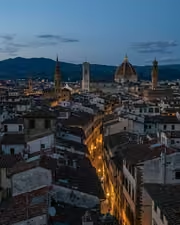
The rooftop hour, kept the way it felt. With the Roamhue preset applied.The rooftop hour, kept the way it felt. Photographed without a preset.
Roamhue applied to The rooftop hour, kept the way it felt.

Roamhue

Travel and street · 15 presets

was $49.99now $29.99Save $20

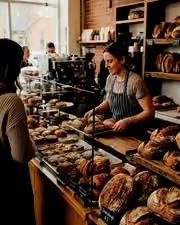
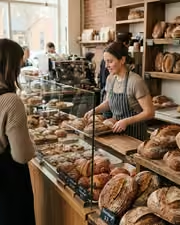
The croissants look warm again. With the Savoryhue preset applied.The croissants look warm again. Photographed without a preset.
Savoryhue applied to The croissants look warm again.

Savoryhue

Food and hospitality · 15 presets

was $49.99now $29.99Save $20

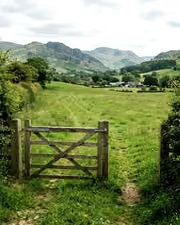
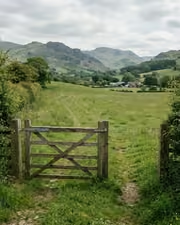
The gate, the field, the green done right. With the Mossgrade preset applied.The gate, the field, the green done right. Photographed without a preset.
Mossgrade applied to The gate, the field, the green done right

Mossgrade

Green nature and macro · 15 presets

was $49.99now $29.99Save $20