



PRE|SETS
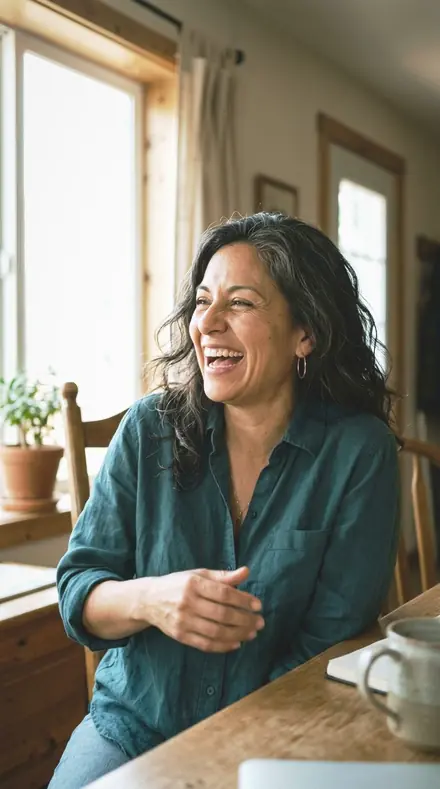
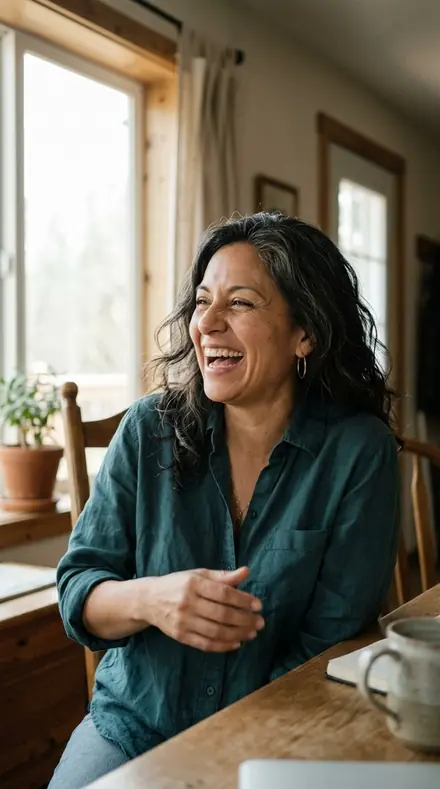
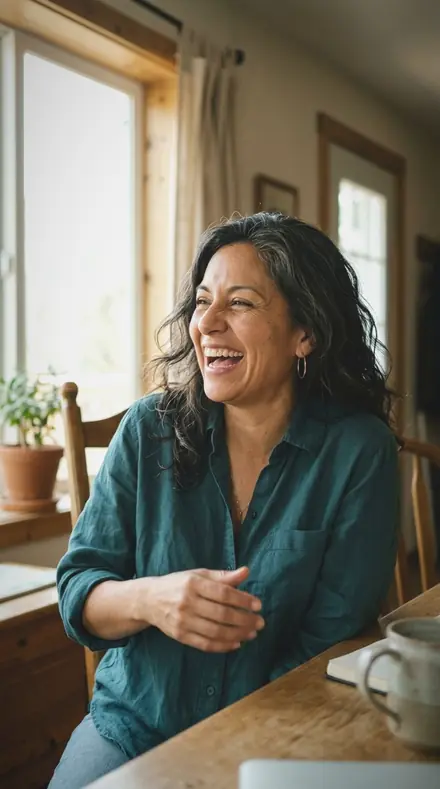
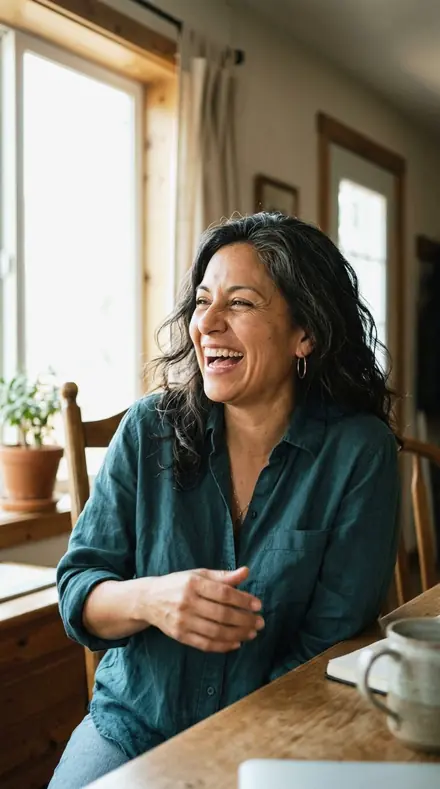
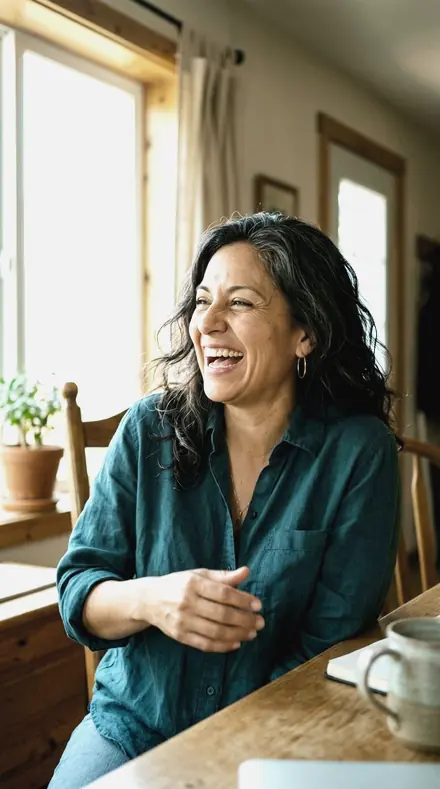
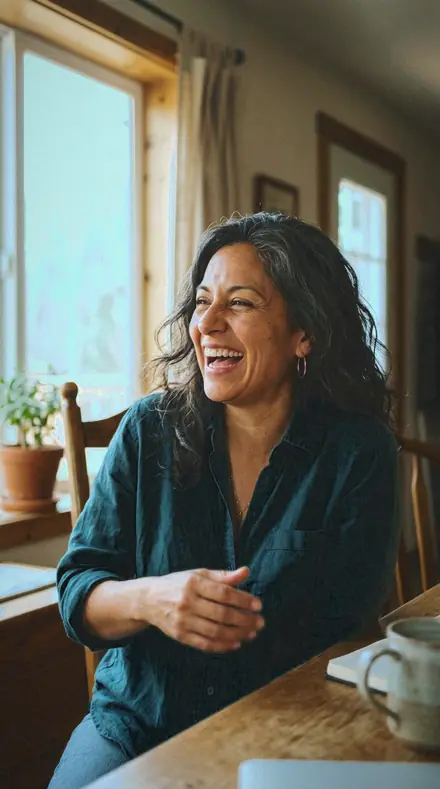
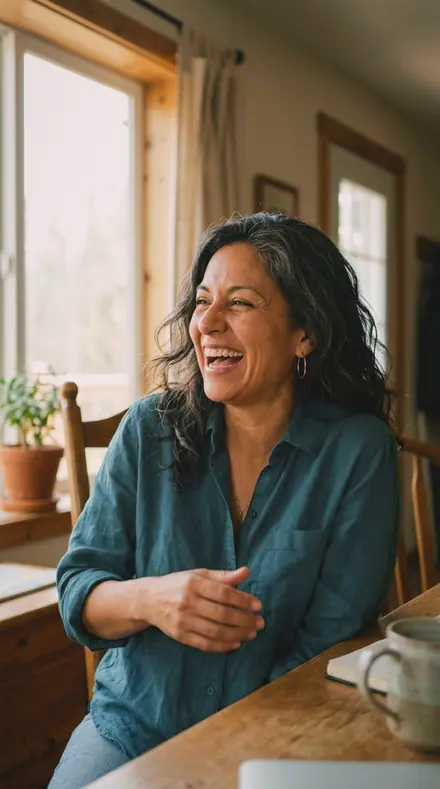
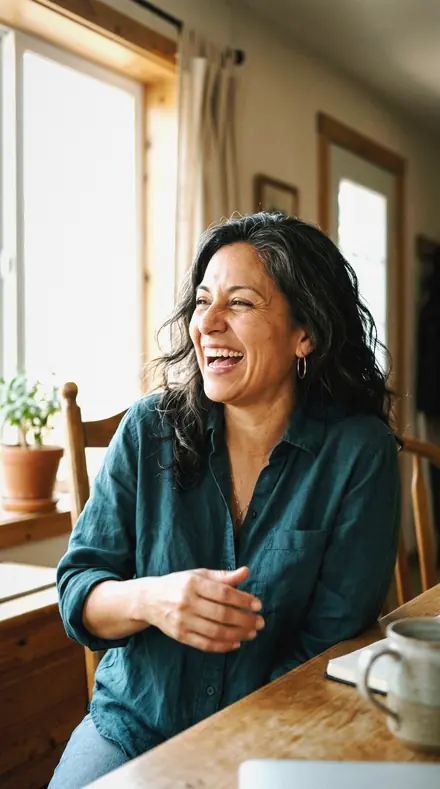
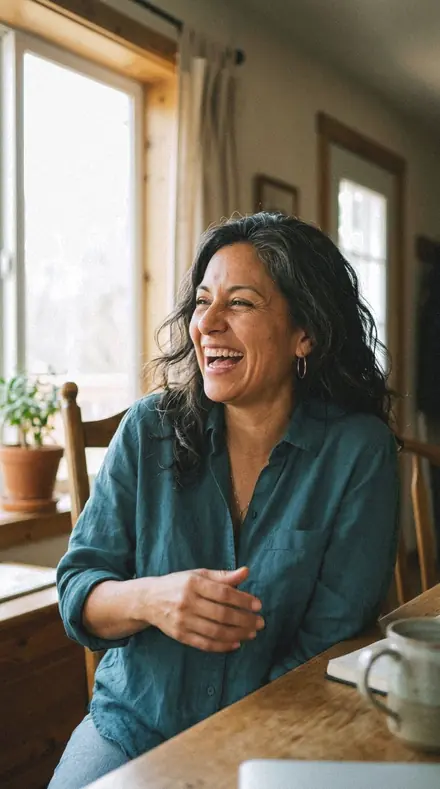
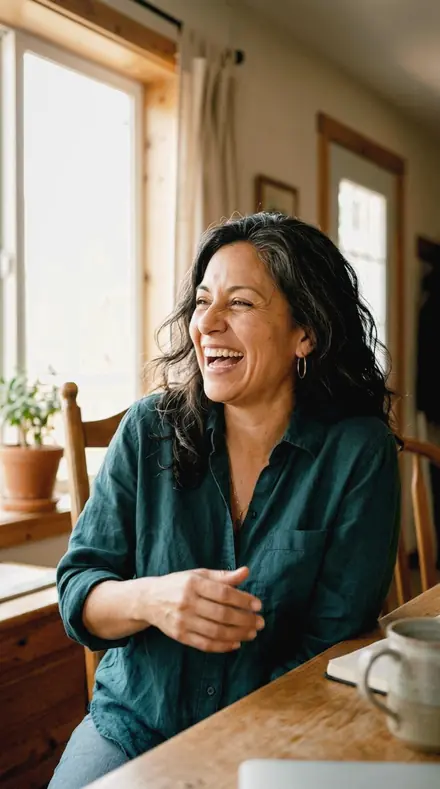
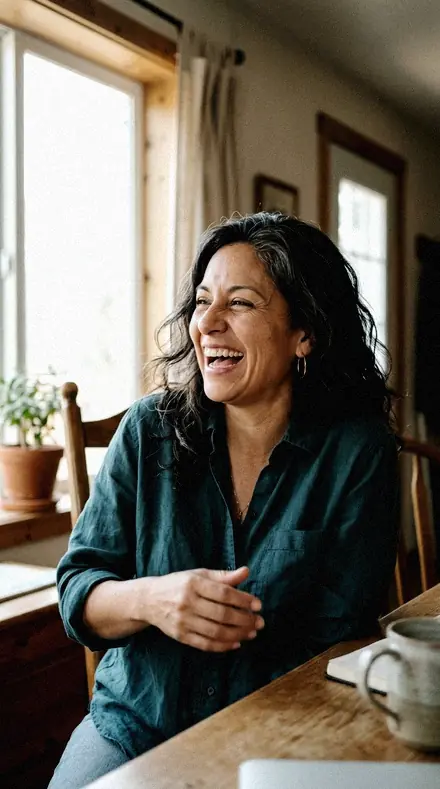
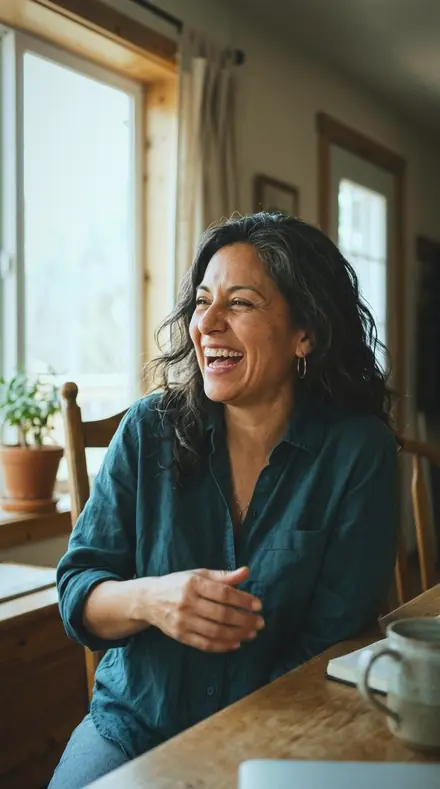
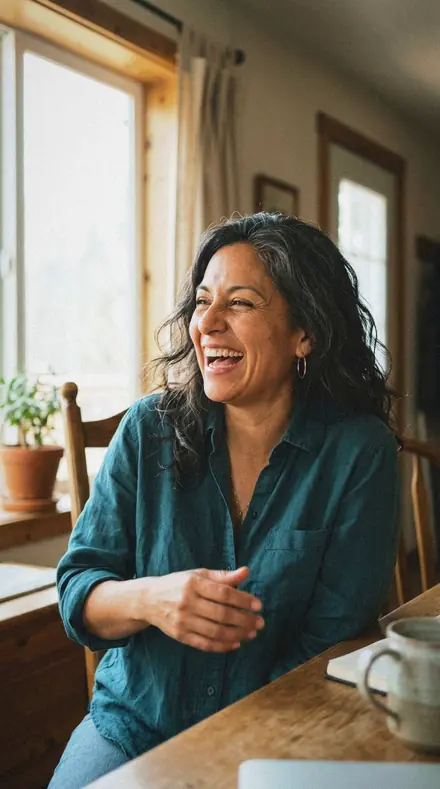
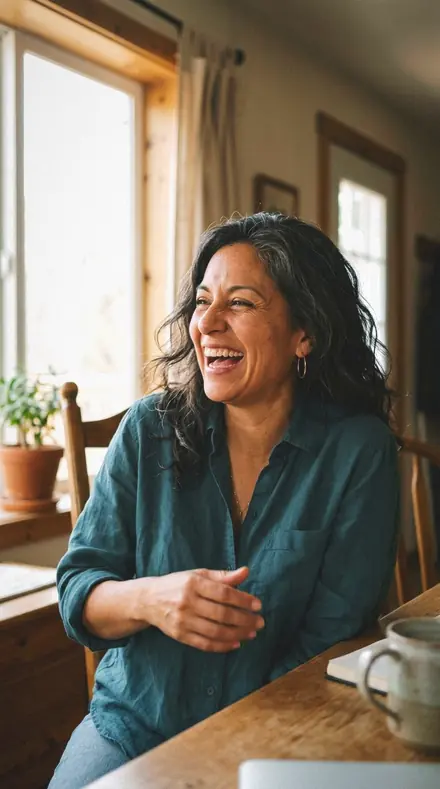
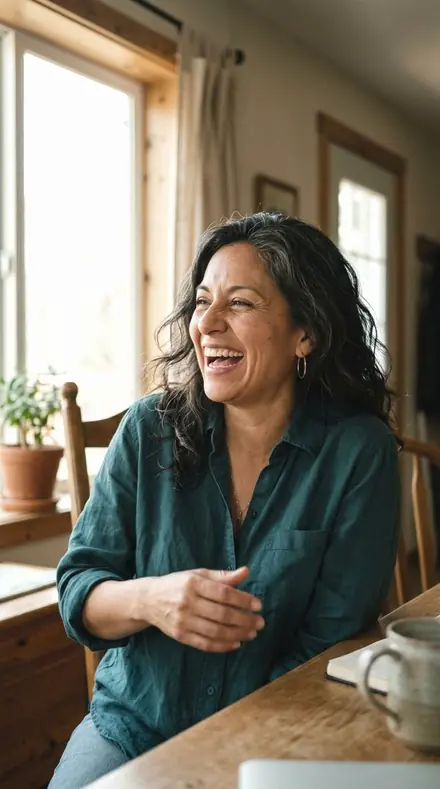
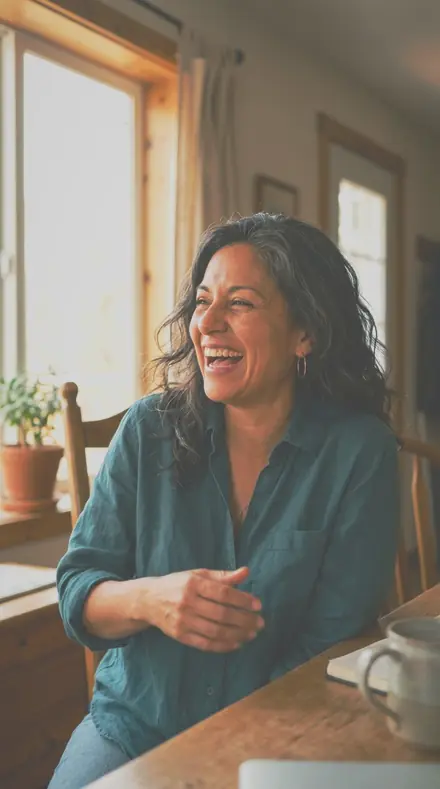
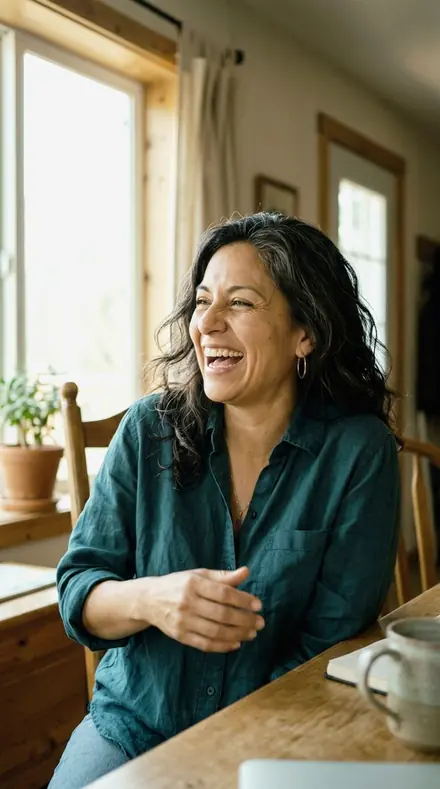
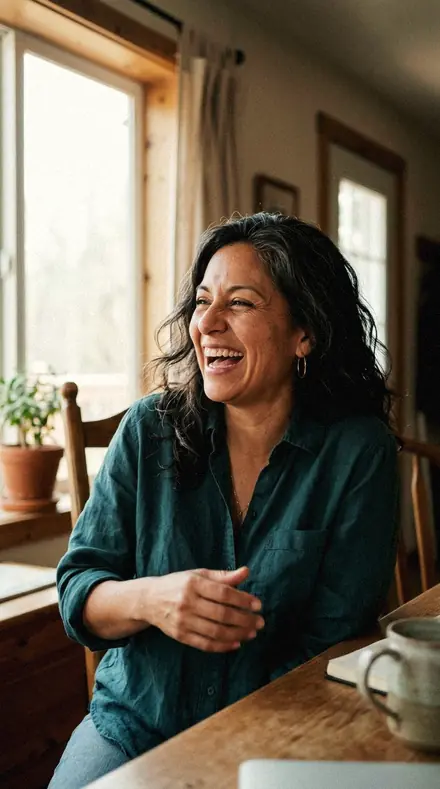
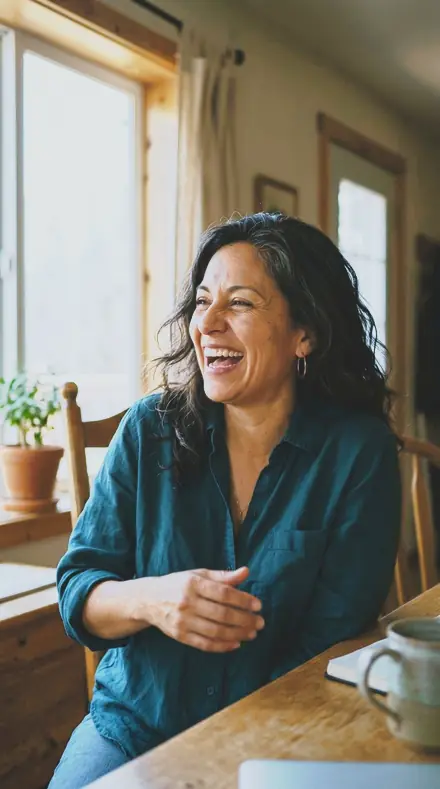
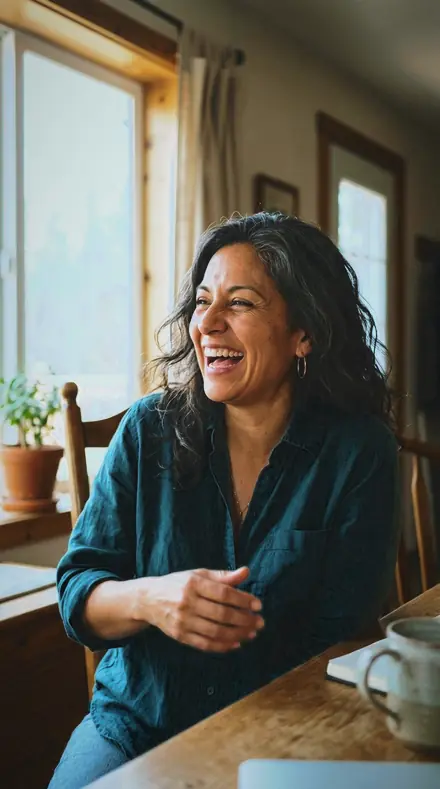
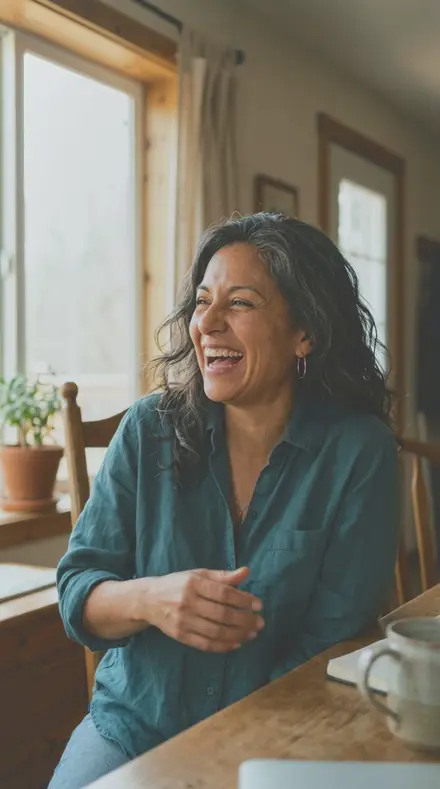
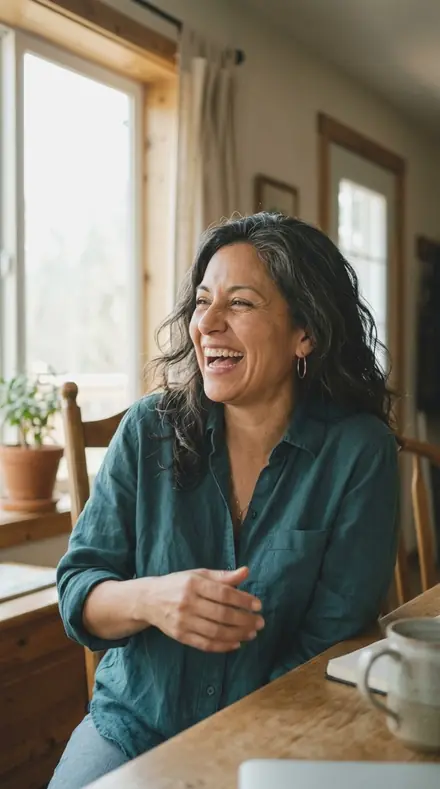
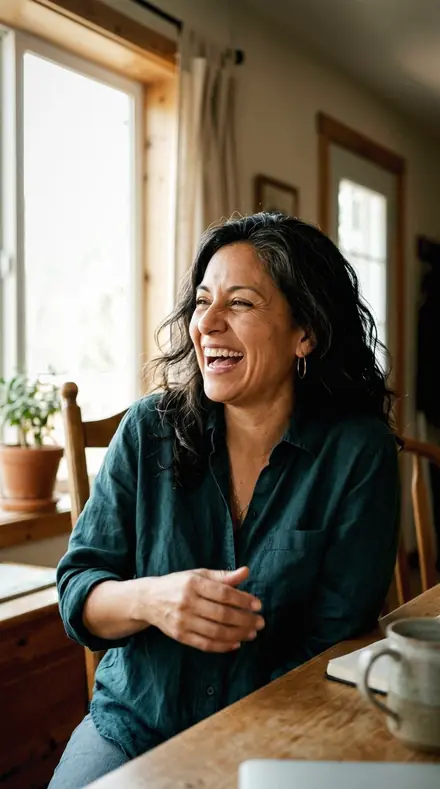
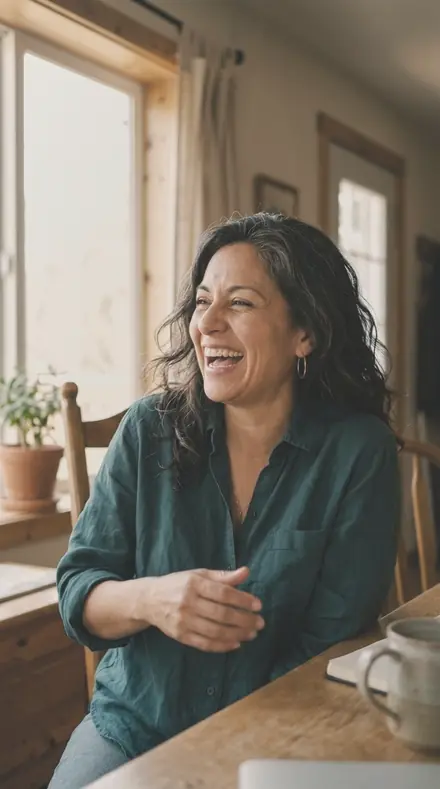
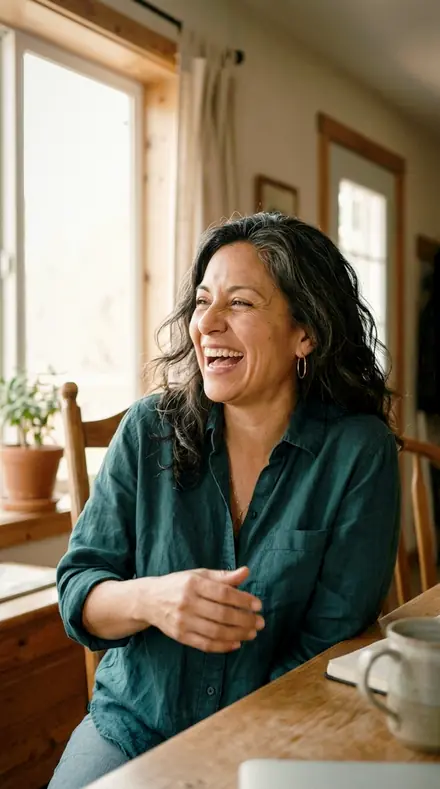
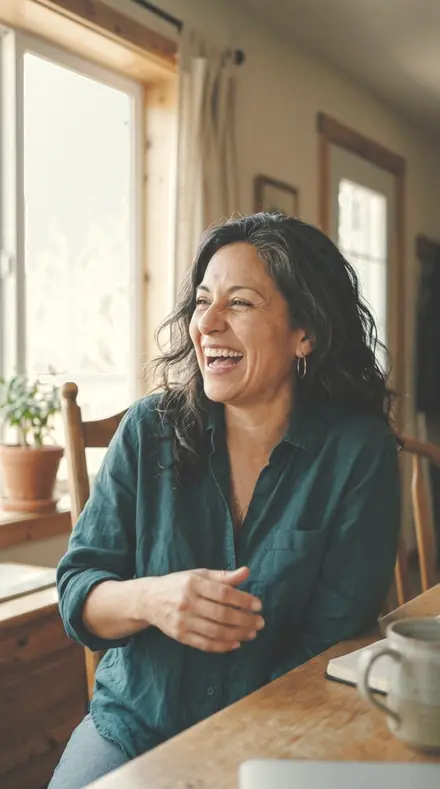
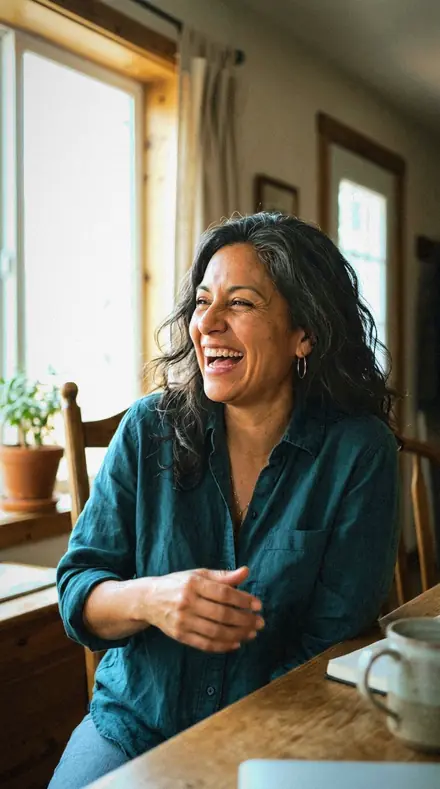
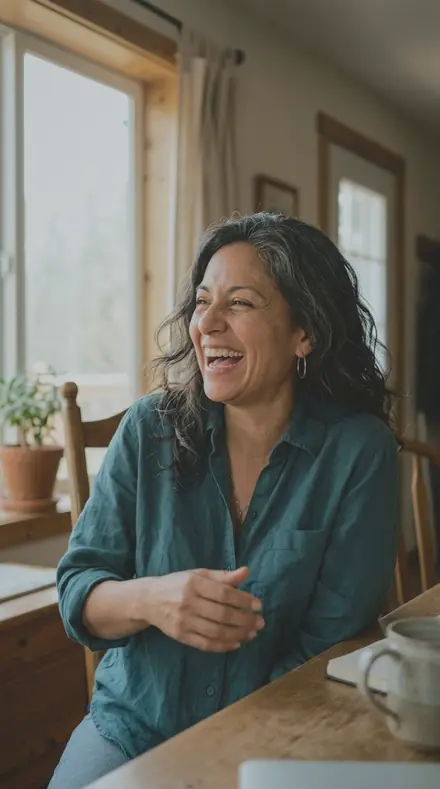
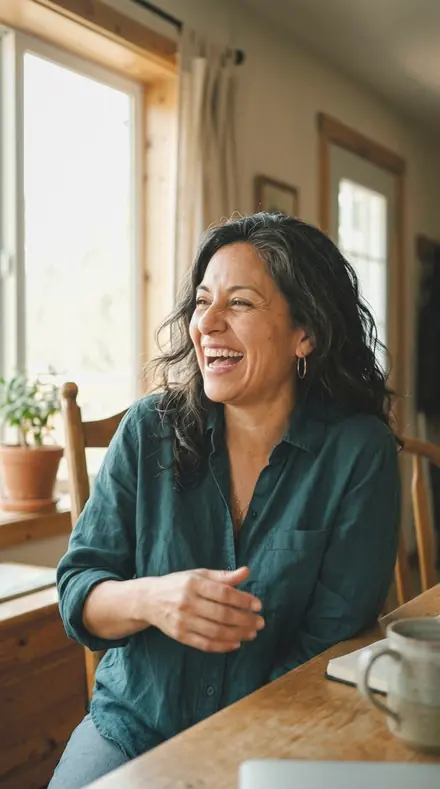
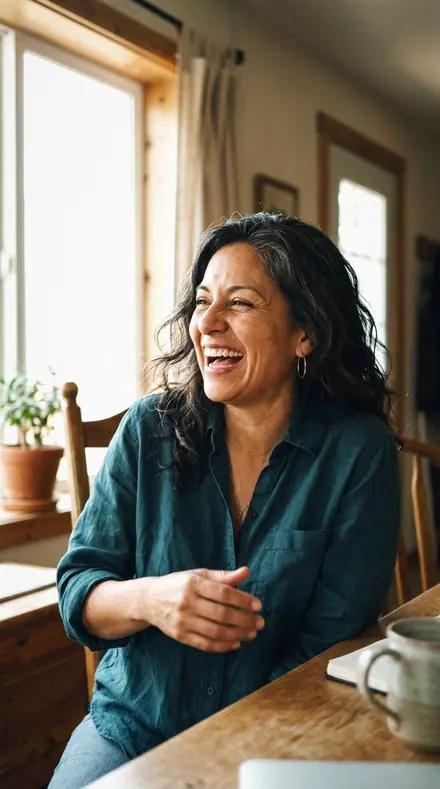
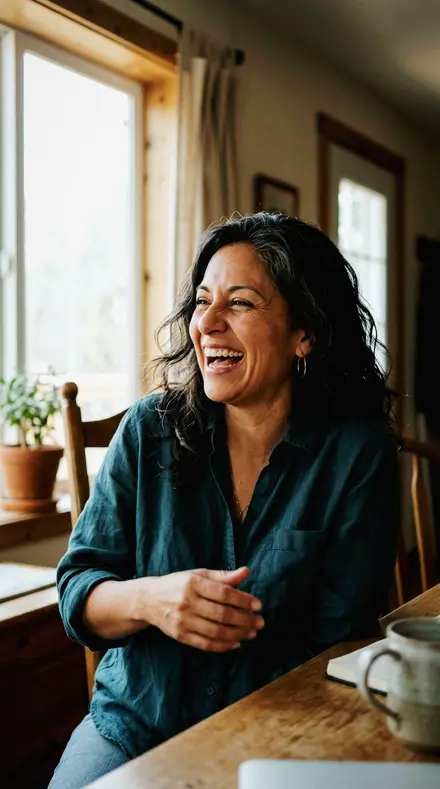
A fictional Latina woman in her forties laughing mid-sentence, shoulders up, daylight through a large window, soft directional light. With the Wedding Film preset applied.A fictional Latina woman in her forties laughing mid-sentence, shoulders up, daylight through a large window, soft directional light. Photographed without a preset.
Wedding Film applied to A fictional Latina woman in her forties laughing mid-sentence, shoulders up, daylight through a large window, soft directional light

True Colour Wedding System

was $59.99now $34.99Save $25

welcome price, your first pack from the network

Save for later

Instant download.

  • Presets30
  • Stylewedding, elopement, airy
  • Works inLightroom desktop and mobile
  • Format.xmp and .dng

Wedding Film · wedding

Wedding Film makes one kind of light.

A wedding day in true colour, every light covered, with one honest hand from the first frame to the last.

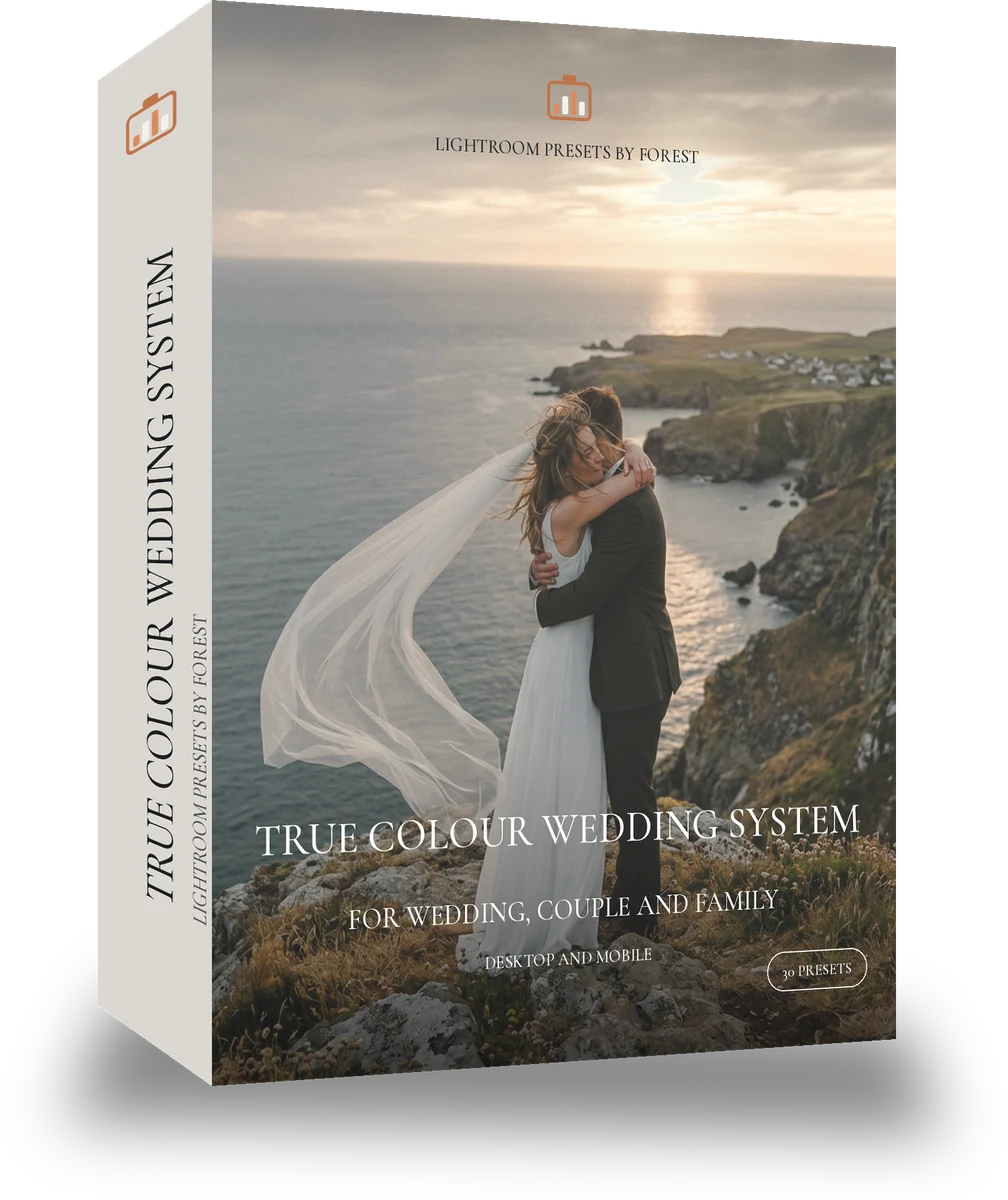
True Colour Wedding System is 30 presets for wedding photography. Every one of them is below, before you pay for any of it.

About this pack

True Colour Wedding System nests True Colour Ceremony, True Colour Reception and True Colour Outdoor, and adds a dance floor group for gels and moving light. Each group has a light, a standard and a strong variant, so a documentary frame gets a whisper and a portrait gets the full correction from the same set. Whites and skin are handled identically across the four groups. This is Wedding Film's true colour line: what the day looked like, cleaned up. White balance is set for the light in the room, whites stay a natural white, greens stay green, and skin is honest under every source. Nothing is pushed; the documentary frames stay documentary and the portraits stay elegant. Every preset in the pack passed a skin safety score of 7 or higher, highlight safety of 7 or higher, consistency of 7 or higher across our test frames, a transformation strength between 2 and 6, so the edit shows without taking over before it was allowed in. Thirty presets in one system: the day's light in groups, with strength variants so a whole gallery edits from one set without a change of hand.

  • Ceremony, outdoor, reception and dance floor groups
  • Light, standard and strong of each
  • Whites and skin identical in every group
  • Three true colour ten-packs inside

Documentary and natural wedding photographers editing full days.

See the light change

drag the line

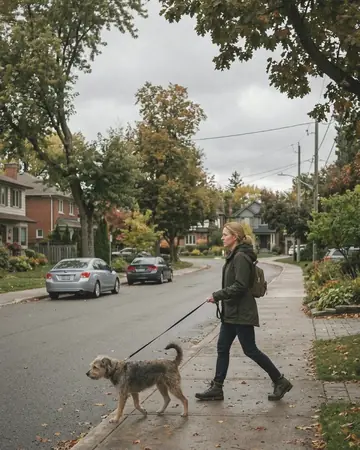
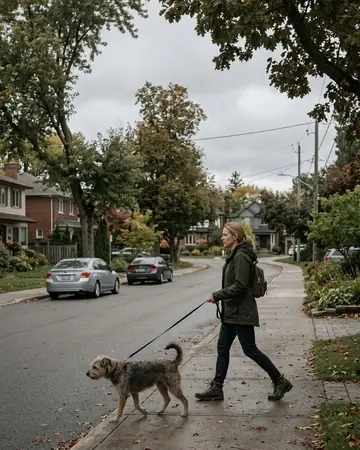
The same frame, one tap apart. Drag any handle and the scene goes back to the way it looked before Wedding Film touched it.

Dog walk. With the Wedding Film preset applied.Dog walk. Photographed without a preset.
Wedding Film applied to Dog walk
Dog walk
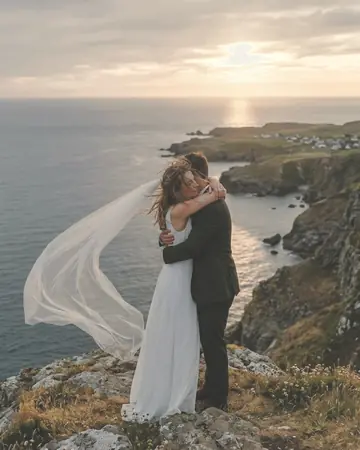
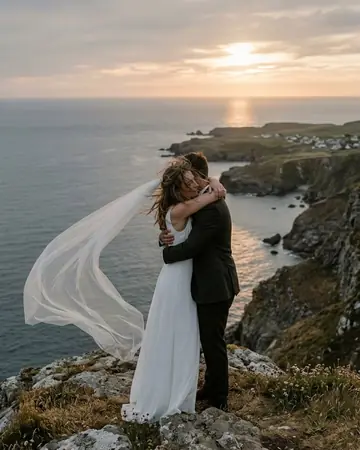
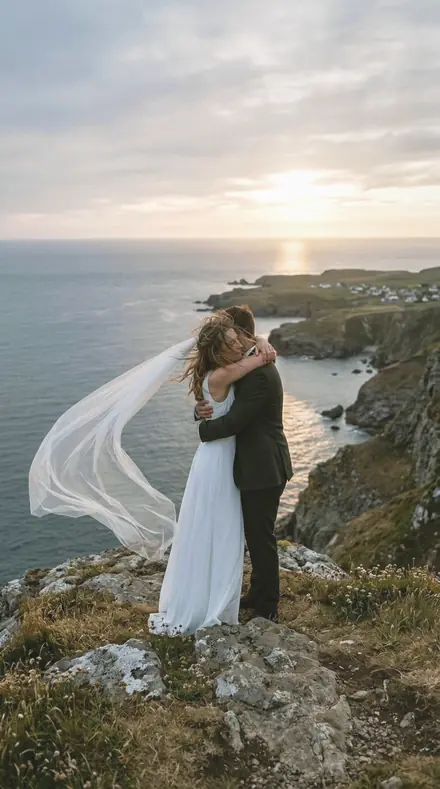
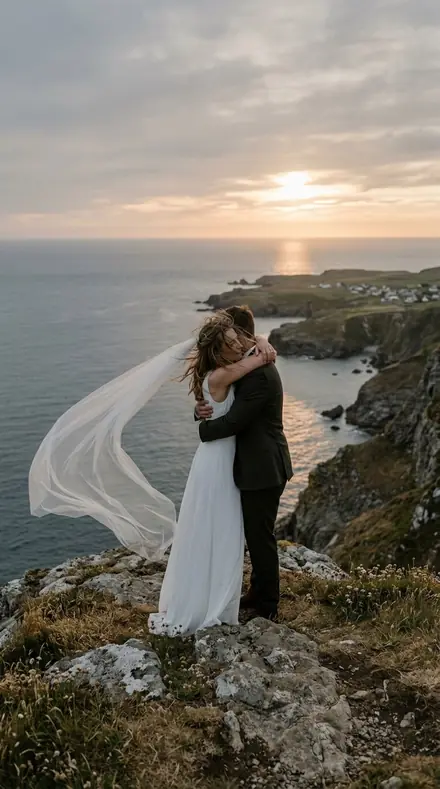
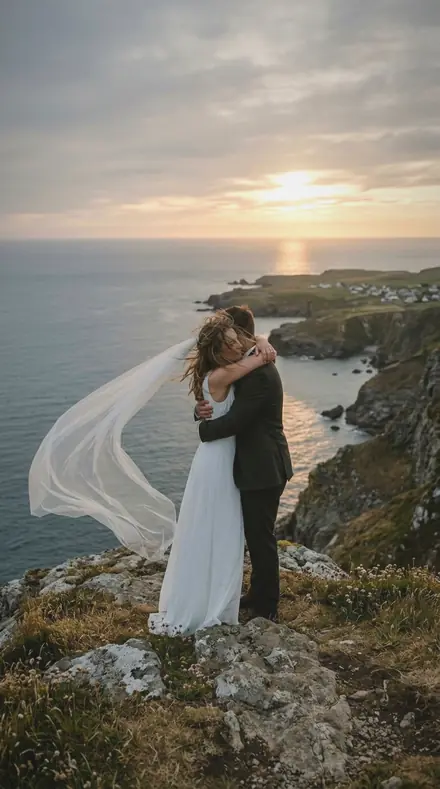
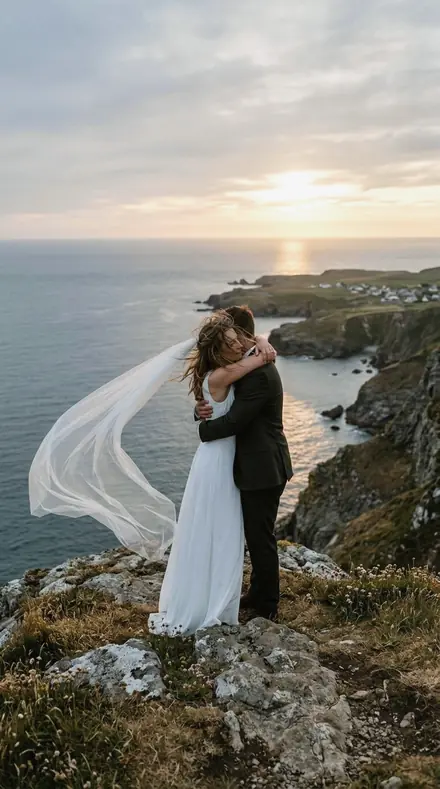
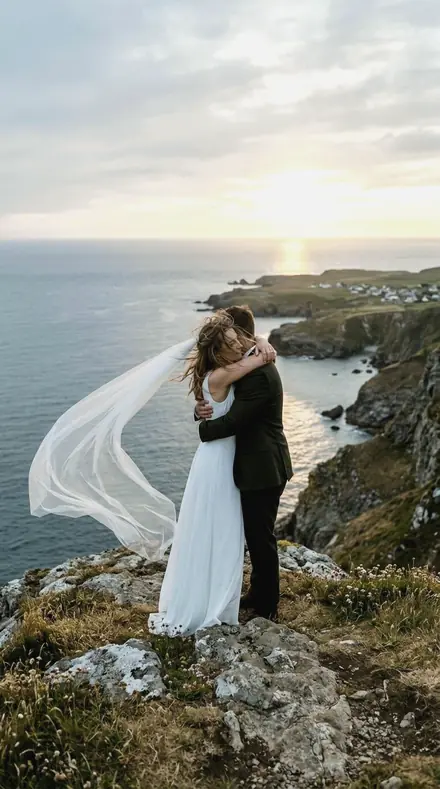
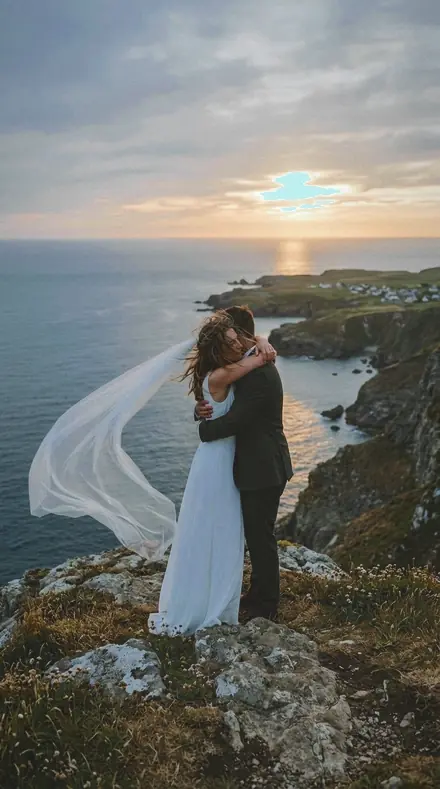
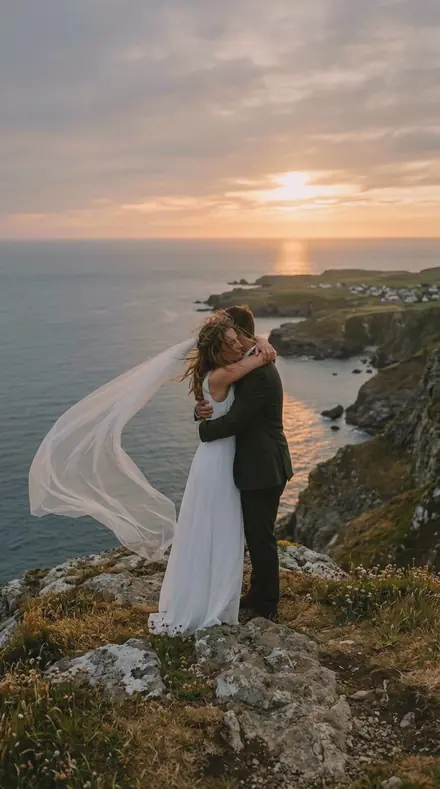
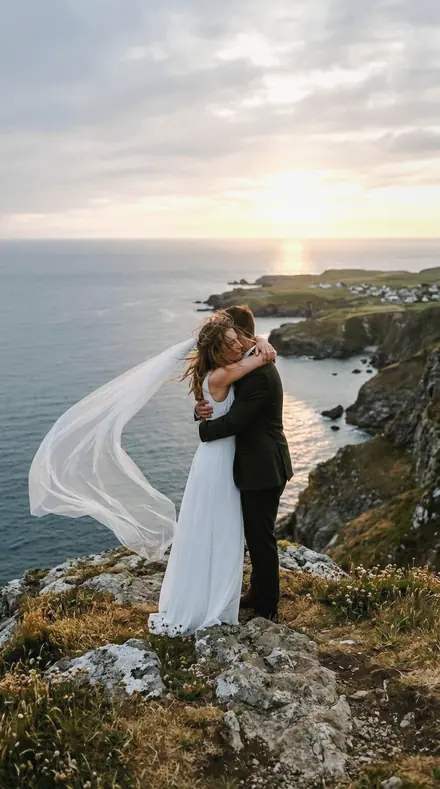
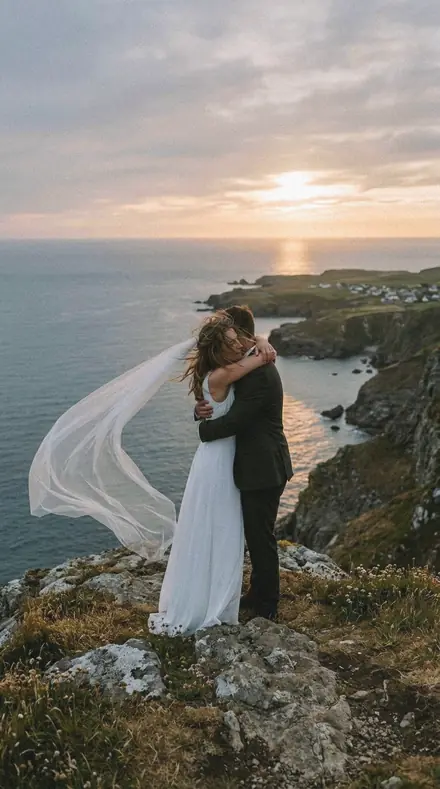
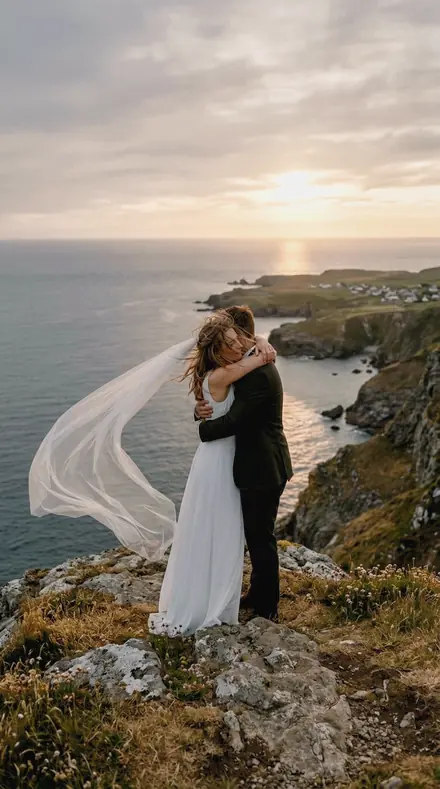
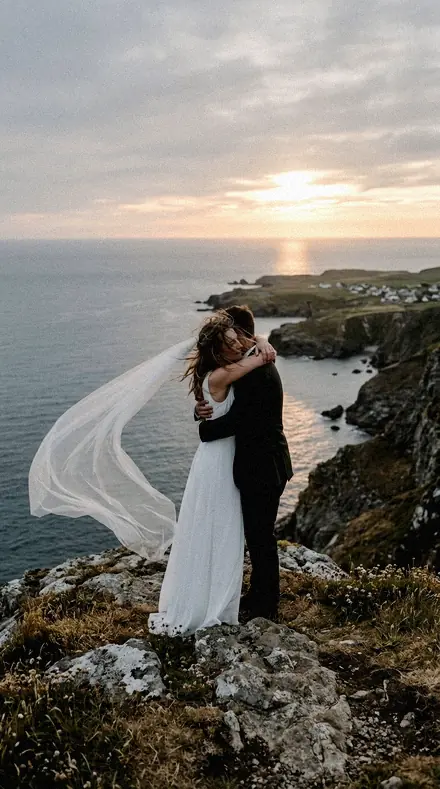
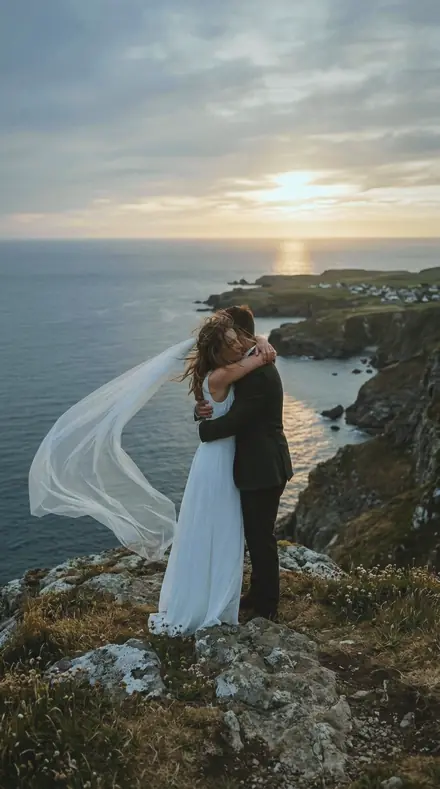
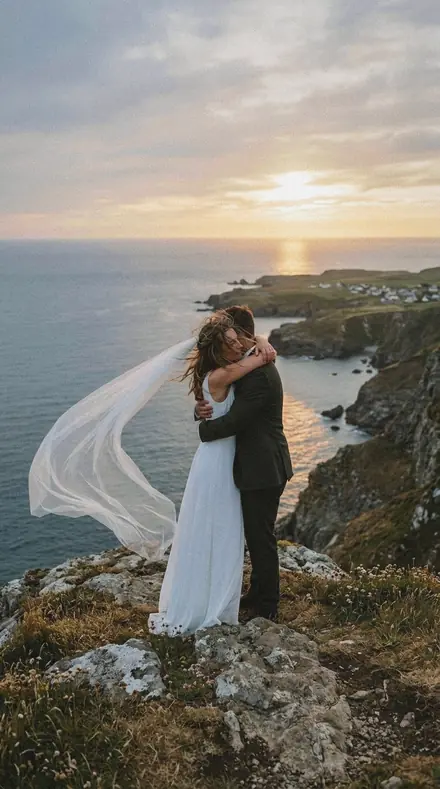
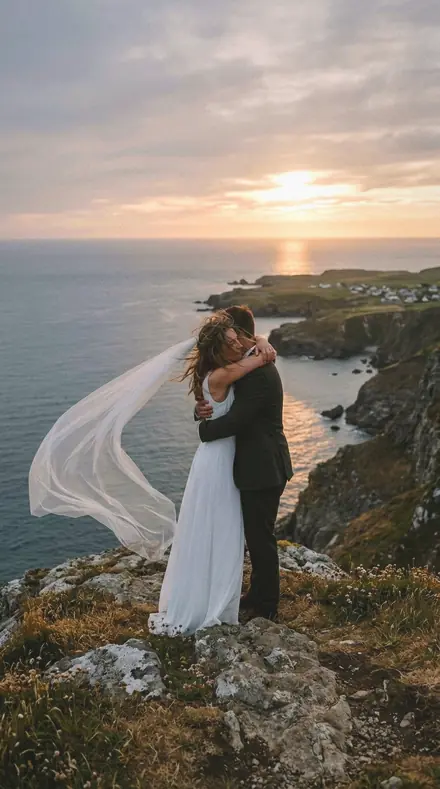
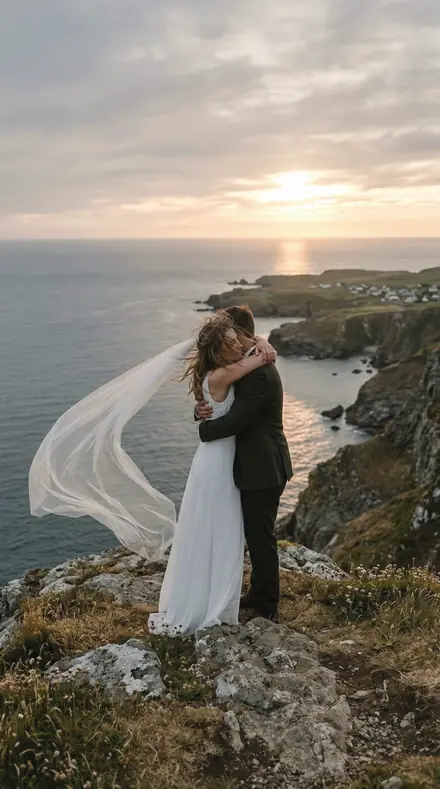
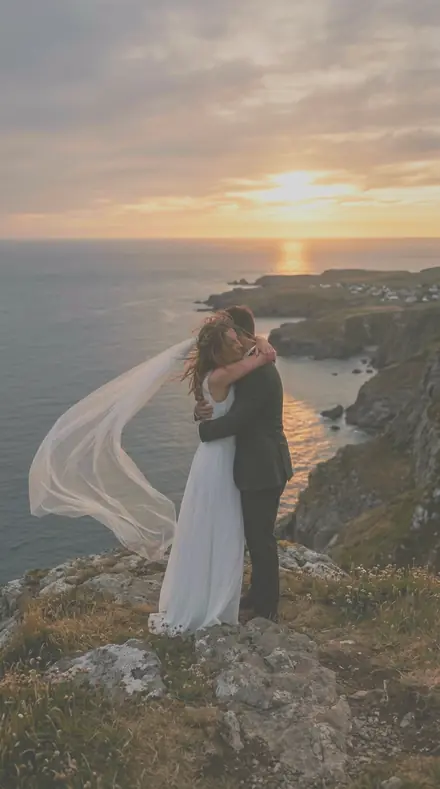
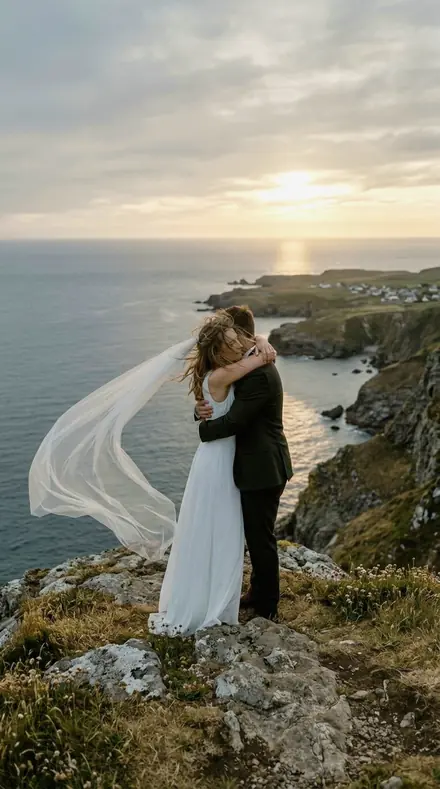
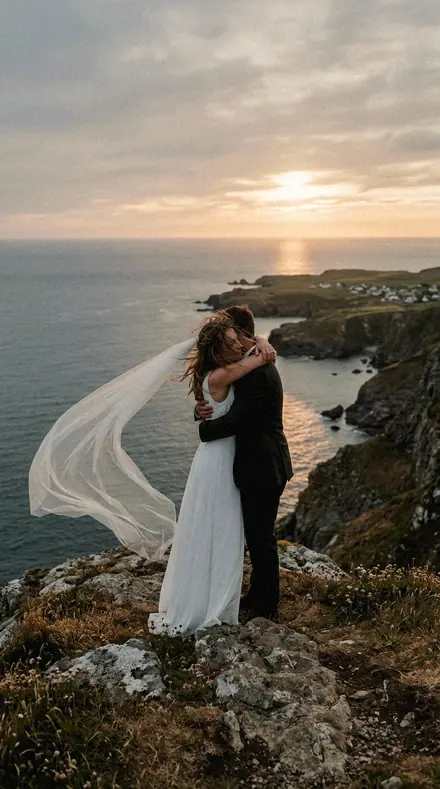
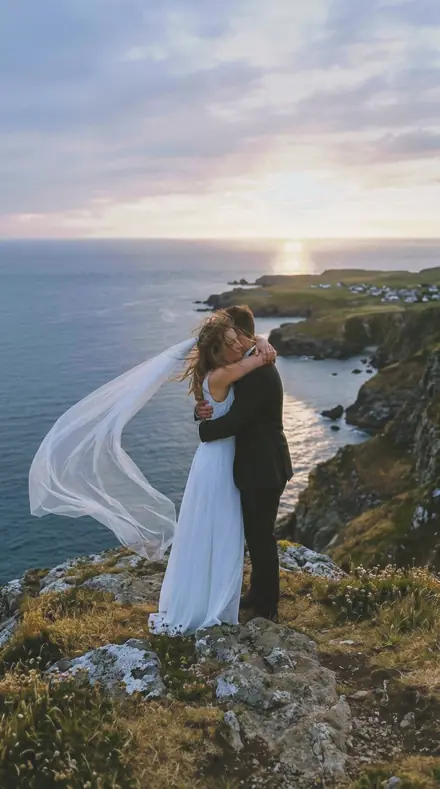
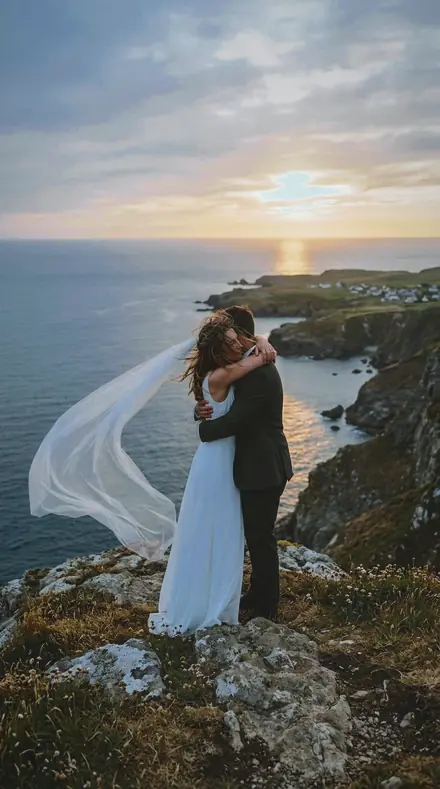
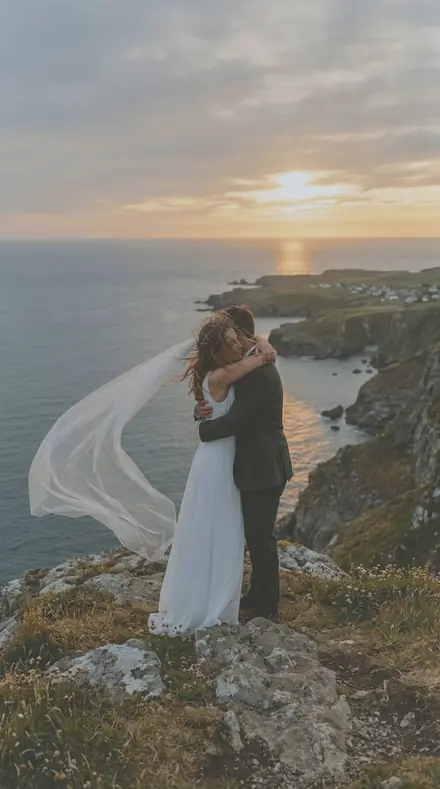
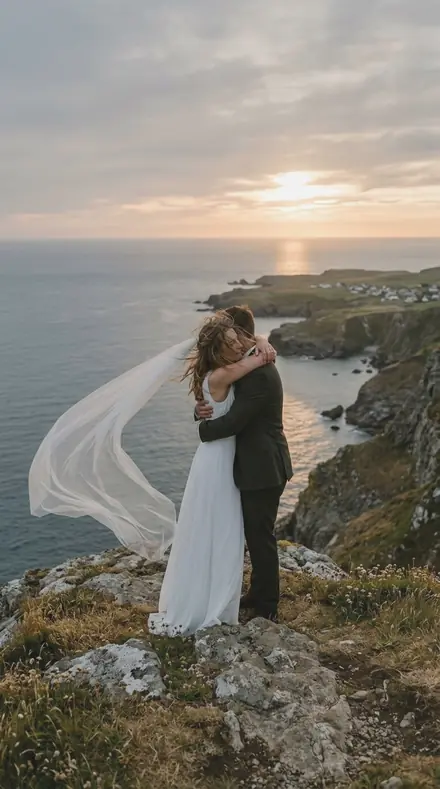
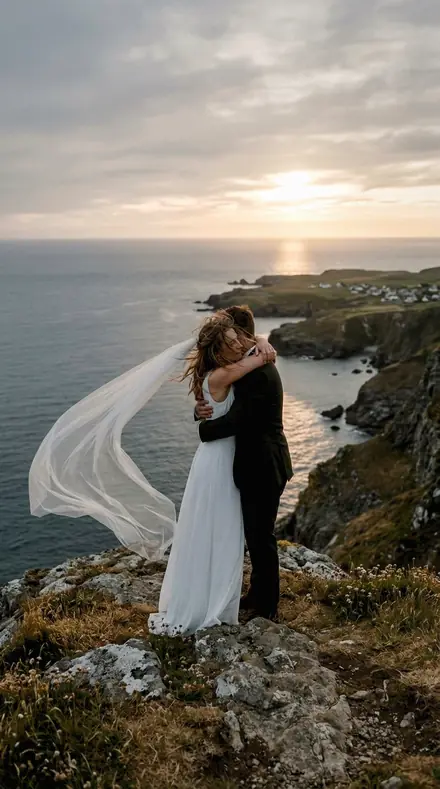
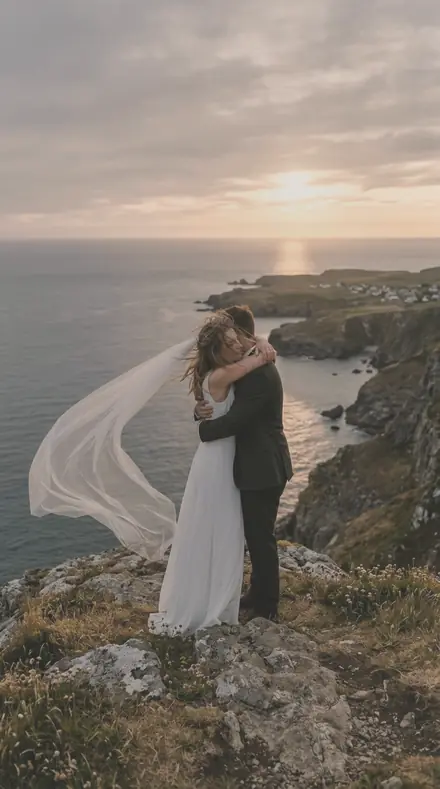
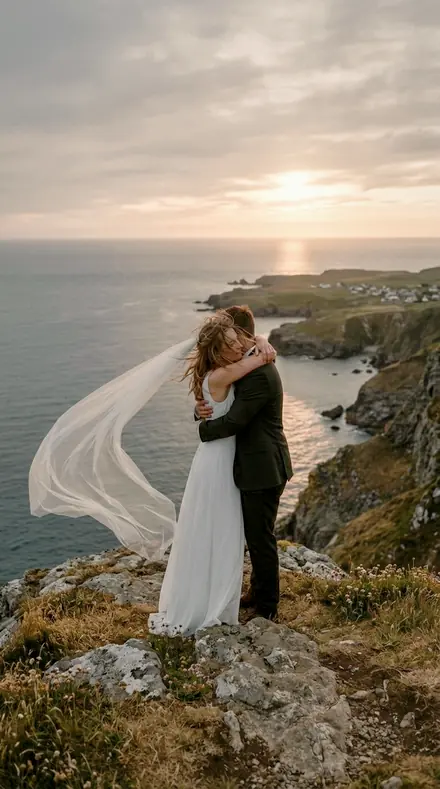
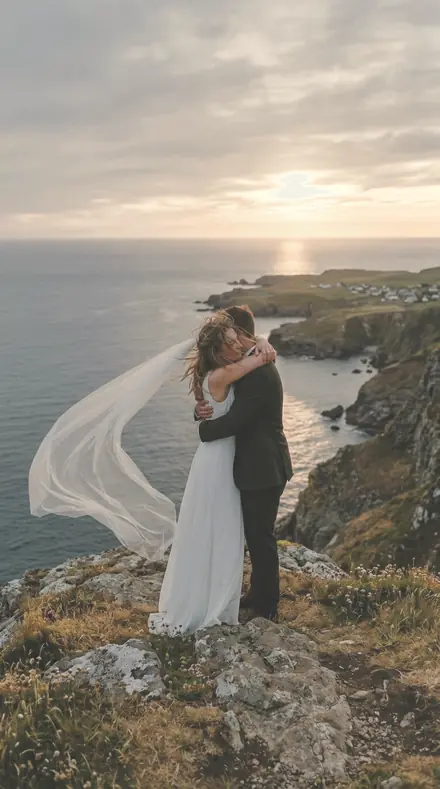
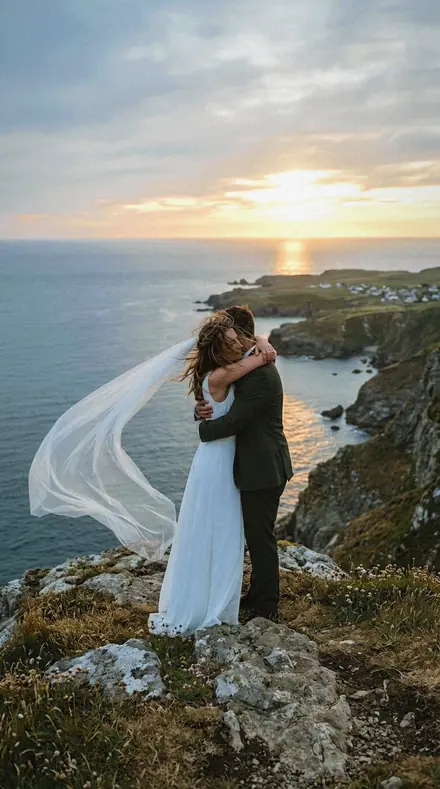
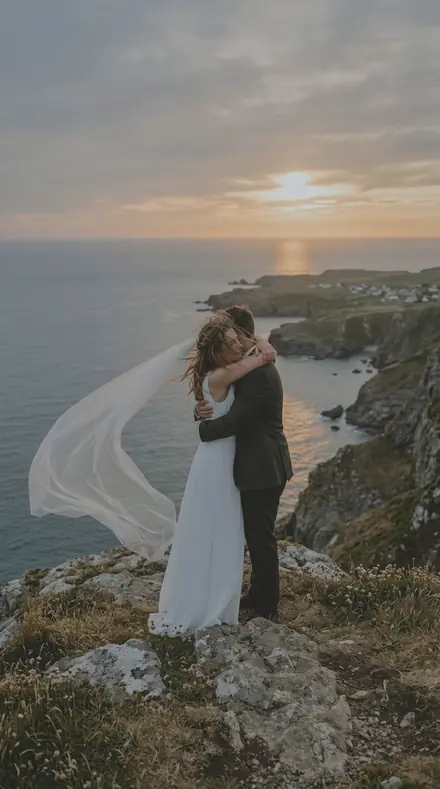
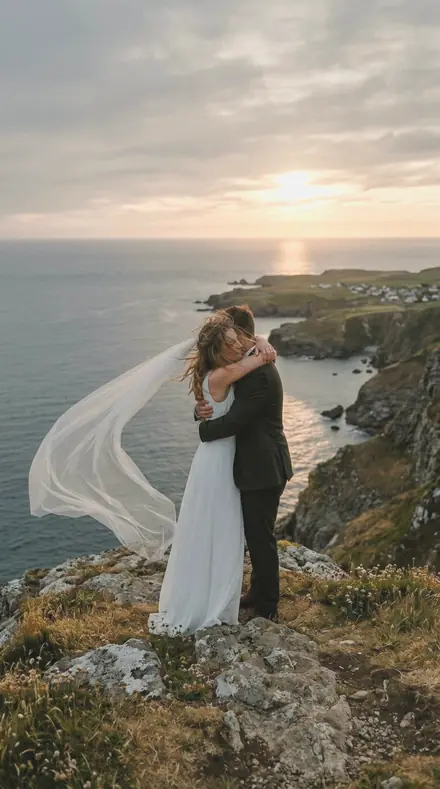
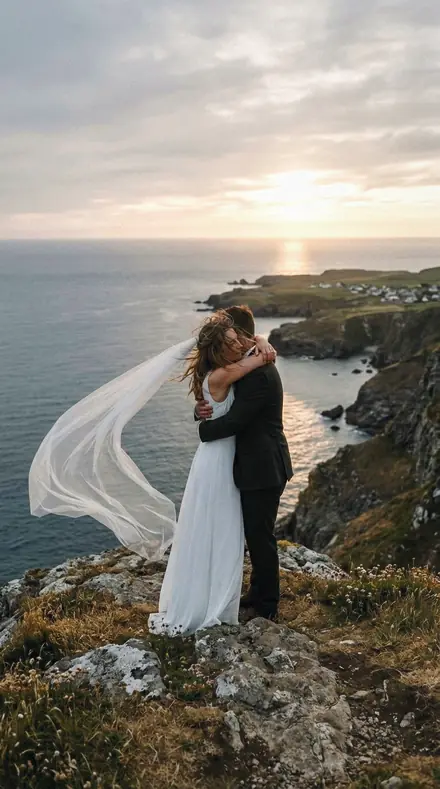
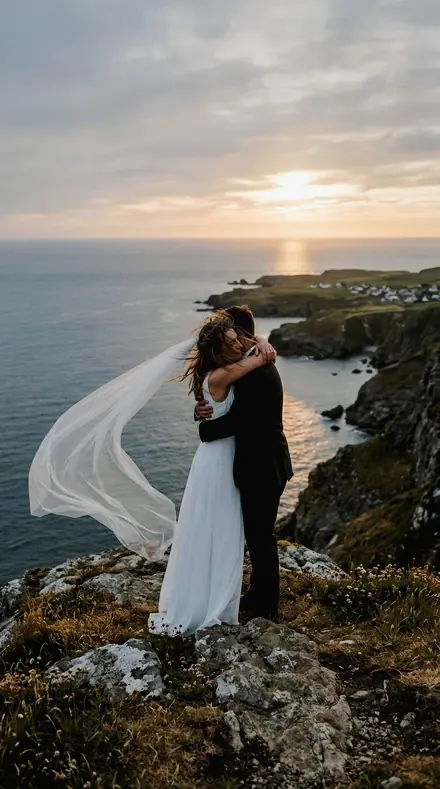
A fictional eloping couple embracing on a sea cliff at sunset, her veil blowing, warm backlight. With the Wedding Film preset applied.A fictional eloping couple embracing on a sea cliff at sunset, her veil blowing, warm backlight. Photographed without a preset.
Wedding Film applied to A fictional eloping couple embracing on a sea cliff at sunset, her veil blowing, warm backlight
A fictional eloping couple embracing on a sea cliff at sunset, her veil blowing, warm backlight
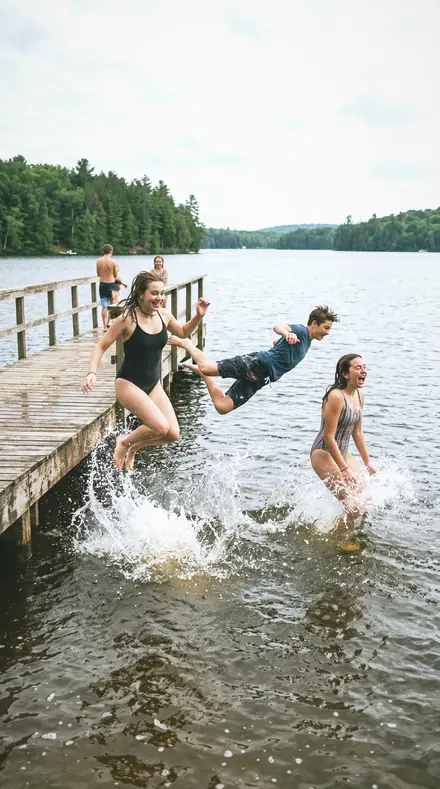
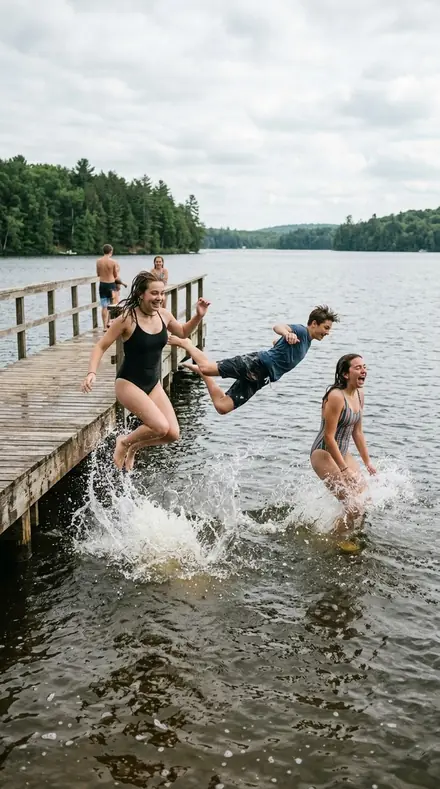
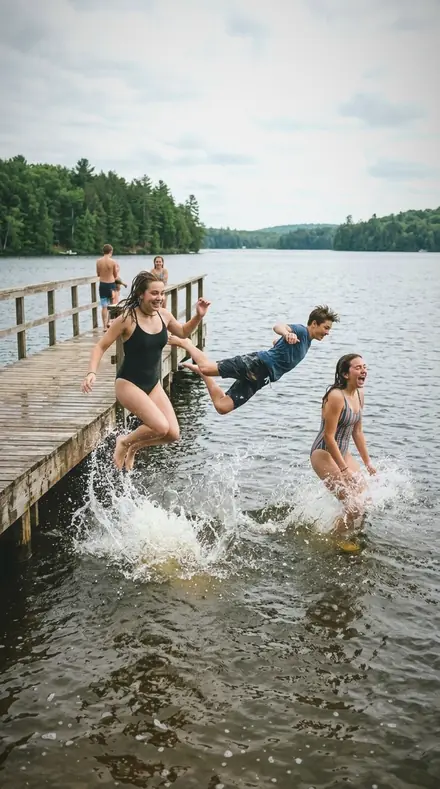
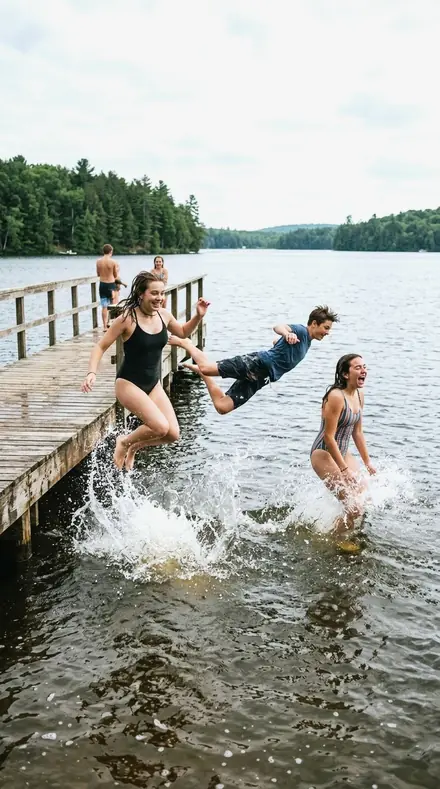
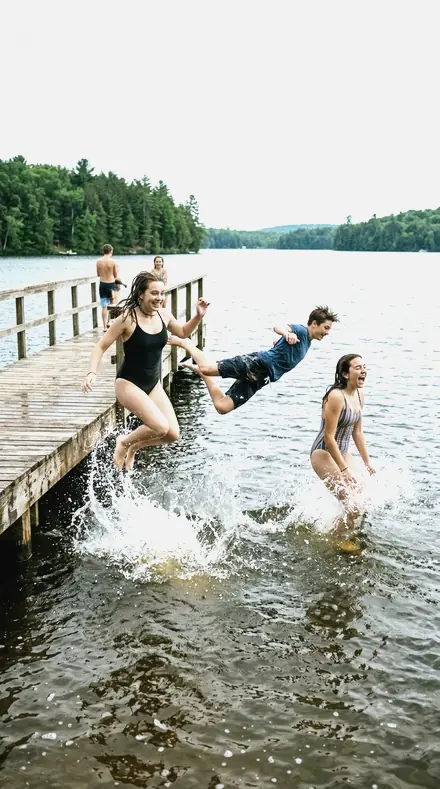
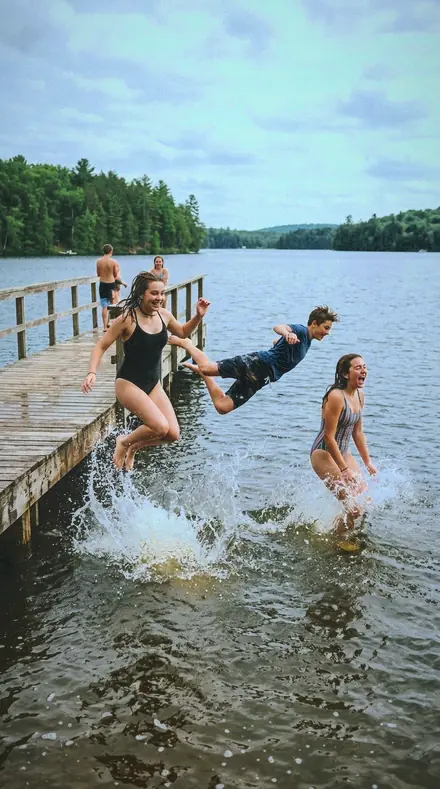
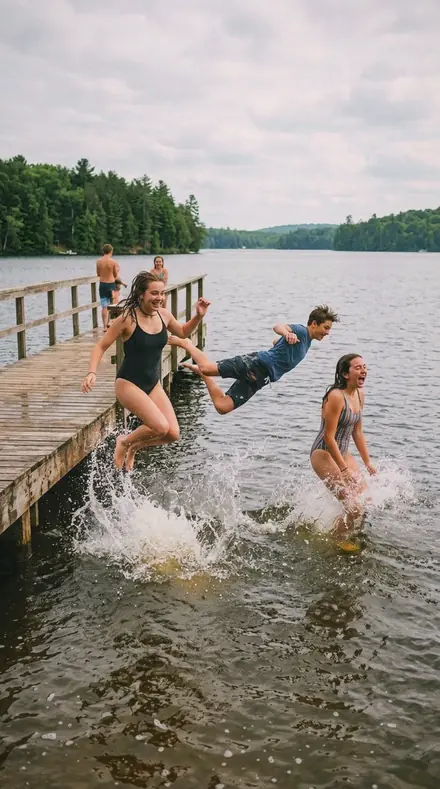
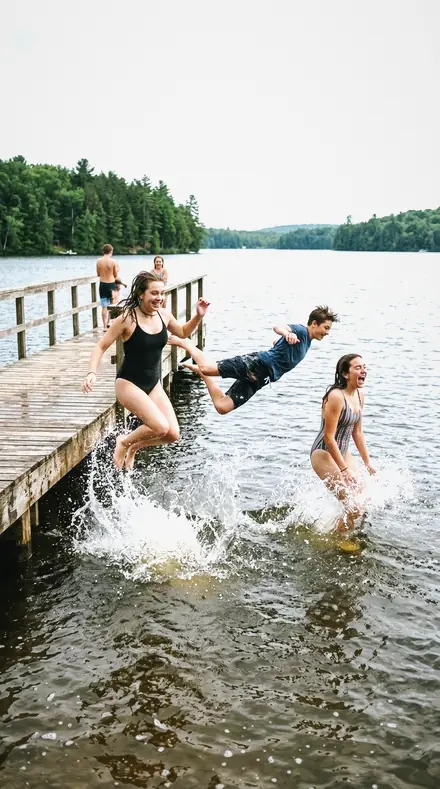
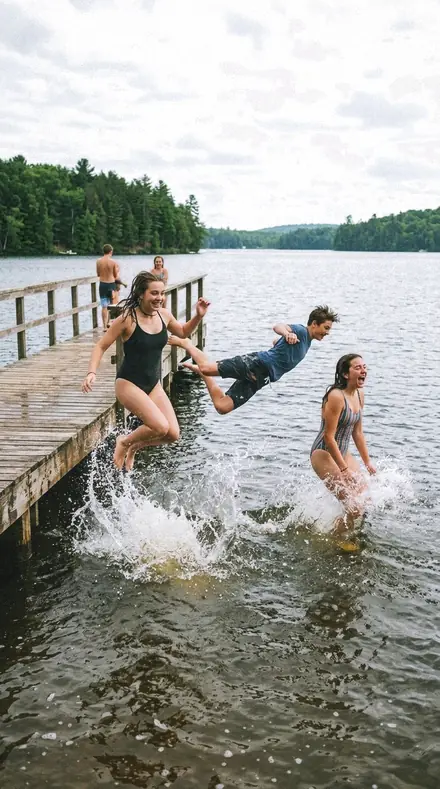
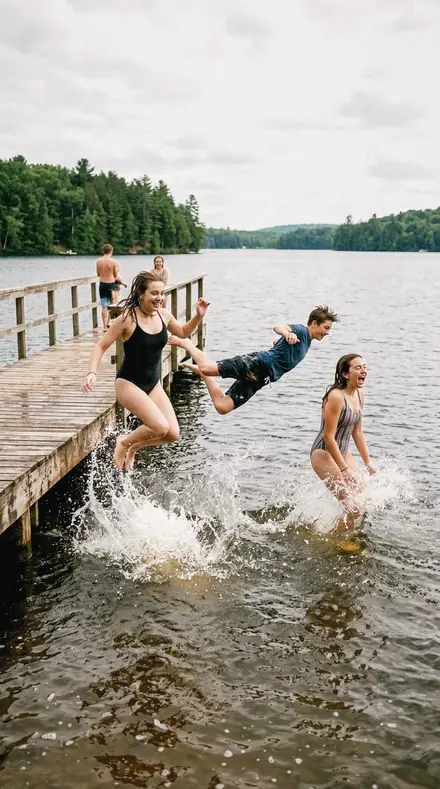
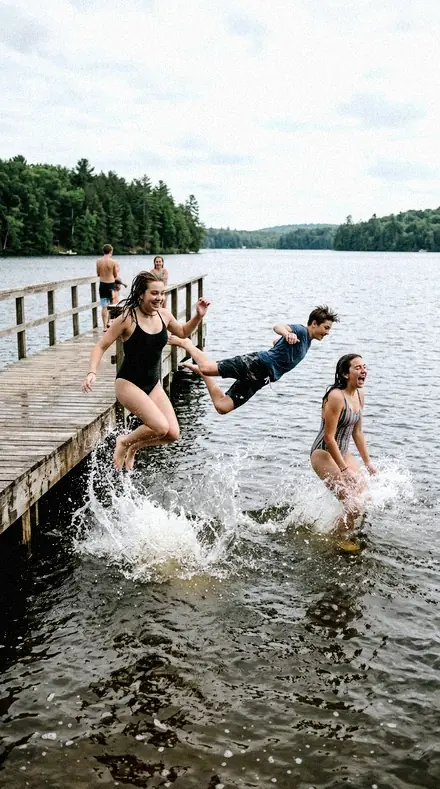
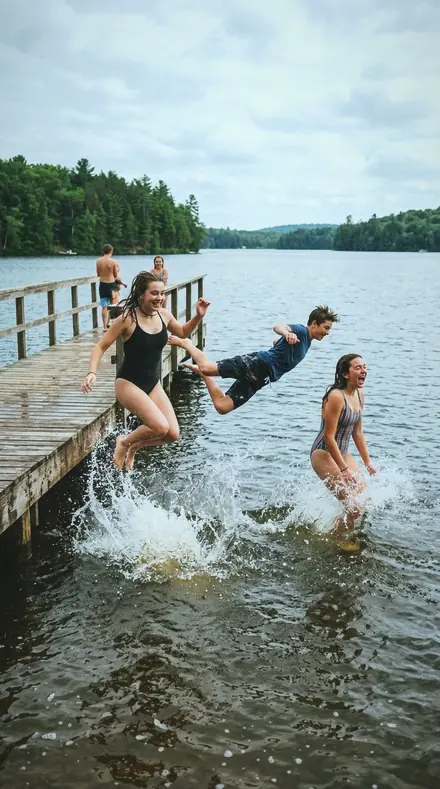
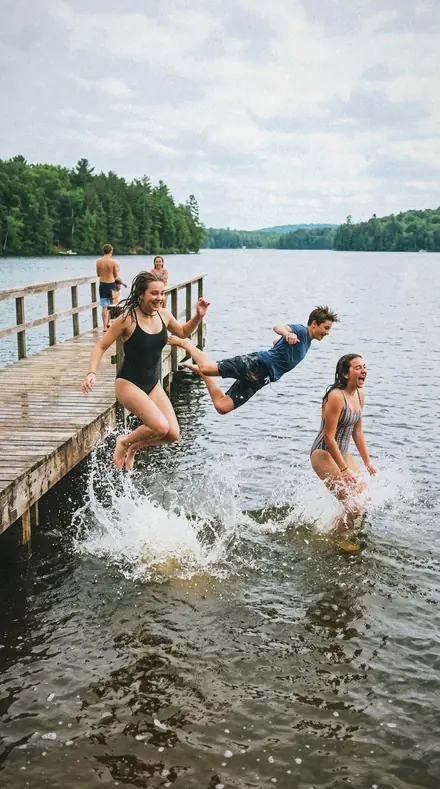
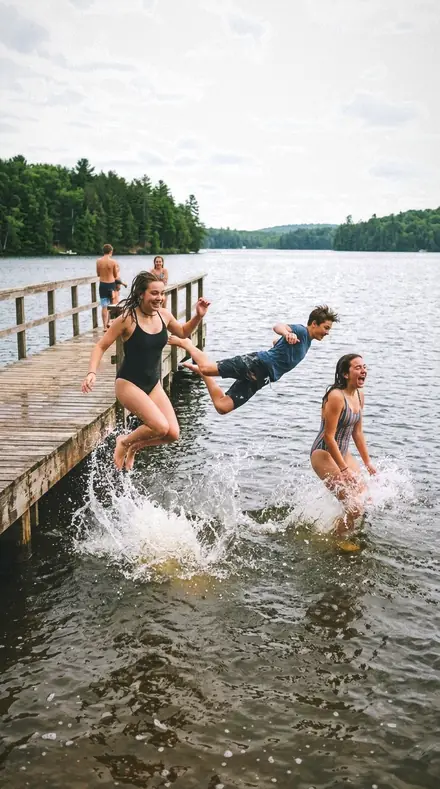
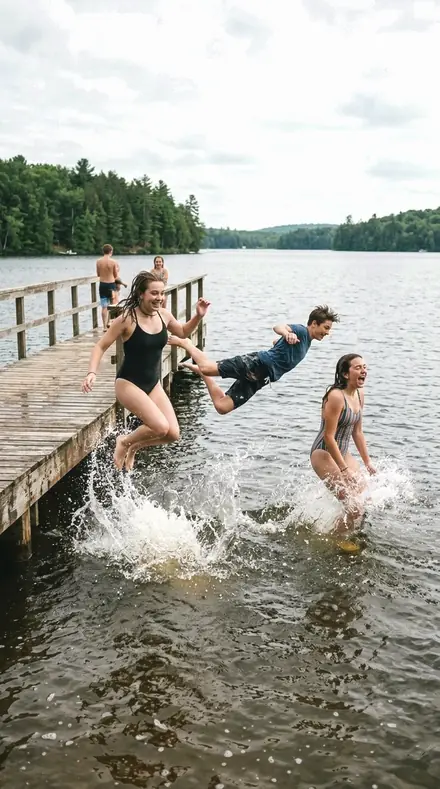
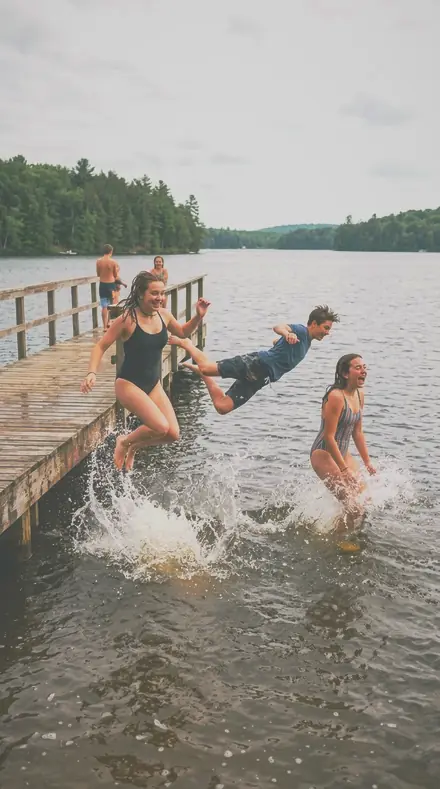
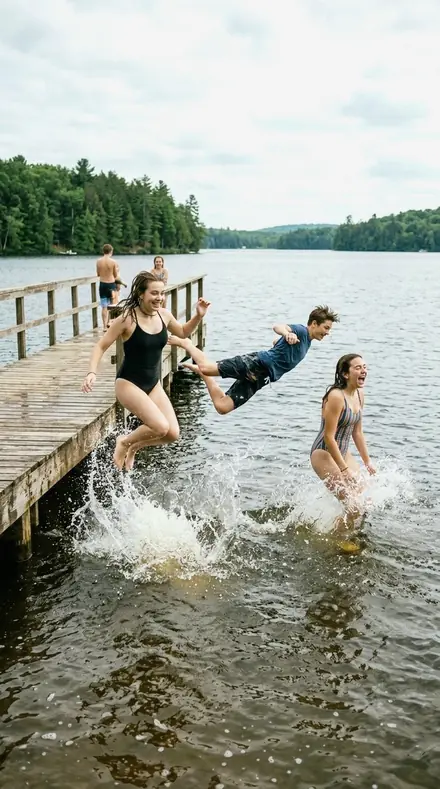
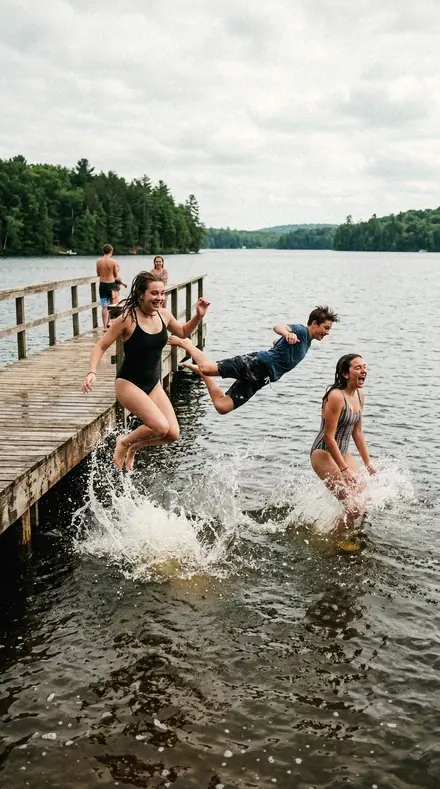
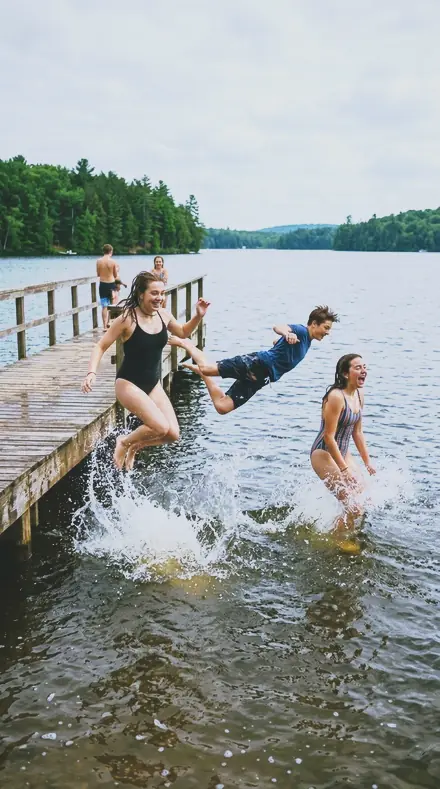
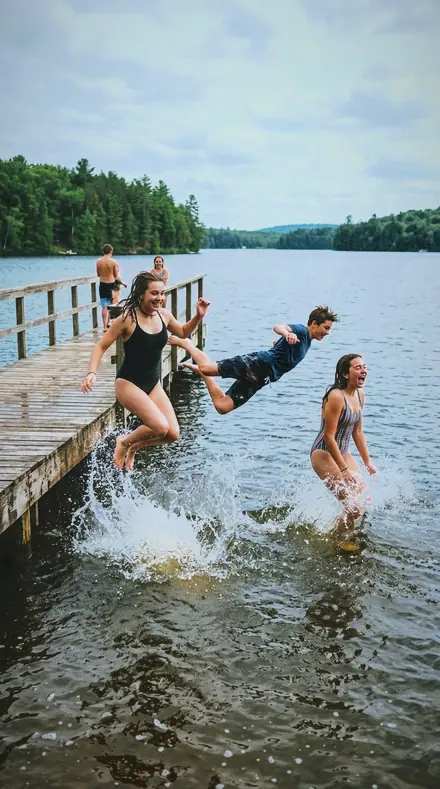
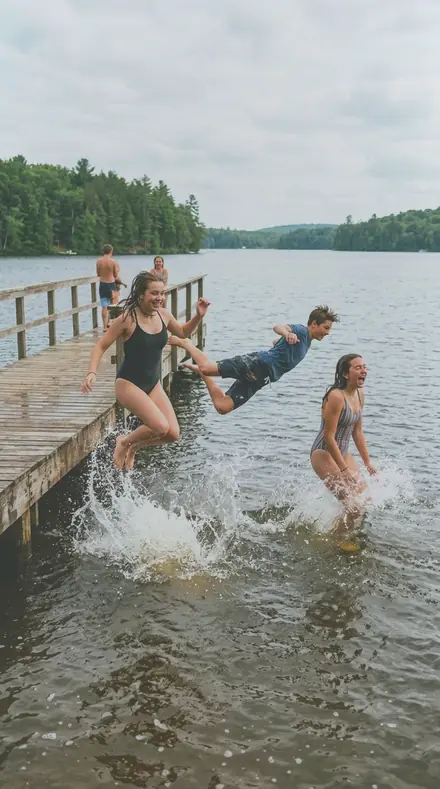
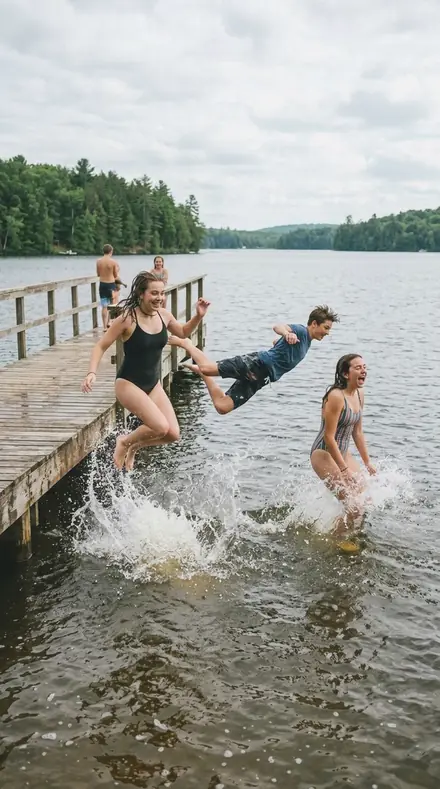
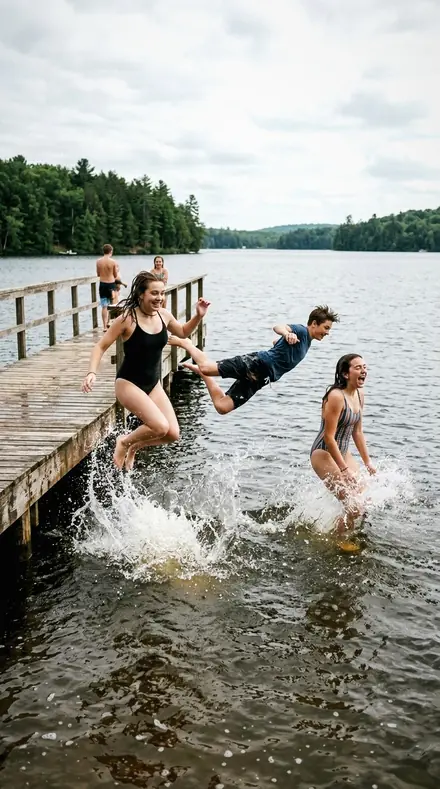
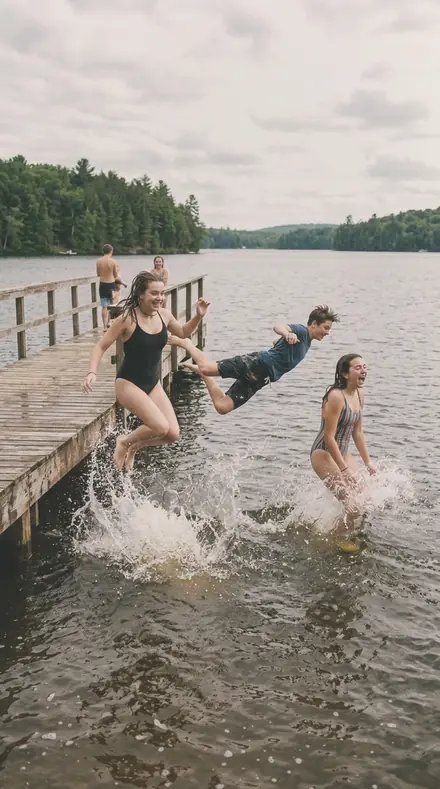
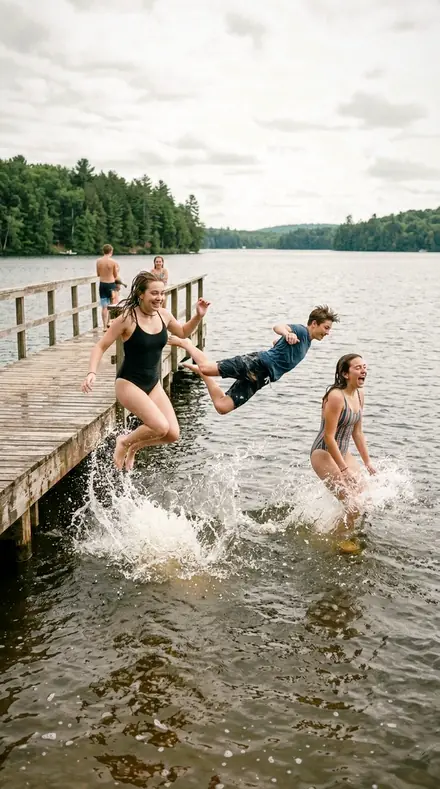
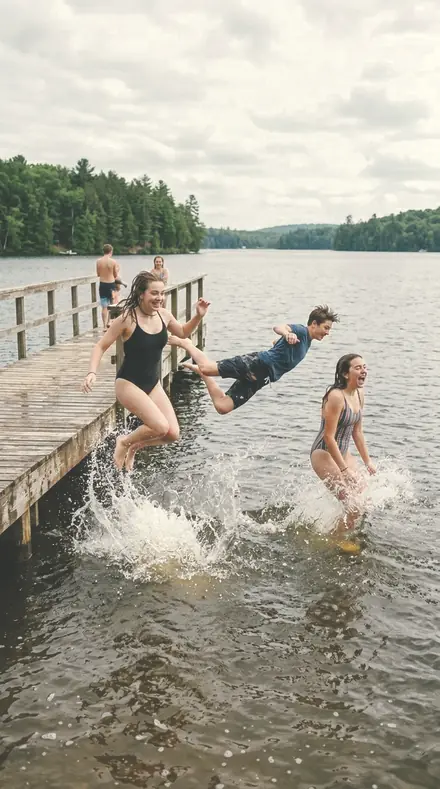
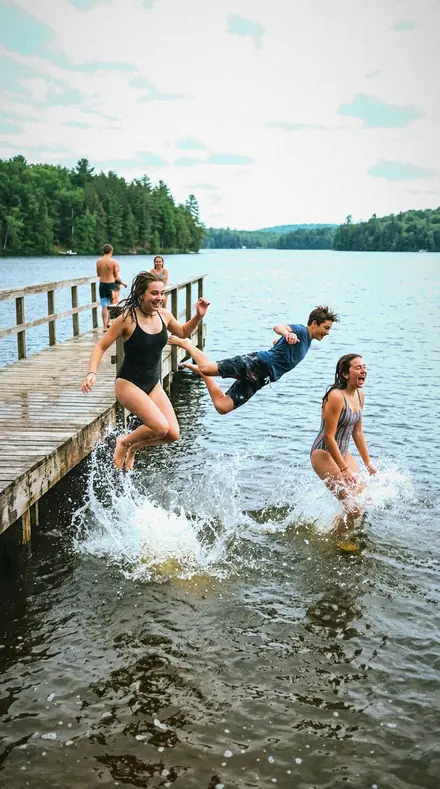
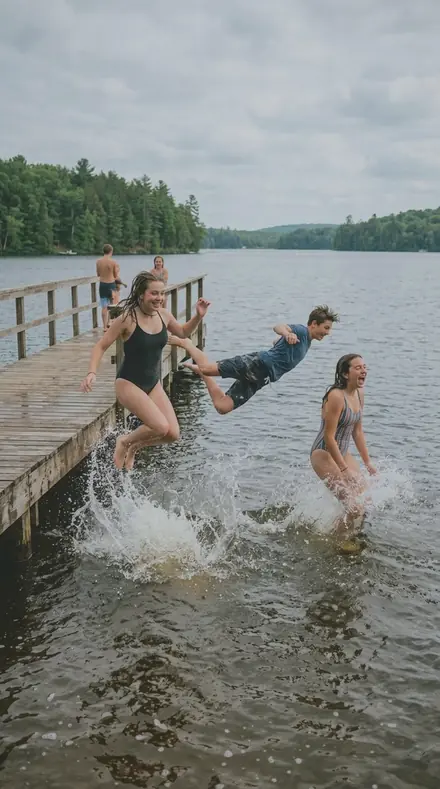
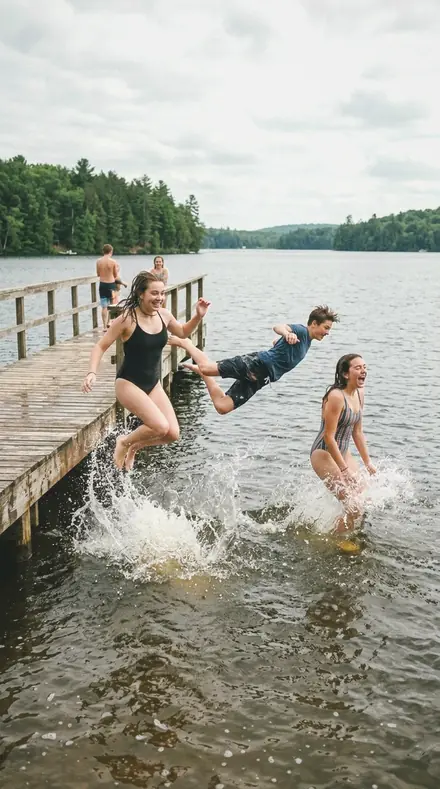
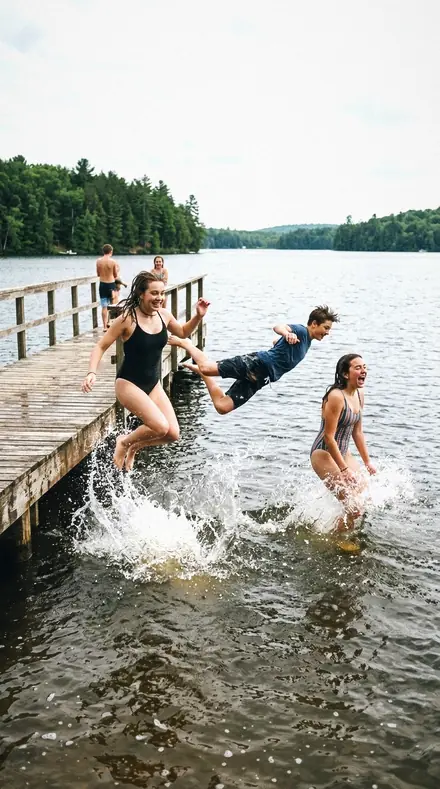
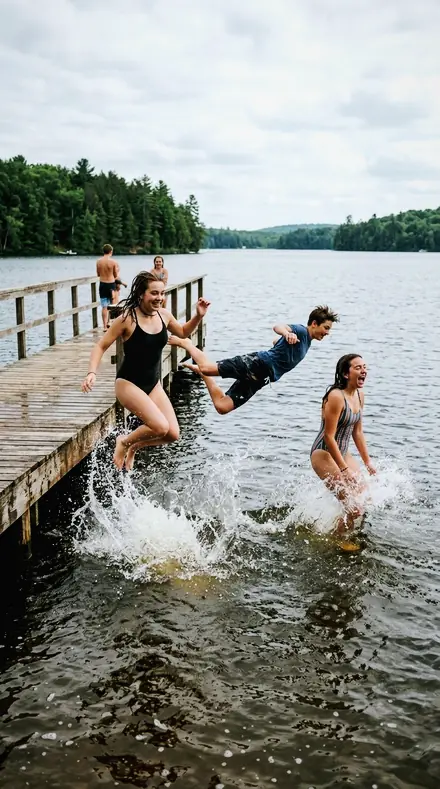
Fictional teenagers mid-jump off a wooden lake pier into the water, summer afternoon, splashes. With the Wedding Film preset applied.Fictional teenagers mid-jump off a wooden lake pier into the water, summer afternoon, splashes. Photographed without a preset.
Wedding Film applied to Fictional teenagers mid-jump off a wooden lake pier into the water, summer afternoon, splashes
Fictional teenagers mid-jump off a wooden lake pier into the water, summer afternoon, splashes

Explore every preset in this pack

30 presets · 4 scenes

Every preset in the pack is here, on the same four photographs. Nothing below is a sample. Open one and drag.

  1. No. 01Cast Truce
    Cast Truce applied to Cliff elopement Before: Cliff elopement
    Cliff elopement
    Cast Truce applied to Pier jump Before: Pier jump
    Pier jump
    Cast Truce applied to Portrait 004 laughing daylight Before: Portrait 004 laughing daylight
    Portrait 004 laughing daylight
    Cast Truce applied to Rooftop golden Before: Rooftop golden
    Rooftop golden

    Drag the handle. Left is the original, right is Cast Truce. Rendered from the preset's own settings, not a Lightroom export, so the real thing carries a little more bite.

  2. No. 02Kicker Light
    Kicker Light applied to Cliff elopement Before: Cliff elopement
    Cliff elopement
    Kicker Light applied to Pier jump Before: Pier jump
    Pier jump
    Kicker Light applied to Portrait 004 laughing daylight Before: Portrait 004 laughing daylight
    Portrait 004 laughing daylight
    Kicker Light applied to Rooftop golden Before: Rooftop golden
    Rooftop golden

    Drag the handle. Left is the original, right is Kicker Light. Rendered from the preset's own settings, not a Lightroom export, so the real thing carries a little more bite.

  3. No. 03Wardrobe Rail
    Wardrobe Rail applied to Cliff elopement Before: Cliff elopement
    Cliff elopement
    Wardrobe Rail applied to Pier jump Before: Pier jump
    Pier jump
    Wardrobe Rail applied to Portrait 004 laughing daylight Before: Portrait 004 laughing daylight
    Portrait 004 laughing daylight
    Wardrobe Rail applied to Rooftop golden Before: Rooftop golden
    Rooftop golden

    Drag the handle. Left is the original, right is Wardrobe Rail. Rendered from the preset's own settings, not a Lightroom export, so the real thing carries a little more bite.

  4. No. 04Wash Recover
    Wash Recover applied to Cliff elopement Before: Cliff elopement
    Cliff elopement
    Wash Recover applied to Pier jump Before: Pier jump
    Pier jump
    Wash Recover applied to Portrait 004 laughing daylight Before: Portrait 004 laughing daylight
    Portrait 004 laughing daylight
    Wash Recover applied to Rooftop golden Before: Rooftop golden
    Rooftop golden

    Drag the handle. Left is the original, right is Wash Recover. Rendered from the preset's own settings, not a Lightroom export, so the real thing carries a little more bite.

  5. No. 05Slate Lap
    Slate Lap applied to Cliff elopement Before: Cliff elopement
    Cliff elopement
    Slate Lap applied to Pier jump Before: Pier jump
    Pier jump
    Slate Lap applied to Portrait 004 laughing daylight Before: Portrait 004 laughing daylight
    Portrait 004 laughing daylight
    Slate Lap applied to Rooftop golden Before: Rooftop golden
    Rooftop golden

    Drag the handle. Left is the original, right is Slate Lap. Rendered from the preset's own settings, not a Lightroom export, so the real thing carries a little more bite.

  6. No. 06Steam Air
    Steam Air applied to Cliff elopement Before: Cliff elopement
    Cliff elopement
    Steam Air applied to Pier jump Before: Pier jump
    Pier jump
    Steam Air applied to Portrait 004 laughing daylight Before: Portrait 004 laughing daylight
    Portrait 004 laughing daylight
    Steam Air applied to Rooftop golden Before: Rooftop golden
    Rooftop golden

    Drag the handle. Left is the original, right is Steam Air. Rendered from the preset's own settings, not a Lightroom export, so the real thing carries a little more bite.

  7. No. 07Shoulder Lift
    Shoulder Lift applied to Cliff elopement Before: Cliff elopement
    Cliff elopement
    Shoulder Lift applied to Pier jump Before: Pier jump
    Pier jump
    Shoulder Lift applied to Portrait 004 laughing daylight Before: Portrait 004 laughing daylight
    Portrait 004 laughing daylight
    Shoulder Lift applied to Rooftop golden Before: Rooftop golden
    Rooftop golden

    Drag the handle. Left is the original, right is Shoulder Lift. Rendered from the preset's own settings, not a Lightroom export, so the real thing carries a little more bite.

  8. No. 08Overhead Sun
    Overhead Sun applied to Cliff elopement Before: Cliff elopement
    Cliff elopement
    Overhead Sun applied to Pier jump Before: Pier jump
    Pier jump
    Overhead Sun applied to Portrait 004 laughing daylight Before: Portrait 004 laughing daylight
    Portrait 004 laughing daylight
    Overhead Sun applied to Rooftop golden Before: Rooftop golden
    Rooftop golden

    Drag the handle. Left is the original, right is Overhead Sun. Rendered from the preset's own settings, not a Lightroom export, so the real thing carries a little more bite.

  9. No. 09Linen Fold
    Linen Fold applied to Cliff elopement Before: Cliff elopement
    Cliff elopement
    Linen Fold applied to Pier jump Before: Pier jump
    Pier jump
    Linen Fold applied to Portrait 004 laughing daylight Before: Portrait 004 laughing daylight
    Portrait 004 laughing daylight
    Linen Fold applied to Rooftop golden Before: Rooftop golden
    Rooftop golden

    Drag the handle. Left is the original, right is Linen Fold. Rendered from the preset's own settings, not a Lightroom export, so the real thing carries a little more bite.

  10. No. 10Sensor Calm
    Sensor Calm applied to Cliff elopement Before: Cliff elopement
    Cliff elopement
    Sensor Calm applied to Pier jump Before: Pier jump
    Pier jump
    Sensor Calm applied to Portrait 004 laughing daylight Before: Portrait 004 laughing daylight
    Portrait 004 laughing daylight
    Sensor Calm applied to Rooftop golden Before: Rooftop golden
    Rooftop golden

    Drag the handle. Left is the original, right is Sensor Calm. Rendered from the preset's own settings, not a Lightroom export, so the real thing carries a little more bite.

  11. No. 11Ridge Tile
    Ridge Tile applied to Cliff elopement Before: Cliff elopement
    Cliff elopement
    Ridge Tile applied to Pier jump Before: Pier jump
    Pier jump
    Ridge Tile applied to Portrait 004 laughing daylight Before: Portrait 004 laughing daylight
    Portrait 004 laughing daylight
    Ridge Tile applied to Rooftop golden Before: Rooftop golden
    Rooftop golden

    Drag the handle. Left is the original, right is Ridge Tile. Rendered from the preset's own settings, not a Lightroom export, so the real thing carries a little more bite.

  12. No. 12Flashing Lead
    Flashing Lead applied to Cliff elopement Before: Cliff elopement
    Cliff elopement
    Flashing Lead applied to Pier jump Before: Pier jump
    Pier jump
    Flashing Lead applied to Portrait 004 laughing daylight Before: Portrait 004 laughing daylight
    Portrait 004 laughing daylight
    Flashing Lead applied to Rooftop golden Before: Rooftop golden
    Rooftop golden

    Drag the handle. Left is the original, right is Flashing Lead. Rendered from the preset's own settings, not a Lightroom export, so the real thing carries a little more bite.

  13. No. 13Canopy Damp
    Canopy Damp applied to Cliff elopement Before: Cliff elopement
    Cliff elopement
    Canopy Damp applied to Pier jump Before: Pier jump
    Pier jump
    Canopy Damp applied to Portrait 004 laughing daylight Before: Portrait 004 laughing daylight
    Portrait 004 laughing daylight
    Canopy Damp applied to Rooftop golden Before: Rooftop golden
    Rooftop golden

    Drag the handle. Left is the original, right is Canopy Damp. Rendered from the preset's own settings, not a Lightroom export, so the real thing carries a little more bite.

  14. No. 14Employee Profile
    Employee Profile applied to Cliff elopement Before: Cliff elopement
    Cliff elopement
    Employee Profile applied to Pier jump Before: Pier jump
    Pier jump
    Employee Profile applied to Portrait 004 laughing daylight Before: Portrait 004 laughing daylight
    Portrait 004 laughing daylight
    Employee Profile applied to Rooftop golden Before: Rooftop golden
    Rooftop golden

    Drag the handle. Left is the original, right is Employee Profile. Rendered from the preset's own settings, not a Lightroom export, so the real thing carries a little more bite.

  15. No. 15Full Bracket
    Full Bracket applied to Cliff elopement Before: Cliff elopement
    Cliff elopement
    Full Bracket applied to Pier jump Before: Pier jump
    Pier jump
    Full Bracket applied to Portrait 004 laughing daylight Before: Portrait 004 laughing daylight
    Portrait 004 laughing daylight
    Full Bracket applied to Rooftop golden Before: Rooftop golden
    Rooftop golden

    Drag the handle. Left is the original, right is Full Bracket. Rendered from the preset's own settings, not a Lightroom export, so the real thing carries a little more bite.

  16. No. 16Light Freckle
    Light Freckle applied to Cliff elopement Before: Cliff elopement
    Cliff elopement
    Light Freckle applied to Pier jump Before: Pier jump
    Pier jump
    Light Freckle applied to Portrait 004 laughing daylight Before: Portrait 004 laughing daylight
    Portrait 004 laughing daylight
    Light Freckle applied to Rooftop golden Before: Rooftop golden
    Rooftop golden

    Drag the handle. Left is the original, right is Light Freckle. Rendered from the preset's own settings, not a Lightroom export, so the real thing carries a little more bite.

  17. No. 17Subway Face
    Subway Face applied to Cliff elopement Before: Cliff elopement
    Cliff elopement
    Subway Face applied to Pier jump Before: Pier jump
    Pier jump
    Subway Face applied to Portrait 004 laughing daylight Before: Portrait 004 laughing daylight
    Portrait 004 laughing daylight
    Subway Face applied to Rooftop golden Before: Rooftop golden
    Rooftop golden

    Drag the handle. Left is the original, right is Subway Face. Rendered from the preset's own settings, not a Lightroom export, so the real thing carries a little more bite.

  18. No. 18Head Table
    Head Table applied to Cliff elopement Before: Cliff elopement
    Cliff elopement
    Head Table applied to Pier jump Before: Pier jump
    Pier jump
    Head Table applied to Portrait 004 laughing daylight Before: Portrait 004 laughing daylight
    Portrait 004 laughing daylight
    Head Table applied to Rooftop golden Before: Rooftop golden
    Rooftop golden

    Drag the handle. Left is the original, right is Head Table. Rendered from the preset's own settings, not a Lightroom export, so the real thing carries a little more bite.

  19. No. 19Chimney Flaunching
    Chimney Flaunching applied to Cliff elopement Before: Cliff elopement
    Cliff elopement
    Chimney Flaunching applied to Pier jump Before: Pier jump
    Pier jump
    Chimney Flaunching applied to Portrait 004 laughing daylight Before: Portrait 004 laughing daylight
    Portrait 004 laughing daylight
    Chimney Flaunching applied to Rooftop golden Before: Rooftop golden
    Rooftop golden

    Drag the handle. Left is the original, right is Chimney Flaunching. Rendered from the preset's own settings, not a Lightroom export, so the real thing carries a little more bite.

  20. No. 20Hard Shadow
    Hard Shadow applied to Cliff elopement Before: Cliff elopement
    Cliff elopement
    Hard Shadow applied to Pier jump Before: Pier jump
    Pier jump
    Hard Shadow applied to Portrait 004 laughing daylight Before: Portrait 004 laughing daylight
    Portrait 004 laughing daylight
    Hard Shadow applied to Rooftop golden Before: Rooftop golden
    Rooftop golden

    Drag the handle. Left is the original, right is Hard Shadow. Rendered from the preset's own settings, not a Lightroom export, so the real thing carries a little more bite.

  21. No. 21Drain Cover
    Drain Cover applied to Cliff elopement Before: Cliff elopement
    Cliff elopement
    Drain Cover applied to Pier jump Before: Pier jump
    Pier jump
    Drain Cover applied to Portrait 004 laughing daylight Before: Portrait 004 laughing daylight
    Portrait 004 laughing daylight
    Drain Cover applied to Rooftop golden Before: Rooftop golden
    Rooftop golden

    Drag the handle. Left is the original, right is Drain Cover. Rendered from the preset's own settings, not a Lightroom export, so the real thing carries a little more bite.

  22. No. 22Small Loop
    Small Loop applied to Cliff elopement Before: Cliff elopement
    Cliff elopement
    Small Loop applied to Pier jump Before: Pier jump
    Pier jump
    Small Loop applied to Portrait 004 laughing daylight Before: Portrait 004 laughing daylight
    Portrait 004 laughing daylight
    Small Loop applied to Rooftop golden Before: Rooftop golden
    Rooftop golden

    Drag the handle. Left is the original, right is Small Loop. Rendered from the preset's own settings, not a Lightroom export, so the real thing carries a little more bite.

  23. No. 23Even Tone
    Even Tone applied to Cliff elopement Before: Cliff elopement
    Cliff elopement
    Even Tone applied to Pier jump Before: Pier jump
    Pier jump
    Even Tone applied to Portrait 004 laughing daylight Before: Portrait 004 laughing daylight
    Portrait 004 laughing daylight
    Even Tone applied to Rooftop golden Before: Rooftop golden
    Rooftop golden

    Drag the handle. Left is the original, right is Even Tone. Rendered from the preset's own settings, not a Lightroom export, so the real thing carries a little more bite.

  24. No. 24Kickoff Light
    Kickoff Light applied to Cliff elopement Before: Cliff elopement
    Cliff elopement
    Kickoff Light applied to Pier jump Before: Pier jump
    Pier jump
    Kickoff Light applied to Portrait 004 laughing daylight Before: Portrait 004 laughing daylight
    Portrait 004 laughing daylight
    Kickoff Light applied to Rooftop golden Before: Rooftop golden
    Rooftop golden

    Drag the handle. Left is the original, right is Kickoff Light. Rendered from the preset's own settings, not a Lightroom export, so the real thing carries a little more bite.

  25. No. 25Halation Rim
    Halation Rim applied to Cliff elopement Before: Cliff elopement
    Cliff elopement
    Halation Rim applied to Pier jump Before: Pier jump
    Pier jump
    Halation Rim applied to Portrait 004 laughing daylight Before: Portrait 004 laughing daylight
    Portrait 004 laughing daylight
    Halation Rim applied to Rooftop golden Before: Rooftop golden
    Rooftop golden

    Drag the handle. Left is the original, right is Halation Rim. Rendered from the preset's own settings, not a Lightroom export, so the real thing carries a little more bite.

  26. No. 26Dormer Cheek
    Dormer Cheek applied to Cliff elopement Before: Cliff elopement
    Cliff elopement
    Dormer Cheek applied to Pier jump Before: Pier jump
    Pier jump
    Dormer Cheek applied to Portrait 004 laughing daylight Before: Portrait 004 laughing daylight
    Portrait 004 laughing daylight
    Dormer Cheek applied to Rooftop golden Before: Rooftop golden
    Rooftop golden

    Drag the handle. Left is the original, right is Dormer Cheek. Rendered from the preset's own settings, not a Lightroom export, so the real thing carries a little more bite.

  27. No. 27Blowout Edge
    Blowout Edge applied to Cliff elopement Before: Cliff elopement
    Cliff elopement
    Blowout Edge applied to Pier jump Before: Pier jump
    Pier jump
    Blowout Edge applied to Portrait 004 laughing daylight Before: Portrait 004 laughing daylight
    Portrait 004 laughing daylight
    Blowout Edge applied to Rooftop golden Before: Rooftop golden
    Rooftop golden

    Drag the handle. Left is the original, right is Blowout Edge. Rendered from the preset's own settings, not a Lightroom export, so the real thing carries a little more bite.

  28. No. 28Hand Grasp
    Hand Grasp applied to Cliff elopement Before: Cliff elopement
    Cliff elopement
    Hand Grasp applied to Pier jump Before: Pier jump
    Pier jump
    Hand Grasp applied to Portrait 004 laughing daylight Before: Portrait 004 laughing daylight
    Portrait 004 laughing daylight
    Hand Grasp applied to Rooftop golden Before: Rooftop golden
    Rooftop golden

    Drag the handle. Left is the original, right is Hand Grasp. Rendered from the preset's own settings, not a Lightroom export, so the real thing carries a little more bite.

  29. No. 29Cat Basket
    Cat Basket applied to Cliff elopement Before: Cliff elopement
    Cliff elopement
    Cat Basket applied to Pier jump Before: Pier jump
    Pier jump
    Cat Basket applied to Portrait 004 laughing daylight Before: Portrait 004 laughing daylight
    Portrait 004 laughing daylight
    Cat Basket applied to Rooftop golden Before: Rooftop golden
    Rooftop golden

    Drag the handle. Left is the original, right is Cat Basket. Rendered from the preset's own settings, not a Lightroom export, so the real thing carries a little more bite.

  30. No. 30Ballast Stone
    Ballast Stone applied to Cliff elopement Before: Cliff elopement
    Cliff elopement
    Ballast Stone applied to Pier jump Before: Pier jump
    Pier jump
    Ballast Stone applied to Portrait 004 laughing daylight Before: Portrait 004 laughing daylight
    Portrait 004 laughing daylight
    Ballast Stone applied to Rooftop golden Before: Rooftop golden
    Rooftop golden

    Drag the handle. Left is the original, right is Ballast Stone. Rendered from the preset's own settings, not a Lightroom export, so the real thing carries a little more bite.

Wedding Film is the wedding brand of the factory. Four lines: light and airy, true colour, film wedding and elopement. Every preset was chosen with the dress in mind, so whites stay a natural white rather than blue or cream by accident, and with the couple in mind, so skin stays honest under ceremony light, reception tungsten and open sky. The finish is timeless, romantic and clean; documentary frames stay documentary, and nothing is pushed for effect.

Every pack here is its own product with its own page, so you buy the one look you need, and a larger pack or the family collection is always one step up from it.

Yours in two minutes

how it works

  1. Step 1

    Buy

    Pay with Apple Pay, Google Pay or a card.

  2. Step 2

    Download

    The zip downloads right away, and a copy lands in your email.

  3. Step 3

    Import

    Add the presets to Lightroom in a minute.

    PhoneClassicDesktop
  4. Step 4

    Tap

    One tap on any photo. Every slider stays yours to adjust.

Yours to keep, for personal and client work. Please do not share the files. The license

Netzah Elad Topaz, the photographer who makes these presets

the maker

Why I Make These

I am Netzah Elad Topaz. I take photographs and I build software, and the two keep leading me back to the same problem. You were there. The light was doing something you will not see again. Then the photo comes back flat, and it is not what you were looking at.

Closing that gap is the whole job. Every preset here is built from Adobe defaults by hand, with a written note for what it should do to a picture, and it is judged on photographs before it ships. Nothing is a filter dropped on top of your work.

What I want is simple. You open a photo you almost gave up on, you tap once, and there it is: the day you remember, not the file your camera handed you. That is worth doing properly.

Questions, answered

Is Clean Wedding inside?

No. Clean Wedding is the crisp sibling and sits in the Wedding Day Library; this system is the true colour core.

Do these work in the free Lightroom app?

Yes. Import the DNG files in the free Lightroom app on iPhone or Android, no subscription needed. The XMP files work in Lightroom Classic and in Lightroom on desktop.

Will the white dress go blue or cream?

No. Every preset in the brand was checked on white fabric so the dress stays a natural white; a warm reception frame keeps its warmth in the room, not on the dress.

Do these work in the free Lightroom app?

Yes. Import the .xmp files in the free Lightroom app on iPhone or Android, no subscription needed. They also work in Lightroom Classic and Lightroom on desktop.

What exactly do I get?

All 10 presets from Airy White Dress as .xmp files in an instant ZIP download. The link also lands in your email, and the purchase stays in your account so you can re-download any time.

How do I install them?

Two minutes: unzip, then import inside Lightroom. The step-by-step guide covers iPhone, Android, and desktop.

Can I use them for client work?

Yes. The single-user license covers personal and commercial photography. The one thing you can't do is share or resell the preset files themselves.

Can I tweak a preset after applying it?

Always. A preset is a starting point; every slider stays yours to adjust.

What else is like this

All wedding
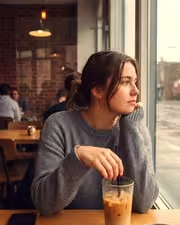
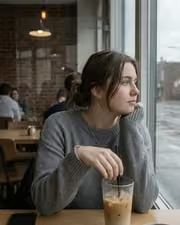
Cafe window, one tap later. With the Reeltint preset applied.Cafe window, one tap later. Photographed without a preset.
Reeltint applied to Cafe window, one tap later

Reeltint

Everyday and mobile creators · 15 presets

was $49.99now $29.99Save $20

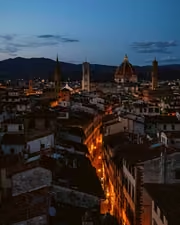
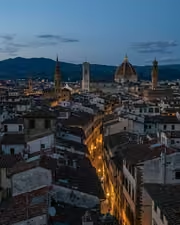
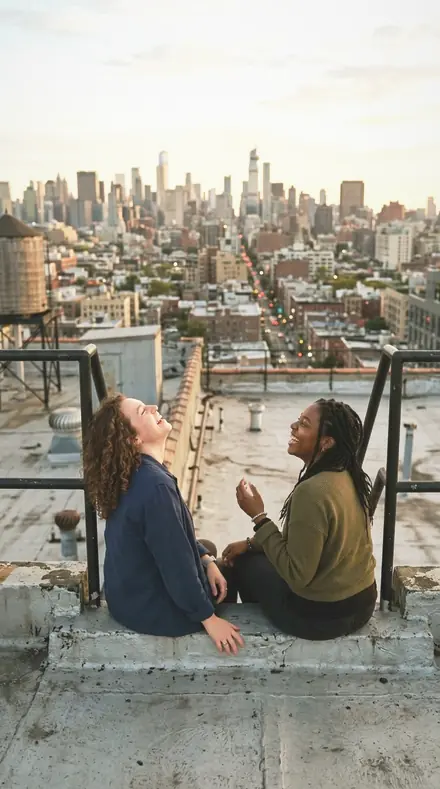
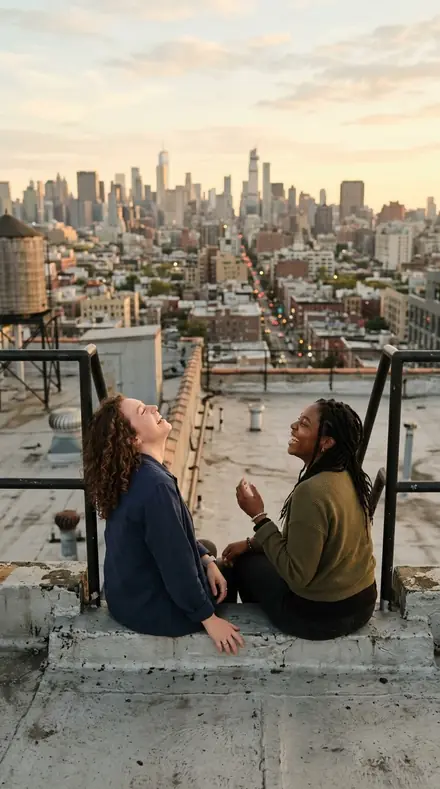
The rooftop hour, kept the way it felt. With the Roamhue preset applied.The rooftop hour, kept the way it felt. Photographed without a preset.
Roamhue applied to The rooftop hour, kept the way it felt.

Roamhue

Travel and street · 15 presets

was $49.99now $29.99Save $20

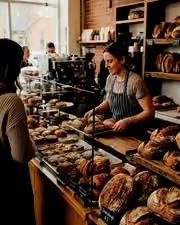
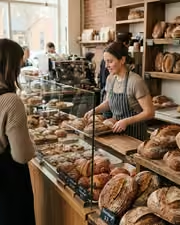
The croissants look warm again. With the Savoryhue preset applied.The croissants look warm again. Photographed without a preset.
Savoryhue applied to The croissants look warm again.

Savoryhue

Food and hospitality · 15 presets

was $49.99now $29.99Save $20

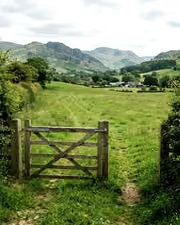
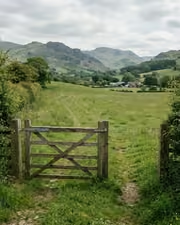
The gate, the field, the green done right. With the Mossgrade preset applied.The gate, the field, the green done right. Photographed without a preset.
Mossgrade applied to The gate, the field, the green done right

Mossgrade

Green nature and macro · 15 presets

was $49.99now $29.99Save $20

Pairs well with